I'm trying to get my audio to route out to my Chromecast TV.
I've installed GNOME Network Displays and this works to cast my laptop screen to my TV. I then go to the audio output menu in my task bar, and select the audio output Network-Displays, and I also go into Zoom and choose Network-Displays as the audio output target.
But despite this, I hear no audio output from Zoom.
Interestingly, if I fire up YouTube and play a video, the audio is routed to my TV just fine.
I'm at a loss as to why audio from Zoom isn't routed to my TV.
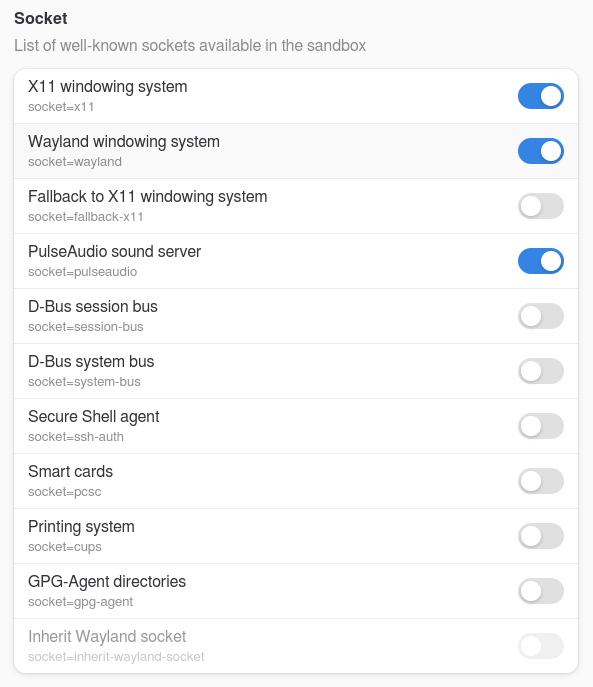
Is Zoom installed as flatpak? Then it may help to install flatseal and to check the permissions for audio server for the zoom app (category "socket" in flatseal).
Hm, I think it is right that it is enabled, but you can test to turn it off. I'm not sure because Zorin uses pipewire and I don't use flatpaks myself.
But when the flatpak doesn't work right, you could try it with downloading the .deb file of zoom.
First remove the installed flatpak of zoom.
Download the .deb file from the website, it is linked in the article (choose ubuntu and 64 bit) and doubleclick on the downloaded file to install it or follow the steps in the article. You don't need to install gdebi on Zorin to install .deb packages, but it is better to use it because gdebi also cares for missing dependencies.