I wanted to change some values in the xfce4 power manager for a test.
By default, in the normal settings app of xfce4, the lowest value for inactivity on battery or ac is 15 (or never).
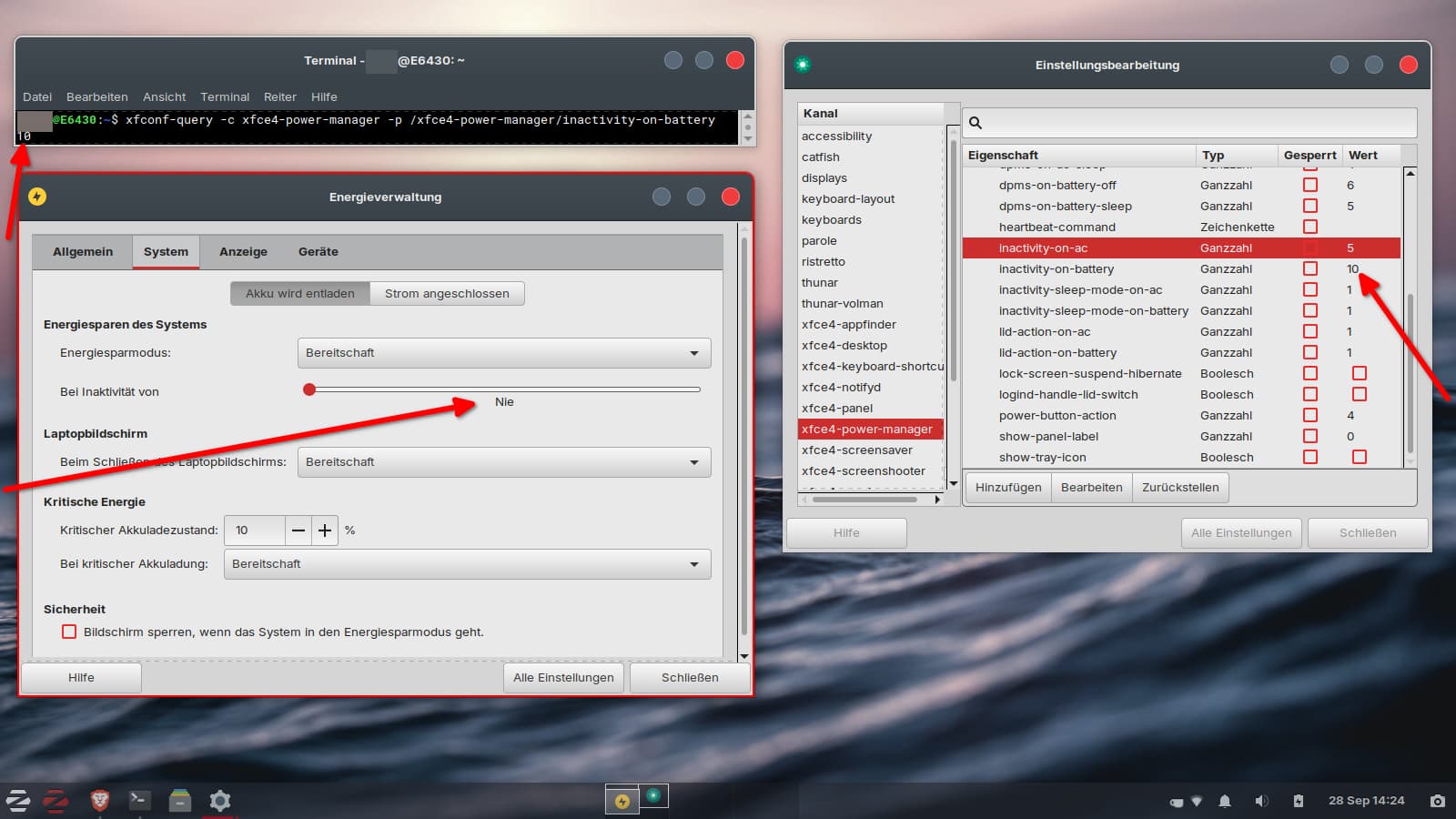
In the xfce4-settings-manager you can change these values to a lower value as e.g. 10 and you get no error.
The terminal output when running
My Guess would be that the Option doesn't exist in the normal Settings App and the ''custom'' Value interferes. So, it takes the lower Value of the Setting which is ''Never'' because it is there the only available one.
To change that, I guess, You have to change the Code of the Program. Maybe @Aravisian can give You the Info.
I found this related problem regarding a later xfce version (4.2). It seems you would have to change it in the source code and compile it with the new values (e.g. set the lowest value for inactivity to 5).
That's too complicated.
It's good to know that you can set lower values, but that they are not shown correctly in the normal settings app and are reset when you move the slider.
Perhaps the source file would look similar for power manager of xfce 4.18 (with other values):
That is the file for xfce 4.18, lines 232 ff
Interesting: In the commits, there's a back-and-forth pattern of changes that affected the lowest value for the inactivity time: 15, 5, 0, 15...
I'm curious about how to allow more values in the UI, so I tried compiling xfce4-power-manager in a live session. Unfortunately, I don't see any changes. What am I doing wrong?
I had to add source code to my sources in Software&Updates.
I uninstalled xfce4-power-manager. Then I downloaded a tarball from Launchpad xfce4-power-manager_4.18.3.orig.tar.bz2 (because gitlab was offline), extracted it and went to the file data > interfaces > xfpm-settings.ui and changed the value in the lines 233 and 241 "lower" from 14 to 4.
Then I followed the README
./configure
make
sudo make install
and it seemed to have worked.
I logged out and back in and opened the settings app > power manager and was asked if I want to run it.
I'm not sure if something is missing? In the folder where I edited the file were some makefiles, too. Do I first need to compile something there?
No, I haven't checked that. I didn't know which package (there were three in launchpad) to choose. It is a bit complicated because although Zorin 17 Lite is based on Ubuntu 22.04 it uses xfce4 4.18 and not 4.16 which is used in ubuntu jammy. So I fetched a 4.18 package for ubuntu noble with the most MiB (because the others were just KiB).
I don't know if that was right.
I ran
sudo make uninstall
now, and that seemed to have removed the compiled xfce4 power manager. No icon for power management is shown now in the settings app. That's good.
When I install xfce4 power manager via apt, it is version 4.18.3-2.
I tried to edit the file xfpm-settings_ui.h, too, which is in the same folder, but it didn't help.
I can move the slider below 15 and xfce4-settings-editor shows the right values 14,13,12,11...during moving the slider to the left side, but the normal xfce4-power-manager app always shows "never". The span is bigger then.
14 seems to be in 4.18 the value which is the default for "never".
But I don't understand what I'm doing here. I want to find out why it does not show the correct values in the slider but "never".
Edit: I'm not sure if it was that change. I tried so many things and was not able to reproduce. Perhaps I must always download a fresh file for the next compiling test. I can't read the code, just searched files which contained the inactivity terms.
Does anyone know which files in the source code I need to edit?
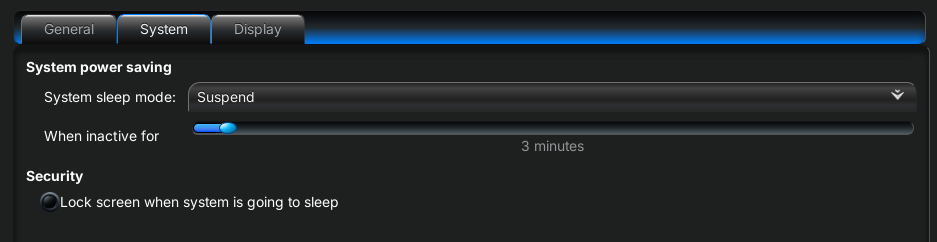
This is handled much better in GNOME. If you set the autosuspend time to less than 15 minutes in the dconf editor, it syncs with the GNOME Power plugin and expands the available options so that, for example, 5 minutes are displayed. It doesn’t show wrong values ("never") as in XFCE.
That said... I may be misunderstanding the issue here. Your explanation of events does not make sense.
XFCE sets the parameter by the minute, not in fifteen minute increments.
I have had no success in reproducing what you describe and am at a loss how you could be seeing what you are seeing.
XFCE does not fallback to never if set below fifteen minutes.
I just tested three minute timers, and they work.
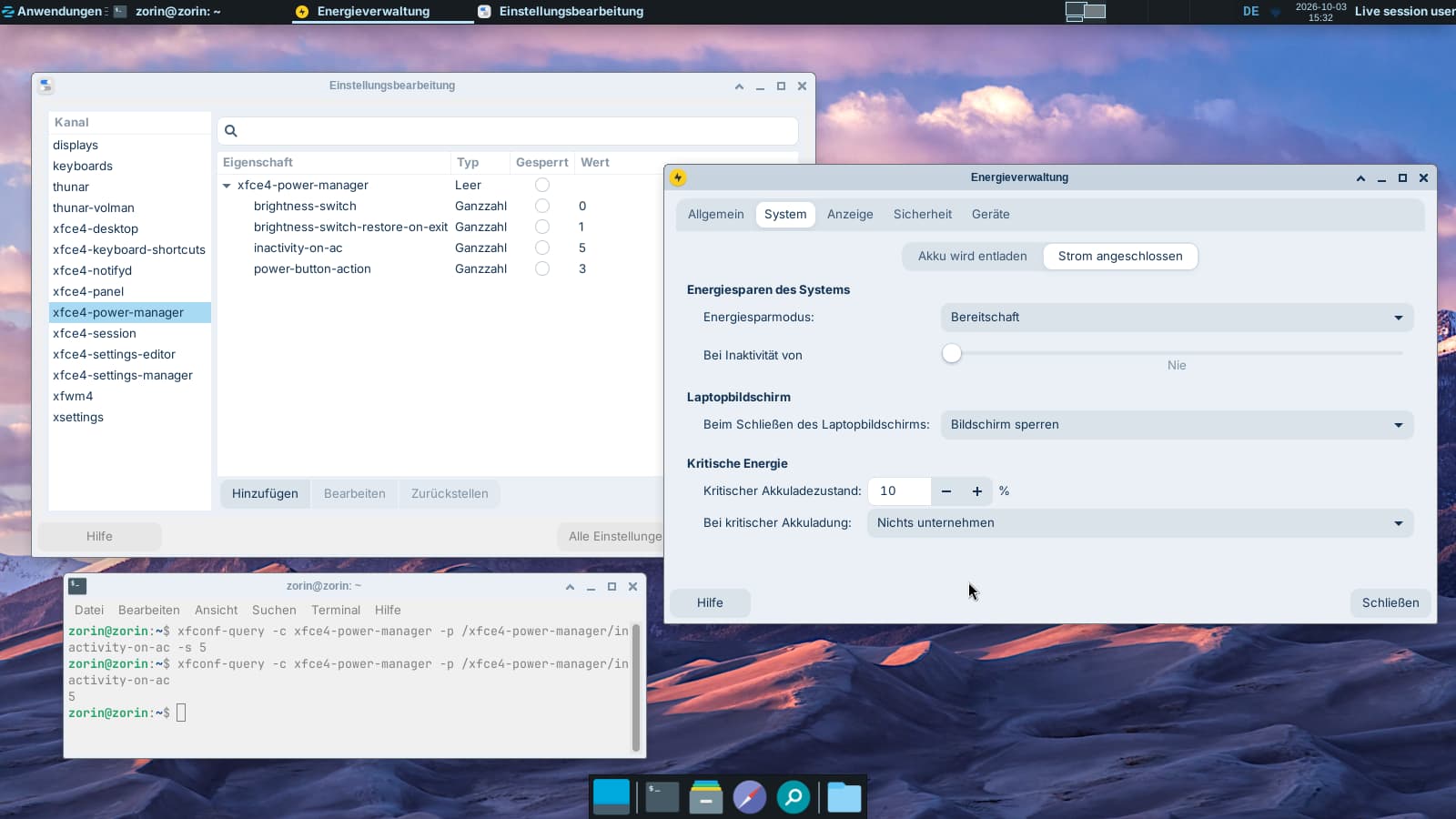
What does xfconf-query -c xfce4-power-manager -p /xfce4-power-manager/inactivity-on-ac -s 5 result in, in the Power Manager U.I?
Does it now show as set to five minutes?
No, it shows "never". I tested it in Zorin 18.1 core with XFCE desktop because I have no Zorin 18 Lite available on my USB stick and installed the xfce4-power-manager there, and it was the same as on my Zorin 17 Lite system. I can set a lower value than 15 in the xfce4-settings-editor (any minutes I like), but the value is always shown in the Power Manager U.I. as "never" when it is <15.
Only for this test I installed XFCE onto Core. I use Zorin 17.3 Lite on my old laptop. The first posts were from my real system. Zorin 17.3 Lite uses XFCE 4.18.
The test now in the live session is XFCE 4.2.
It is not a Zorin thing. Other XFCE users are complaining, too that it is not synchronized.
The suspend works correctly with the lower value, it just is not shown correctly in the power manager gui, but in terminal and in xfce4-settings-editor.
I tested this on two machines, one with Zorin OS 18 Lite.
I can try powering up a 17.3 Lite later but I am confident I will get the same result, as a Zorin OS Lite user since Zorin OS 12.4
If you xconf-query a time of 3 minutes... The power manager will also set to Three Minutes. Not Fifteen, not never - and will suspend at three minutes.
I am at a complete loss as to why you are seeing such a strange outcome.
I access it the same way. In xfce4 it was not preinstalled, so I installed it with sudo apt install xfce4-power-manager and put it to the autostart programs. In Zorin 17 Lite it is the preinstalled power manager.
Mysterious that it works for you but not for me...
It doesn't help to logout and to restart the xfce4-power-manager. I tested it with another user account and in a fresh live session of Zorin 17.3 Lite, even on my newer Dell laptop, and the problem was the same there.
I know that you have often installed the latest xfce4 version on your system.
I booted into my Bunsenlabs Dualboot system which is based on Debian Trixie and has version 4.2 of xfce4-power-manager (but no xfce4-settings-editor), and there the normal range in the slider of the xfce4 power manager starts with 0 and you can set values below 15 there with the slider.
In distrosea I tried it with many other distributions as Xubuntu 22 and 24, Zorin 18 Lite, Debian 12 XFCE and there the slider did not show values <15. But they all had lower xfce4 power manager versions than 4.2, e.g. 4.18.
It may not be very meaningful, since distrosea is a virtual machine and not all settings are available there and you can't make updates.
I'm wondering if you have a newer version of xfce4 or if a package is missing which makes it possible to show lower values.
I suspect that only power-manager 4.2 can show it. I'll put Zorin 18 Lite on my USB boot stick and test what happens there when I start a live session and update the power manager. In distrosea of Zorin 18 Lite, the xfce4 version was shown as 4.2 but power manager 4.18, so I'll have to take a closer look.