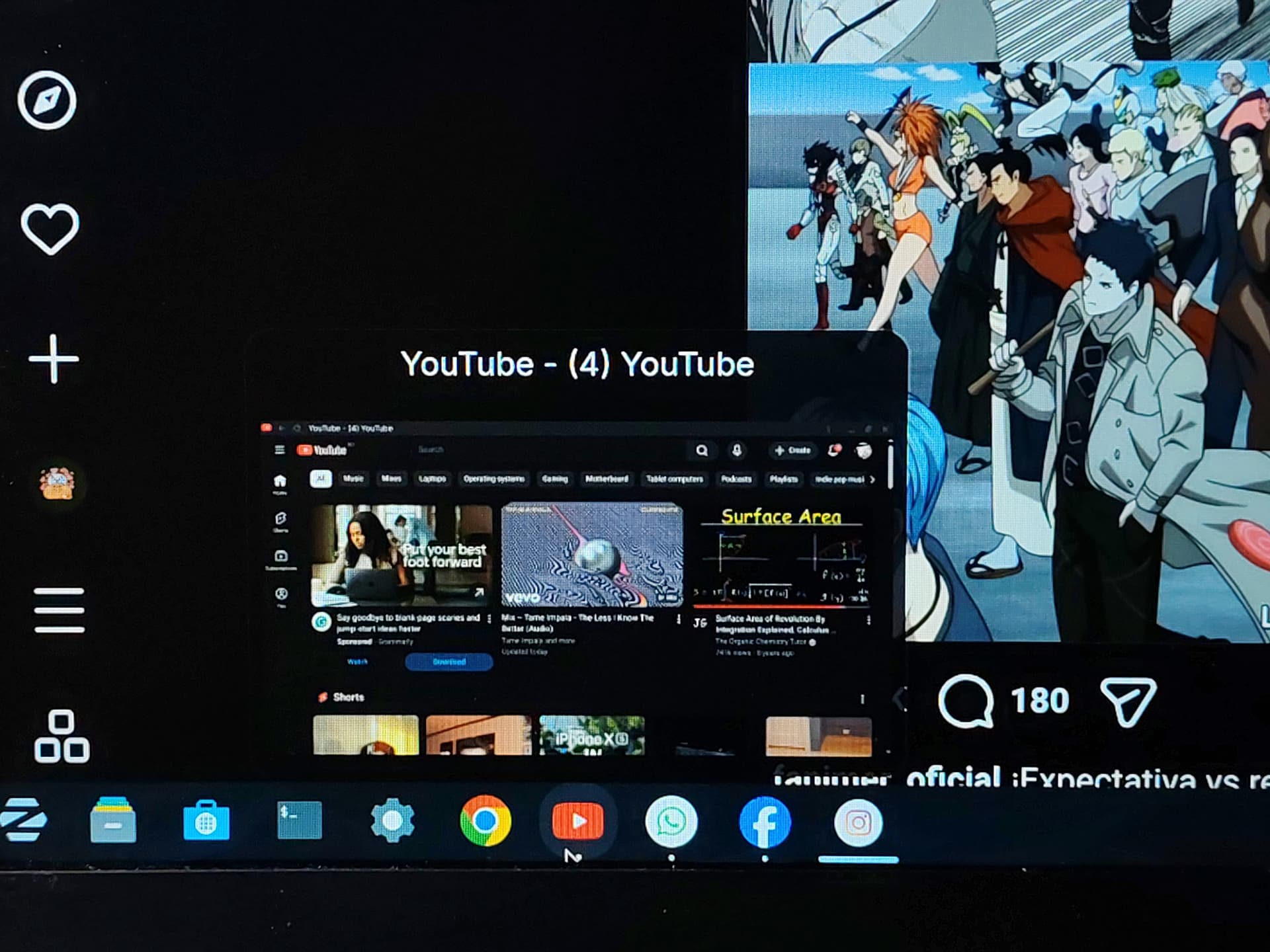
I downloaded zorin os today and its awesome. But I am facing a problem regarding the chrome app shortcuts.
In the screenshot you might be able to see that chrome apps shortcuts are in my taskbar. But whenever i open a app shortcut it opens into a new chrome tab instead of the app itself.
Is there any way of fixing this issue? I just want them to open in the app themselves instead of a new chrome logoed tab. It worked on mint, without this I am loosing my tab control honestly
Sorry for asking these type of silly question, I am a complete newbie. I will be very glad if I find some help regarding this matter.
Can you tell us how did you create the shortcuts? And does this happen with any website that you're looking to install? If you still have Brave, or some other Chromium-based browser, please try that as well for comparison.
Chrome wasn't allowed to create shortcut apps at first. It asked some kind of permissions to do so. The error message showed flatseal method is the easiest way to do the job. Then I installed flatseal from software store, gave permissions to chrome, and then I was able to create app shortcuts.
Yes, it is happening with every websites.
I haven't tried brave or other chromium based browsers. I think I should try them and hope they work the way I want!
Chrome flatpak has issues with shortcuts for PWAs, i'd recommend using the .deb version of Chrome.
I personally have the .deb version of Chrome, and PWA shortcuts work perfectly (working icon and it opens in their own window)
Hey there, thanks a lot!
I downloaded the .deb version of chrome and for my surprise it is working perfectly without having any issues of opening the shortcut apps in a new chrome tab. Thank you so much

 Solution.