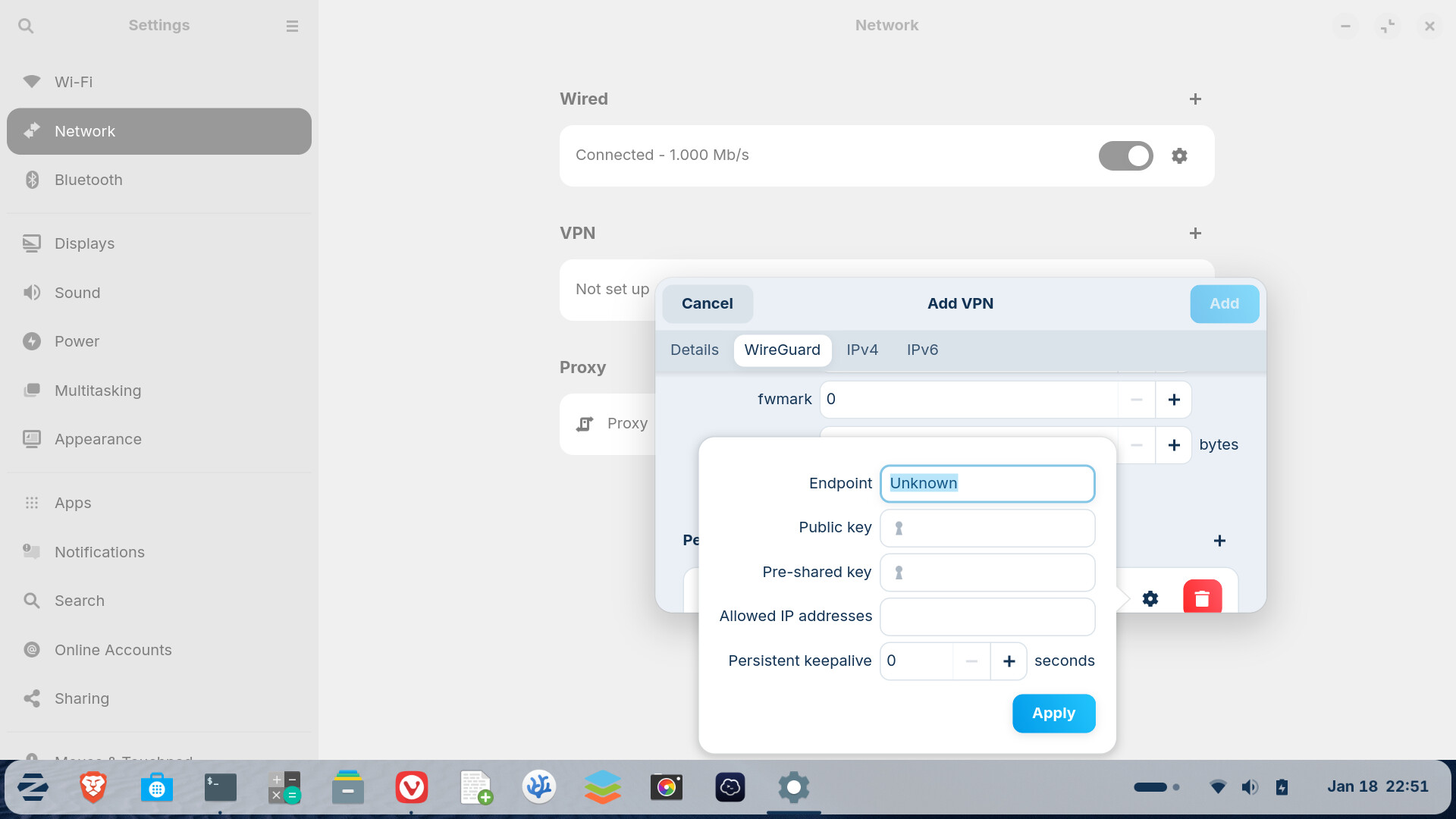
I'm trying to configure a wireguard connection, but the window with the peer setup just evaporates each time I switch to the text editor to copy the parameters from the config file ... I certainly won't manually type in the keys!
So how can this be done???
Does this help?
Not really. I got a config file from my router at home which contains all the necessary information, but there is no option to import that in the Zorin Network VPN settings, so I have to manually enter them all in the attached dialog (it's much easier on my phone or tablet as I can just scan a QR-code shown by my router).
But as I said, the popup to enter the peer settings just disappears as soon as I switch to another app or just click on anything else on the screen, which makes it impossible to copy/paste the information from the config file.
Maybe it helps to disable "Attach modal dialogs" at Zorin Appearance >Windows.
Then you can move the windows to another position of the screen.
I already tried that, but the only window I can then move is the one named "Add VPN", but not the popup to add a peer. Looks like a bug in that module.
If I get the time, I'll try to configure it from the terminal, but that's not how it should be.
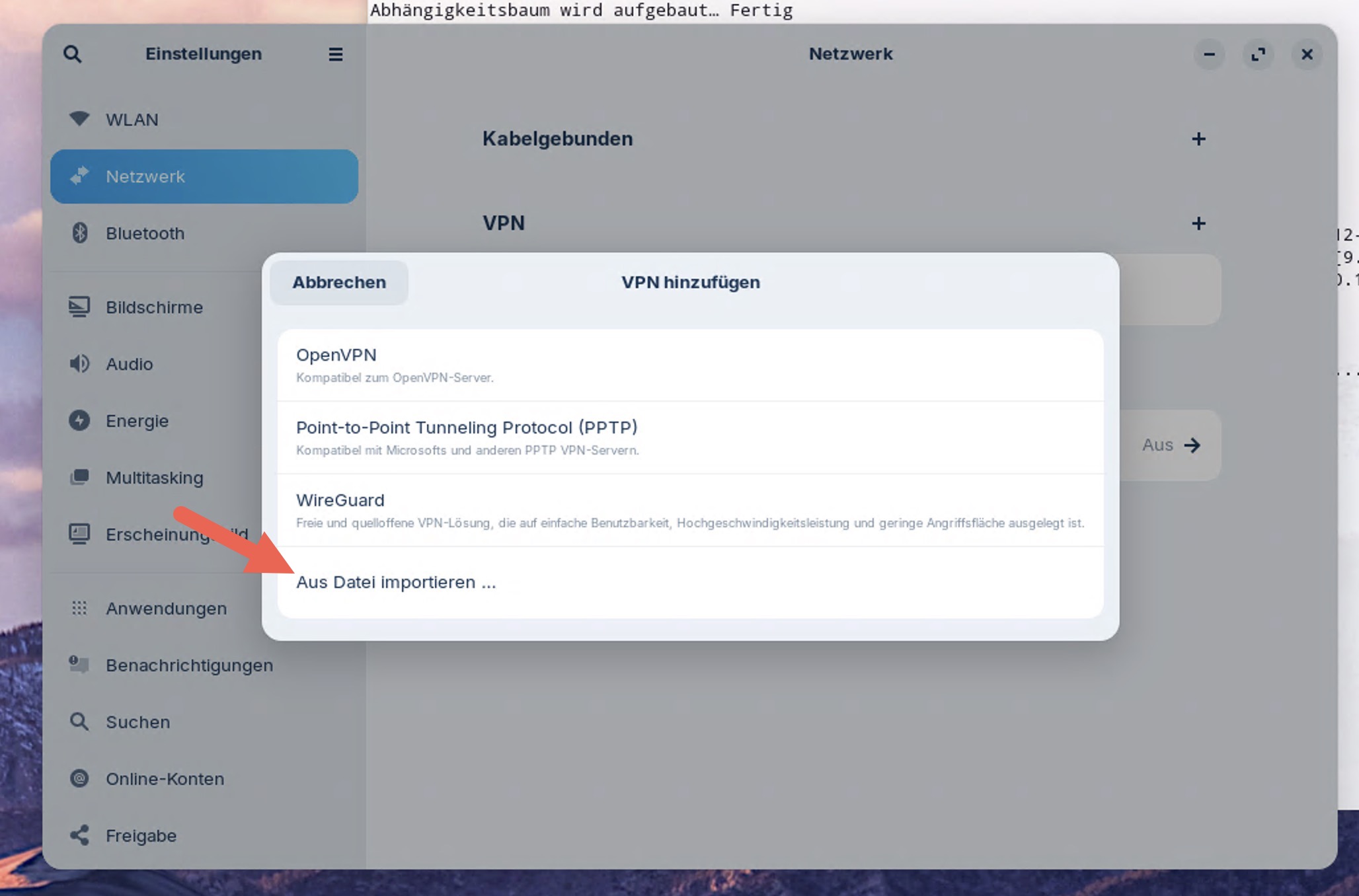
Tried this?
It automatically recognizes the VPN type and imports the settings.
No manual entries necessary:
1 Like
OMG, that's exactly what I wanted, but I was looking for it inside the wireguard setup window. I supposed this was for some Linux specific VPN type.
I would have put that option inside the various setup windows for OpenVPN, PPTP and Wireguard. Less confusing.
Thanks!
(But there is still the bug with the disappearing popup window)
Yes, you are so right - in both points.
This topic was automatically closed 90 days after the last reply. New replies are no longer allowed.