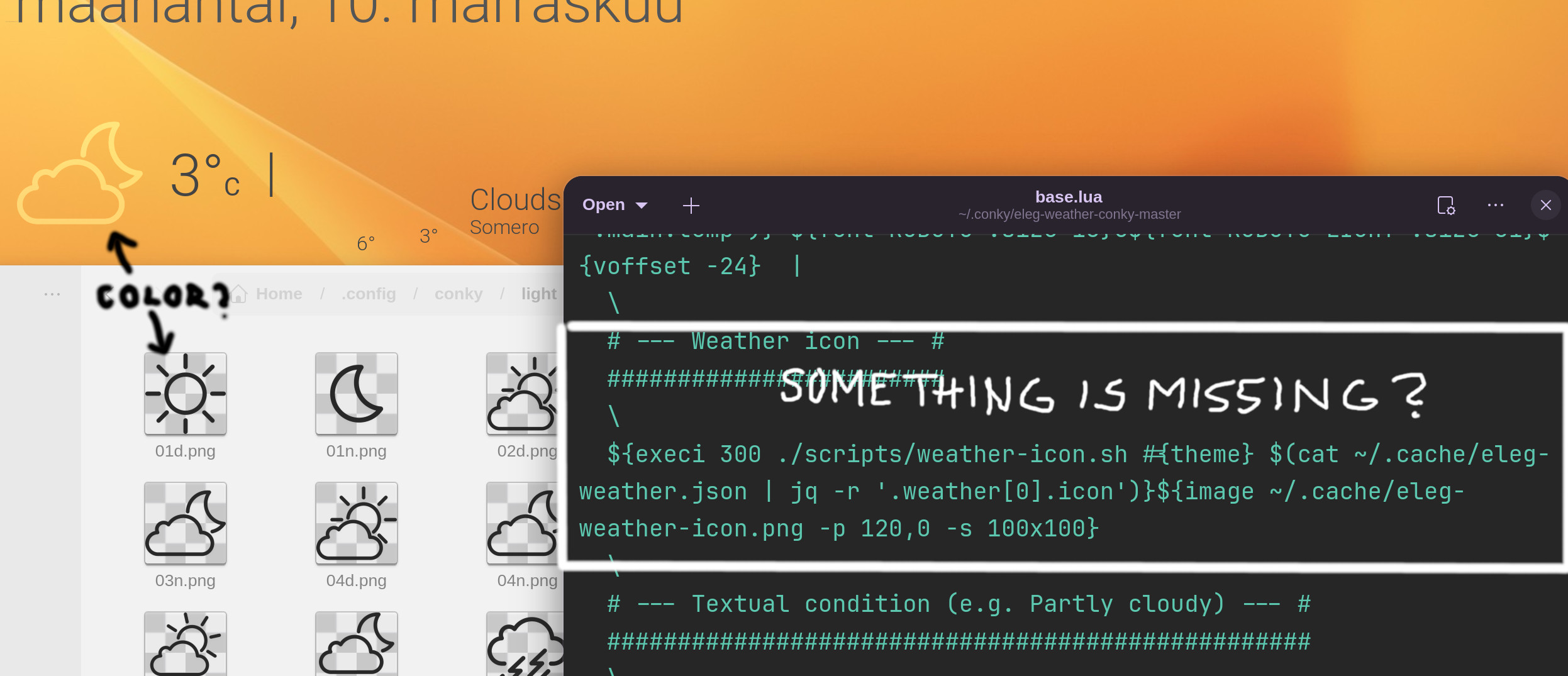
I’m practicing building a widget using the Eleg Conky weather widget downloaded from GitHub. Everything has gone smoothly otherwise, but the color of the weather icons is a problem. I’ve changed the color of the original icons because I couldn’t find any other way to modify them. Still, Conky displays them incorrectly. I tried going through all the files and code, but I couldn’t find anything that would point to icon colors, icon caching, or any specific location in the system. I’m sure I’ve missed something, but what? The image includes a bit more information.
(Gnome/CM2/Installed according to the instructions via Terminal)
The color property in the conky code determines Font colors, only.
To change the color of a .png icon, you must change the color of the image itself. You can use Gimp or your preferred image editor to recolor the icon image.
That's what I actually did. The original icons were white, and I changed their color to dark grey in GIMP. I expected them to appear as dark grey on the screen, but for some reason, which I have no clue about, they appear as slightly transparent white.
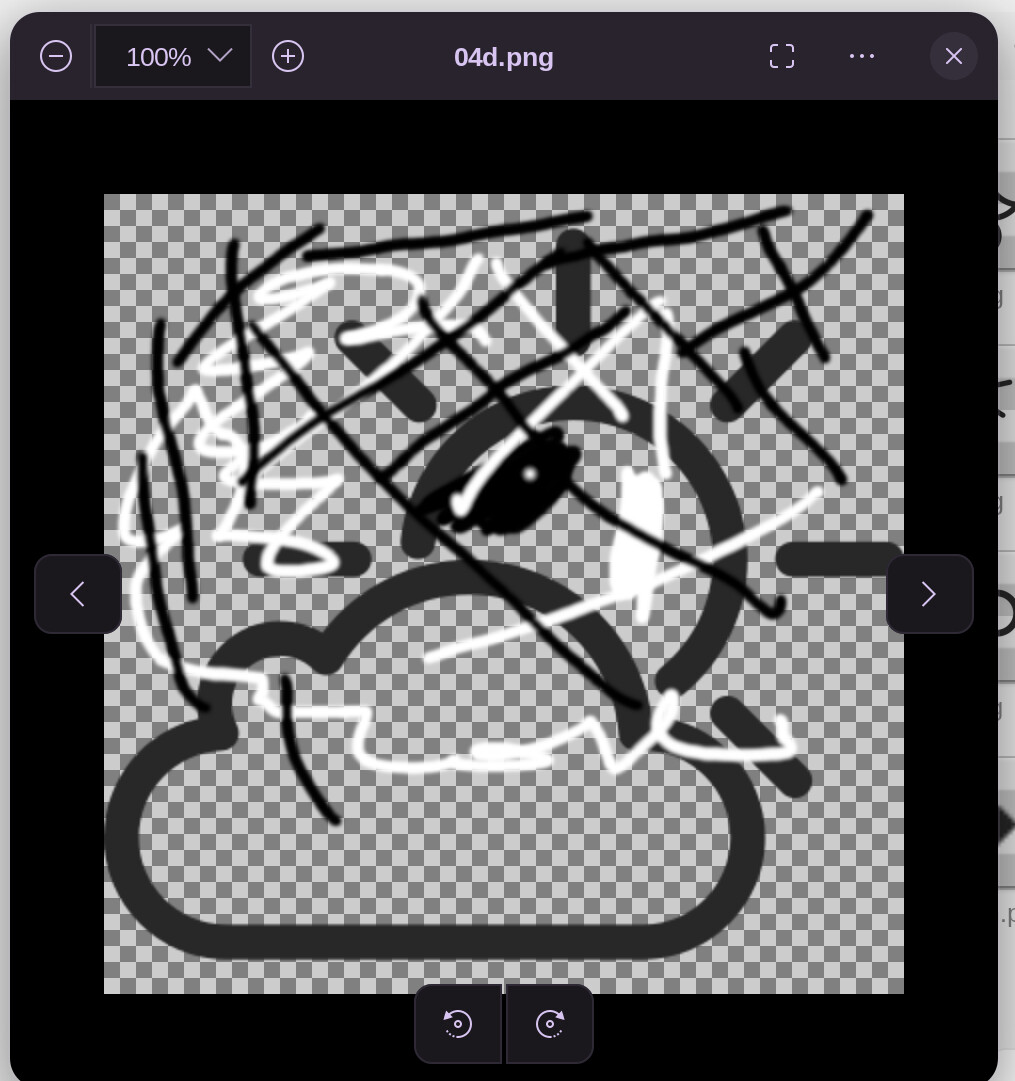
I did a test: I drew black and white lines all over the icon and then overwrote the icon. The funny thing is that only the white lines are visible, not the black lines. Is there some setting in the code or in CM that causes this?
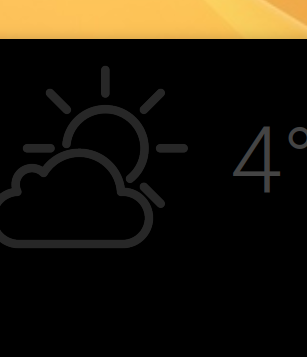
In this screenshot the widget's background color is changed to black. Now the icon color is correct. Does this mean there is some color inversion command active or something like that?
Imlib2 blends the PNG over the background.
Semi-transparent pixels (especially dark ones with low alpha) effectively vanish when drawn on a light or transparent surface.
You can test this by removing the alpha transparency on a test icon, then exporting it in GIMP with Save color values from transparent pixels unchecked when exporting - export as 24 bit .png
Remove the cached icon:
rm ~/.cache/eleg-weather-icon.png
Reload conky.
If it shows solidd or dark lines - that is what is going on.
There is not anything in the script or code that will change the color.
I would need to install this conky and do some testing in order to find a way of setting the icons to a dark color.
Thanks, but unfortunately, it didn't change the icons' appearance. I googled this for hours but couldn't find anything clear. One article says that the program uses X11/XWayland, which may cause conflicts. Referring to you statement, all the files related to the widget and CM2, as well as guides and articles, the icons indeed are not rendered through Lua, imlib, or Cairo, but copied as they are in the program's cache. And different exporting variations in Gimp don't change anything... This makes my brain hurt... I think I need just a little bit too big a dose of Vicodin...
Did you try to switch to Xorg if you are on Wayland (logout and at login click on your username then a cog wheal appears at the bottom right corner, there select Zorin Desktop on Xorg).