I am on a mission to find a modern, sleek, lightweight desktop tool that can show a few basic statistic at a glance.
Now my brain said install Conky, and it was pretty straight forward and easy. Sudo this, sudo that add repo and off you go. I see there have been some discussions around Conky, wayland did get mentioned a bit. Yes i asked uncle google and did some reading as you do.
Conky works, it runs. Out of the 50 themes and widgets i downloaded, it was a hit and miss story, some worked, some worked in a way out of the box.
Straight to the point, is there any advice or alternative to Conky?
Any good widget that work out there? widgets that people have tested?
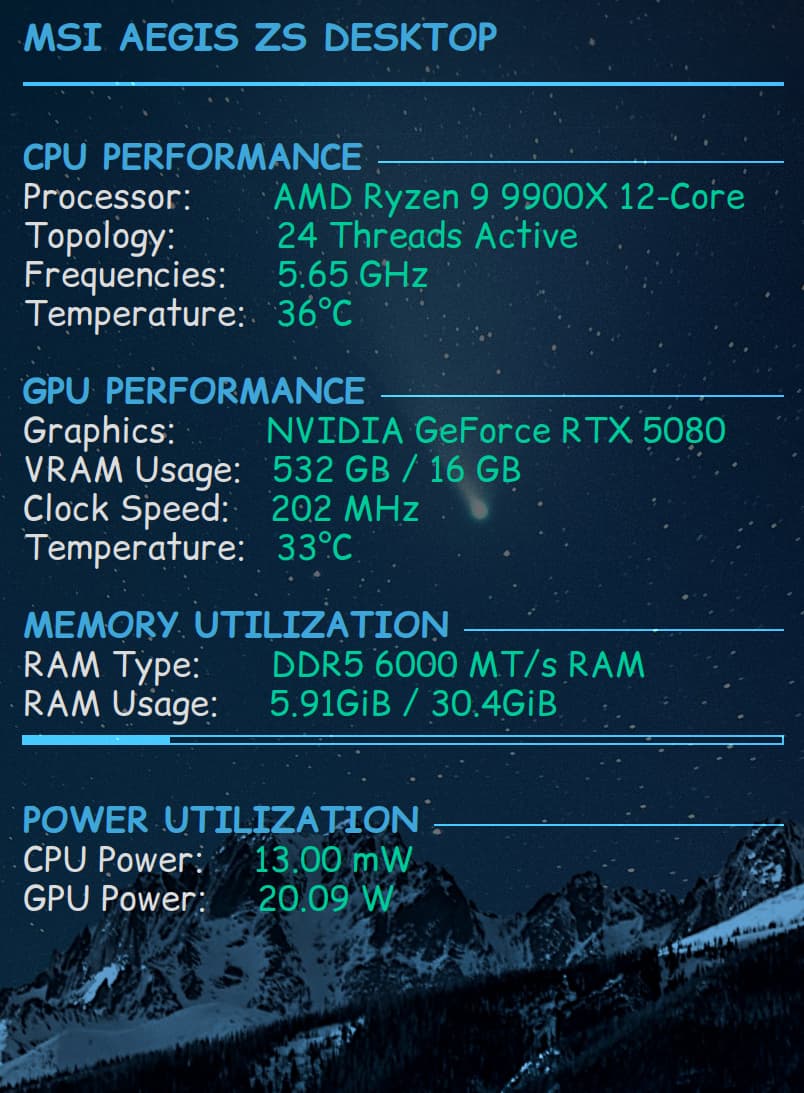
Yes i did get it going, with a very minimalist little widget. (added a little screen shot)
Do you want something for the desktop or panel?
If you like a tool for the panel/topbar you could take a look at the gnome extensions. There are different ones which monitor cpu/ram/temperatures and other things.
The problem with downloading a pre-made conky is that is is configured for the system it was built on - not yours.
The most common fault is that the conky is rendered - off screen. When you launch a conky but see nothing - adjust its coordinates on screen to 0 0 and that usually gets it to appear.
You can then fine tune that adjustment to get it where you want it.
It wasn't really Conky, but I used to love the Cairo-Dock widgets for CPU and RAM. I also loved how you could overlay the digital clock over the weather widget. Things were so much cooler and smoother in days-gone-by. Immutable prevents you from tinkering which I used to love and share (57 mins 43 seconds in if you can't wait that long!):
Totally agree, basic conky is pretty easy to manage with re right parameters, after that if you want to play with lua to have better visual it's another lemonade lol
for those who want to play with basics:
I like Conky when it works, its not the most intuitive software in the world, and you'll likely need help from Gemini to config your Conky, but when you get it just right, its so nice.


 ):
):