would you please give me your conky theme config because I have problem to display png files. Thank you
To install Conky
1 Like
I know how to install, I just have problem with png transparency, what ever I change in config it doesn't work. I also read all your tips about config and nothing worked at all.
Hey, I am not sure what is causing it but according to my guess the problem is somewhere here ...
-- Window Settings --
  background = false,
  border_width = 1,
  draw_borders = false,
  draw_graph_borders = false,
  draw_outline = false,
  draw_shades = false,
  own_window = true,
  own_window_colour = '000000',
  own_window_class = 'Conky',
  own_window_argb_visual = true,
  own_window_type = 'desktop',
  own_window_transparent = true,
  own_window_hints = 'undecorated,below,sticky,skip_taskbar,skip_pager',
  stippled_borders = 0,
If i am correct it maybe due to this,
own_window_argb_visual = true,
OR
own_window_transparent = true,
Try changing the value of argb_visual true or false and check the results.
Let me know how it goes !
No it doesn't change anything, do you use Wayland or X11 ?
You can make it transparent — it’s explained in the video at minute 4:46.
I can't make transparent something that doesn't appear, the screenshot is from a fresh install of the same widget...
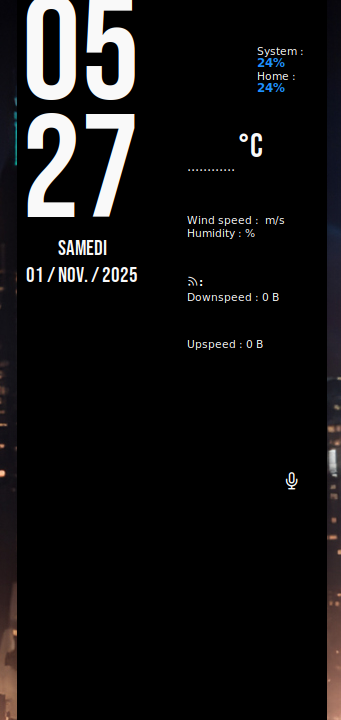
Transparency is in regards to the conky window itself.
But you are referring to .png files... Can you Show Your Conky File?
My fault, actually, because I was so focused on it I hadn't noticed that the image path was incorrect. It was in the script ~/.config/conky/... and Conky had installed the themes in ~/.conky/...
Sorry
Thank you @Aravisian @AliReda @cx051 for trying to help me
3 Likes
This topic was automatically closed 90 days after the last reply. New replies are no longer allowed.