I installed Zorin 18, version core, it connects to Wi-Fi but there's no internet. CNVi: Wi-Fi (Wi-Fi 6 AX101NGW). Could you please help me?
Welcome to the Forum!
Can You connect to the Internet with a Cable Connection? If yes connect it and update Your System. Then take a Look at the ''Additional Drivers'' Tab in Software & Updates if there is a Driver offered?
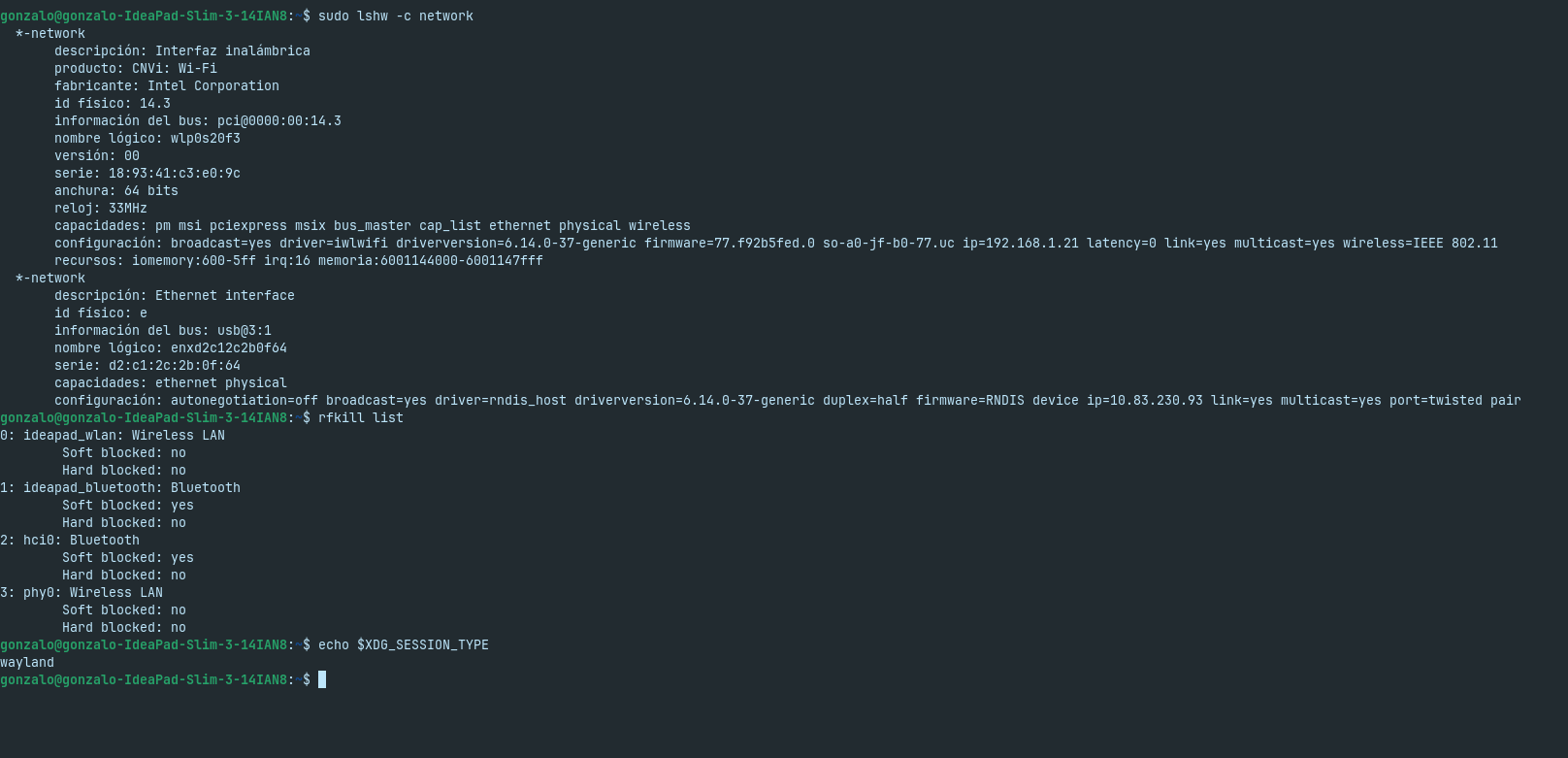
Also: Could You post the Output of the Terminal Commands sudo lshw -C network and rfkill list please? And check if Your System runs in Wayland or X11. You can do that with the Command echo $XDG_SESSION_TYPE
Uploading: Captura desde 2026-01-12 15-45-13.png…
Thank you for your help, I've attached an image with the requested commands.
I'm currently using USB for internet access.
It seems that the Upload of the Picture didn't work right. Could You try it again?
Hi and welcome.
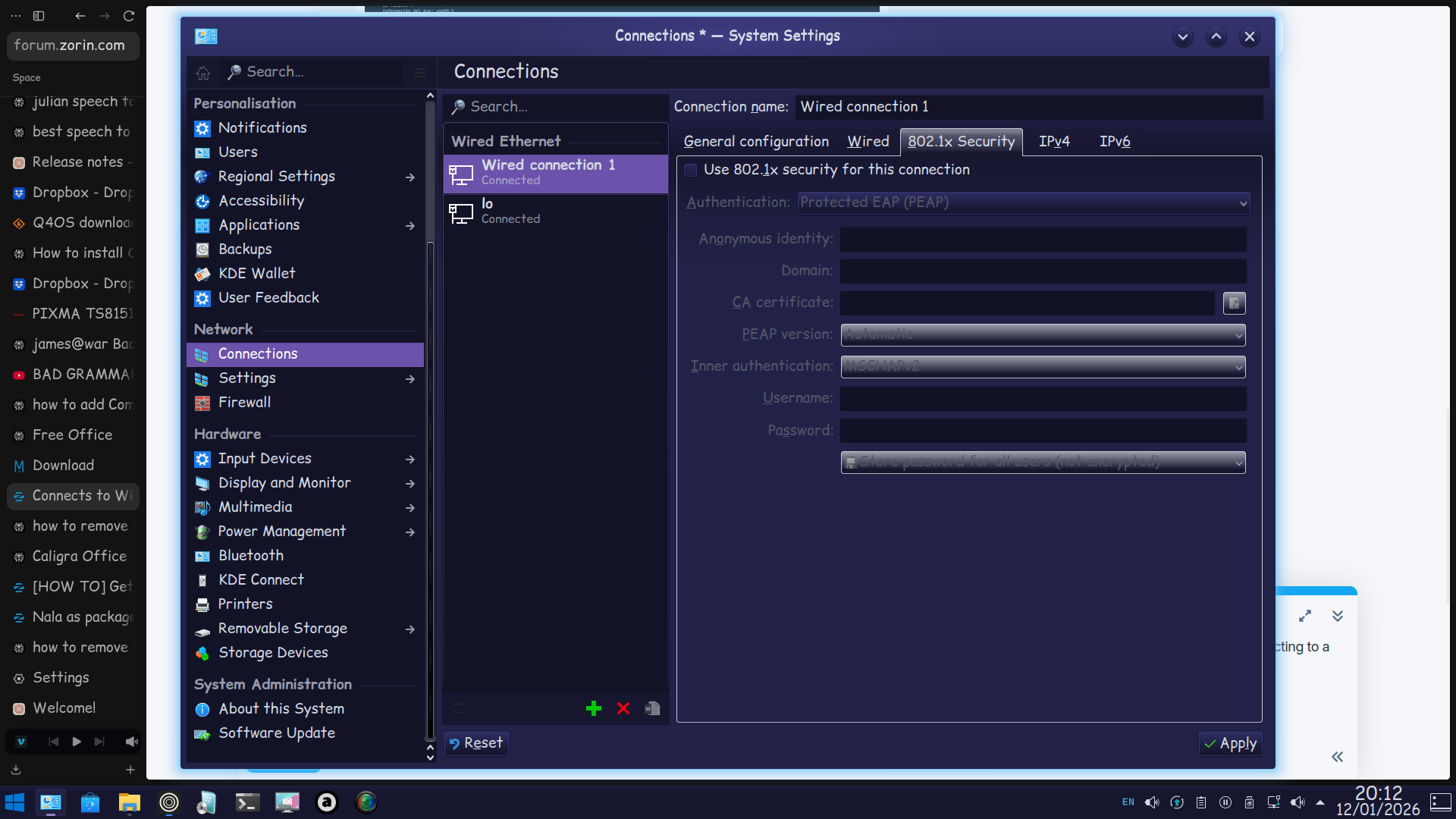
I spotted that you have 802.11 being Active - this should only be used if connecting to a corporate network.
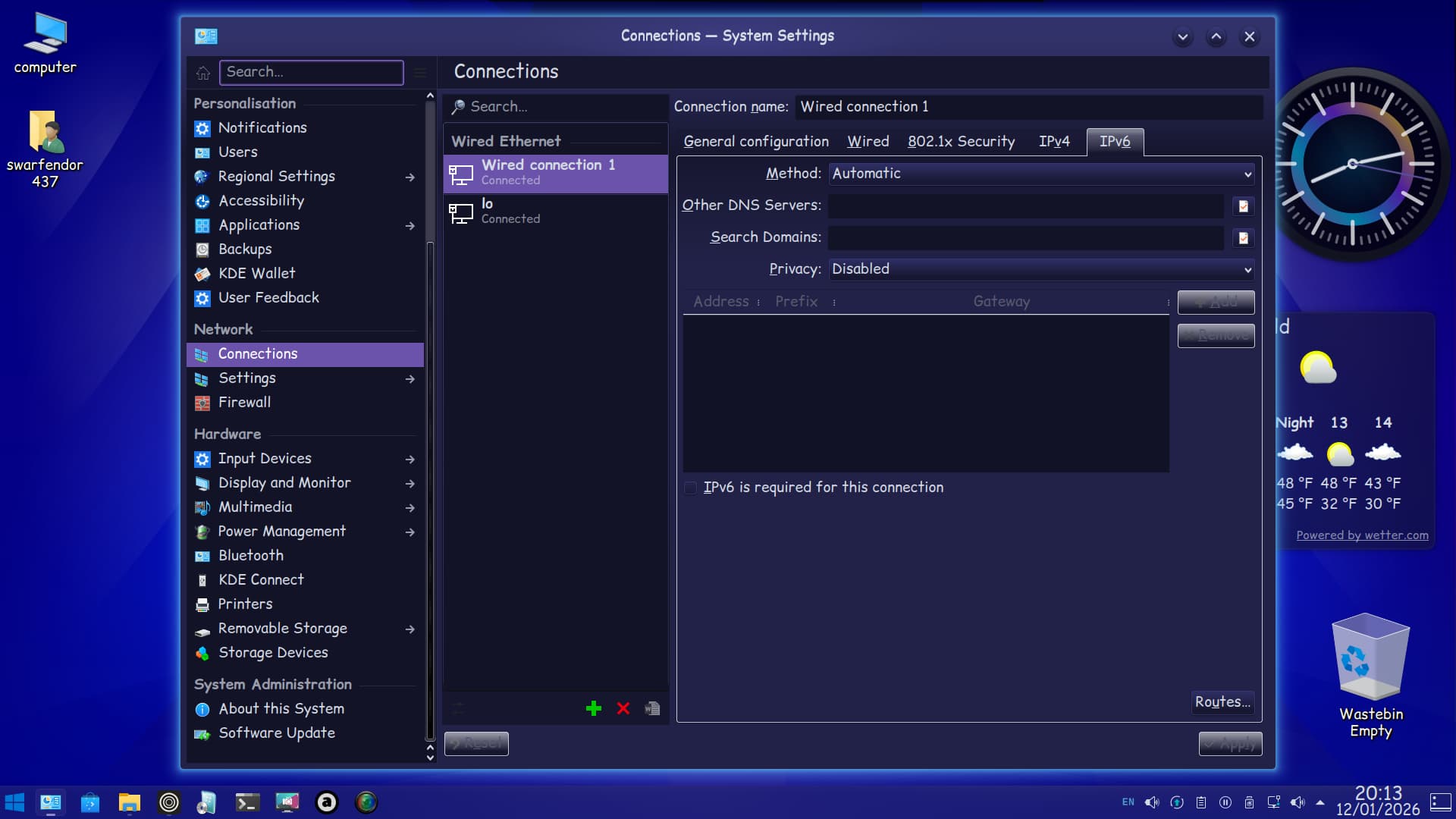
Additionally I would disable IPv6.
1 Like
Ponce-De-Leon, Swarfendor437 thanks for the welcome.
I have a question: how can I access that menu to change those parameters? I'm fairly new to Linux and not very familiar with it.
If you have internet access, but cannot surf to any URL, then the DNS is probably missing.
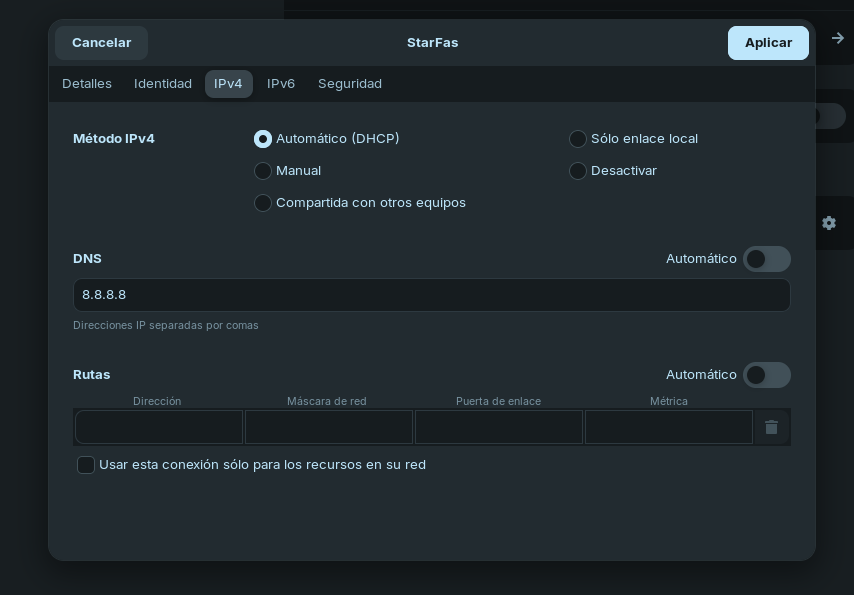
Go to the IPV4 tab and check the DNS entry.
It it is empty, enter 8.8.8.8, 192.168.1.1.
The DNS resolves names to IP addresses. 8.8.8.8 is Google's public DNS, 192.168.1.1 is your local router's DNS (just a guess).
it didn't work
Can pls send a screenshot of the WiFi IPV4 tab?
Because Your System runs in Wayland, I would suggest to try it with switching to Xorg. To do that, go to the Login Screen. Click there on Your Profile so that the Password Field appears. When it is appeared, You should see in the bottom right Corner a Gear Icon. Click on it and choose the Option ''Zorin Desktop on Xorg'' and then log in and check if it works.
Got to Settings>Wifi or Settings>Network. There look for Your Wifi-Connection and beneath the Toggle to enable/disable it should be a Gear Icon. Click on it. It will look differently from what You can see from @swarfendor437 because he is unsing a different Desktop.
I understand, thank you.
I tried it, but it didn't work either. What I don't understand is that I'm connected to Wi-Fi, but I'm not getting internet access.
are you being given an IP address? In the first tab of that settings window I believe it should show what IP address you're being given (if any)
1 Like
Problem solved. There was an internet block due to my MAC address. Thank you all so much for your help; I learned a lot. I discovered it because I decided to connect to other Wi-Fi networks to see what was happening, and I was able to connect without any problems.
4 Likes