My old MacBook Pro (late 2013) is retiring and I could like to try Zorin OS on it. What is the best way to create a bootable usb drive on my mac? I never did this before and sincerely look for some good suggestions here.
By the way, are there any additional steps I have to do when installing Zorin OS on my mac?
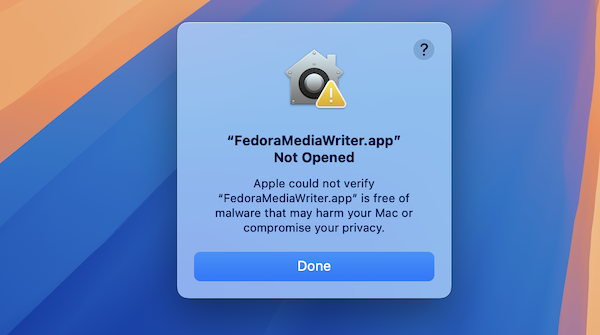
The Fedora Media Writer is a decent Tool and works on Mac. It is a simple to use Tool.
It depends a bit what Hardware Specs You have what You can do.
I personally for Example make Installs offline and install Drivers later after the Installation but depending on Your Hardware it could be good to install it during the Installation Process. Depending on Your Graphics Card would be the question if Wayalnd or X11/Xorg is a Thing (These are Display Protocols and can be a Topic).
But for now, I would suggest to create the Bootstick with Fedora Media Writer.
When creating bootable USB on Mac, please download the ISO from the official source, verify the checksum if available, and ensure it’s compatible with your system. Use Disk Utility on Mac to erase and format the USB drive as MS-DOS (FAT) or exFAT and set the scheme to GUID Partition Map before creating the bootable drive.
If you want to install Zorin OS on a PC and are using a Mac, one reliable way is to create bootable USB on Mac. To do this, you'll need to use the Terminal, which allows command-line operations.
Zorin OS is a popular Linux distribution, and creating bootable USB on MacBook Pro (late 2013) is straightforward, you can try the Balena Etcher. Using Balena Etcher to create bootable USB on Mac is a simple and effective process. Balena Etcher is a free, open-source application designed to make flashing OS images onto USB drives or SD cards straightforward, even for users with minimal technical experience.
To start creating bootable USB on Mac, you need to download and install Balena Etcher from its official website. Once installed, launch the application. You will then select the ISO or IMG file of the operating system you want to create a bootable USB for. After choosing the image, insert your USB drive into your Mac; Etcher will automatically detect it. You then click on the 'Flash!' button to begin the process.
Etcher takes care of formatting the USB drive and writing the image onto it. The process usually takes just a few minutes, and once completed, your USB will be bootable and ready to use for installing or running the OS on another machine.