I have a cursor I like but when I select it in the customisation options, it doesn't change from the default one on Zorin.
Did you logout and login again?
No. I just chose the custom cursor and nothing happens at all.
If it is a x11 cursor theme it may not work if you are on wayland. You can check that at settings>about.
To switch to Xorg (X11) logout and at login click on your profile then a cog wheal appears at the bottom right. There select "Zorin Desktop on Xorg".
And you extracted the cursor theme and put it to
usr/share/icons,
~/.icons
or
~/.local/share/icons?
Standby...just changed to Xorg.
Is it a cursor theme for gnome?
You can find suitable ones at
The one I am trying is
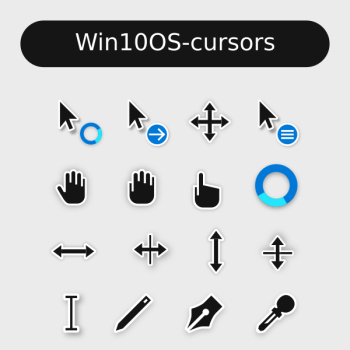
Win10OS-cursors
Do You have extract the downloaded File? Because this is a compressed File, You have to extract it.
And where You have putted the Cursor Theme?
`~/.local/share/icons this one.
The path is right. Maybe it no longer works because it is not maintained? Unfortunately there are also no current comments to see if it still works.
I read that another cursor theme where this one is based on not worked at ~/.local/share/icons but at ~/.icons. They should work both, but you could try if it makes a difference.
So do i create a folder called .icons within share?
No, there where your .local folder is saved, in your home directory at /home/USERNAME/ create a folder and name it .icons
1 Like
That's it.
1 Like
Glad to hear!
1 Like
I read that another cursor theme where this one is based on not worked at ~/.local/share/icons here but at ~/.icons. They should work both, but you could try if it makes a difference.
If that doesn't work, sometimes just putting the cursor folder in /usr/share/icons/ helps (you'll need sudo for that), but for individual customization, ~/.icons is definitely better.
Good point. For clarity the .local | share | icons means only the user who is logged in can access that theme, whereas placing it in usr | share | icons means it is available system-wide but it is normally protected so you would need to temporarily 'chown' to your user to access it, but remember to 'chown' back to 'root' once you have finished.