Hello all,
Im wondering if the bootup screens (grub) can be customized...and how does one go about this? Thanks in advance
i actually have that but have no idea how to use it
maybe it would help if i try to explain what i would like to do and then see if thats possible....i want to take the first Z that pops on screen and replace it with an entire screen background i have the background just not sure how/where to put it in the sequence. and then configue the grub to use it then save that grub
yep that worked...thanks.....just need to make it stay up abit longer....thanks @Nourpon
I would be cautious about using grub-customizer. It can cause a lot of problems. @Aravisian strongly advises against it.
As far as I know, grub-customizer can't change the plymouth theme (Z logo).
1 Like
Because I'm not a big Fan of GRUB Customizer, too (I heard it can - don't have to but can - damage Files), I would offer a manual Way here.
If You should be fine with the actual Zorin GRUB Screen but You want change the Background Picture, You can change only this if You wish. Take the Picture, You want use and put it on the desktop. Then rename it to background.png - that is important!
Then open the Terminal and type:
sudo rm /usr/share/grub/themes/zorin/background.png
That will remove the black Background Picture. Then, You copy Your renamed Picture of Choice to it with:
sudo cp ~/Desktop/background.png /usr/share/grub/themes/zorin/
When done, type sudo update-grub and then rebot to check that Your Picture is there.
Another Option would be to use a totally different GRUB Theme. You can find some here:
To add them, there are different Ways. When a Theme includes a install.sh File, You use that, or You manually built the Theme with putting the Parts in a Folder. And then use the Way of the following Version.
Then You can have simply the Theme itself - like You would have an Icon or System Theme. So, the Theme is ready but You have to move it in the right Place. To explain it with an Example. I have here this Theme on my Desktop:

Before moving something, check that in the Theme is a theme.txt File. This is neccessary. So, now I copy the File to /usr/share/grub/themes/ with the Command:
sudo cp -r ~/Desktop/Vimix /usr/share/grub/themes/
When the Theme is there, we have to change the GRUB Config File with:
sudo nano /etc/default/grub
Look there for the existing GRUB_THEME Line for the Zorin Theme. Then set a # at the Beginning of the Line to comment it out. Then, I type in the next Line:
GRUB_THEME=/usr/share/grub/themes/Vimix/theme.txt
to make it the active Theme. It should look like this:

When done, press ctrl+o to save the Change, Enter to confirm and ctrl+x to exit. when back in the normal Terminal Overview type sudo update-grub to make the Changes affect. then rebot and You should see Your new GRUB Theme.
2 Likes
I gave the way to customize it, but I'm totally not a fan of tweaking GRUB...
2 Likes
i did use it to get the pic i wanted in but did use the manual way that @Ponce-De-Leon showed here it comes up on screen for around 2 to 3 secs as it starts i have several i can shuffle through. Pretty simple to just rename background.png then goto folder and replace what i want there....i did make a backup of the grub theme folder as well
1 Like
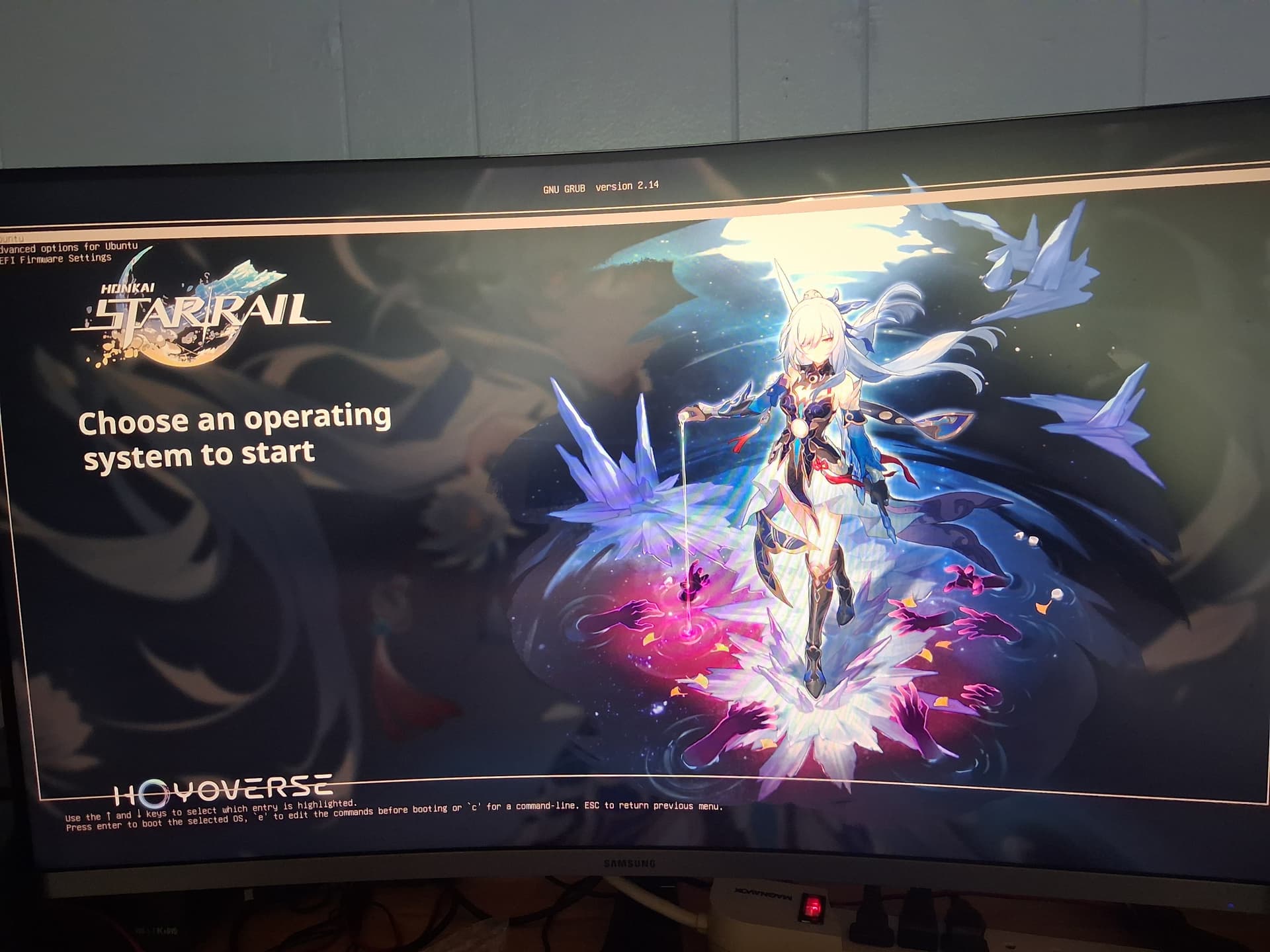
ok heres what i accomplished sorry about pic best i can so....this what it looks like if i try to go into grub menu...it also flashs past if i dont.... 

also i dont have win 11 installed either nor arch as well
And why You have a Picture where the Options are on it? You could take the GRUB Theme where this is included and copy the Background Picture of it.
i tryed replacing the background.png with that and nothing comes up on screen as the zorin z dont show either not sure why but if i hit esc key to get into grub the pic above shows with the text of the grub there i have no reason why it does that..makes no sence to me
ah i see now why...i included the text file from where i got this grub stuff from and its just in the themes folder and the zorin text is differnt and has a full black background.png in the zorin folder hope this makes sence. so basicly that theme isnt in the zorin folder its only in the themes folder here ill take a pic of whats in my grub
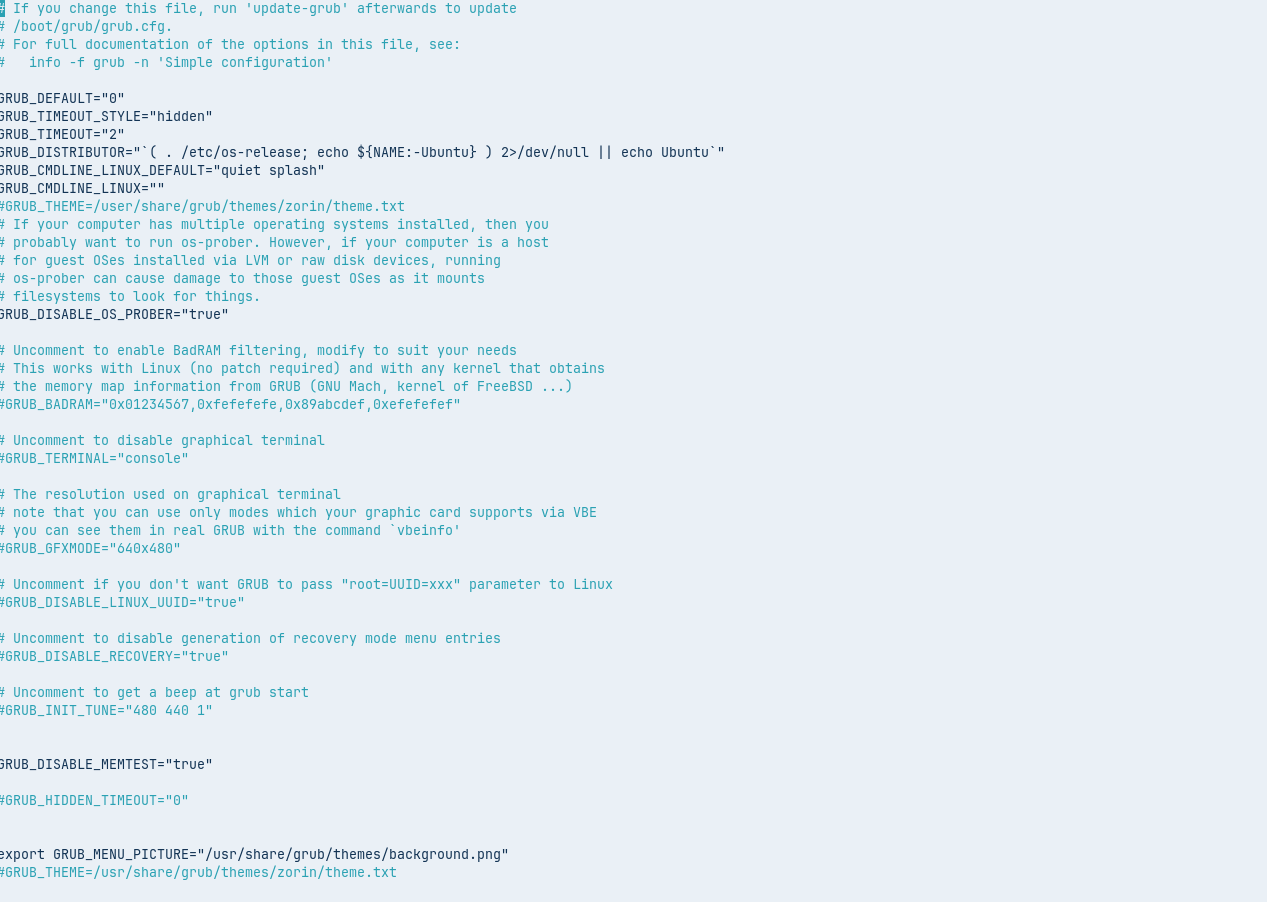
the export is what that grub softwear added to make that work... I added the comment to other line to stop it from working as you can see it named it GRUB_MENU_PICTURE i tryed # out that one and replacing backgroung.png with that pic then removed # from the GRUB_THEME and still a blackscreen...its wierd dude...lol
I truely dont know what its doing but i like it...lol
should i just make a video of what happens when i strtup my computer in its current state?
hmm MP4 isnt supported what format is supported?
Look at these 2:


You have 2 Lines for the GRUB Theme:

And bot are commented out. But You have at the bottom this export GRUB_MENU_PICTURE Line active - but this only seems to handle the Picture itself. And this is not enough. You need the whole Theme Line.
So, delete this Line and one - I repeat - one of the GRUB_THEME Lines. And on the other, You remove the # to make it active again. Then type sudo update-grub to have the normal Grub Menu back.
And then replace only the background.png File the the Folder of the Zorin Grub Theme - only this Picture, no other File. And then run again sudo update-grub in Terminal.
3 Likes
ok lets recap this is before
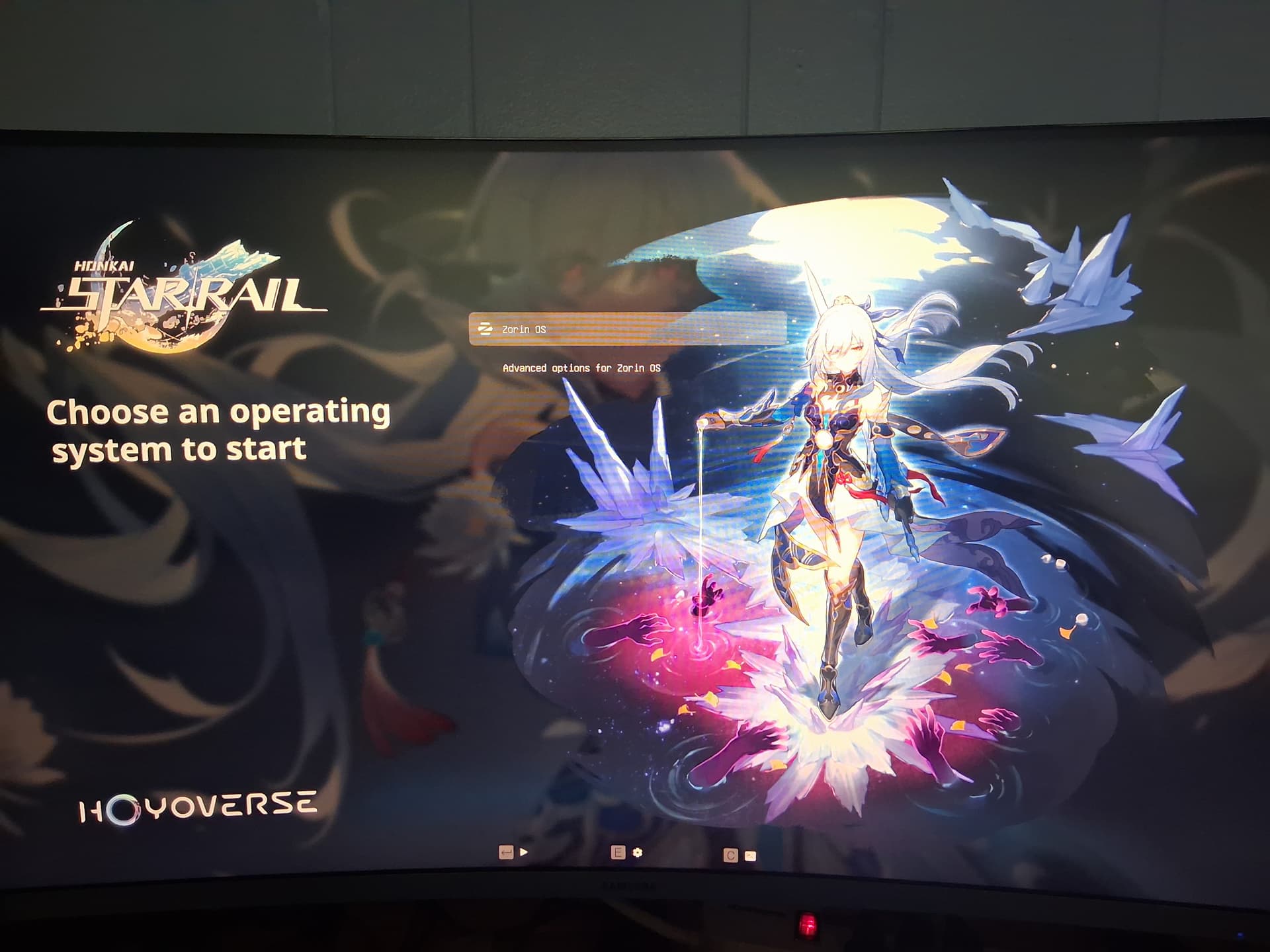
and this is what it looks like now

Thats what i was trying to get text is centered now and looks correct
Thanks @Ponce-De-Leon
1 Like

Changed it to this as it just looks nicer.....
Thanks to whoever posted this wallpaper knew it would be usefull
2 Likes
This topic was automatically closed 90 days after the last reply. New replies are no longer allowed.