I am trying to set a custom sound theme (Smooth) in Zorin Lite. It works partially, but not for all actions.
I tried it on my virtual machine Zorin 17 lite by following this guide
(there is a typo in the guide, you need to type "Enable" not "Enabele" - I also added the file which should help for Debian 12)
but it doesn't play sounds for any actions of the sound theme only for a few ones, e.g. at start. It also doesn't work with the "freedesktop" sound theme that all sounds are automatically played, e.g. by maximizing/closing windows or switching sliders. Maybe it also makes a difference if it are gtk3 or gtk4 apps. Sometimes there is a sound when closing a window, sometimes not.
E.g. I wan't to play the sound when I click on empty the trash.
I can hear the sound when I enter in terminal canberra-gtk-play -f /usr/share/sounds/Smooth/stereo/trash-empty.oga but there is a warning "dbind-warning couldn't connect to accessibility bus: Failed to connect to socket /root/.cache/at-spi/bus_0.0: no permission" and there is no sound when I click on the field to empty the trash. The owner of the Smooth theme is root.
I know I can create a script for each action to play a sound. But that is not what I want to do.
Dude, what a nifty feature on Linux Mint, who knew they had that? Thats what Zorin needs right there, so I can bring my OS back to Sci-Fi mode, that I had on Windows 7, well over a decade ago!
Oh you should have heard it, I had door opening/closing sounds, launching and shutting down apps, emptying the recycle bin, max/min apps/windows, startup/shutdown sounds, you'd think my computer was from the year 2378 lol.
Yes, it would be nice to at least have the option to easily configure the sounds or to enable or disable system sounds. In Zorin, this is only easy with the startup sound, which can be activated in Autostart.
I hadn't looked into sounds yet. But I think it's a shame there are so many sound effects pre-installed in the sound themes that don't even work and can't be enabled.
Linux Mint has a lot of nice graphical Tools. I personally lik the Software Updater. It is a really nice one and integrates a Kernel Management Function.
And then will add in a future Update a graphical Tool to set up Boot called System Administration. That is really nice, too.
I use Zorin 18. But from Time to Time, I take a Look at others like Debian or Linux Mint. I put it on a USB Stick and look how they are work and to get a Feeling. Sometimes I install a System beneath Zorin to use it on Bare Metal. But at the End, I'm landing every Time again on Zorin. When the Cinnamon Desktop would be more my Thing, I guess, I would simply use Linux Mint, probably LMDE. These are solid functional Distros and You have everything out of the Box. Sure, some Adjustments are neccessary. But that You have on every System.
I feel the same way @Ponce-De-Leon
I always end up back with Zorin. The Cinnamon desktop isn't really my thing either. I just prefer the usability and look of Zorin.
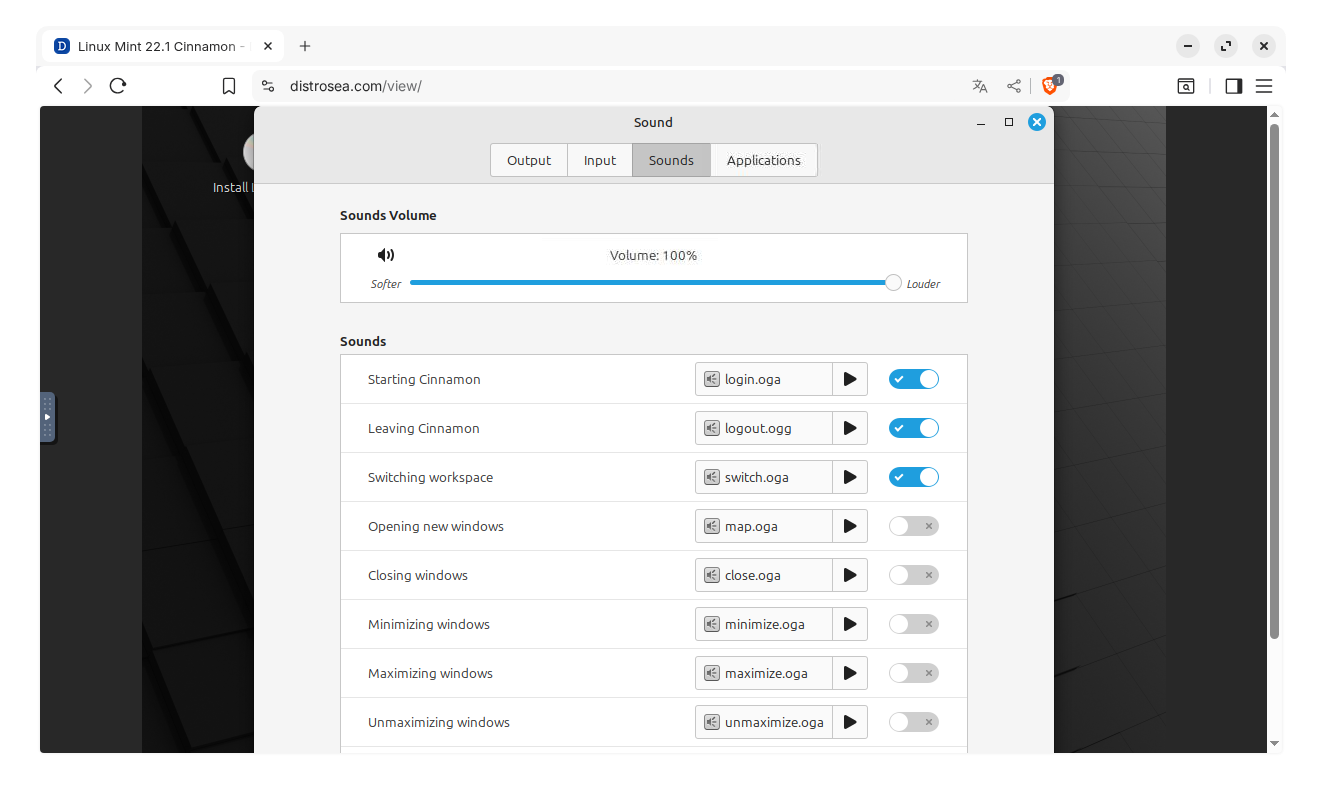
Today I installed cinnamon on my Zorin lite virtual machine as third desktop to check if custom sounds can be turned on with the cinnamon settings (tab sounds). The actions that can be set up with a sound work very well, you can choose any sound file you want, from Zorin sound theme, freedesktop theme, a third party one...what you want to, and it doesn't matter if it is not the intended one and not named like the action, e.g. you can set "trash-empty" for minimizing windows. So, it is very flexible. Unfortunately there are not more options to set up sounds, I miss some like empty trash, but I really like the cinnamon desktop.