Dash/dock disappeared

hi all. i'm new to Zorin as of a week or two ago. i purchased Zorin OS 17 Pro. first thing I did was change the appearance layout to the 5th option because i'm used to working on a Mac.
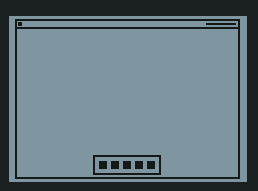
it worked fine right from the start. the dash (or dock in Mac parlance) was visible at all times, and there was a settings panel somewhere for it (maybe in Zorin Appearance?) where I could tweak things like the size, auto hide, etc.

i have three different logins set up on my machine - an admin for admin/sudo related tasks (and nothing else), another for work, and another for personal. the only things i installed on the admin login (aside from things I need on my other logins that require sudo access) are: my password manager and Kinto (to make my keyboard work like it would on a Mac). these are the only items I use on the admin account that didn't come pre-installed on Zorin 17 Pro.

just last night, 8-12 hours ago, i logged out of one of my accounts and into the admin account to install some stuff that required sudo. all was normal. logged out of admin and back into my user and did some more work...

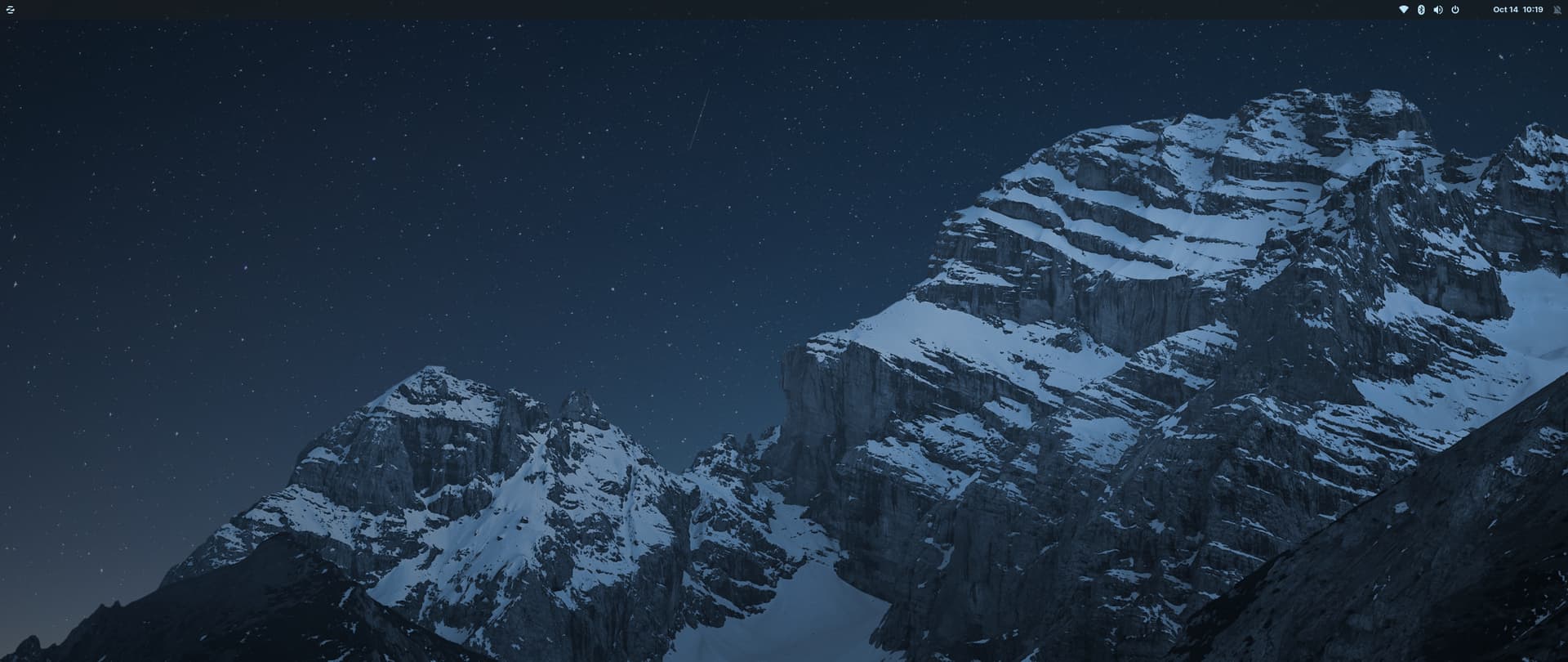
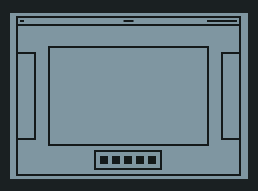
this morning i went back into the admin login and my layout was changed. now it suddenly looked like this, which is option 4, except the dash is gone - now the dash only appears when i click the button in the top left
,

i found 2 other similar forum posts:

  1. My Dash gone
  2. Zorin OS 17 dock/panel is not showing in one layout

someone in post 2 says: "The Dock only appears when You are in the Overview and App Grid; it doesn't appear on the normal Desktop. Push the Super Key (Windows Key) to come to this. If You want a Dock on the Desktop You could use the Gnome Extension called [Dash To Dock.]" - but like I said, this was not true for me when I initially set up my machine. I didn't install any extensions in order to get the dash to appear at all times, I simply chose layout option 5 in Zorin Apperance.

in post 1, the same person says that the above is only true in the "Core" version of Zorin. In Pro, they suggested re-installation and provided the following:

"But if You want to try a Reinstallation, I could give You the Command:

sudo apt reinstall zorin-appearance zorin-appearance-layouts-shell-core zorin-appearance-layouts-shell-premium zorin-apprearance-layouts-support"

I tried this, and it hasn't brought back my dash.

I would rather not install a random extension if i can avoid it. I try to keep this machine as barebones as possible, especially the admin login. I just want the original functionality that came with my Zorin 17 Pro back.

any idea what might have caused this thing that was working perfectly fine to break in the first place, and how I can correct it?

tyia!

Have you lost the dock in all your accounts or only in the admin account? Are the different layouts displayed when you go to Zorin Appearance>Layouts? Can you choose layout number 5?
Do you have installed other third party gnome extensions?
I don't have Pro, so I'm not sure if for the 5th layout a gnome extension is used. But you could check if the gnome extension for the dock which is called Zorin dash is enabled.

Welcome to the Forum!

Only to make that clear. This:

and this:

are not the same Layout. The first one is the Mac Layout. And the dock on the Desktop there is a Zorin System Gnome Extension. The 2nd one is the Vanilla Gnome Layout - and there You don't have a Dock on the Desktop, only in the Overview and App Grid.

To now make clear if the Extensions are there were they should be, I would suggest to install the Extension Manager. You can find it in the Software Store:


(ignore the Language, my System is in German; pay Attention to the Symbol)

When installed, look at the ''Installed'' Tab if there is the Zorin Dash Gnome Extension installed. If yes, look if it is active or not. And look if there might be an Error Symbol (red) on it.

Another Thing: Can You switch in Zorin Appearance to the 5th Layout? Or doen't that work?

You could try it with installing/reinstalling the Zorin Dash specific:

Reinstalling:

sudo apt reinstall gnome-shell-extension-zorin-dash

Installing:

sudo apt install gnome-shell-extension-zorin-dash

Have you lost the dock in all your accounts or only in the admin account?

yes, all accounts

Are the different layouts displayed when you go to Zorin Appearance>Layouts?

yes

Can you choose layout number 5?

yes, but the dash only shows up in overview/app grid, which was not hte behavior when i first set up the machine.

Do you have installed other third party gnome extensions?

i have installed CHC-E (Custom Hot Corners - Extended) and Bluetooth Quick Connect only.

are not the same Layout. The first one is the Mac Layout. And the dock on the Desktop there is a Zorin System Gnome Extension. The 2nd one is the Vanilla Gnome Layout - and there You don't have a Dock on the Desktop, only in the Overview and App Grid.

thanks for clarifying this. i was not aware.

so this Zorin System Gnome Extension comes pre-installed on Zorin 17 Pro, correct?

When installed, look at the ''Installed'' Tab if there is the Zorin Dash Gnome Extension installed.

it's not there. but it may have been there before...before coming here and making this post I tried searching + using ChatGPT to help me resolve the issue and in that process we attempted to remove Zorin Dash and reinstall it. problem is we (ChatGPT and I) could not figure out how to re-install it. I tried the reinstallation commands you put in the Zorin OS 17 dock/panel is not showing in one layout thread and it didn't solve the problem so that's when I decided to make my own post.

Another Thing: Can You switch in Zorin Appearance to the 5th Layout? Or doen't that work?

Yes, 5th layout works. but the 4th is what I want, as I want the dock to show up on desktop.

I will try installing Zorin Dash using "sudo apt install gnome-shell-extension-zorin-dash" - is this what was already on my system prepackaged with Zorin 17 Pro?

Yes.

It would look like this:

Yes.

so i ran:

sudo apt install gnome-shell-extension-zorin-dash

and this was the output:

Reading package lists... Done
Building dependency tree... Done
Reading state information... Done
gnome-shell-extension-zorin-dash is already the newest version (84.2).
gnome-shell-extension-zorin-dash set to manually installed.
The following packages were automatically installed and are no longer required:
  libfwupdplugin5 libgcab-1.0-0 libsmbios-c2
Use 'sudo apt autoremove' to remove them.
0 upgraded, 0 newly installed, 0 to remove and 12 not upgraded.

but i still don't see "Zorin Dash" in the Extensions list and when i do:

ls /usr/share/gnome-shell/extensions | grep zorin

i get:

zorin-appindicator@zorinos.com
zorin-connect@zorinos.com
zorin-desktop-cube@zorinos.com
zorin-desktop-icons@zorinos.com
zorin-hide-activities-move-clock@zorinos.com
zorin-magic-lamp-effect@zorinos.com
zorin-menu@zorinos.com
zorin-printers@zorinos.com
zorin-screen-keyboard-panel-button@zorinos.com
zorin-spatial-window-switcher@zorinos.com
zorin-taskbar@zorinos.com
zorin-tiling-assistant@zorinos.com
zorin-window-move-effect@zorinos.com

Then try it with reinstall instead of install

Ok, making some progress, but not all the way there yet...

i used:

sudo apt reinstall gnome-shell-extension-zorin-dash

the output was:

Reading package lists... Done
Building dependency tree... Done
Reading state information... Done
The following packages were automatically installed and are no longer required:
  libfwupdplugin5 libgcab-1.0-0 libprotobuf-dev libprotobuf-lite23 libprotoc23
  libsmbios-c2
Use 'sudo apt autoremove' to remove them.
0 upgraded, 0 newly installed, 1 reinstalled, 0 to remove and 23 not upgraded.
Need to get 171 kB of archives.
After this operation, 0 B of additional disk space will be used.
Get:1 https://ppa.launchpadcontent.net/zorinos/stable/ubuntu jammy/main amd64 gnome-shell-extension-zorin-dash all 84.2 [171 kB]
Fetched 171 kB in 1s (318 kB/s)                          
(Reading database ... 309313 files and directories currently installed.)
Preparing to unpack .../gnome-shell-extension-zorin-dash_84.2_all.deb ...
Unpacking gnome-shell-extension-zorin-dash (84.2) over (84.2) ...
Setting up gnome-shell-extension-zorin-dash (84.2) ...
Processing triggers for libglib2.0-0:amd64 (2.72.4-0ubuntu2.6) ...

now I see "Zorin Dash" in Extensions, and when I do:

ls /usr/share/gnome-shell/extensions | grep zorin

i get:

zorin-appindicator@zorinos.com
zorin-connect@zorinos.com
zorin-dash@zorinos.com
zorin-desktop-cube@zorinos.com
zorin-desktop-icons@zorinos.com
zorin-hide-activities-move-clock@zorinos.com
zorin-magic-lamp-effect@zorinos.com
zorin-menu@zorinos.com
zorin-printers@zorinos.com
zorin-screen-keyboard-panel-button@zorinos.com
zorin-spatial-window-switcher@zorinos.com
zorin-taskbar@zorinos.com
zorin-tiling-assistant@zorinos.com
zorin-window-move-effect@zorinos.com

but when I enable "Zorin Dash" in Extensions, the Dash doesn't show up. And when I close Extensions and re-open it again, the "Zorin Dash" extension slider is set to the disabled position again.

any ideas?

Disable Zorin taskbar if it is enabled.

1 Like

Hmm ... does Your System run in Wayland or X11/Xorg? You can check that in Settings>About. Should it run in Wayland, You could try it with switching to Xorg and see if that helps.

To do that, go to the Login Screen, not the Lock Screen. Simply reboot for that. On the Login Screen, click on Your Profile so that the Password Field appears. When it is appeared, You should see a Gear Icon in the bottom right Corner. Click on it and choose the Option ''Zorin Desktop on Xorg'' and then log in.

I'm running X11/Xorg already. Can't remember why exactly but something I installed required I switch from Wayland.

i'm not sure how this happened, but i was going to test this out and first checked if Zorin Taskbar was enabled and it was...then i opened Zorin Appearance and switched to the 5th option, and it just magically started working again! My Dash is back! (and I see that in doing so, Zorin Dash was enabled and Zorin Taskbar disabled automatically)

2 Likes

The desktop must refresh with a clear cache, so a reboot is usually necessary.
Probably post #3 - by reinstalling the extensions and desktop, the issue was corrected. Either you rebooted later or enough time had passed that the desktop was refreshed.
