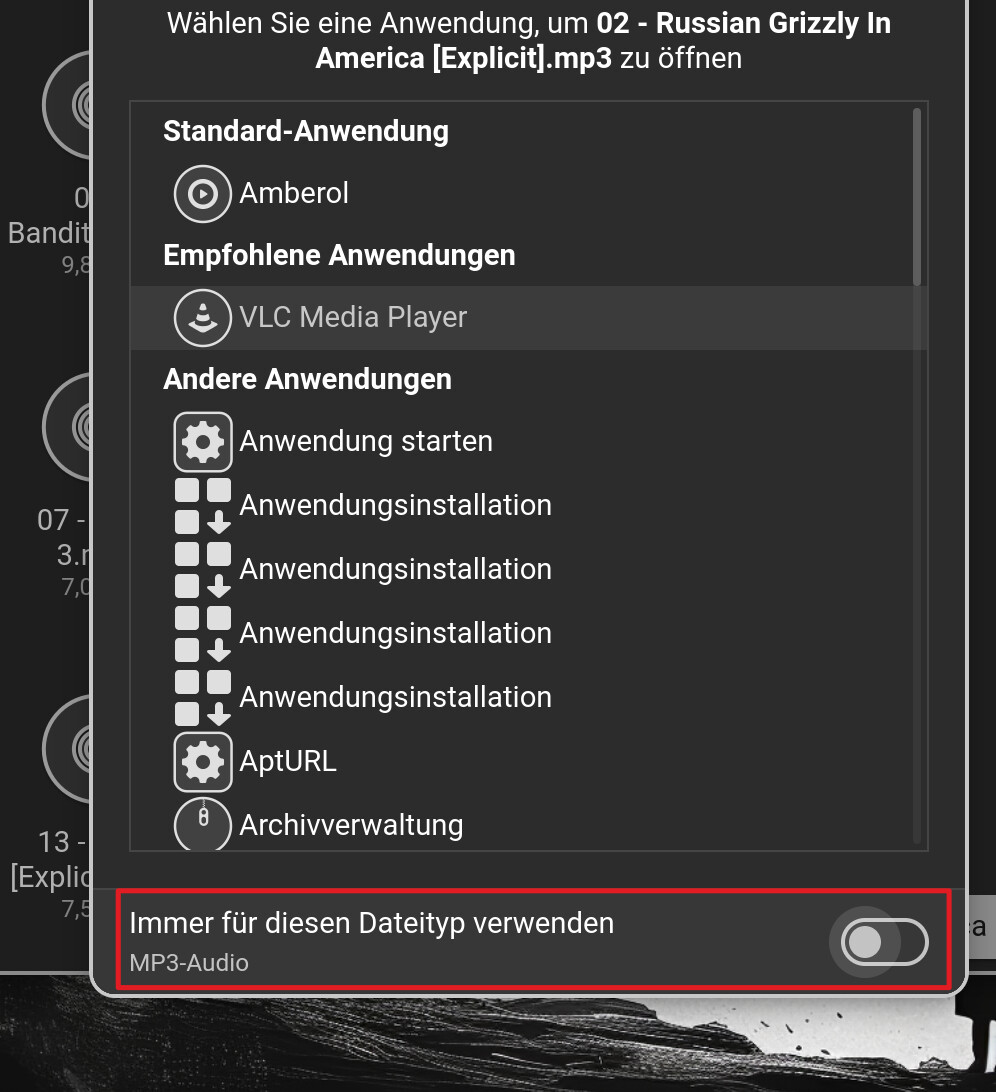
I have read around the forum a bit but not found an answer to this one.
I installed the Gnome Audio Player app and attempted to set it as default for .mp3 files. No bueno! Zorin always reverts back to the standard Video Player which came pre-installed.
Downloaded several other apps such as VLC and attempted to set that as default, but nothing works. System insists I use Video Player for any audio files.
I have tried all the ways I know, so right click and "open with" then selecting the new app and ensuring I select the "always use" option at the bottom.
Also tried setting the audio player as the default within the settings menu. Something is off here because I will select the new app as default, leave the section, then come back in and it's gone back to Video Player all on its own!
EDIT: There would be the Option to uninstall the default Video Player with sudo apt purge totem but then, You would have to use a different Video Player like VLC. If this is fine for You, You could try it that Way.
So after reading them and also playing around for a few hours on two separate Zorin installations, the issue appears to be one of package types. As a newbie, going to the software store I just installed the apps I wanted without paying any attention to the install type.
The issues with default file types are linked to the type of installation I have used. For example, if any installed app is NOT a Zorin OS APT package, then I am unable to change my default file type handler.
I removed all non-APT installations (Audacity, Puddletag, Dragon Player, VLC) and installed Zorin APT packages for Audacity and a separate tag editor called Ear Tag (which had APT). I also installed the Gnome Video Player app (which is a Flatpak file).
Now this is done, I can set Audio Player as my default file handler for MP3 files and nothing seems to be interfering with it after a couple of restarts.
This all seems a bit silly and confusing to me. Perhaps the software store should always default to APT installation files? Looking at some apps with different versions, the APT files do not seem to be as visually polished as their other versions, e.g. VLC has no dark mode, Qbittorrent isn't as pretty etc, but I'd rather use those and have the ability to control my default apps!
The problem is that Zorin decided to name APT packages as Zorin Packages - so instead of appearing first (APT) Flatpak then Snap then Zorin (APT) - and not all apps have APT - my preference. You should also consider using Synaptic Package Manager - not as pretty as Software but more functional - and you can use it to update the system.