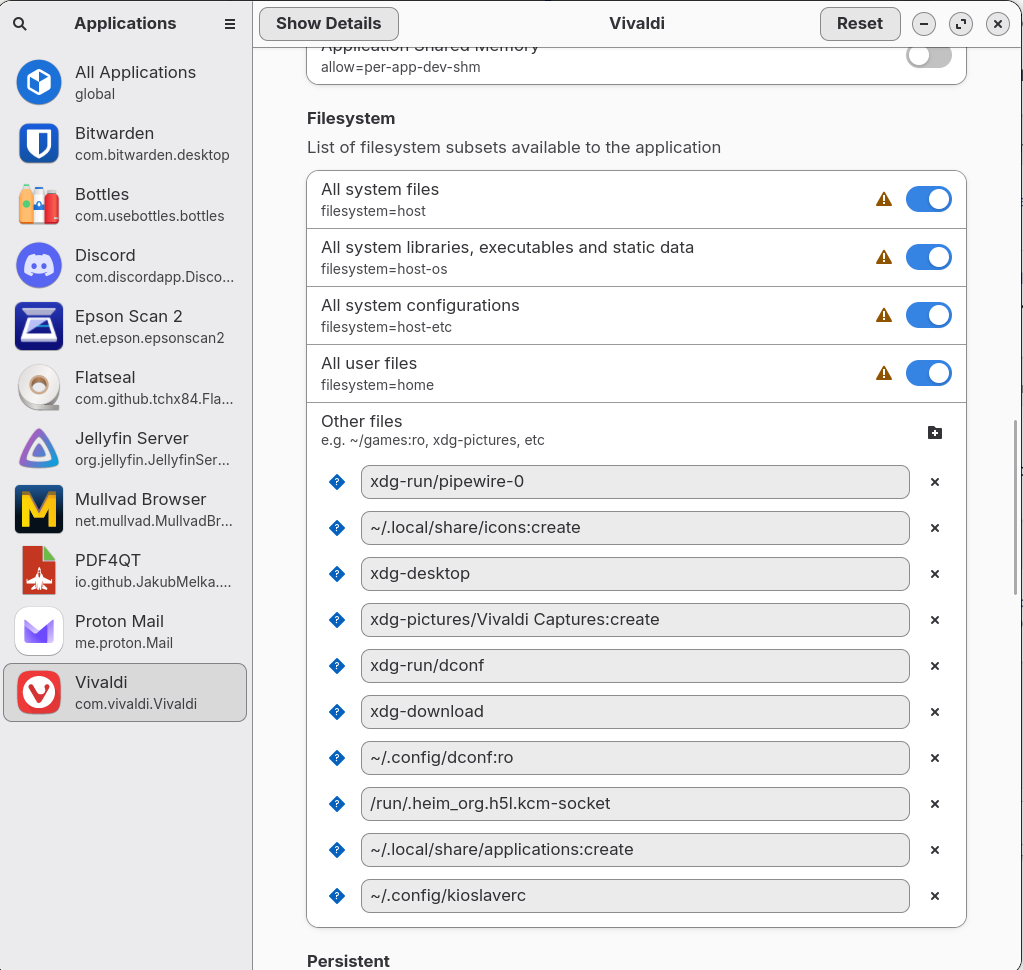
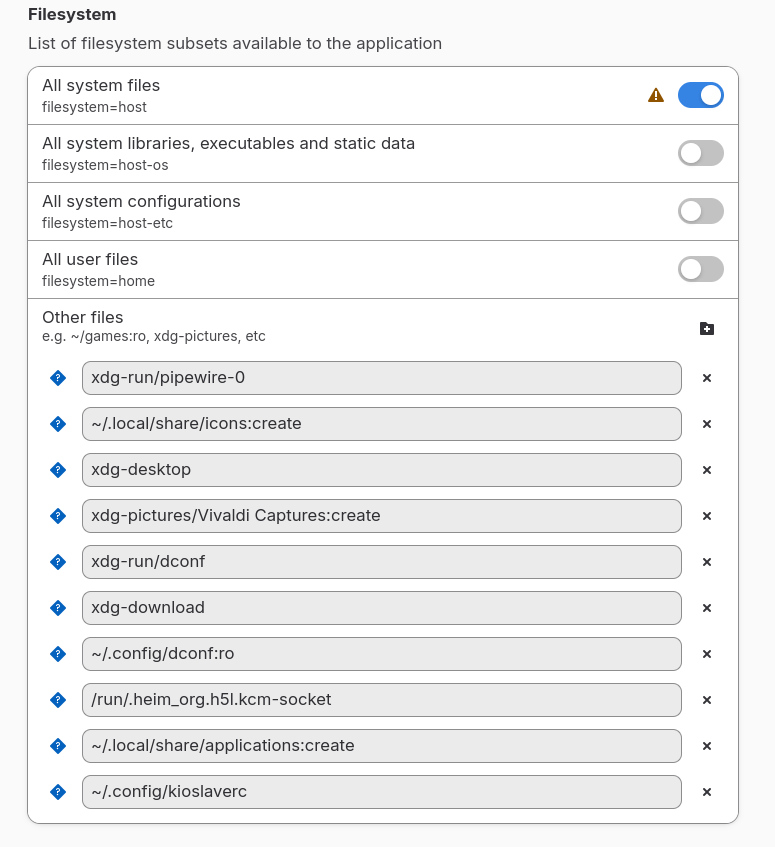
When I installed Zorin os core I removed Brave and installed Vivaldi (my preferred/default browser). I also have Firefox installed. Now when try to open the LibreOffice help, Vivaldi opens but I get either a blank screen or this message:
"Your file couldn’t be accessed
It may have been moved, edited, or deleted.
ERR_FILE_NOT_FOUND"
But, if I go to the location /usr/share/libreoffice/help and click "open with" and select Firefox, the files open with no problem and all links work as they should. I am guessing there is some permissions thing going on here but I can't figure it out. It may have something to do with the fact that LO gets installed via APT while Vivaldi is installed via Flatpak. I don't know, just guessing 'cuz I don't know enough about the file system and permissions yet.
If anyone can help with this I'd appreciate it. For now I can use online help but I'd like to know why this is happening and how to fix it. Once again just trying to learn.
You can install flatseal and in flatseal at tab filesystem set the permissions for vivaldi to access all users/system files or you can install vivaldi as .deb package (first remove the installed flatpak version)
flatpaks are sandboxed and isolated from the system and need permissions to have access to files on the system, .deb packages are integrated into the system.
Hmm. Flatseal doesn't seem to work. I checked All system files and All user files. that didn't work so I checked everything under "filesystem". And that doesn't work. I could just install from deb but I figured this may come up again so I would give flatseal a spin.
According to flatseal documentation:
Toggling "All system files" should...
"Allow read-write access to the whole filesystem. Everything that isn’t writeable by the user will be read-only"
Minor rant. This why so many users give up after trying Linux. Why is there three different ways to install something. This in turn creates incompatibilities across the system which are often a nightmare to try and straighten out. And documentation...worthless.
Like @Forpli already suggested, I would suggest too to try the .deb Version of Vivaldi. You can download it directly from the Developer's Website as a .deb File:
Yes. Already did that. All is working fine now other than I had to try and reconstruct how I had Vivaldi configured. An unnecessary waste of time if you ask me.
But thanks for the replies.
When you want avoid that for the Future and want get rid of Flatpaks and Snaps entirely, You could uninstall it. Then, You would only have .deb and AppImage Support. When this is enough for You, I can give You the Commands for it.