Je voudrais désactiver via le terminal de commande l'accélération matérielle de Google Chrome.
La ligne de commande : google-chrome --disable-gpu
Ne fonctionne pas. Est-ce la bonne ligne de commande ?
Merci
Je voudrais désactiver via le terminal de commande l'accélération matérielle de Google Chrome.
La ligne de commande : google-chrome --disable-gpu
Ne fonctionne pas. Est-ce la bonne ligne de commande ?
Merci
This command is only for the .deb package of google chrome, not for flatpak.
D'accord, merci pour cette info.
Tu as une autre solution ? Impossible de passer par le navigateur, ça beug dès l'ouverture de Chrome
You can try to switch to Xorg if you are on Wayland.
Logout and at login click on your username then a cog wheal appears at the bottom right corner. There select Zorin Desktop on Xorg. Maybe it helps.
Often firefox doesn't have this problem, you could try it with firefox until the problem is solved.
For the chrome flatpak you could run in terminal
flatpak list
to see the names of the installed flatpaks. Look for google chrome.
Then you could try to enter this name with the --disable-gpu flag, but I'm not sure if it works this way, I don't have flatpaks on my sytem. Maybe it is
com.google.Chrome --disable-gpu
running a flatpak app, in this case Chrome, would be flatpak run com.google.Chrome
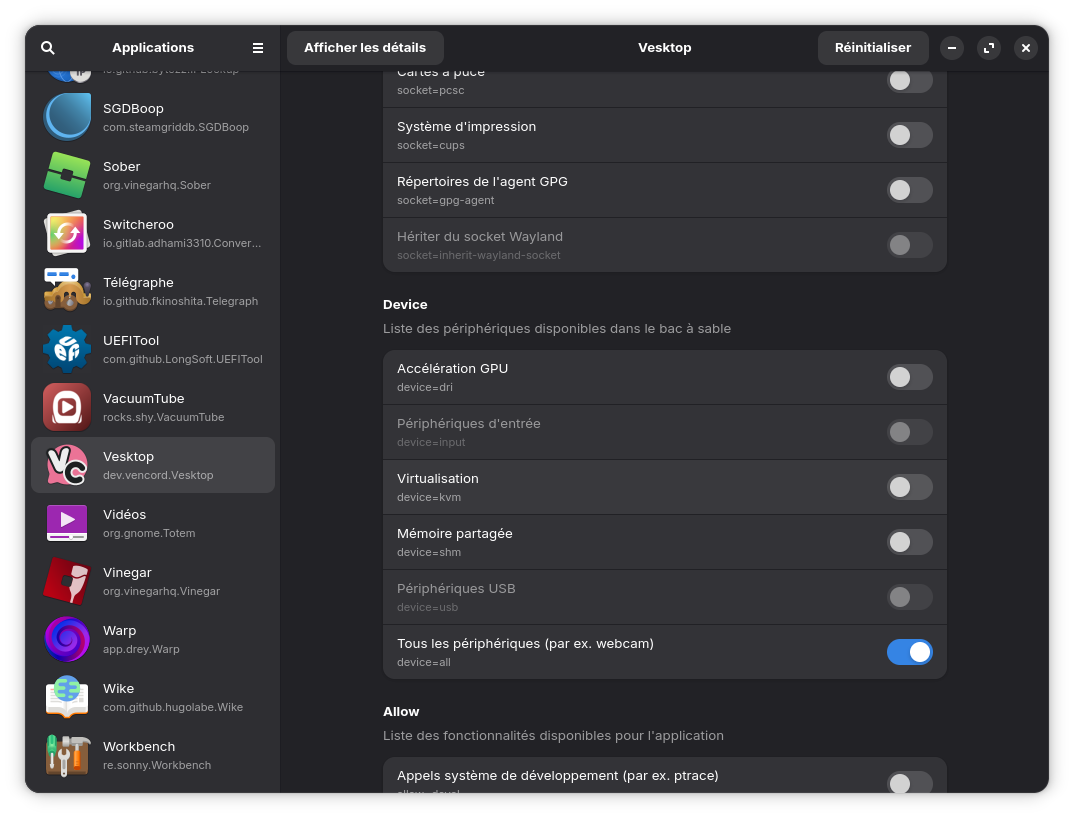
@Calimero11300 what i'd recommend is to install the Flatseal app, it allows managing permissions for Flatpak apps.
(Its in the app store)
Once you installed it, open it and search for Chrome.
Then, in Chrome's permissions, turn off GPU acceleration.
(in the image i picked a random app since i use the deb version of chrome)
C'est déjà décoché sur flatseal. Mais dès que je démarre chrome le pc fige est rien ne répond
oh, well i dont really know how to fix it then TwT
Merci quand même Zac
Bon, j'ai telechargé chrome directement sur le site de chrome. Puis j'ai tapé la commande citée sur mon premier post, et ça sembe fonctionner.
Merci à tous. Bonnes fêtes
When you can launch google chrome now, disable the hardware acceleration in the settings of google chrome browser, then you don't need the terminal in future.
Two recent screenshots:
forum.zorin.com/t/zorin-os-17-3-freezes-upon-the-google-chrome-browser-start/50880/8
This topic was automatically closed 90 days after the last reply. New replies are no longer allowed.