I am trying to install Zorin Core (first ever linux for me). I have Win 10 on my PC Intel Core 2 Duo, 4 Gb Ram, Primary SSD 500 Gb, Secondary HDD 4 TB, Legacy Bios. I have etched iso by USBImager.
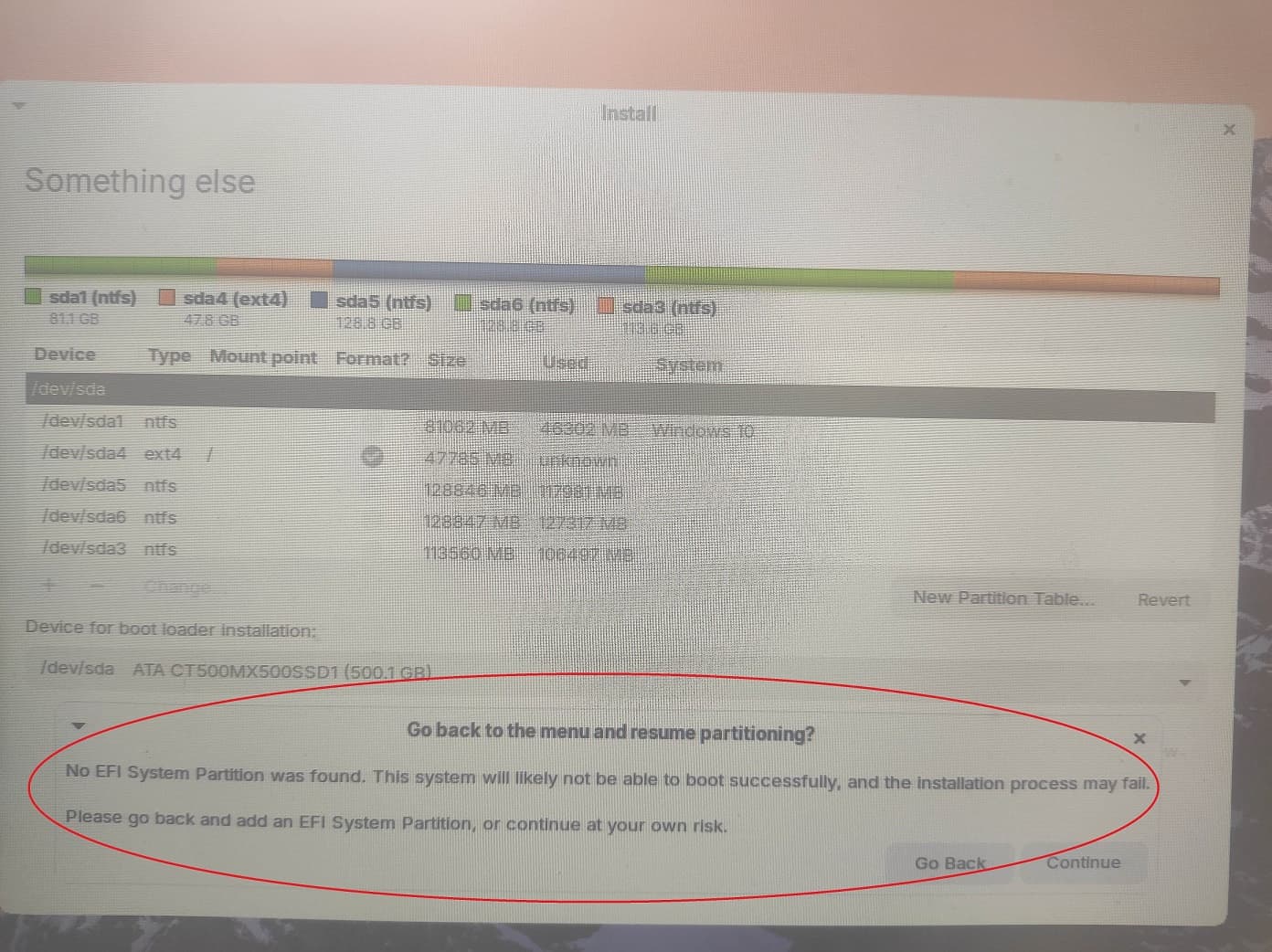
After the first screen comes for Install Zrion OS, then this image comes after some time. And it freezes here. I waited for 50 mins but nothing is happening.
Because You have Windows, I would suggest to take Rufus to create the bottable USB Stick. In Rufus choose on the ''Partition Sheme'' Option MBR for Your Legacy BIOS.
For the Installation itself, I would suggest to try it offline without installing any Updates or Drivers during the Installation. You can do that when the System is installed.
Then you probably have a computer that is so old that secure boot didn't even exist yet.
If you continue to have problems with Zorin 18 not running well, you can also consider Zorin lite. It doesn't look quite as good as Zorin core by default, but it will run better on your old computer because it requires fewer resources.
Zorin 18 Lite has not been released yet, but you could try Zorin 17 Lite. It will be supported for another two years and will probably run better on older hardware than the new version - especially when you have an nvidia card.
If your computer has multiple hard drives/SSDs. Open the “Device for boot loader installation” drop-down menu and select the device where you created the new Zorin OS partition in step 5. Do not select a specific partition in the drop-down menu (with a drive identifier ending in a number, like “/dev/sda3”).
But in this guide, it is pointed out not to select specific partition (/dev/sda1 Windows Boot Manager in this pic).
When You choose the Drive where You install Zorin on it, it will create a seperate Boot Entry on it. When You choose the ''Windows Boot Manager'' Entry, the Zorin Boot Stuff will be saved in the Partiton of it. So, You would have both togehter on one.
If You want have it seperated, choose this. But when You pack it on the same Driver where Windows is, You can take the ''Windows Boot Manager'' Entry.
I hope I say nothing wrong, but I'd choose /dev/sda because /dev/sda1 isn't an efi partition and probably you can't select "Windows Boot manager" somewhere, or?
It seems as this warning always appears when you have no efi partition. @Littlekun wrote that it could be ignored. In this thread Zorin is installed on a separate drive:
I hope you don't get problems with the many partitions on MBR. I can't see if it are primary ones or not.
The MBR partitioning scheme allows max 4 primary partitions. If you try to make another primary partition to install the OS then it won't work.
In this screen it looks like sda3, sda4, sda5 & sda6 (except sda1) all are logical partitions. sda4 the partition where you are trying to install is it's an logical partition then the installation might not work. Because the partition where the OS is installed needs to an primary partitions in order to boot (logical partitions are not bootable as far as I know)
First check those partitions then make the appropriate changes to make the installation successful. From the live environment launch gparted and share a screenshot.
Then in my Opinion, You can choose the Windows Boot Manager Option.
To summarize that with this new Infos:
Make on the Drive free Space. You can prepare that already in Windows with the included disk Management Tool. Take so much Space like You want.
Then start the Zorin Installer. Choose the ''Something else'' Option. Choose the Drive where You want install Zorin. Take te free space that You have dreated and give it the Mount Point / and format it to ext4
Then choose under ''Device for boot loader installation'' the Option ''Windows Boot Manager''.
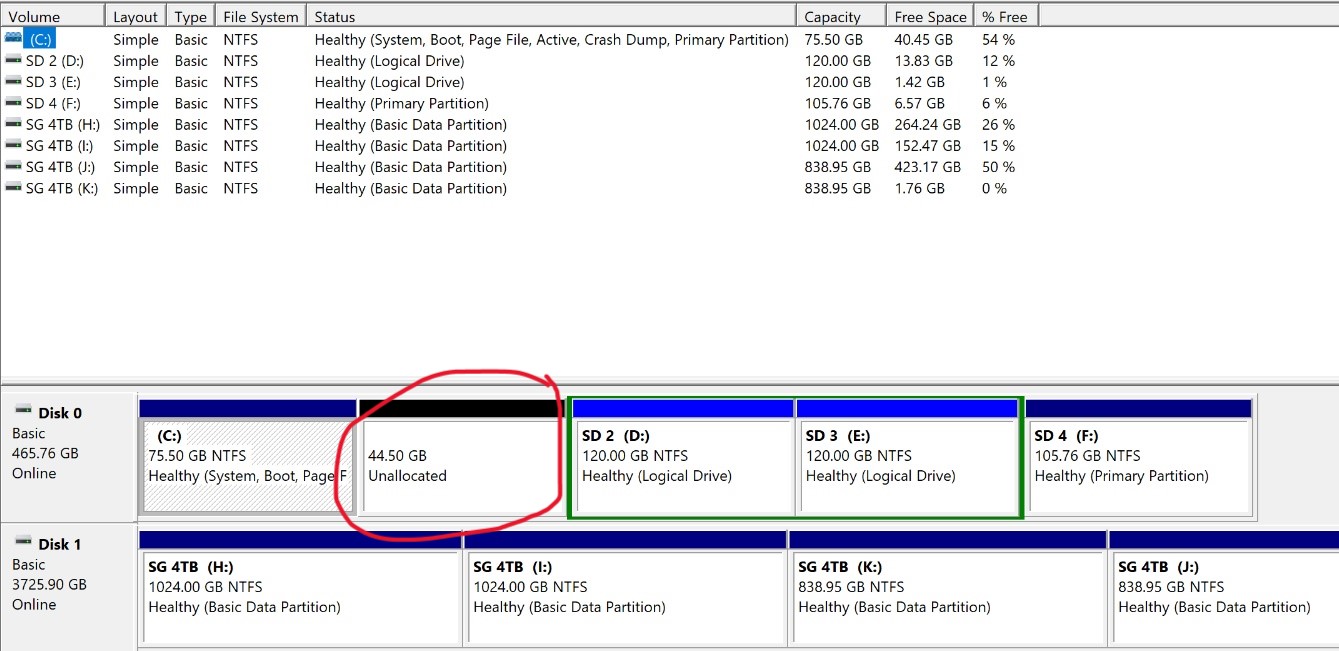
This is my disks partition. Now can I install Zorin on the Unallocated Partition?
Does the other partitions look ok, without giving me problems on start up?
This looks good for me. It is maybe a bit less Space (I would see as Minimum 50GB and as a solid Size 100GB) but when You want try it first, I guess it is okay.
@Ponce-De-Leon , @Forpli , @littlekun Thank you all. I have successfully installed Zorin 17 Lite as described in various posts above.
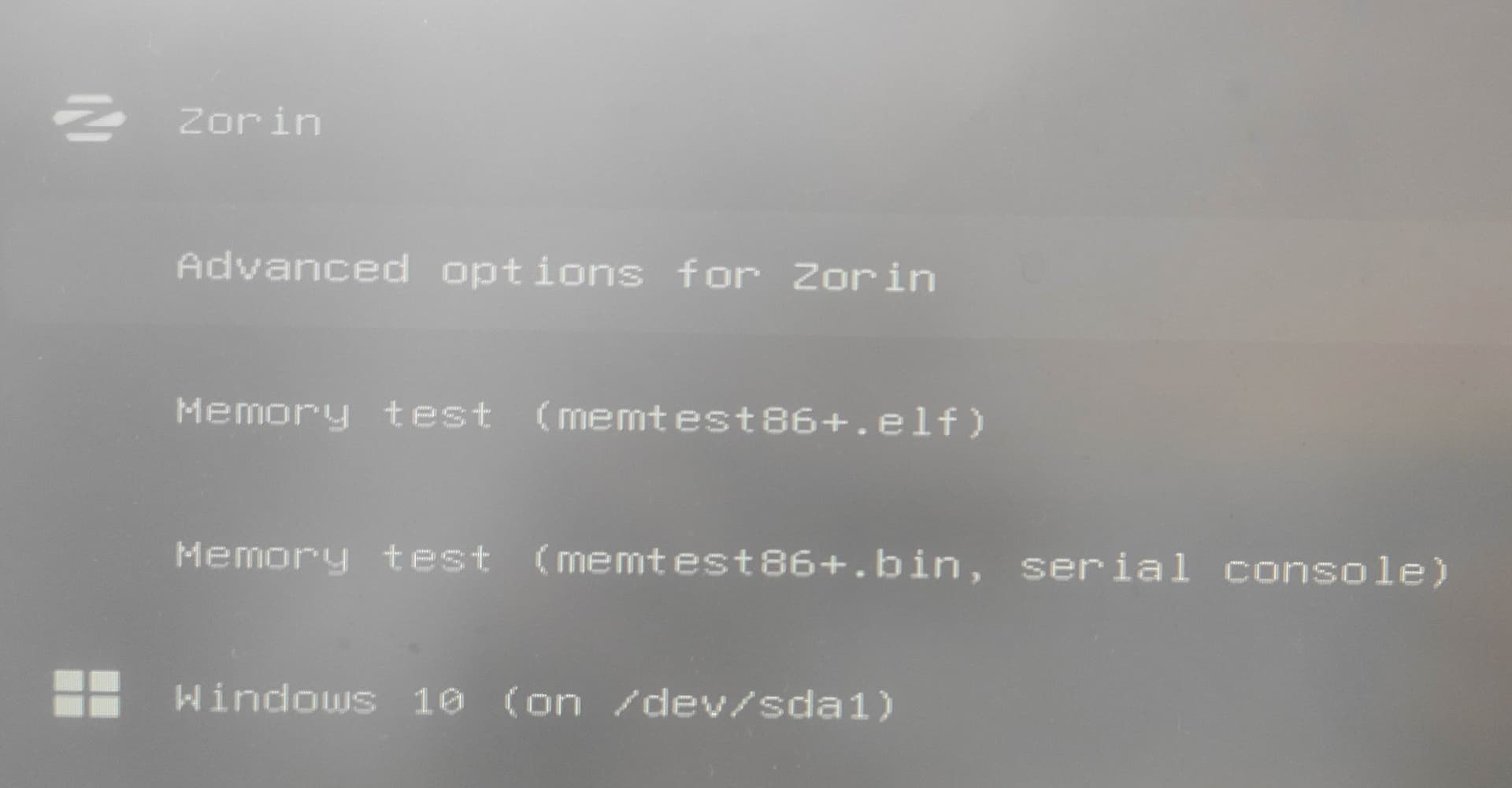
I also have no problem in grub menu