Desktop screenshot is broken does not display the task bar and in addition does not display wallpaper picture just a black/white checkered pattern on Zorin OS 18 Core .
Can you take screenshots of a region, or a specific window, normally?
Try also the following:
-
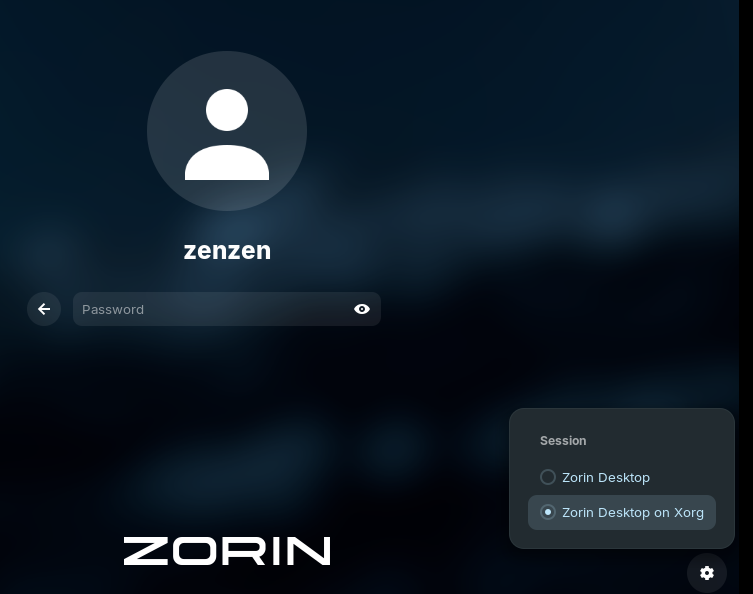
Log out of your account and change the options on the lower right to use Xorg, and try again:
-
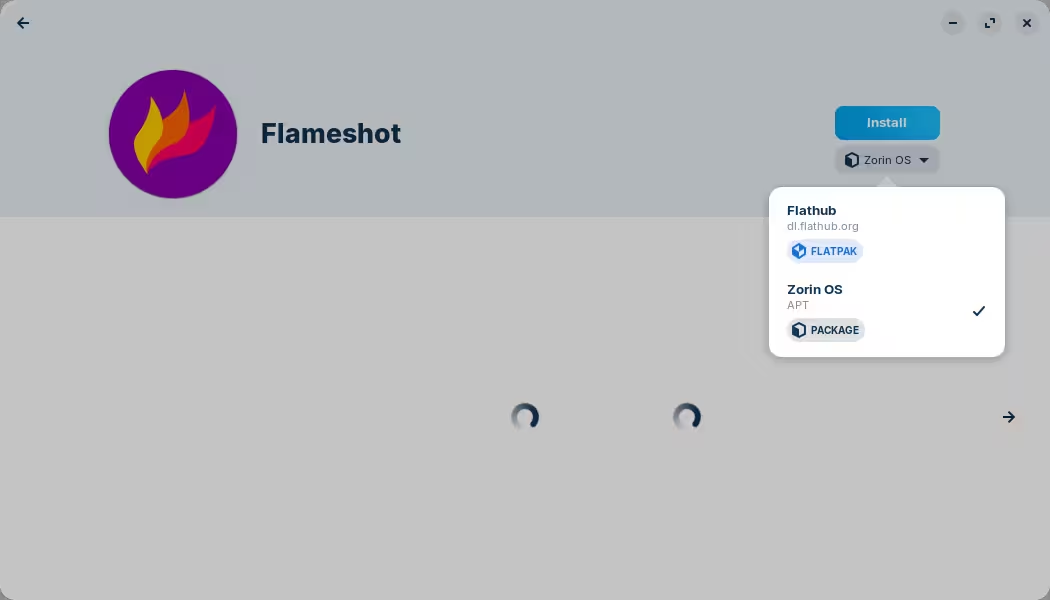
Install another screenshot tool, like
flameshotfor example. I'd suggest the version that comes from "Zorin OS":
1 Like
- If you use another screenshot app, could you please try again with the default desktop screenshot, then make screenshot with the one working and post a picture here of the "situation" ?
- Are you using proprietary drivers such as Nvidia ?
I tried switching to Xorg still had the same problem. I installed Flameshot from the Zorin OS APT package it worked correctly both in Xorg and Wayland. FYI for people using Wayland with Flameshot you will most likely get unable to capture screen error and in order to fix that problem you will need to run terminal and enter this command. "flatpak permission-set screenshot screenshot org.flameshot.Flameshot yes"
1 Like
- I was using the Zorin OS 18 Core default programs/settings for the print screen capture button on my keyboard to capture the screenshot.
- No I am not. I am using an integrated Intel Graphics card built into my Dell laptops motherboard.
2 Likes
This topic was automatically closed 90 days after the last reply. New replies are no longer allowed.