Hi. Is it possible in Zorin 18 to adjust the parameters of Dim Screen, i.e. how soon or dimness level? Power > Power Saving > Dim Screen has only an on/off toggle.
Thank you.
I checked the idle dim setting in Dconf.
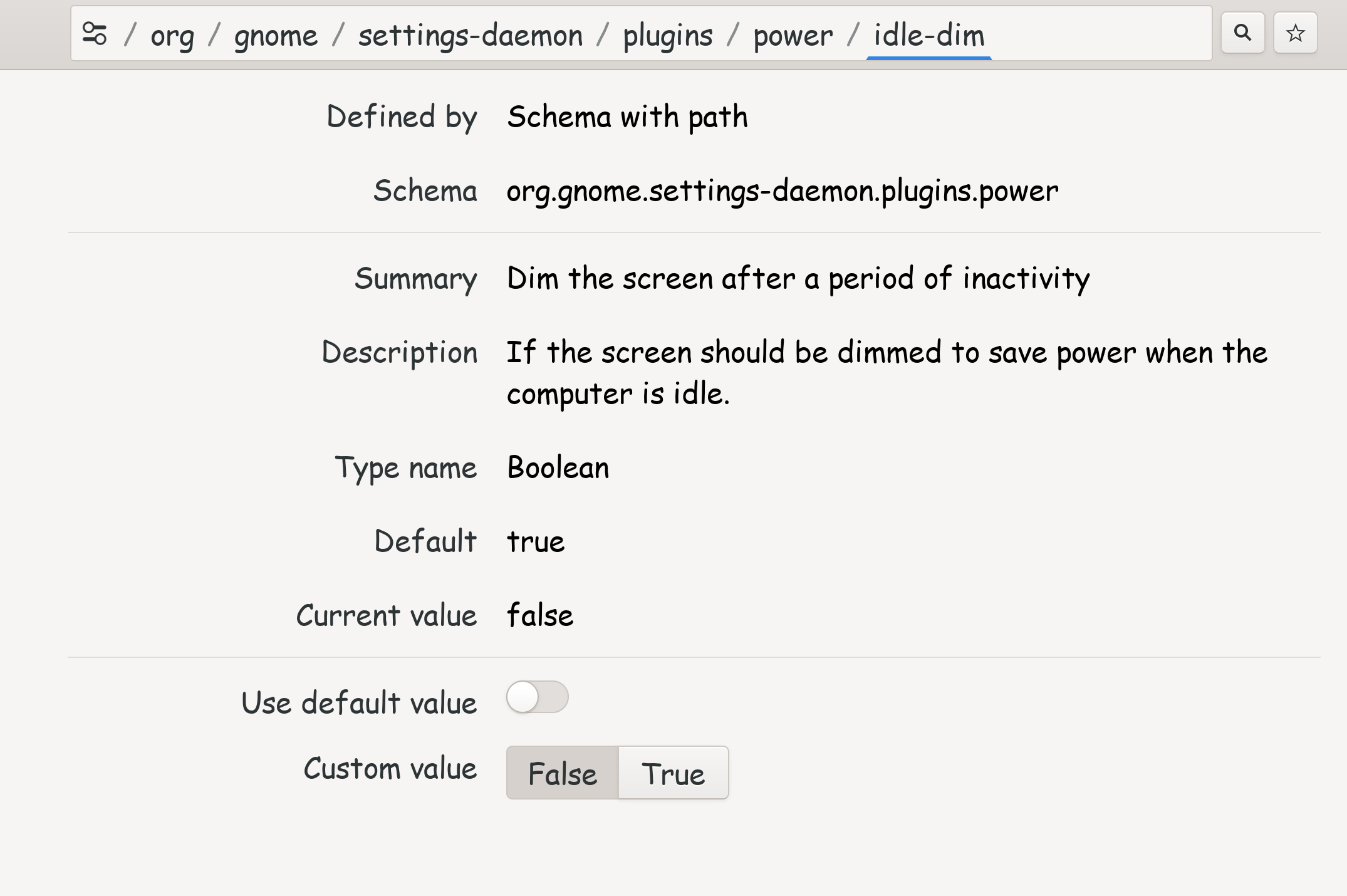
As you can see, there is only an on/off toggle. If I switch the CV to True, it still doesn't provide a box to set a custom value, which is confusing to me. 
I searched online for a way you can do it. I don't like screen dimming, so I don't have personal experience using it, other then I hate it. So try this...
CTRL ALT T to enter a terminal, run the following command...
gsettings set org.gnome.settings-daemon.plugins.power idle-dim-time 60
FYI: The screentime is set by seconds. Default is 60-seconds via that command.
If you would like to set it to dim in 2 minutes, change 60 to 120.
If you want it to dim in 5-minutes, set it to 300.
If you want it to dim in 10-minutes, set it to 600.
Hope this helps!

I took a look to the settings on my Zorin 17 virtual machine. I'll try later with Zorin 18 to see if the function still exists there. In Zorin 17 is a setting in dconf editor for the dimness level:
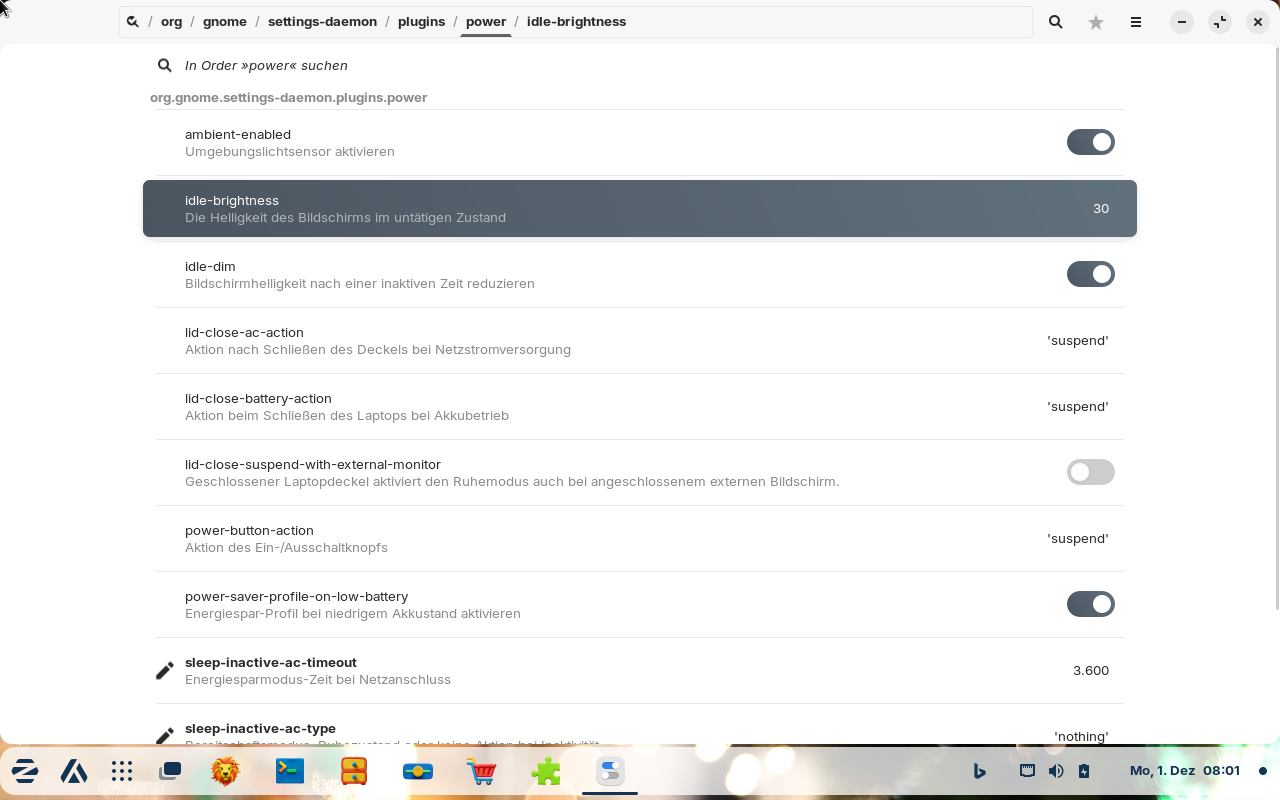
You can change the idle-brightness to a custom value.
Edit: In Zorin 18 it is the same. You can install dconf-editor with
sudo apt install dconf-editor
The time until the screen dims depends on your energy settings. When power saving is enabled it dims faster than with the balanced profile. Perhaps it makes also a difference whether you are on battery or on ac.
The gsettings command for setting an idle-dim-time isn't found in Zorin 18.
Tried your suggestion to set dim to 120 but that returned the following:
"No such key “idle-dim-time”"
as indicated it might by Forpli!
Thank you both.
Thank you. 
1 Like
Almost forgot, thank you both for mentioning dconf editor. Used that with mint/cinnamon some years ago but forgot about it, now installed.
Thanks again.
1 Like
This topic was automatically closed 90 days after the last reply. New replies are no longer allowed.