jhob101
December 5, 2025, 12:44pm
1
I have 2 monitors connected, one of which acts as a hub and I use for audio.
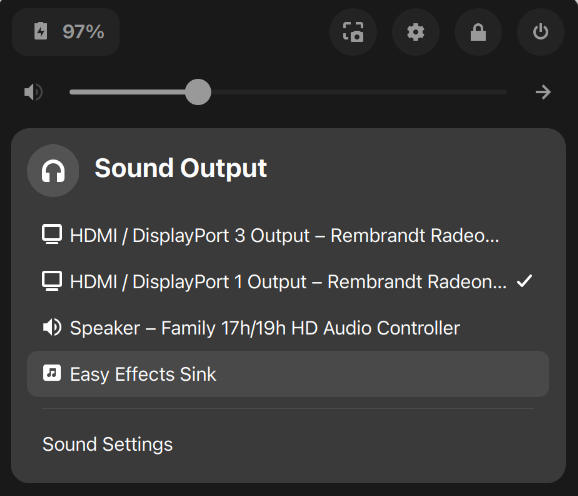
I want to disable, or hide from Gnome sound settings, the DisplayPort audio device for the second monitor.
It's confusing when choosing the output device as both are very similarly named and I'm never entirely sure which is which:
Also I don't need EasyEffects in there either as I'll never choose that as an output device, so if that could be hidden too that would be great, although not essential as it is at least clearly identified.
What would be the best way to achieve this?
Forpli
December 5, 2025, 12:54pm
2
Do you have installed pavucontrol?sudo apt install pavucontrol
jhob101
December 5, 2025, 12:58pm
3
I did see some references to pavucontrol, but I believe that's a pulse audio application & z18 is on pipewire now. Would it still work, or is there a pipewire equivalent?
Forpli
December 5, 2025, 1:01pm
4
It should also work with pipewire.
Source:
That didn't work unfortunately. Seems that you can only disable controllers through pavucontrol, and seeing as both outputs (the one I want and the one I don't) go through the same controller, it would be mean disabling both.
Forpli
December 5, 2025, 1:46pm
6
Maybe renaming it could help so that you can better find the right device?
I just tried that, but it only allows editing of the controller name. Although I can see that's doing similar to what I've just been faffing around with:
In summary, creating ~/.config/wireplumber/wirebplumber.conf.d/51-alsa-disable.conf with the contents:
monitor.alsa.rules = [
  {
    matches = [
      {
        node.nick = "BenQ GW2765"
      }
    ]
    actions = {
      update-props = {
        node.disabled = true
      }
    }
  }
]
But strangely neither the Wireplumber GUI change, nor my change worked after restarting wireplumber/logging out & back in.
I'm wondering if something else is up here...
Forpli
December 5, 2025, 2:14pm
8
Is the file named so? Try to correct the typo into wireplumber
Yeah, my typo on here, I had spelled it correctly on the system:
Forpli
December 5, 2025, 2:37pm
10
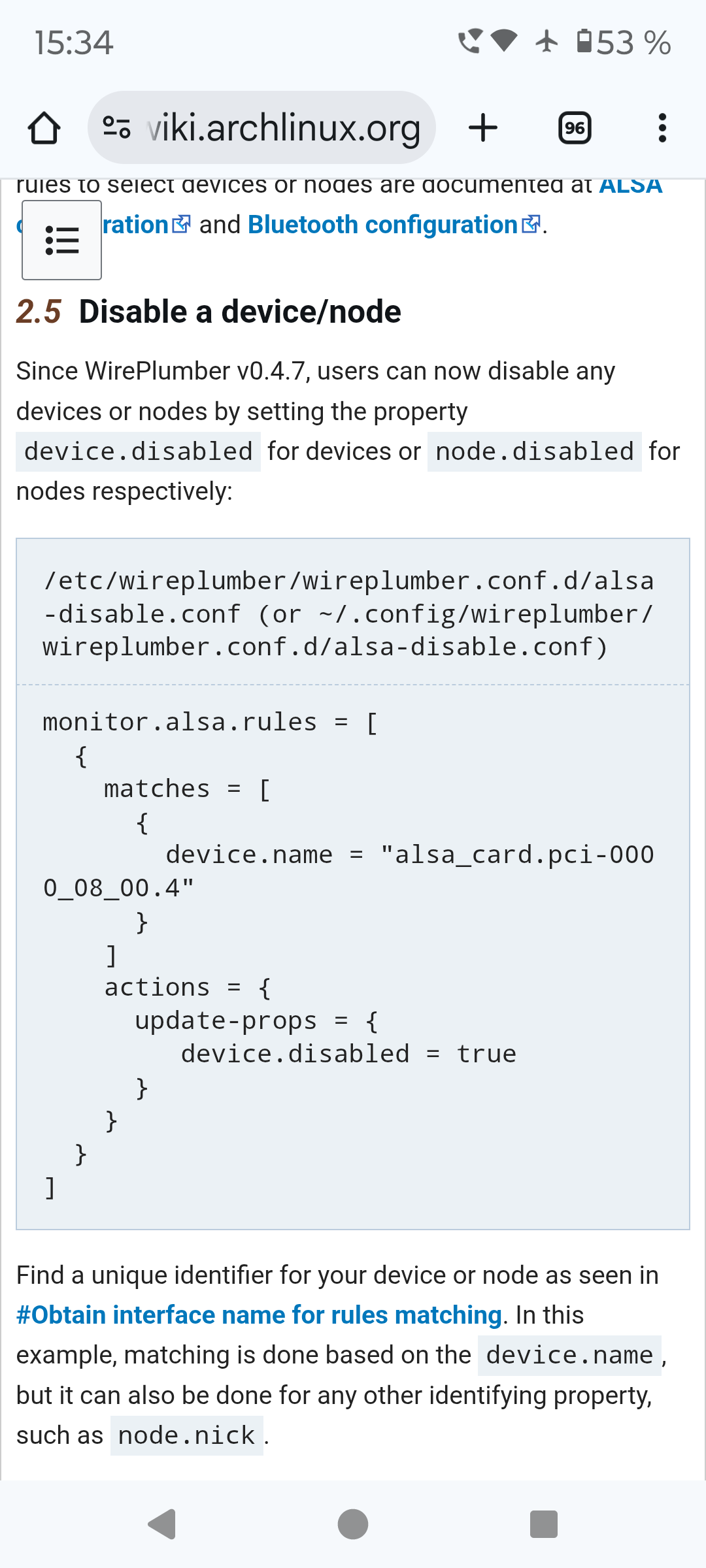
You could try it with device.name and device.disabled - I found this on archwiki, but I don't know anything about those codes.
jhob101
December 5, 2025, 3:00pm
11
Thanks, I had already tried that and also didn't work I'm afraid.
I think the device refers to the controller, and node refers to the output.
I really appreciate you trying to help me here.
1 Like
jhob101
December 5, 2025, 3:49pm
12
Although I've just noticed that the wireplumber version in 18 is 0.4.17 which uses lua scripting.
I've re-done the scripts as lua in ~/.config/wireplumber/main.lua.d but it's still not working.
I'm giving up for now!
Forpli
December 5, 2025, 4:21pm
13
Maybe you could try the last suggestion of this thread? Unfortunately there is not said if it helped.
I have two monitors, one connected via DP as my main, one connected as HDMI. Both are capable of playing audio. For whatever reason, both of them are listed under the same sink in the plasma-pa applet, and the HDMI one that I don’t want to use is...
jhob101
December 5, 2025, 7:42pm
14
Thanks, I'll give that a go next week when I'm back at work where the monitors live.
It's been annoyingly hard to do something I assumed would be relatively straight-forward at the outset! I guess that Linux life at times.
system
March 5, 2026, 7:43pm
15
This topic was automatically closed 90 days after the last reply. New replies are no longer allowed.