How can I disable logs collection? Gemini replied sudo systemctl stop systemd-journald.service to stop it and sudo systemctl disable systemd-journald.service to disable it at startup but they don't work  .
.
I'm not sure. You could try it with these commands:
sudo systemctl stop rsyslog.service && sudo systemctl stop syslog.socket
This command stops the service for the current session. To stop it completely use:
sudo systemctl disable rsyslog.service && sudo systemctl disable syslog.socket
Instead of only disabling them you could also try to mask them:
sudo systemctl mask rsyslog.service syslog.socket
To undo it replace stop with start, disable with enable and mask with unmask.
Sometimes I found the commands used with "rsyslog", sometimes with "rsyslog.service" and I'm not sure if both one work or if it makes a difference.
1 Like
Take also a look at this thread:
1 Like
Instead of disabling it, You could limit the Amount of Logs. Take a Look at this:
3 Likes
Here is another solution to limit storage space of logs:
1 Like
Using only rsyslog and syslog the output adds .service like if it's irrelevant  . Look at this example
  .
.
luca@asus-k52n:~$ sudo systemctl stop rsyslog && sudo systemctl stop syslog
Failed to stop syslog.service: Unit syslog.service not loaded.
So far I always closed the service first and then disabled it. Masking the service also worked as I saw the 2 symlink output lines but at next startup logs collection was still working  . In fact, for being sure, look .
luca@asus-k52n:~$ sudo systemctl disable rsyslog
Unit /etc/systemd/system/rsyslog.service is masked, ignoring.
Also, I prefer disabling the service until I'll really need it, sorry for not specifying  . So far I never needed to view logs often or even daily and I want to decrease the hard disk write operations for millions of logs that I never need to view. I wonder if Logs uses an internal service that collects logs without using rsyslog . In GNOME Software I can even uninstall it if nothing works
  .
.
I wouldn't leave out the socket at
"syslog.socket".
Syslog.socket enables the rsyslog because of this it should be stopped and disabled.
1 Like
Yes, I did it but with .socket or not the output is the same .
Hm...I'm at a loss now. And you have first disabled the services before you have masked them? I'm not so experienced yet. You could have a look at this page, but it isn't clear whether it works on all Linux distributions. For me these instructions are too difficult and I can't help you with it.
1 Like
I used all commands found on the previous links, so stopped, disabled, masked and now even denied directory changes, nothing seems working, whenever I open Logs there are logs  .
.

What are the actual errors creating the logs?
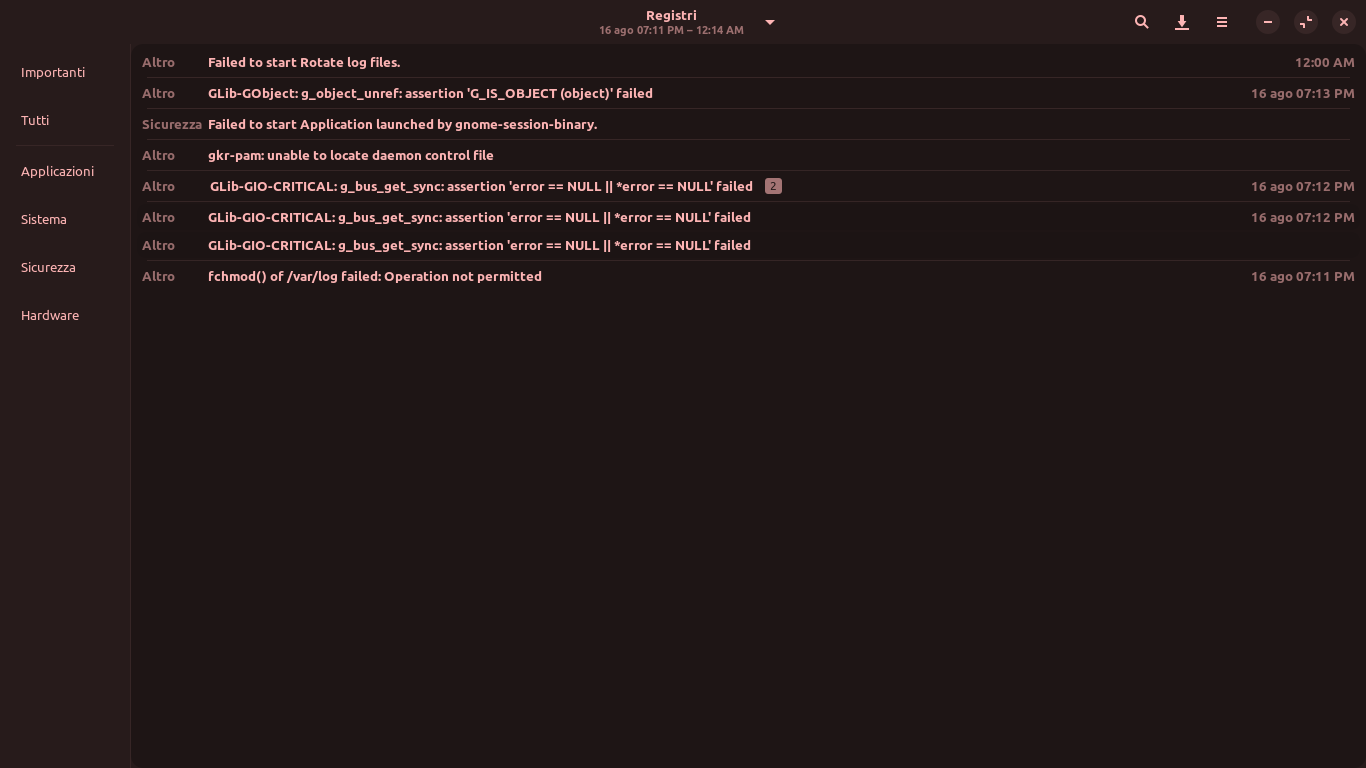
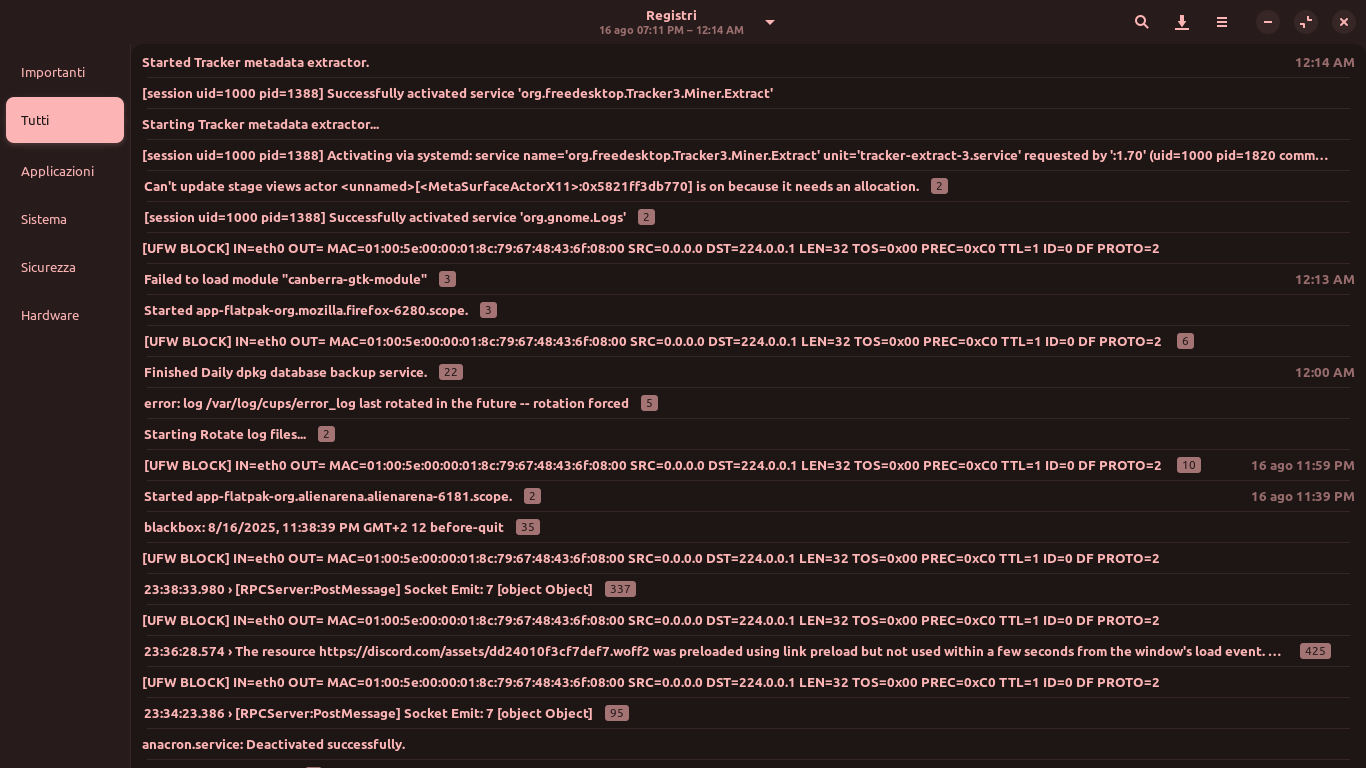
@Aravisian Do you know why the commands don't work? I know it is not recommended to prevent logging altogether, but I would still be interested to know how it would work.
What is not quite clear to me: If you prevent writing to /var/log/ with chmod 000 and chatrr +i, then the link from sysadmin.blog said to add the following parameter to apt.conf.d:
Dir::Log "/yourpath"
Do you have to enter it exactly like this or do you have to specify a certain path for "/yourpath"?
Does this mean without writing logs somewhere apt or the OS won't no longer work?
During my research, I read that there is a double logging in Linux. Does this mean that both journald and rsyslog have to be disabled?
1 Like
When You use the Way I linked abouve and You really want get rid off Logs, You can set the described Values to 0 and to that, the Values SystemMaxFiles and RuntimeMaxFiles to 0, too.
1 Like
Zorin OS is Ubuntu based and uses systemd, (which is integrated heavily and not modular).
In Zorin OS, you would be looking to systemd-journald, not rsyslog.
Note above about SystemD being heavily integrated: This means you cannot fully disable logging, not safely, anyway.
Instead, we usually recommend using chron job cleaning using vacuum command or setting /etc/systemd/journald.conf :
Storage=volatile
RuntimeMaxUse=50M
3 Likes
@Ponce-De-Leon, I used gedit, nano fails  .
.
luca@asus-k52n:~$ sudo gedit /etc/systemd/journald.conf

** (gedit:3174): WARNING **: 20:07:20.527: Set document metadata failed: Setting the metadata attribute::gedit-spell-language not supported

** (gedit:3174): WARNING **: 20:07:20.536: Set document metadata failed: Setting the metadata attribute::gedit-encoding not supported
luca@asus-k52n:~$ sudo systemctl restart systemd-journald
I reopened the file and it saved the changes 
 .
.
In fact I didn't find it on System Monitor > Processes .
Sometimes info like this are missing in guides, thanks  .
.
1 Like
This topic was automatically closed 90 days after the last reply. New replies are no longer allowed.