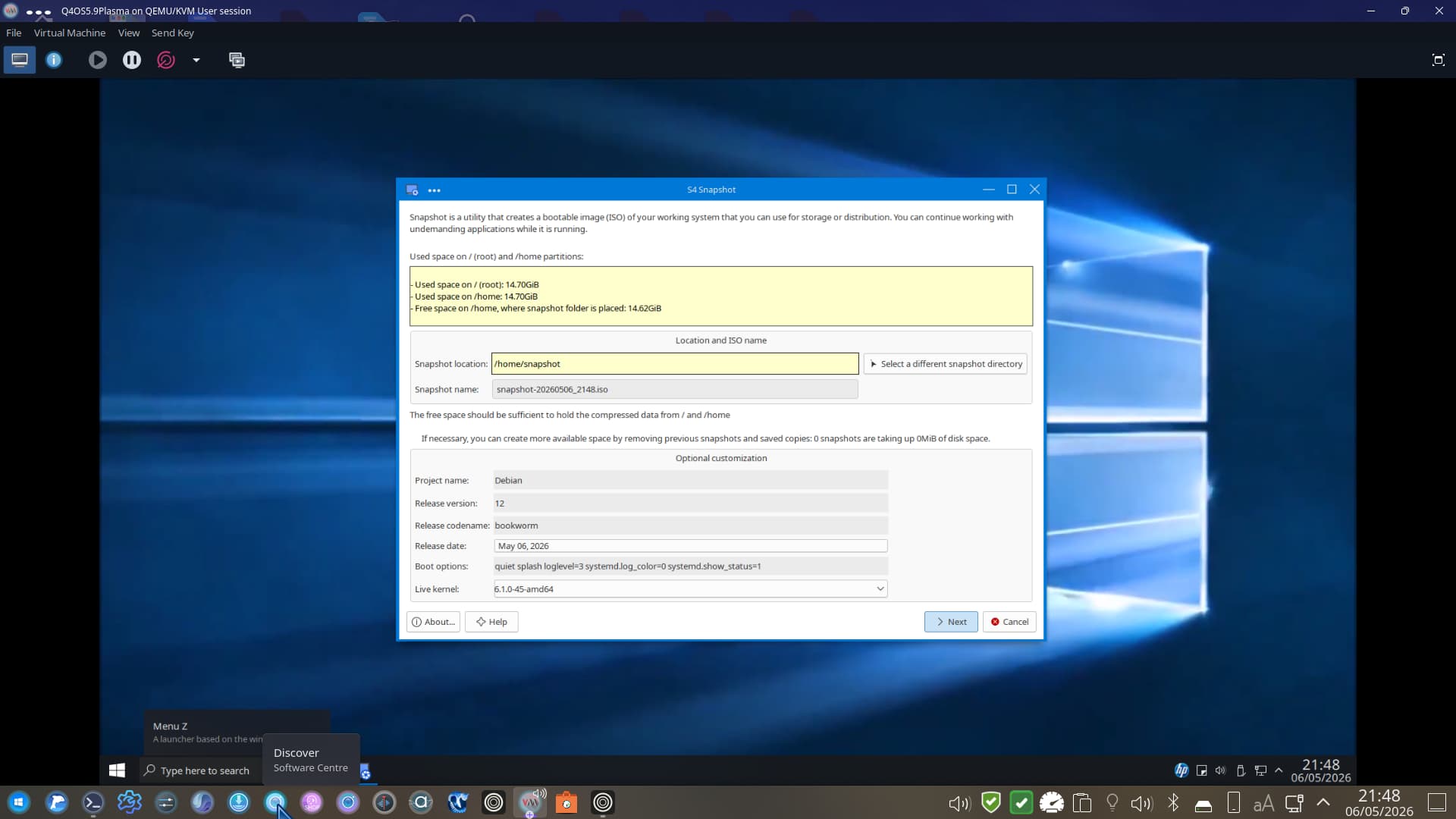
Well, new to me. Was developed by MX-Linux/Antix crew. S4-snapshot.
It uses Q4OS's QSI (Q4OS Software Installer).
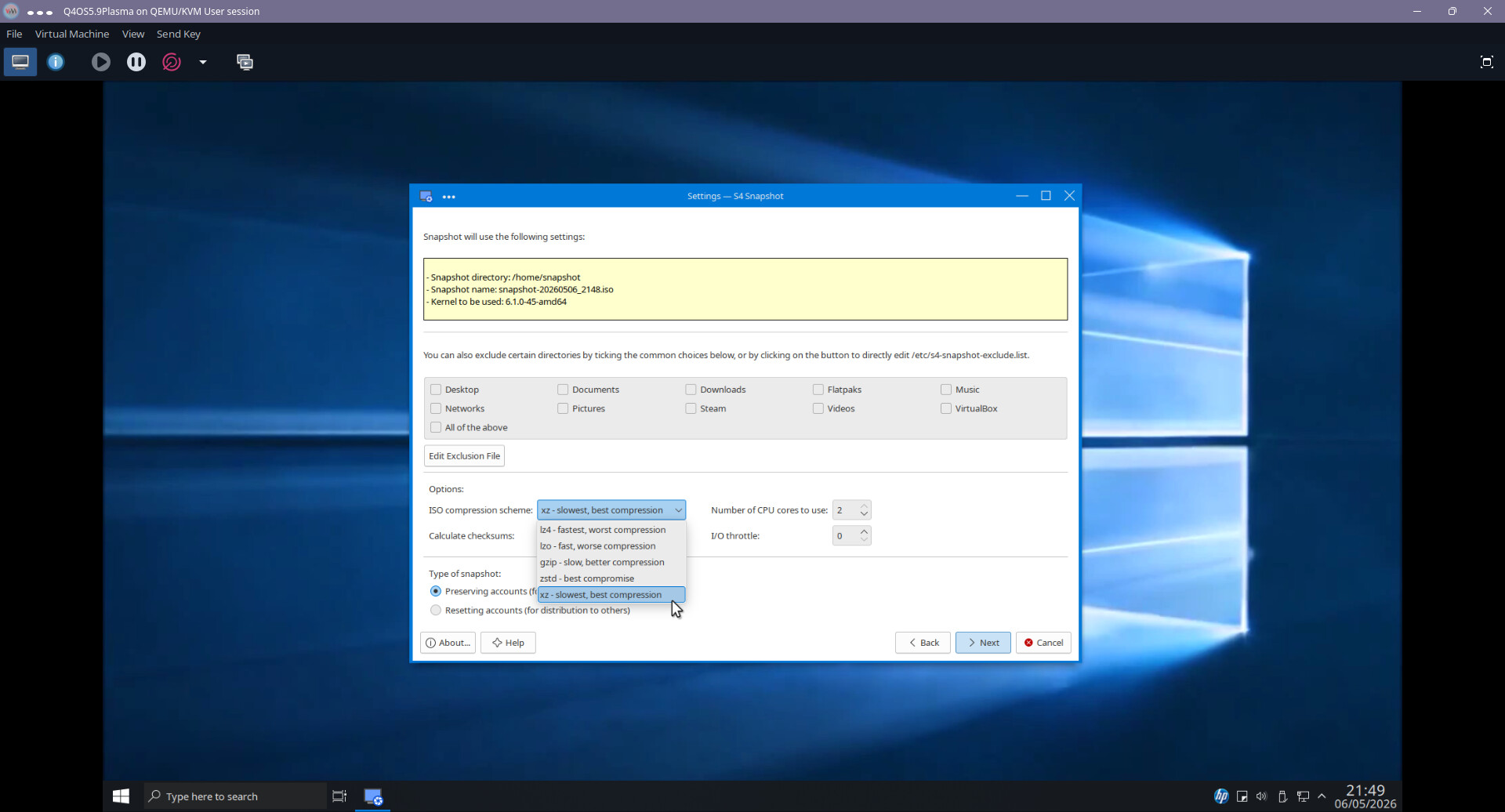
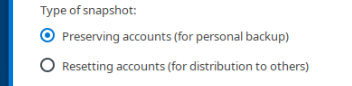
You can edit what you don't want included, and you have the option to use it to make a snapshot of your installed Q4OS to install to another of your machines, or make it generic (for business use so that the applications you installed will match on all the machines you install it to).
On first attempt it did not work because I did not change the compression option.
When choosing the bottom option it worked perfectly and even runs in Ventoy!
I booted into the snapshot image in Ventoy and my login screen appeared, entered the password I setup in the VM and I was in!
Q4OS have done a magnificent job of tweaking MX-Linux/Antix snapshot tool which is what it was developed for. MX-Linux/Antix GitHub page makes it clear it was only made for MX-Linux/Antix distribution and if you try to use it on a different distro, even though it is a .deb package it will break your OS.
Yes, 'fraid so. I am hoping it is going to make my life easier at client's this Sunday. I am hoping to get spec of notebook when back from their Hols. I have all their printer/scanner drivers available so if I can get login credentials I should be able to install in place. Really looking forward to this! Then once the notebook is done desktop will use the same image. Wish me well!
Well hugely disappointingly. Spent an entire day from 10:45 to almost !7:00 hrs trying the snapshot in live mode. It refused to pick up the WD Elements drive in live mode, only LMDE7 mounted it flawlessly in live mode, and as I had been informed it was a touch-screen notebook and its specs I even burnt a copy of Fedora 44 Plasma - which did not even boot!
So, you guessed it, LMDE 7 was the OS of choice after a very frustrating day, but the client was happy to see that Windows 11 was no more. A strange Lenovo beast with 'self-healing BIOS', no power button (opening the lid powers on the device).
During install spotted a partition with the dreaded word/s "BitLocker"!
Remembered you have to disable this or you endup with nothing!
None of the online guides were up-to-date with some commands returning nothing, but at least I managed to defeat it. However, manual partitioning kept on failing even though I setup /boot/efi it could not find it demanding a flag. I suspect the Lenovo BIOS was playing up or a hidden Windows 11 guardian buried deep in the machine. Any hoo got it installed using Automatic installation. Client now going to spend some time getting to grips with GNU/Linux.
Back in two weeks time. I now have to find out the best solution to:
A. Be rid of Office365 and OneDrive
B. An alternative office (me thinks OnlyOffice) and a Cloud Storage that can synchronise across two Linux Mint machines and a Windows phone.
I'm sure you know about it, but why not timeshift? I use it with btrfs and it takes moments to back up a snapshot of my system. Is there something wrong with timeshift I'm unaware of?
Hi, you need to see my earlier post. I was under the impression that the client wanted a familiar interface, similar to Windows 10, which I achieved with Q4OS's Look Switcher. I then used their modified MX-Linux snapshot tool to create an .iso of the VM of Q4OS 6.6 I created. It booted fine in live mode on my USB stick to replace Windows 11 on a Lenovo notebook that has no power button but comes alive when you open the lid. In live mode (think Try Zorin) it kept reporting errors when attempting to mount the portable WD Elements HDD. No such issue when booting in LMDE7 in live mode.
Really hi-spec Lenovo, with Ryzen 5 with AMD GPU, 16 Gb RAM and 1 Tb SSD.
What the snapshot does is create an .iso image of a VM (or an installed OS) for either replicating to another machine with all Apps and User Settings, or for widespread deployment say in an Enterprise:
I read somewhere that Q4OS does support enterprises but whilst nothing official they created an Enterprise snapshot, just one snapshot that was deployed on 300 Desktops with Enterprise branding.
Additionally, the only GNU/Linux that was able to get installed on EOL (End of Life) Chromebooks.
A very interesting read .... Lenovo is one of the big three companies that is dropping MS and going to Linux sometime this year the other 2 and still doing testing but are expected to follow at least that is what I read on YouTube ..... MS gave Lenovo some incentives but accordingly Lenovo said no .... you can still get Windows but the buyer has to pay extra for it .... Lenovo was tired of paying $60 for each MS OS it used and along with other reason and supposedly has made the switch .... another reason was support .... Lenovo said they were tired of having to pocket the cost for customer support with all the screw-ups MS is having with Win 11 .... MS refuses to reimburse them for the cost of this customer support .....
Is it true ????? .... I personally don't know ..... so please don't shoot the messenger ..... LOL
I can't comment on the Lenovo stuff, but it is no wonder the client was utterly fed up with Win 11. Whilst there, after entering a PIN Code it was still asking for authorisation. And the usual splattering of info at login screen. I am back in two weeks to install Mint on 3 monitor desktop.