New Lenovo LOQ dual-booting Zorin 18 and Win11 from 2 drives. From Windows, no issue exits. Win fast boot and Secure Boot is disabled.
Working from Zorin, closing my laptop forces me into a hard restart as I cannot get the monitor to respond to reopening the lid, keyboard, or mouse inputs. The power button will stay solidly illuminated and I can hear the fans still running. Black screen - nothing.
This also occurs if I click "Suspend" from the Zorin start menu. Laptop will go to sleep / pulsing power button. Keyboard input will wake the laptop, but I get zero response to the monitor.
Attempted also through Xorg option at login.
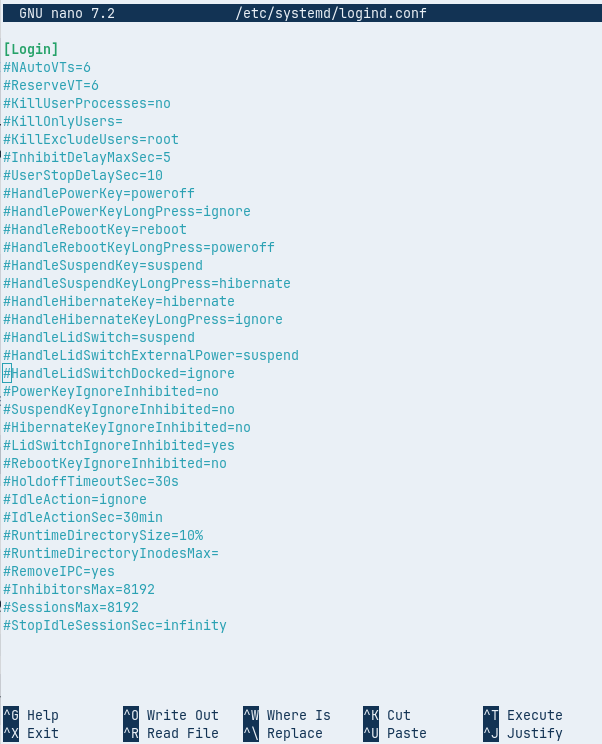
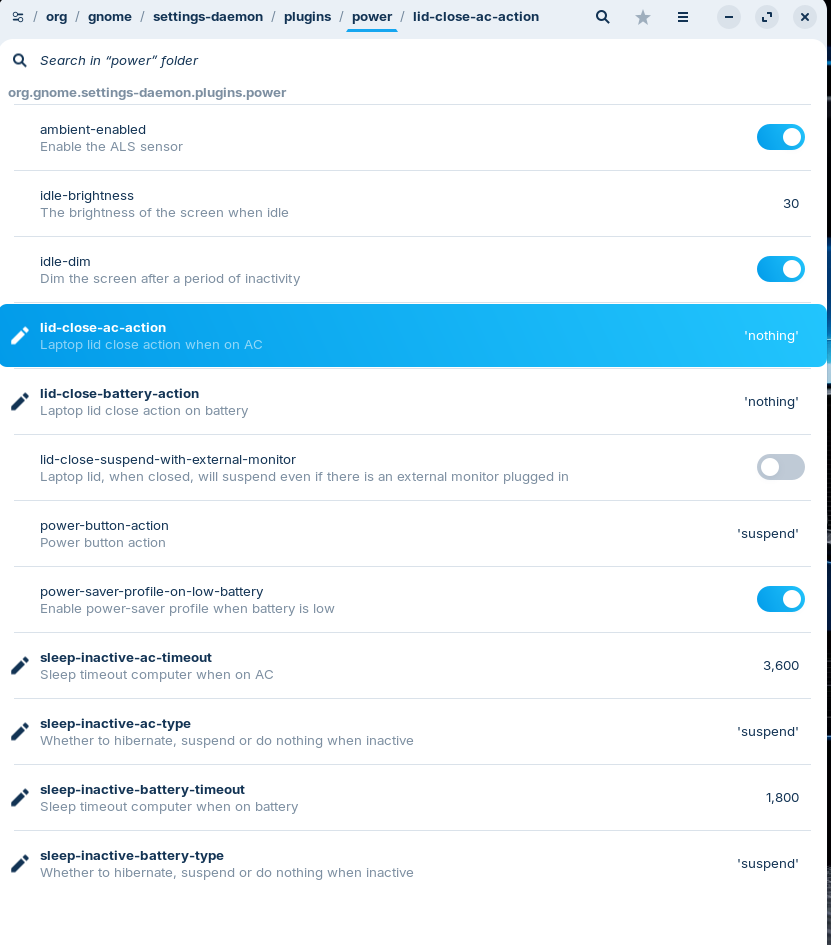
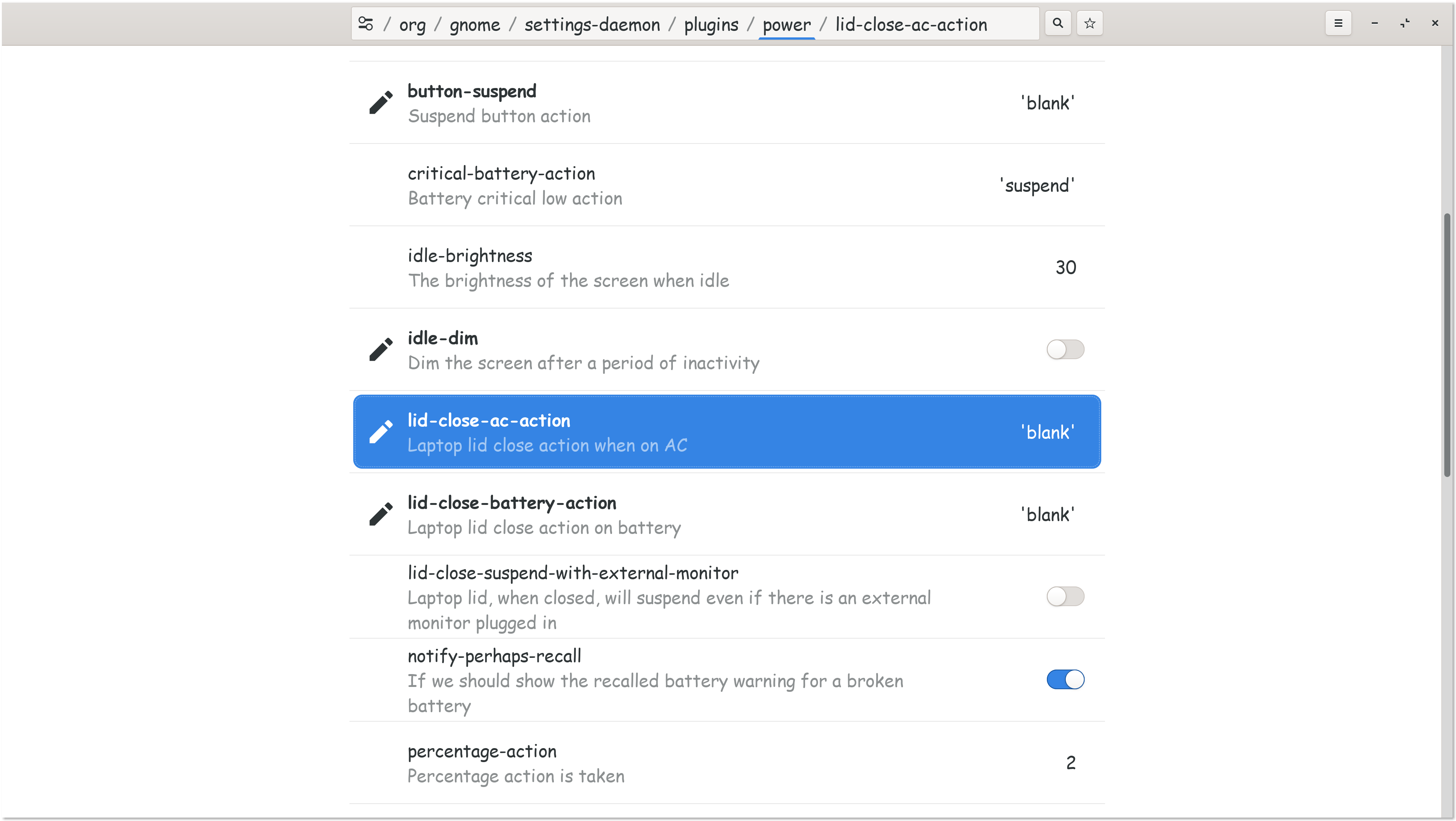
Some research leads me to believe it might be an issue with the video card? I tried Cntrl+Shift+Win+B to reboot the video card and I've also played with etc/systemd/logind.conf and dconf Editor
I'm having the issue when laptop goes into "Suspend" from inactivity or when I command it to Suspend. Never closing the lid, I still loose signal / control to the monitor and have to do a hard restart.
However, think on the programming level - the behavior is a program call.
So the ACPI call is the same, whether the Lid Switch is physically activated or not. If you activate through a command or you close the lid physically, the same ACPI call is made.
So, changing to
I found the solution at nvidia forums and reddit to add exit 0 to
nvidia-sleep.sh.
But it is not really a good solution, I think it prevents nvidia from falling asleep (I'm not sure).
I, as well as many others, have this issue on Zorin OS, and its not limited to OS 18 either, its in all previous installations, as its part of the core Ubuntu system. This is how you finalize the disabling of the lid switch, so you can bring sanity back to your computer once again.
I'm a total noob, but I'm more convinced this is a graphics card issue. Changing the .conf file (and removing the # tag) allows me close the lid without the computer going to sleep, and with some time, prompts the lock-screen upon reopening. I still can't wake up the video card from Suspend, but this is progress!
I actually implemented the change through Dconf Editor first as @StarTreker suggested; it worked perfectly once, the monitor coming back on to a the Zorin lock screen, but didn't work after that.
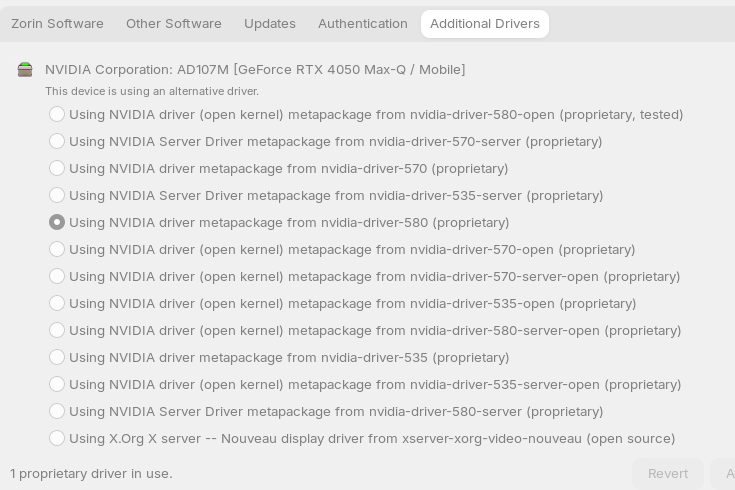
I'm curious about whether I should try to update to the latest driver 580.95.05 (released 3 weeks ago), or if I already have that driver installed:
I'll do some more Linux-learning before I'm comfortable editing out the code on keeping the graphics card from sleeping, but that seems like where the fix lies. Thanks all!