Hi everyone! I'm completely new to Zorin OS 18 (Core) and I have the following issue:
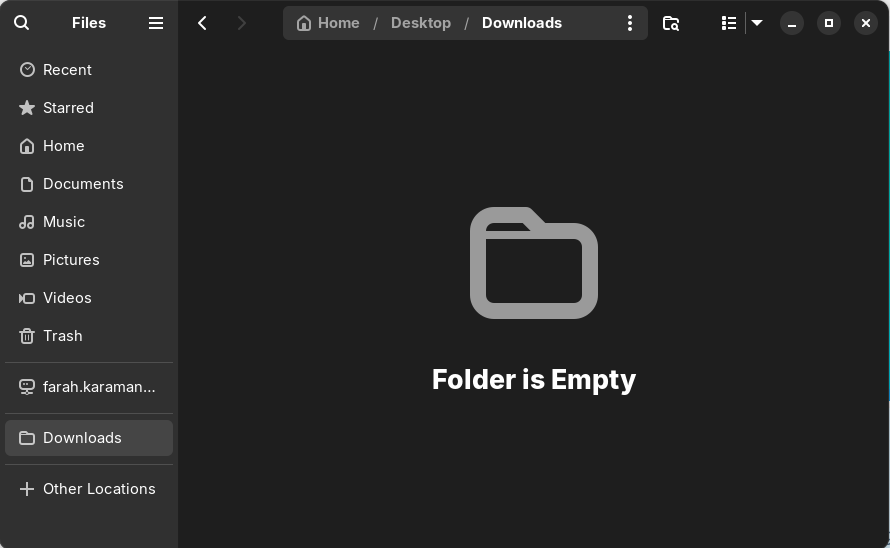
When I open the Downloads folder from the shortcut on my desktop, it appears completely empty. Also, it is somehow not it the upper left quick access tab (with Home, Documents etc.) but has moved itself lower. This is shown on the first attached image:
It seems like the shortcut isn't actually a shortcut, but it created another folder called Downloads that isn't the real Downloads folder. How can I create a real shortcut to the Downloads folder?
I can't actually verify this right now, but when you right-click on the downloads folder (or any other folder), there should be an option that says something like "Create Link". That would create a new icon that looks like a folder, with a little arrow emblem on it, which you can drag & drop that icon to the desktop.
I would first remove the empty Downloads folder from the bookmarks on the left side of your file manager (right-click on it> remove from bookmarks)
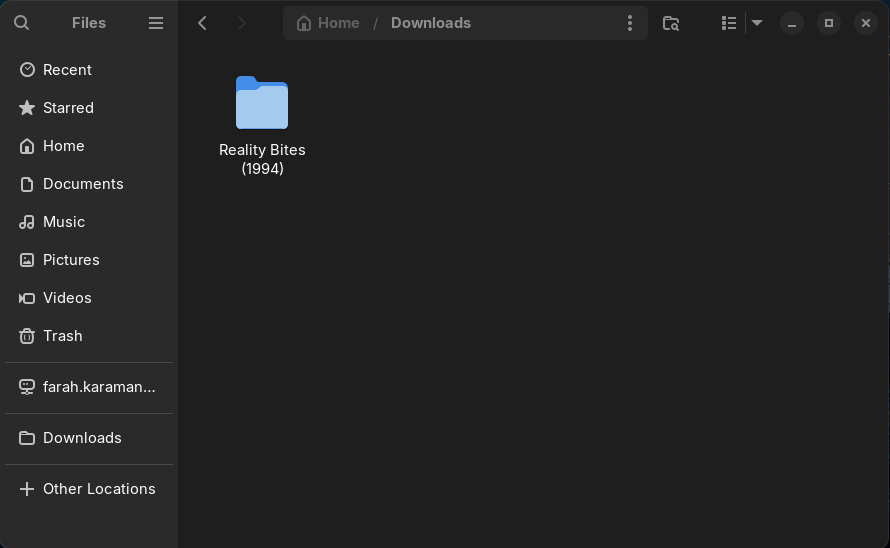
Then go to your home folder and doubleclick on your Downloads folder to open it. In the top bar click on the three dots icon and look if you can select "Add to bookmarks"
If that doesn't work you could check some files.
Press ctrl+h to show the hidden files in your file manager.
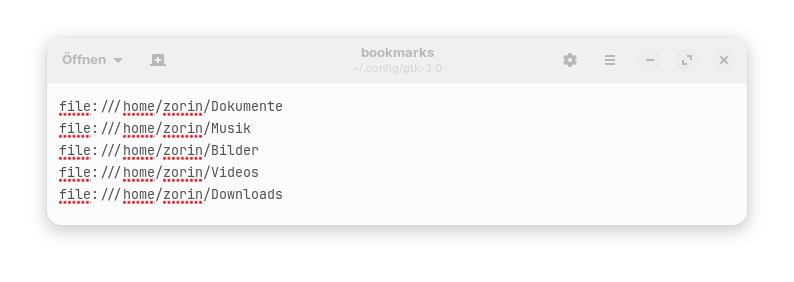
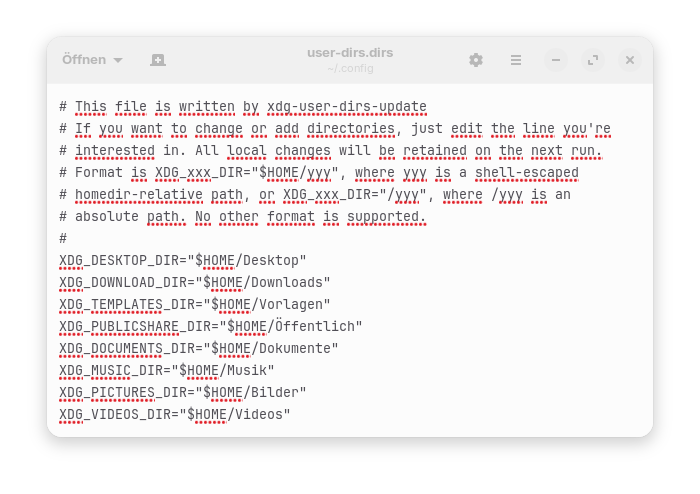
Take a look at those two files if everything is right there:
~/.config/gtk-3.0/bookmarks
You need a line
file:///home/username/Downloads
(replace username with your username in the path)
If the line is missing, create it and then save the file.