I have a 2017 iMac which I have upgraded with a 2TB MVNE m.2 SSD as my primary drive with OpenCore and MacOS 17 in addition I have a 1TB SSD.
I installed MacOs on the MVNE driver and did a time machine restore and everything twas running perfectly. So I decided to install Zorin on the other drive. I made an installer and installed Zorin and selected the 1TB hard drive. After the installation was finished I was able to configure Zorin although strangely the sound isn't working.
However.... I re-booted and there is no longer the EFI showing to boot to open core I can only boot to Zorin. If however I install the USB drive with Open core on it the EFI is there and I can boot to the 2TB MVNE drive. Having done so I open open core an it prompts that there is no EFI and asks me if I would like to install it and I say yes and then select the 2TB drive and it appears to work and then says reboot? I click yes and nothing has changed all I see is two options EFI which boots to Zorin and Macintosh SSD which does not boot and it's EFI is no longer recognised.
I then booted up using the USB Drive with Zorin and ran the Boot Repair function. This seemed to do something so I re-booted and now I have three options I have two "EFI Boot" options one with a nice blue icon and the other just looks like a drive and "Macintosh SSD" both the EFI Boot options boot Zorin.
Am I the first to have this problem? What I want to see really is two EFIs one for Mac and one for Zorin. Any suggestions?
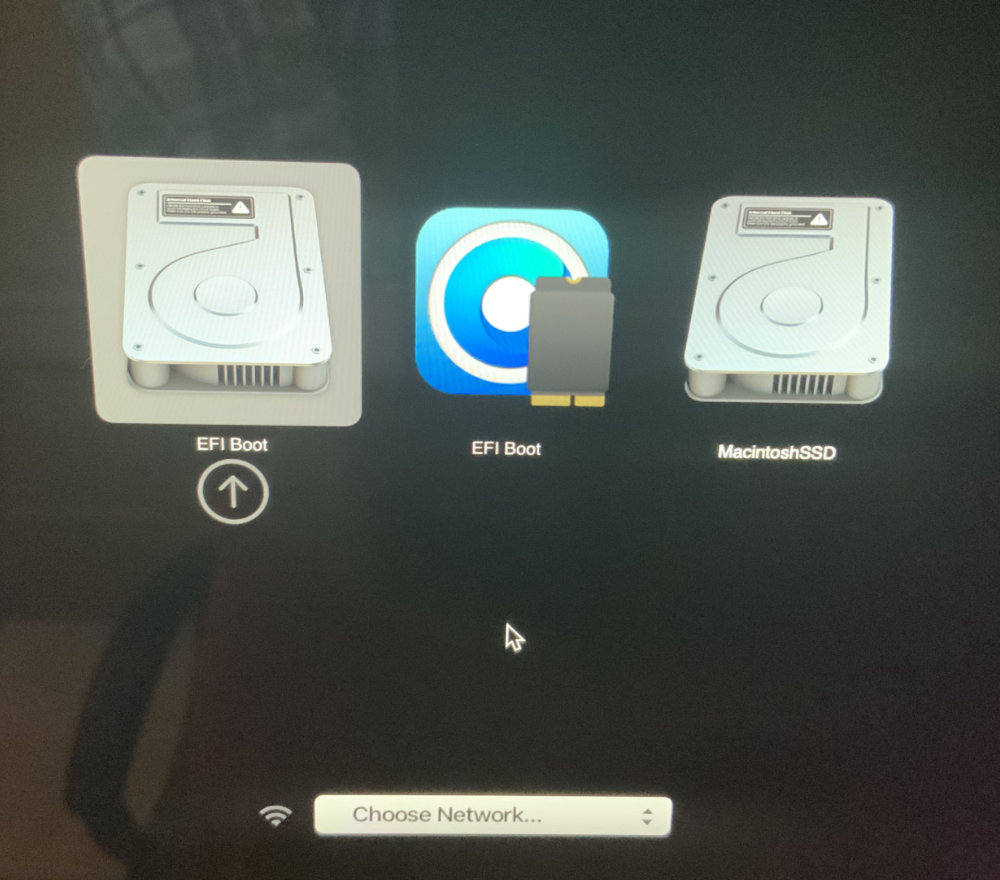
The EFI boot icon looks like the OpenCore EFI but it boots to Zorin.