Dual boot Windows 11 home / Zorin 18 Pro decision or something else?

Hello everyone,

I need some help for a decision to make rather then technical support.
I purchased a HP Omnibook Flip with a AMD Ryzen AI 350, 1 TB, with Windows 11 home preinstalled. I also purchased Zorin OS Pro (i hope it will run on that laptop flawlessly).
I didn't get an activation code for Windows - the guy on the counter said, that is safed in the BIOS (???) so MS knows my new computer and allows to reinstall it at any time. Ok...

The laptop is for my wife as a Christmas present. She is a teacher. I want her to switch to Linux. However she doesn't really want to - seeing me struggling with Linux Mint for a while (I finally kept it, as it runs perfectly now) and she is afraid that many of her needed and beloved software won't work.
So I thought, Zorin OS Pro would be the best to transfer smoothly to the Linux world.

I now have to make a decision:
a) format the disk on the new laptop and Install Zorin OS Pro alone
b) install Zorin OS Pro alongside Windows 11 home (dual boot)
c) format the disk and install Zorin OS Pro alone plus install WinBoat to run Win 11 on a virtual machine
d) don't bother to install Zorin OS Pro at all but create a bootable USB-stick to try out Zorin that way

Pros and Cons:

a)
Pro: The system hopefully will run out of the box. I can install all the app my wife needs. I can present her just a ready-to-work-Linux System
Con: If she doesn't like Zorin or some of her needed apps won't run, I'm not sure if I can reinstall Windows 11 as I have no activation code for the system; I don't know, it the laptop has any problems when I install Zorin before even booting Win 11 once (my wife doesn't have a MS account yet - will that cause any problems?).

b)
Pro: My wife can try out both.
Con: Decision on every system start which way to go (slows boot down); more complicated installation process; possible problems running both systems; no way to get rid of one of the systems later without reinstalling the system (or keeping a lot of junk data on the system); maybe being short of disk space one day - I read, that Win 11 should have 100+ GB disk space, plus Zorin needs minimum 40 GB, better more. So I waste around 200 GB - 1/5th (more would be even better).

c)
Pro: Zorin will hopefully run out of the box; Windows can be started out of Zorin if needed; easy removal if Wind 11 no longer needed (because Zorin may be perfect :wink: )
Con: Don't know if WinBoat runs on Zorin (works perfectly on Mint); need to change UEFI/BIOS settings for a virtual machine; maybe conflicts in the BIOS/UEFI; more complicated installation process; possible security problems; data protection pretty much as bad as keeping Windows 11 in the first place

d)
Pro: Better for smooth transition; no arguments about the system I chose on Christmas ( :wink: ); easy installation process for Zorin later, if liked
Con:
Question: Is it possible to install Apps and to configure the system when just running as trial on the stick [I have a fast portable SSD. 128 GB] (e. g. Signal and Threema desktop app/Warpinator/XnView(like it much more then the standard picture viewer)/Portmaster/Photoshop CS2 on Wine/VLC Player/Flameshot/Betterbird/LibreWolf/Doplhin/Worksheet Crafter on Wine...)? And: will the printer and other peripherals run on the "trial version"?
If both questions can be answered with yes, that's perfect then the only con is, that I have to install all these apps twice (on the trial system and maybe later on when installing Zorin), if not, I won't be able to show all the advantages of Zorin OS Pro.

Sorry for the very long question. Sorry for my rusty English, too.

Maybe some of you do have or had the same problem. So are there any thoughts?

Thank you very much!

Philipp
You could choose a Dualboot with Windows. It doesn't increase the boottime much and it is no problem to remove Zorin if your wife don't like it.
But it can happen that Windows updates delete the grub bootloader for Zorin.

Another option is to install Zorin in a virtual machine on Windows to gain experience with Linux. I would choose this option for your wife.

Just for testing if all devices work on Zorin a live boot stick is enough.
If you create a stick with persistence you can save your settings, but it is not so good for the health of the stick when it is used daily.

Thank you for the reply!

What does that mean: "create a stick with persistence"?

The SDD won't be needed much later on - just to transfer a grater amount of data like pictures and such, so I don't really bother if it wears out a bit.
Also that solution would be just for a few weeks or months.

Thank you!

Philipp

A boot stick with persistence can keep the settings you made in a live session, e.g. when you have installed apps or set up themes or made changes in the settings. With Rufus you can create such a boot stick with persistence.
As you have a external SSD, you could install Zorin completely on this external SSD. That's better than a live boot stick.

Thank you very much!

I didn't use Rufus so far as Linux Mint offers to create a live stick out of the box.

But I didn't know, that one can install Linux/Zorin completely on an external SSD.
The only drawback might be that I have to use my activation code for that installation - later I might not be able to use it again to install Zorin on the laptops internal SSD (?).

Otherwhise that would be perfect, thank you very much!

Philipp

You can install Zorin pro on multiple computers for your own use. It shouldn't be a problem if you later use the code again.

1 Like

To go sure that Zorin will be installed on the external drive you could disable the internal drive in your BIOS or use these commands:

Thank you.

Sounds complicated.

Can't I just create a bootable USB Stick and plug it in on my Mint Computer alongside the external SSD and then choose that drive to install Zorin on in the installation process (of course I must choose carefully, but my main drive is 4 TB on the Mint PC vs. 128 GB on the external SSD - I should be able to tell them appart).

Philipp

I would still disable your internal drive. I was going to try Endeavour OS and I indicated the correct HDD it should install to and it wiped out my PCLOS Debian. You mentioned your good lady requires certain applications. If she is an Excel user with advanced formulas, only Excel can provide this, not LibreOffice Calc or any other spreadsheet program. It is a pity you have the Home version of Windows 11 because you can't disable MS nag messages. If there are specific Windows Applications you need to go to Codeweavers.com to see if the applications she uses will run in WINE. (Codeweavers is the commercial arm of WINE Devs.)

Yes, you can. But as I often read about accidentally installations on the wrong drive even by experienced users I wanted to show you this option.

Here is a guide that shows what you can do to avoid problems on another way:

But with this method the internal drive still can be overwritten. I'm not sure if it would be possible to unmount the internal drive with gparted on the live stick before starting the installer.

1 Like

Zorin 18 is based on Ubuntu 24.04 but it has a higher kernel than the base Ubuntu 24.04, but you may face network issues from my search, so I would use Try Zorin and use Ventoy to create your boot media for it. I think Zorin 18 uses kernel 6.15:

Ubuntu 24.04 is not expected to run flawlessly on a HP Omnibook Flip with an AMD Ryzen AI 350, primarily due to kernel and driver compatibility issues. The system uses a newer AMD Ryzen AI 300 series processor, which requires a more recent kernel—specifically version 6.11 or higher—for full hardware support, including features like Strix Point/Halo support.
Ubuntu 24.04 ships with kernel 6.8, which is insufficient for optimal functionality with the AI 350.

Users have reported that while Ubuntu 24.04.2 LTS can boot and install, it encounters significant issues post-installation. For instance, networking (both Wi-Fi and Ethernet) may fail after installation, requiring an upgrade to the linux-generic-hwe-24.04 package to access the 6.11 kernel.
Even with this upgrade, problems persist, such as Wi-Fi failing to resume properly after sleep cycles, often resulting in the device becoming unresponsive.
A workaround involving disabling PCIe power management via the kernel argument pcie_port_pm=off has been reported to help, but it may negatively impact battery life.

Additionally, there are reports of the system taking significantly longer to resume from sleep (around 7 seconds) compared to older platforms.
Some users have resorted to replacing the Intel AX210 Wi-Fi card with a non-Intel alternative (e.g., RTL8822BE), but even then, similar power management issues have occurred, suggesting the root cause may lie in the motherboard's power management rather than the Wi-Fi driver itself.

In contrast, Ubuntu 25.04 is expected to provide out-of-the-box support for the AMD Ryzen AI 350 and related hardware, as it ships with a newer kernel and updated drivers.
Users have confirmed that Ubuntu 25.04 works well on similar devices, with no major hardware issues reported.

Therefore, while Ubuntu 24.04 can be installed and used, it is not considered a flawless experience on the HP Omnibook Flip with the AMD Ryzen AI 350, and upgrading to Ubuntu 25.04 is recommended for better compatibility and stability.

AI-generated answer. Please verify critical facts.

1 Like

Thank you!

But Zorin 18 uses Kernel 6.15? If 6.11 or higher is required, then that should be no problem?

Canonicals list of compatible hardware seems to have tested the Ryzen 7 350 AI on 24.04 LTS at least on a Lenovo ThinkPad T14, see here: https://ubuntu.com/certified/202503-36567 and on a Dell Laptop see here: https://ubuntu.com/certified/202506-36829.
I looked that up before and thought: Fire away, even if it is HP not Lenovo...

No OmniBook is in the list though, only some other models with the Ryzen 7 250, but also the Max+ with 385 (at least CPU one of the 300 series).

Eigther way, I'll try it out. I hope my Christmas present won't be a disaster though...

Oh dear! Thank you! I'll be careful and keep your tips in mind!

In the KI answer are wrong informations. Zorin 18 is based on kernel 6.14.

Either way, it's higher then 6.11 isn't it? So I hope, I won't run into these issues.

Have to read all these articles. Installing the whole thing might be the project of next weekend...

Welcome to the Forum!

To make sure that Zorin will run well, I would suggest to put it on a USB Stick and run it in Live Mode to see if everything runs. Because of Your Hardware, I could imagine that You maybe need a newer Kernel for better Hardware Support.

Depending how much Disk Space You have, I would suggest to use a Dual-Boot System. Then You have it on bare Metal and You can see how it performs. Yes, the Uninstallation can be in one Point a bit ... tricky.

Because the Drivers are running in Live Mode, too it should work, yes.

Yes, You can do that. But it will only be installed during Live Mode. When You turn it off, it will be reset. To save it, you would need a USB Stick with Persistence like @Forpli alreadfy wrote.

1 Like

You can also install Win11 Home in a QEMU/KVM virtual machine inside ZorinOS. Running it side by side makes live data exchange possible.

1 Like

Thank you for the answer!

I'll try out the live system first. I hope, it'll be ok.

I'll probably go for the installation on an external drive. So it can be plugged in to try Zorin as well as all the apps can be installed on that drive - including some Windows apps without even affecting the Windows system. I'll unmount my disk while it's installing as said above.

I have no experience with virtual machines. I tried out WinBoat on my Mint PC, but configured something wrong in the BIOS and got some warnings. I don't even know what exactly I changed - fortunately after uninstalling WinBoat everything worked normal again - but I'm a bit fed up with virtual machines.

What holds me back is @Forpli s link for the installation of Ubuntu:

"While installing Linux, even if you choose the USB as the destination for the bootloader, the existing ESP partition is still used for placing the EFI file for the new distribution."

The description that follows is very good, so I'll probably manage the step installing Zorin but Ubuntu. Since I'll do that on my Mint PC I want to make sure, the external drive works on the new laptop, too.

This guy Link to YouTube Video made such an installation with Zorin without the step with Gparted. The SSD worked on another PC. What was the difference?

Sorry for my dumb questions - I'm new to Linux and do not have much technical knowledge, too (actually it somehow doubled since I'm working with Linux... but starting near zero means that it's still not much).

Thank you.
Philipp

You can create an own EFI Partition on the external Drive. To do this, choose during the Installation the ''Something else'' Option. There You can create manually the Partitions.

To keep it simple, You need these 2:

  1. An EFI-Partition with ... let's say ... 200 or 300mb.
  2. For the Rest of the Disk, You choose the Mount Point / and format it to ext4

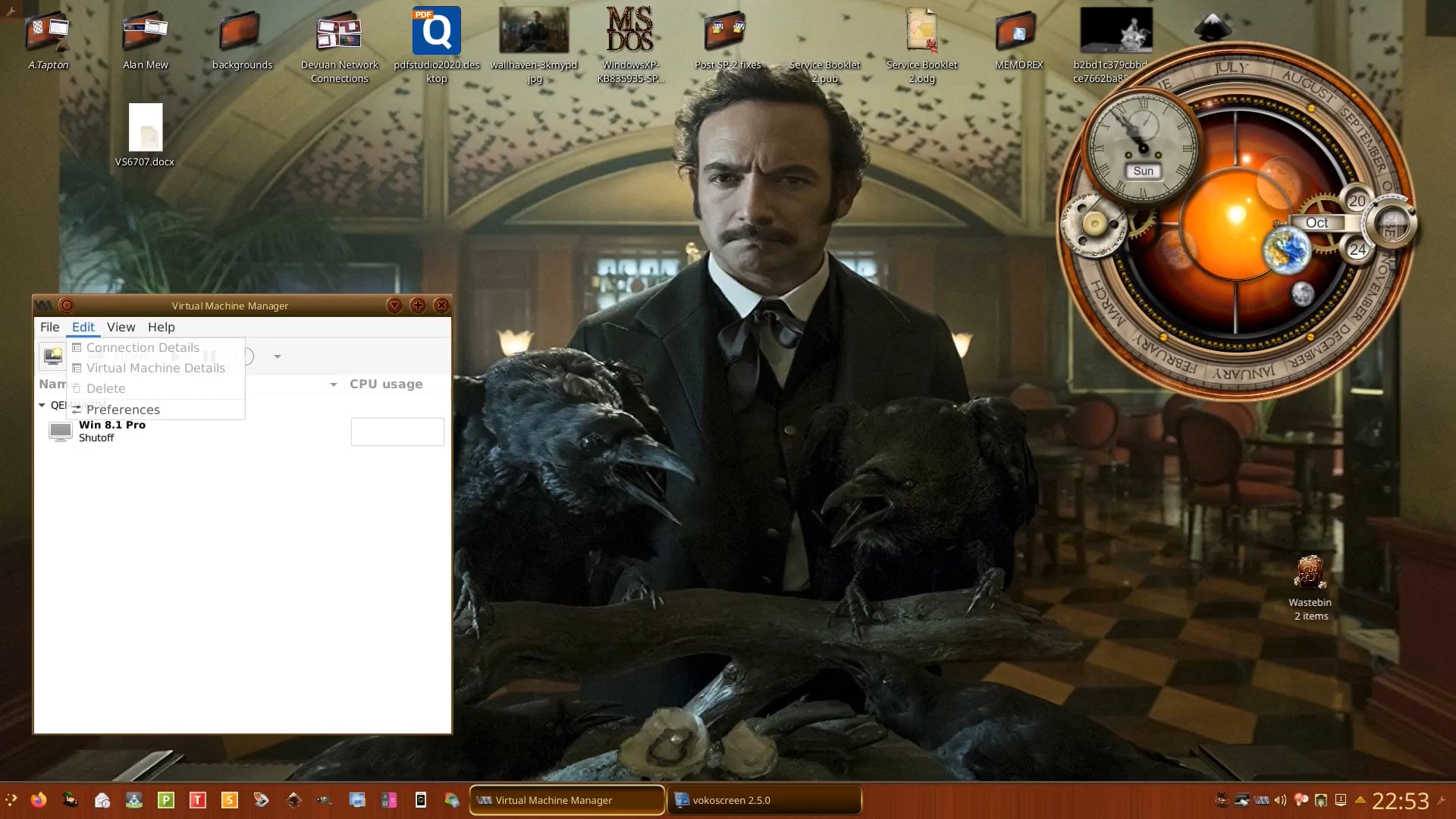
I can highly recommend virt-manager. After install you need to logout and back in again. I used it to run Windows 7 Pro 32-bit, and even updated it to Windows 8.1 Pro when Windows 7 reached end of life:

1 Like