First time Zorin OS user. Tried to install Zorin Core alongside Win 11 in HP laptop. But it always load with Windows Boot loader, even though i change the boot order, it skips GRUB
Tried to rename the shimx64.efi as Windows Boot Manager, but it ends up with loosing the Windows Boot Manager without backup. Now my pc always boots with GRUB command window.
Each time i have to go to the Zorin by the below cmds from GRUB window
set prefix=(hd1,gpt5)/EFI/ubuntu
set root=(hd1,gpt5)
insmod normal
normal
Welcome to the Forum!
When You have installed Zorin, did You choose the Installation Option ''Install Zorin alongside Windows'' or the ''Something else'' Option?
Is Your BIOS in UEFI or Legacy Mode? Are Secure Boot and Fast Boot in BIOS disabled? Is Fast Start-Up in Windows disabled?
When you start Zorin from the USB Stick choose the Option ''Try Zorin'' and then in the Live Mode search for Boot Repair and let it run.
2 Likes
I selected "Something else" option. My BIOS is UEFI. Both Fast Boot in BIOS and Fast Start-Up in Windows is disabled.
And is Secure Boot disabled in BIOS, too?
Was there a specific Reason why You took this Option and not the ''Install Zorin alongside Windows''?
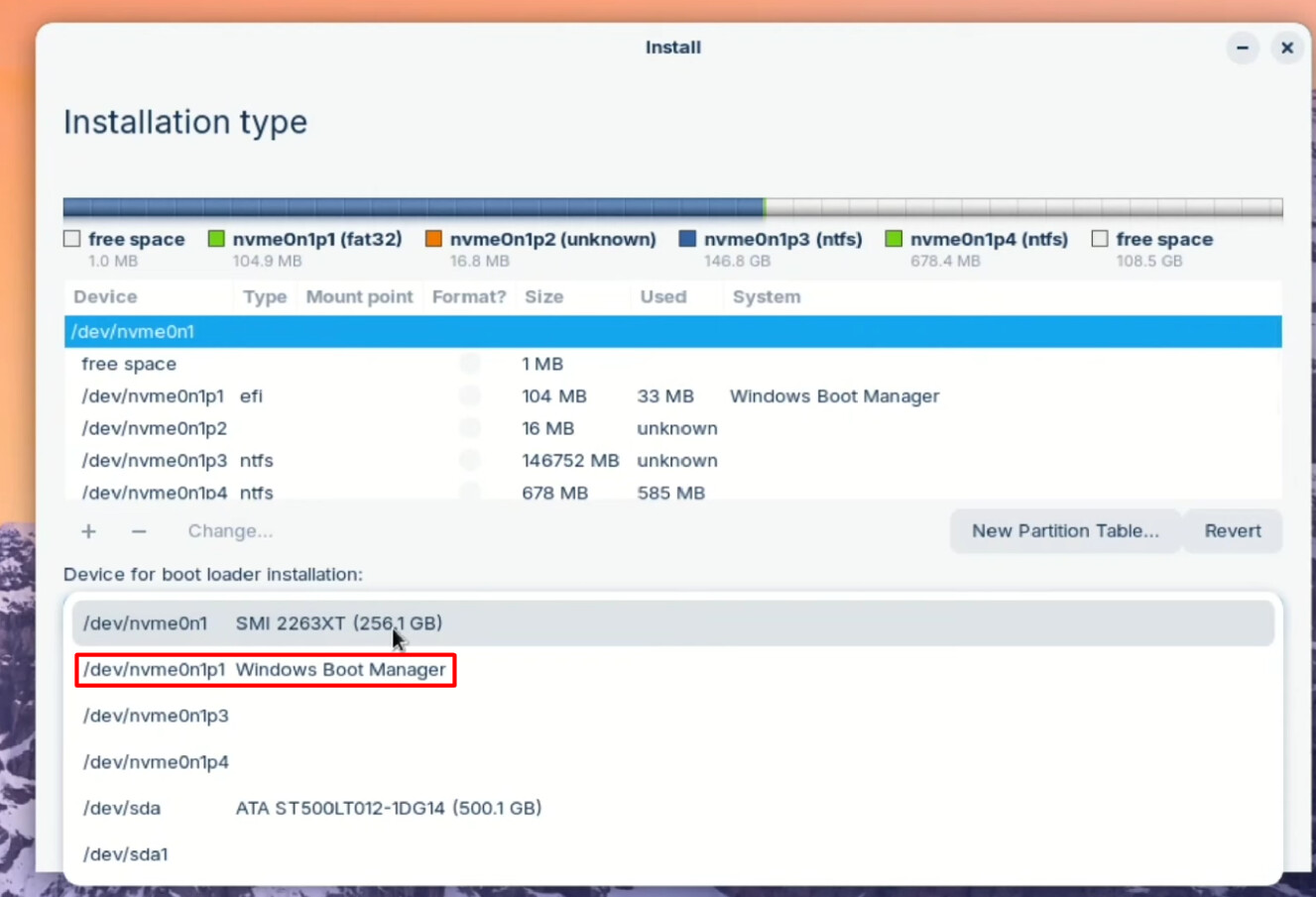
When You have chosen that, what did You choose at the Option ''Device for boot loader installation''? Did You choose ''Windows Boot Manager'':
Yes disabled
I thought if Zorin is installed in same EFI, windows update might remove the content. So i created a separate EFI
No i do not select "'Windows Boot Manager''
For a Dual-Boot it is in my Opinion better to have it that Way - I mean to choose the Windows Boot Manager for Bootloader Installation - because so You have the Grub Stuff easier set up and it should be visible on Start-Up.
But for now, we have to care about the current Issue. Youw rote:
Did You change the Name back?
And have You tried this:
1 Like
This solved my problem. Thanks. Excited to entering into linux.
3 Likes
So, it works now, yes?
Yes 
1 Like
This topic was automatically closed 90 days after the last reply. New replies are no longer allowed.