I have a problem with my taskbar. When i open the applications Menu, i can see two taskbars.
I think one of them is gnome dash and the other one is zorin taskbar.
How can i disable gnome dash?
try to change the layout in Zorin appearance
Can You make a Screenshot of it?
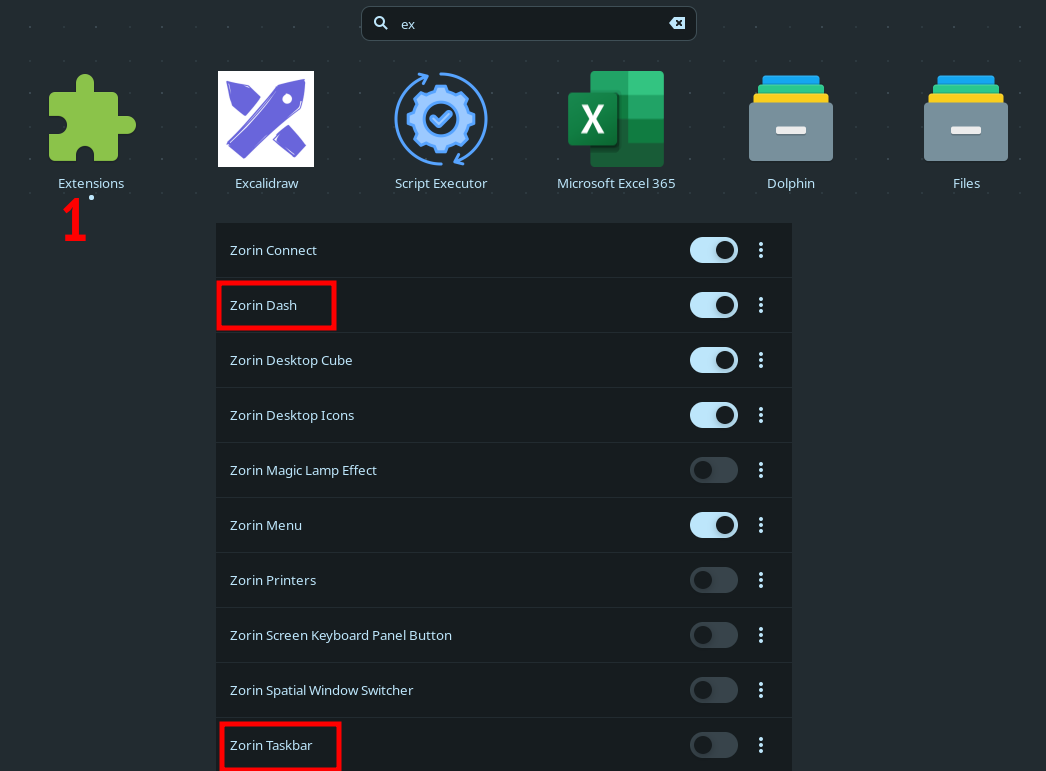
Make sure only one of them is active. Also if you have installed Dash-to-Dock or Dash-to-Panel make sure disabling Zorin's ones.
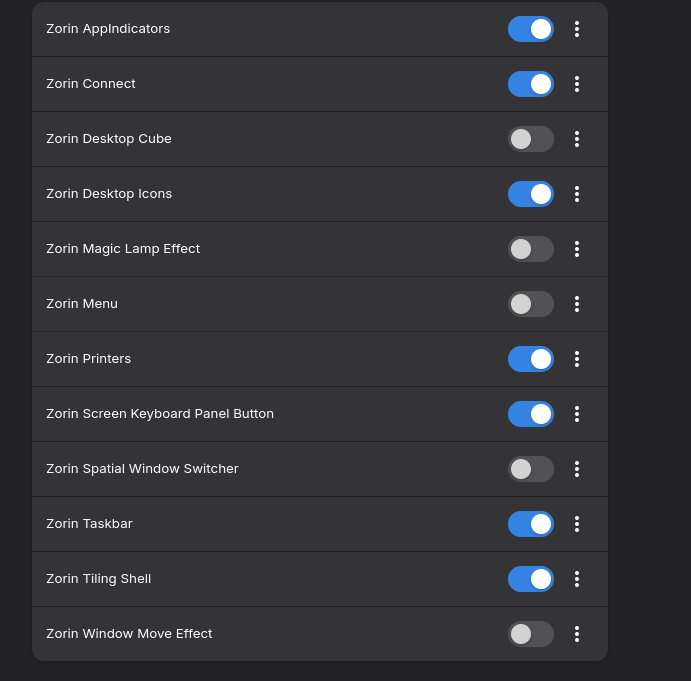
Didnt helped sadly

Are that all gnome extensions which are installed or have you added custom ones?
Did you try to switch the layout in Zorin Appearance as Nourpon wrote, and then to go back to the layout you like?
I did try to switch between Layouts. Here are the rest of my Extensions. I didnt add anything manually
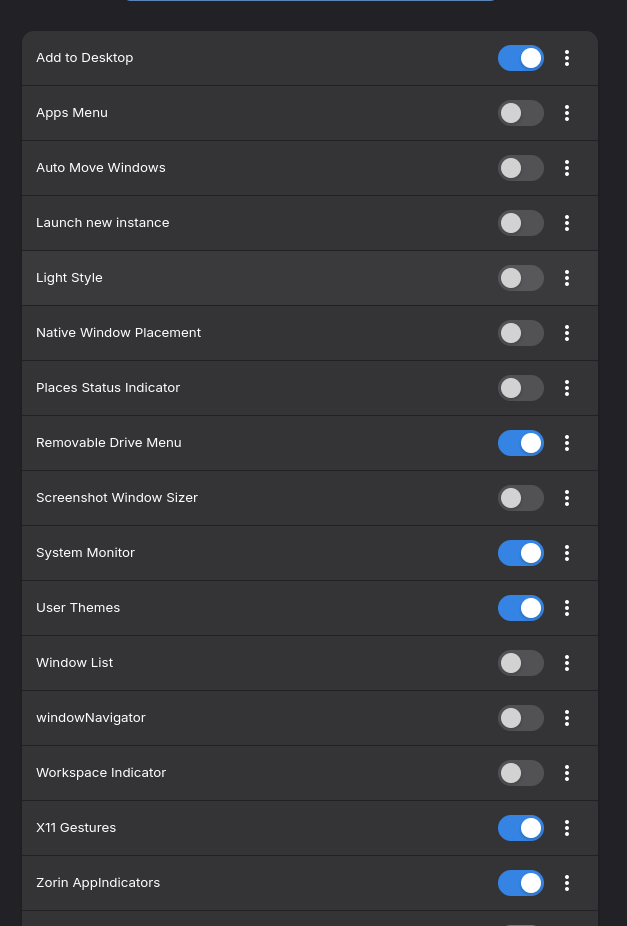
Hm, I'm at a loss at the moment. You have no other extensions installed which often make this issue.
You can try to disable the Zorin taskbar in the extension manager and then enable it again.
If that doesn't help reinstall the zorin taskbar extension:
sudo apt reinstall gnome-shell-extension-zorin-taskbar
Okay, that is a Dock and a Taskbar ... The Question now is what dock and what Taskbar ...
At the Moment it looks for me that You have - because Your are a Core User - the Dash To Dock Gnome Extension and maybe the Zorin Taskbar active at the same Time.
The other part of the list you can see in the screenshot some posts above.
1 Like