I just reinstalled OS 18 on my computer to be sure to have a clean install,
to be sure that the recent system stability issues I'm having are not due to some currupted past update.
My challenge is that I have an old nVIDIA GPU (GeForce 210) which has not been supported by nVIDIA for a long time (last nVIDIA compatible driver is apparently 340.108, corresponding to ... OS 15 ...)
To manage this, the recommendation I red in many posts is to use the "nouveau" driver. But I'm not skilled enough to be certain of the detailed steps to get "nouveau" active.
I installed OS 18 successfully, selecting "Installation with "modern nVIDIA drivers" ", as recommended by a more experienced friend, who thinks the install soft is likely to detect the GPU and select the adequate driver.
All went very well, except that my display resolution is blocked at 1024 x 728 (no other choice), and I would like to switch 2560 x 1080 (native resolution of my monitor). This resolution was active until 2 weeks ago (before last update of OS 18.1).
I tried to look at what driver is current active on my computer, by using inxi -Ga.
And here is the beginning of what inxi gives:
Note that this mentions GeForce GT710, which is quite odd for me as I found the box of the Graphics card (yes, I'm quite conservative ... ) and it is, for sure, a GeForce 210 Silent.
Looking at techpowerup.com, it is confirmed that the
EN210-SILENT/DI/1GD3(LP) is based on GT218S and not GT710.
And my exact card model is EN210 SILENT/DI/1GD3/V2(LP). So little doubt about the exact GPU.
But if I raise this topic, it is because I read "driver: N/A" and "alternate: nvidiafb, nouveau," etc
suggesting that
no specific driver is active (?!?) and that
"nouveau" might not be active.
I red that nouveau can support up to 4K or 8K resolution, so it should be able to provide the 2560 x 1080 I would like to get.
I currently see a few options, in order of ... increasing complexity:
If "nouveau" is inactive, get the instructions to have it active (of course, preferred option ...)
try other potential suggestions.
I initially thought, based on inxi, that running with 470.xx nVIDIA drivers could solve the issue, so I installed OS 17.2 (which is based on kernel 6.8, said to be the last version compatible with 470.xx), but it doesn't work.
Having to restart from OS 15 to have the last kernel compatible with 340.108 does not seem a good idea to me ...
try if Fedora has the same issues (I can hope in a miracle ...)
buy a new graphics card. But then I need to find a silent GC compatible with my 10-yrs old config ... unclear to me how to select properly such GC
build a new PC ...
It would be immense if I could benefit from your help.
Thanks a lot in advance.
Don't select the installation for modern nvidia cards during installation. Use the normal installation, then nouveau is set automatically.
Have you tried to go to Software&Updates >Additional drivers and to select Nouveau there, then reboot?
I would also switch from Wayland to Xorg. Logout and at login click on your username then a cog wheal appears at the bottom right corner. There you can switch between Xorg and Wayland. Such an old system runs better with Xorg.
In your other thread you wrote that you are running on Wayland.
When Nvidia Drivers are installed now, uninstall them with
sudo apt purge nvidia* libnvidia*
and then make a
sudo apt autoremove
to remove File Rests. but look at the List of removing Packages before you remove them. When done, reboot and when You logged in again, you should check the ''Additional Drivers'' Tab. there should be the last Option in the Row be marked.
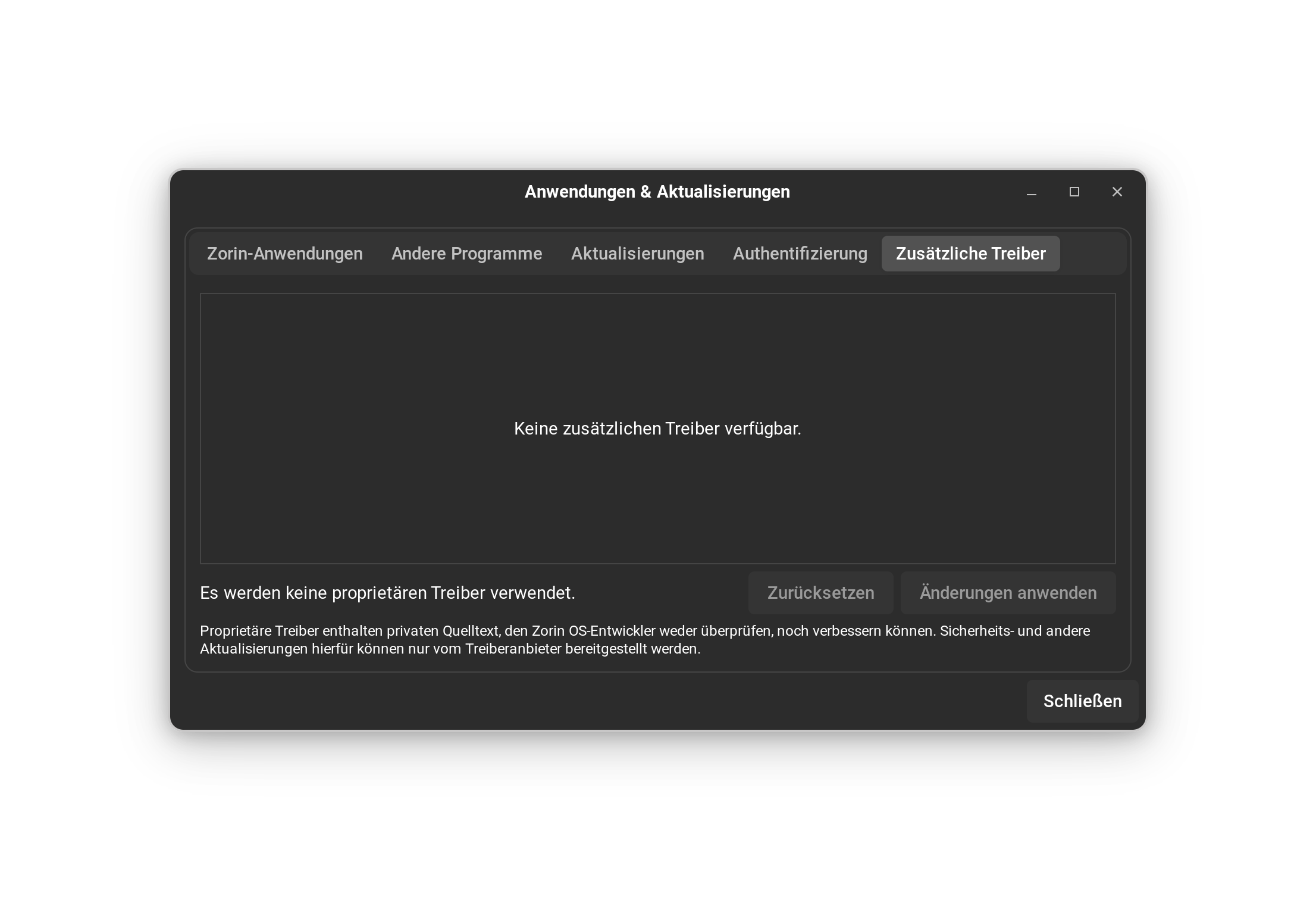
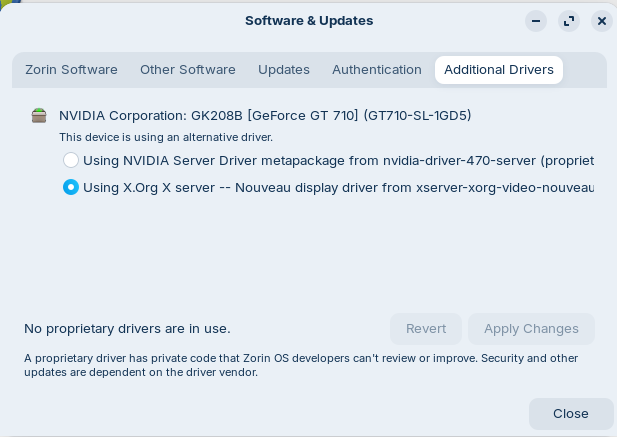
I went to Software in System Tools then found Software&Updates in the list of installed apps and found Additional drivers.
The system wrongly identifies my GPU as GK208B [GeForce GT 710] (GT710-SL-1D5)
There are 3 options:
o Using NVIDIA Server Driver metapackage from nvidia-driver-470-server (proprietary)
o Using X.Org X server -- Nouveau display driver from xserver-xorg-video-nouveau
o continue using a manually installed driver
but the first 2 options are unselectable (in gray color). Only the 3rd one is available (and selected) - bit this doesn't help me of course.
As I didn't do anything, this is how the install automatically configured the system.
And as it is stated that "No proprietary drivers are in use", I understand that no NVIDIA drivers have been installed.
You are perfectly right about Wayland. So, I switched to Xorg, and my Windowing system is now X11. Thanks for the explanation for how to do it!
I hoped it would turn the 2nd line above as "selectable", but it doesn't - it is still in gray colour and clicking on the select button doesn't do anything.
So, I will redo the full install in 'normal' mode (no "modern" NVIDIA driver). I think I did this previously, but I just want to be 100% sure that I did it.
As explained in my answer to Forpli, the system mentions "No proprietary drivers are in use", so I understand removing NVIDIA drivers doesn't make sense.
And switching to Xorg doesn't change anything, apparently
If you like, you can try Ponce-De-Leon's commands from his post above and remove all installed nvidia drivers and then reboot. Perhaps nouveau is selected then automatically.
Some updates after a few hours of trials.
To Ponce-de-Leon, the "Additional Drivers" Tab wasn't empty: it contained the 3 options mentioned above, but with the first 2 options in grey, not available for selection.
After my last update (unfruitful switch to XOrg), I tried your recommendation of removing all nVIDIA drivers by performing the "sudo apt purge nvidia* libnvidia*" and then the "sudo apt autoremove".
Message after 1st command was indicating "... 22 to remove ...", and I accepted with Y. And message after the 2nd command was "... 34 to remove ..." and I accepted with Y.
I did a Reboot and then the system systematically crashed during the boot at the screen where I have "GIGABYTE(TM) Insist on Ultra Durable" and the Z in the hexagon under the GygaByte slogan. It did freeze just after changing resolution from 1024x768 to 2560x1080, with some random white stripes distributed in the screen at the height of the "Z-in-hex" logo.
So, I move to the next step and re-installed OS 18 with my 18.1 iso image on USB.
Selected "Try or Install Zorin OS" and it quickly switched to 2560x1080 res., frozen with white stripes. Before any access to the install interface
I then did another trial "Try of Install Zorin OS (safe graphics)" to recover (I hope) the PC in degraded mode. It worked well as passed for the "Z-in-the-hex" to "ZORIN" and then I could select "Install Zorin OS". I followed the standard settings, expect that I selected "Erase disk & Install Zorin OS" instead of "Install Zorin OS alongside Zorin OS 18.1 (18)"
Installation well OK till the end. Then Reboot and ... crash (frozen screen with white stripes at the height of the "Z-in-the-hex"). I did several times a "soft" reset by using the reset butoon on my tower and once I suddenly had the choice between 3 options ("Zorin OS" / "Advanced options" / [I don't remeber the 3rd option]).
Selected "Advanced options" then the recovery mode associated to the last vesrion of the kernel and ended up to the Zorin Users Screen.
I ensured that the option "Zorin on XOrg" was selected and then entered.
Went to "Additional Drivers", where there were only 2 options
o Using nVIDIA Server Driver ... 470 ...
o Using X.Org X server ... Nouveau display ... (that was preselected)
I reselected option 1 then 2 to be sure that the option Using X.Org was well selected and then clicked on "Apply changes". System indicated "Applying changes ..." with the progress bar almost reaching the end/complete level and then I got the message
"Error while applying changes
pk-client-error-quark: Error while installing package: Installed nvidia-dkms-470.server package post-installation script subprocess returned error exit status 10 (313)"
I closed the error message window and could read in the "Additional Drivers" window: "1 proprietary driver in use".
I hope that, by change, it was OK but the only resolution I had access to was still 1024x768.
Then Reboot (guess it maybe needed this to have all changes active) and ... crash ... now frozen at the Screen GB UltraDurable with the Z-in-the-hex, in 1024x768 resolution: after a few "pulsations" of the Z, it freezes, indicating the system is down.
Then "soft reset" (reset button), to end at the same freezing stage.
Then switch OFF and ON - same results.
However, after a few soft resets, I suddendly saw again the choice between
Zorin OS / Advanced Options / [3rd choice I don't remember]
and selected "Zorin OS, with Linux 6.17.0-35-generic (recovery mode)" and arrived on a tables offering a few options and I typed "enter" for "resume normal boot" and the system crashed again.
I restarted the system to check one last time where and how it block, and had the nice surprise to get the choice between
Zorin OS
Advanced options for Zorin OS
UEFI Firmware settings (this is the 3rd option I didn't remember)
Choose "Advanced options", selected "Zorin OS, with Linux 6.17.0-35-generic (recovery mode)" and then typed "enter" to select "resume normal boot", to land (this time, it worked) to the User Selection Screen of Zorin.
Wheel => "Zorin DeskTop on Xorg" and I entered the system, to see appearing "Welcome to Zorin OS 18.1". Great!!
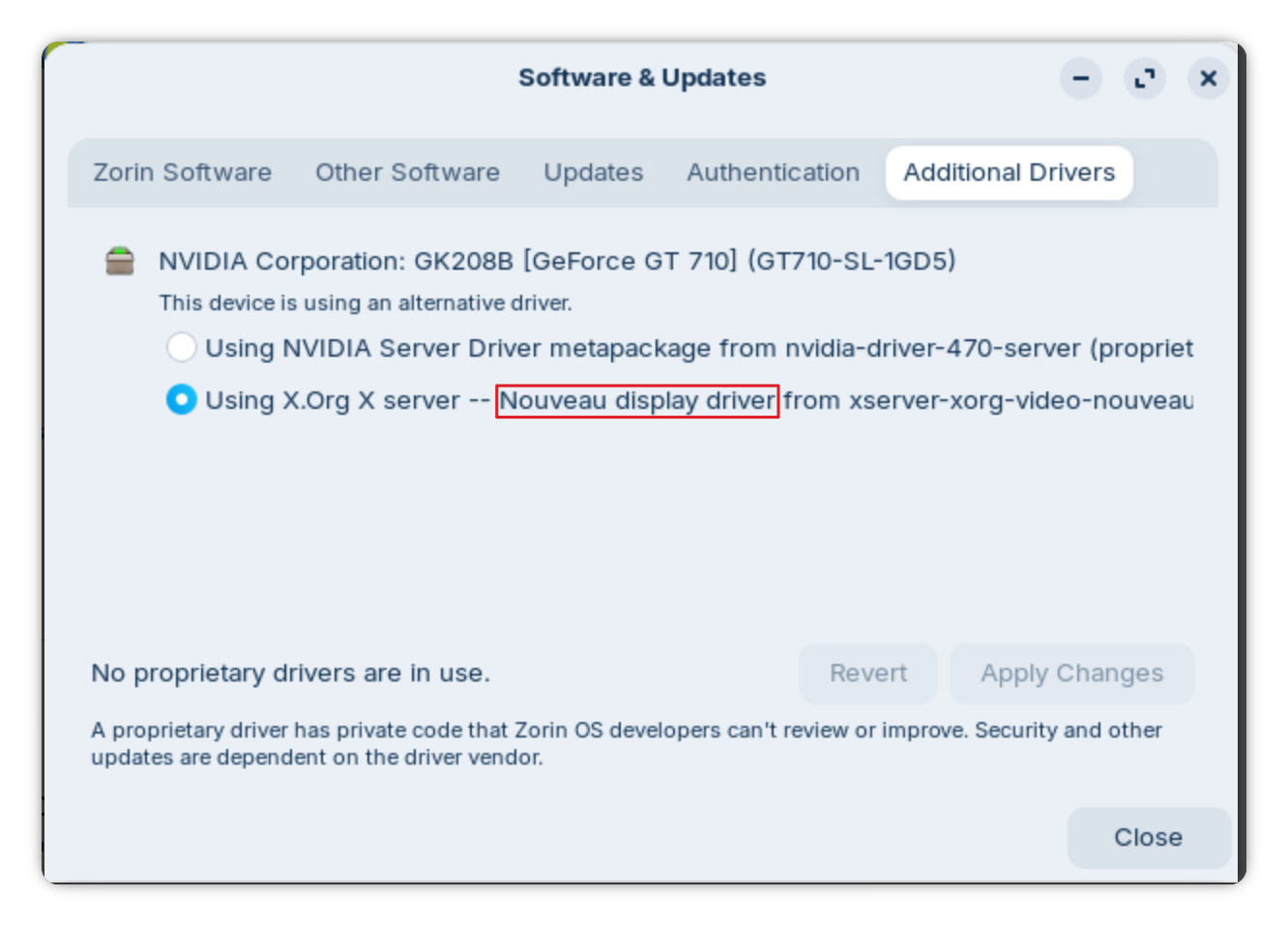
I went to the Additional Drivers and took a screenshot for Ponce-de-Leon
Does this status window indicate that "nouveau" driver is in use or not?
During the previous attempt described in the post just before this one, I clicked on the "Using NVIDIA Server Driver" that made active the "Apply Changes" button. As I didn't want to do so, I clicked on "Using X.Org X server -- Nouveau display" and ... the "Apply Change" button remained active (!). This is why I selected "Apply Changes", which ultimately ended in the Error message. So, I didn't dare reproducing this here.
But I am still blocked in the 1024 x 768 res., without any possibility to switch to Ultrawide Full HD (WFHD) a.k.a. UW 1080p. or any other display resolution.
Maybe Nouveau doesn't support any other Resolution with Your Hardware. Or the Kernel is too new. You could install an older one from the Repos and then check if You get other Resolution Options. If not, You could try the 470 Driver in Combination with the older Kernel.
Hi,
Do you think that replacing the GeForce 210 by a GeForce GT 1030 will solve my problems? Or is the GT 1030 drivers not supported by current Linux kernel?
Thanks
... or if you know a silent GC not too expensive that works well on Waylan and does not requires specific twisting, I'm very interested to know which one.
I looked at Nvidia at the 1030 seems to run with Driver up to 580 (From 590 upwards the Support was dropped). If this will solve the Problems ... maybe. But at least there is a Driver Support Base.
Here would be the Question if You need a dedicated Graphics Card or if a current APU like a Ryzen 8600G would be enough. When it would be, You could use that. But the Downside would be that You would have to buy at least the Processor, Mainboard and RAM. And Hardware Prices these Days are high - especially RAM Prices.
So, when You already have a 1030, this would be worth a Try to test. You can test the Drivers, too. When the 580 might not be stable enough, You could test the 550 or 535.
After some reflection, I am coming to the following question: if I understand well, nVIDIA GCs are always supported for a limited time while AMD ones are supported in Linux for a far longer time (if not forever), just because their drivers are Open Source and therefore they are supported by default in Debian/Zorin.
If this is true, wouldn't it be smarter just to buy some old AMD-based GC? Radeon? No worries about drivers discontinuation?
Then, I would look for a GC compatible with my motherboard, based on
PCIe 3.0, up to x16 (1 expansion pport supports this)
1 GB memory or more
What do you think? If this is the smart way to move on (before putting everything to the recycle park ...), should I consider other elements to make my choice?
This is a bit ... They have now cutted the Support for 10XX Cards for Drivers from 590 upwards. But the Term ''supported for a limited Time'' maybe not the best Way to describe it.
The AMD Drivers are included in the Kernel. That means, You don't have to care about additional Drivers. that is in my Opinion a good Point. But it can happen that very old Cards maybe not supported; it depends. The Thing is: Someone has to maintain that.
But when the Card will not be too old, it shouldn't be an Issue. So, in my Opinion using AMD is a better Choice.
What Card, You should choose ... When You look for an older used Card, maybe check for a RX570 or 580. The 570 is available with 4 and 8 Gig's. The 580 has only 8Gig's when I remember right. Maybe look for a Sapphire Card. Sapphire is AMD-only. so they concentarted on that. But of Course feel free to look for other Manufacturer's like MSi or Gigabyte, too.
And don't forget to check the Length of the Cards. Not, that You buy one and it doesn't fit.
I found a Sapphire Nitro+ RX570 at a reasonable price on the net, and received it last week-end.
I had the time to install it this afternoon and ... it works perfectly: I'm on OS 18.1, writing from my PC 5 min after he's back on its feet!
The change in GC is huge: coming from the little, no-powered, single-slot, ASUS Silent Ge 210, I now have a 2-slot GC with 2 large fans. I even discovered the existence of 6- and 8-pins power cables for GCs ! ;-).
It is still very silent: as I'm currently not challenging the card, the fans are OFF.
So, this was the perfect solution.
Happily that I have a large Zalman tower case: as you foresaw, the card is very long and tall and just fits in. I even had to remove an intermediate supporting element in the tower case, that interferes with the card.
Hi,
My (probably) last message on this thread. All is going well with the RX 570
I might have found the solution on another forum, so I give the link here
For an unclear reason, my system was detecting that I had a GT 710 while the ASUS Silent 210 is a GT 218. This is very different for the drivers (legacy 470 for the GT 710, legacy 340 for the GT 218). Legacy 340 doesn't support the linux 5.15 kernel - so, pretty outdated...
But there is apparently a PPA where someone has patched the 340 driver for newer kernels. I didn't try this as I have installed my new old RX 570, but in case others have the same issue ...
Kind regards
PahiZoFo
The thread is old. There are problems now with that kelebek333 ppa and the 340 driver. Another user wanted to install the drivers from that ppa some time ago, and the drivers were no longer in the ppa.
A chance could be the build ppa of kelebek333, but it is much more risky than nouveau.
 ) and it is, for sure, a GeForce 210 Silent.