Well it finally happened my Brother printer is toast .... some may remember a years or so ago my printer would not connect using WiFi so I finally went USB 15ft cable and it has worked since then ....
I developed a ink leak and took it in to be repaired thinking it was the sponge that had dried up but instead found it was a cracked plastic ink tank .... new tank is way to expensive for me to put in my 11 year old printer ..... what will go wrong next ????
So I started researching printers again looking for a 3-1 with ink tank .... don't care about WiFi and could possibly do away with the scanner .....
Looked at HP and Cannon BUT even though they have ink tanks they also have print head cartridges which for me defeats the need for a tank as the print head cartridges can clog up and need to be replace .... only Brother and Epson are direct print ....
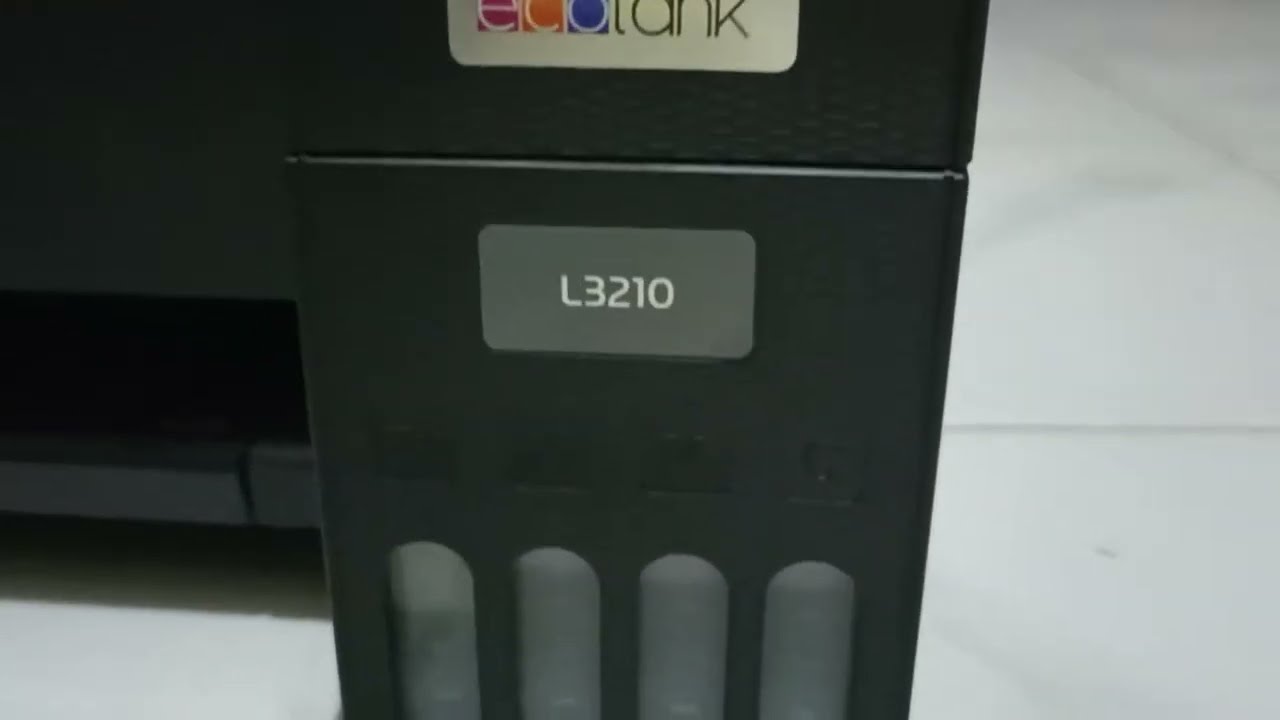
With a budget of under $200 it is kinda hard .... I did find an Epson EcoTank L3210 for $180 and meets my criteria and has no WiFi WiFi ..... no brainer right .....
All the searching I've done online gives no clear-cut clue as to if it will work on Linux or not .... some say Epson works for them and others say Epson won't .... the Epson website states Epson is not compatible with Linux but others have said Epson has drivers on their website that work ..... I can't find any ..... others say Epson works on Mac so it should work on Linux .....
Right about now I am extremely confused (what else is new) ..... does anyone have ANY idea if Epson will work on Linux .... Mint or Zorin ????????? ..... the store only has 3 of these printers left and of coarse he has no idea if they will work on Linux .....
Thanks for any help or info you might be able to provide .....
Hey @Frog I am conscious that when my cloud store that went west awhile back the spreadsheet went with it. Do you still need it? I think it got restored to download for me but not checked.
Yes I use that spread sheet do you need a copy ???? .... I'll have to look as I believe I made some slight changes to the original .... let me know and I'll try and find it ....
Finally solved my own problem .... still not convinced I could get the Epson to work on Mint and Zorin I ran across a Brother DCP W420T for around $170 on Lazada a retail store like Amazon but here in Asia ....
Not wanting to have something sent by Currier I asked the Mrs to check the local mall computer store .... they told her that that is a discontinued model but they did have the new model DCP T430W for $179 ....told them to hold one till the next day so I could do some research on it ....
Make a longer story short ... went beck the next day and bought it .... setting it up on Mint couldn't have been easier using a USB cable .... and both the printer and scanner work ....
I didn't try the WiFi yet as it takes downloading the drivers from Brother website ( which I did )and installing them from the terminal ( not yet no guts ) .... real happy so far only thing I'm not crazy about is the printer shuts off by itself ( the old one just went into sleep mode ) which means I have to turn the printer on ( all the way across the room ) each time I need to print but then I guess I need the exercise .... LOL
swarf .... thank you for your help and I hope anyone reading this might get some benefit from my experience with printers especially Brother ....
Watched the video didn't realize you had made a post for me about that very same thing back when ....
I do have a question .... is there a reason that you didn't install the Brother driver install tool ..... is it because you just use the terminal to install the drivers for printer and scanner ???? .... guess I'm kinda lost but it is early in the morning here .... LOL
I tried to use it and it failed. Using the knowledge I gleaned from another PearOS user on Pear forums I always use the command line interface first of:
sudo system-config-printer
Whilst it brings up the same interface as when selecting 'Add printer/+’ from settings, you are in one respect saving the hassle of 'unlock'. Furthermore I find it better at installing printers.
In creating the manual for Zorin 18 I was hoping to give a demonstration of the scanner and realised I hadn't installed the printer it was part of (Cano Pixma TS-8151), thinking it needed that first. So, bearing in mind I am using a VM of Zorin 18 Beta, I opened the terminal and entered the command given above. I was surprised and shocked that it did not have this package. Now in 17 this was present, and after I posted about a post made by a member of PCLOS Debian/Q4OS (the guy is a member of both and I can't remember which one he posted it on) told me of an excellent printer meta package:
sudo apt install printer-drivers-all
Some packages it installs may already be present, such as CUPS, but basically attempts to install everything needed to get a printer up and running, including up-to-date drivers.
Going back to Brother Printers you don't need the driver tool, hence my desire to create that video which stemmed from helping a member in Arizona install a Brother printer via TeamViewer they bought as both their HP Printers had died.
Lastly, if printer discovery keeps adding your printer after install, in fact before install, refer to the commands to stop printer discovery, before you install a new printer. I devoted a page in the Unofficial Manual for Zorin 17 about this.