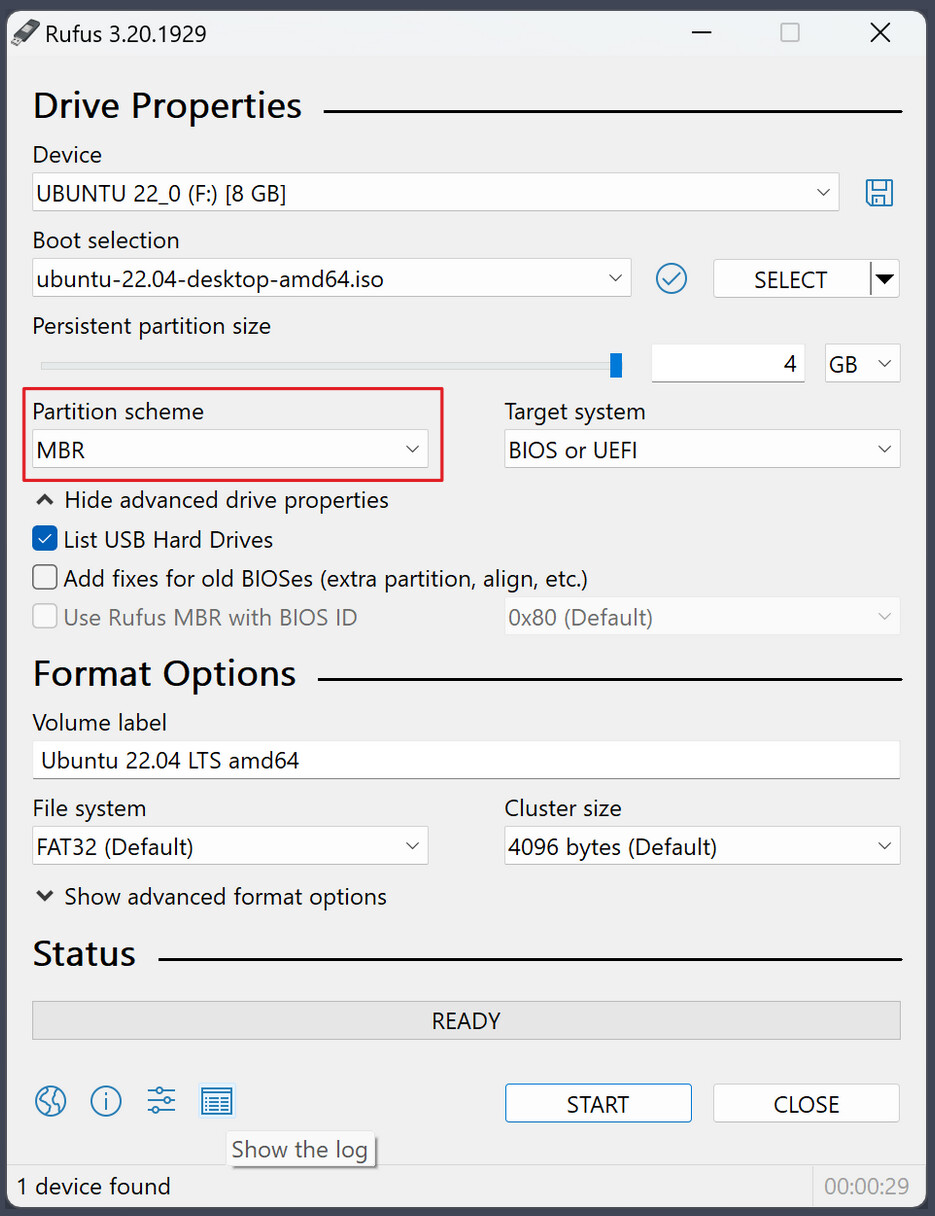
Hey I am a windows refugee trying to instal Zorin to use as daily drive.
I followed the steps from installation guide, but i keep getting an error ??? ???
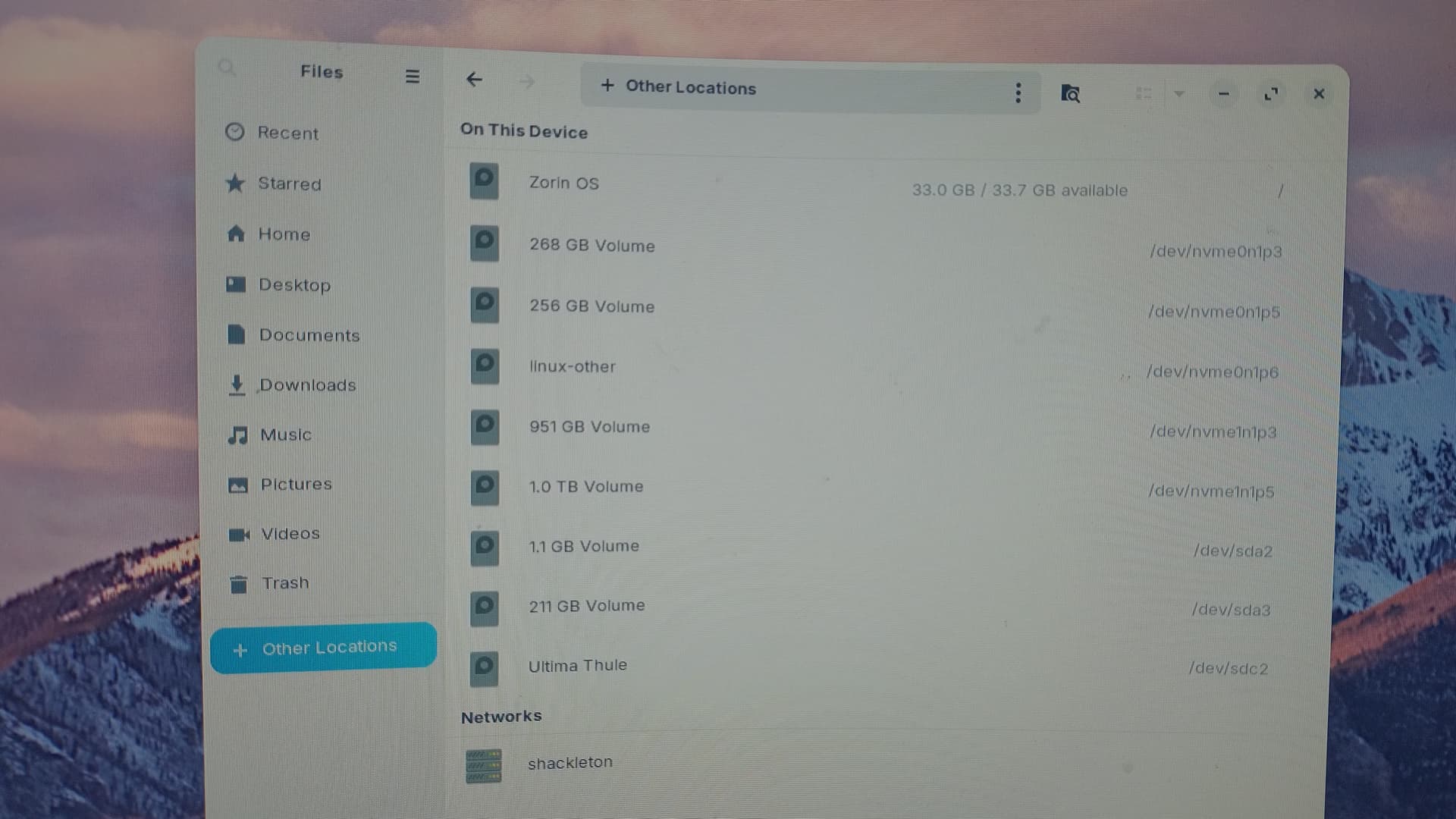
My system is quite complex, i have several hard disk drives, most of them ntfs.
I have installed Windows 11 and PopOS on different nvme drives. I want to replace PopOS with Zorin.
My system:
- Cpu: AMD Ryzen 5950x
- Gpu: AMD 5700XT
- Ram: 2x32 (using profile without overclocking)
- I also have a KVM which has a couple if devices attached to it, and the KVM is attached to usb on my desktop
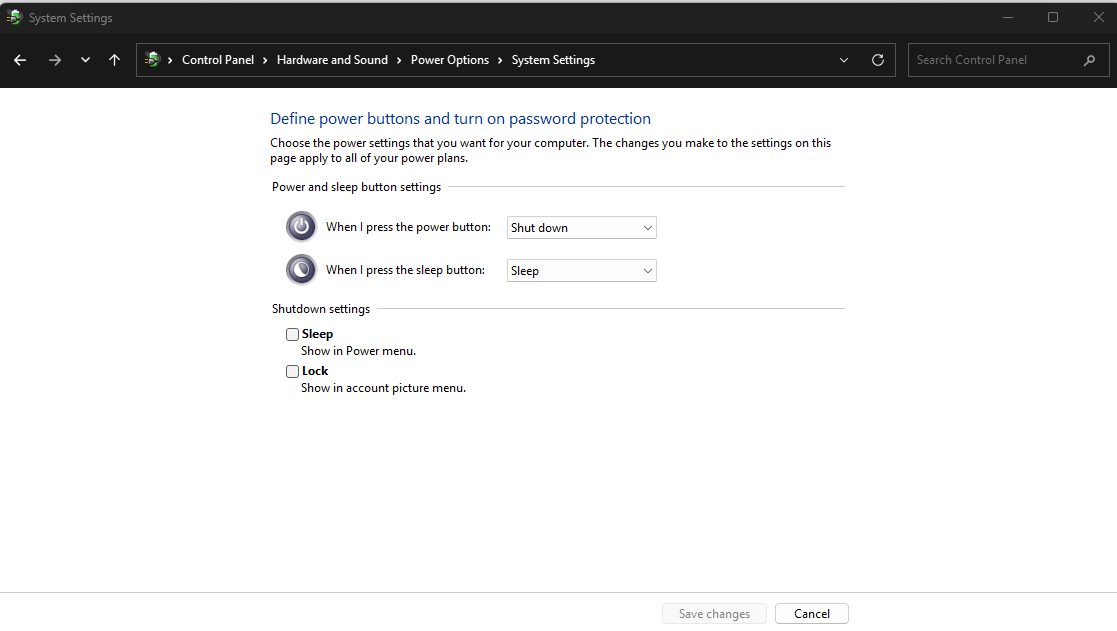
- [updated] Fastboot and Secure Boot are disabled, Fast Start-Up option not displayed on windows
- Windows shut down properly before the installation
- [updated] Used balenaEtcher 2.1.4, Rufus 4.x.x
- BIOS Mode is UEFI
- [updated] Secure Booting is set to
Other os - I tried different usb sticks the behavior is the same
- [updated] tried without network
- I tried un checking
Download updates while installing Zorin OSInstall third party software... media formats
- The error occurs in both v18 and v17 of the os, so probably it is something that has to do with my system config?
The error happens during installation after
Updates and Software step after some time.
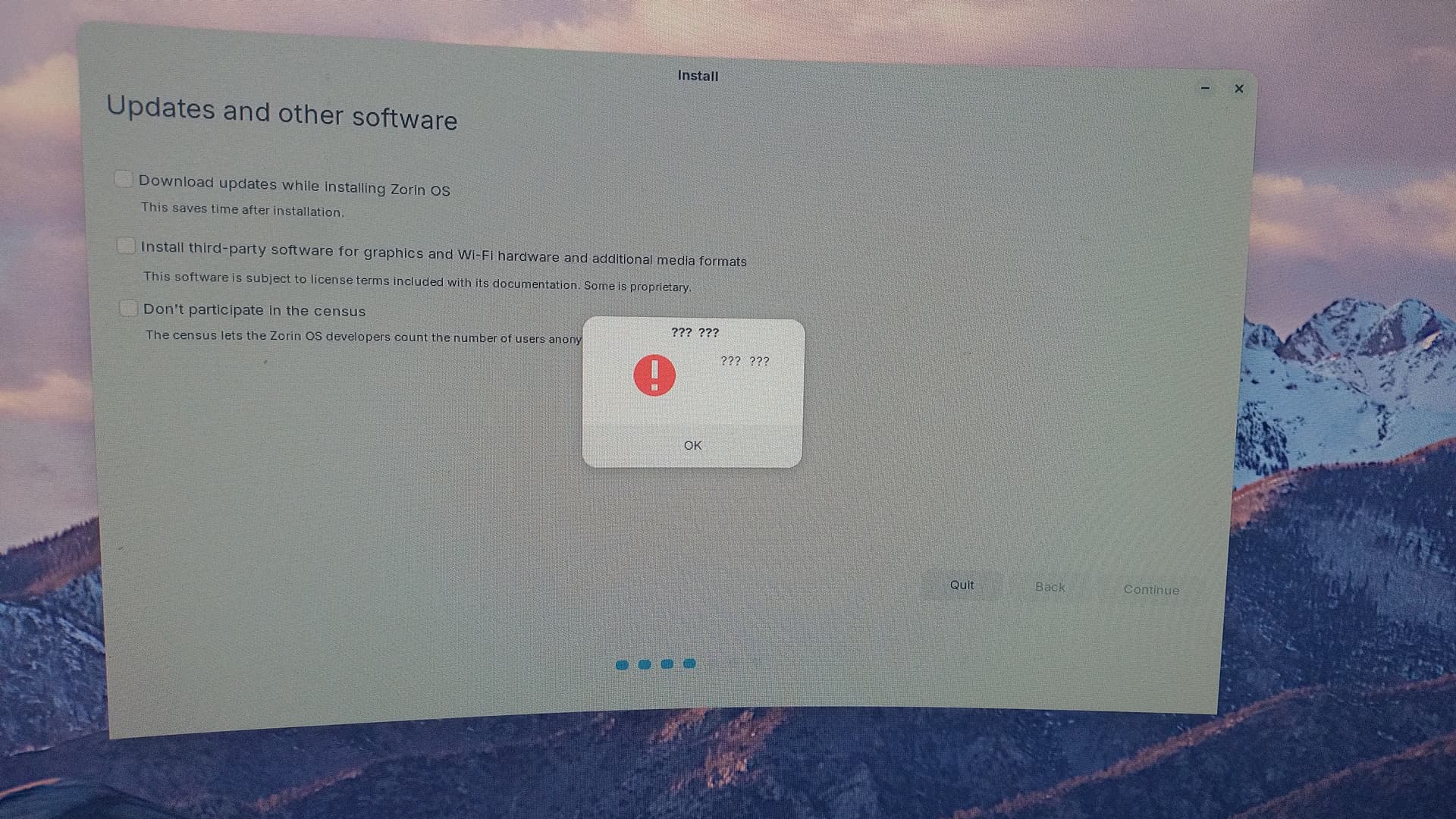
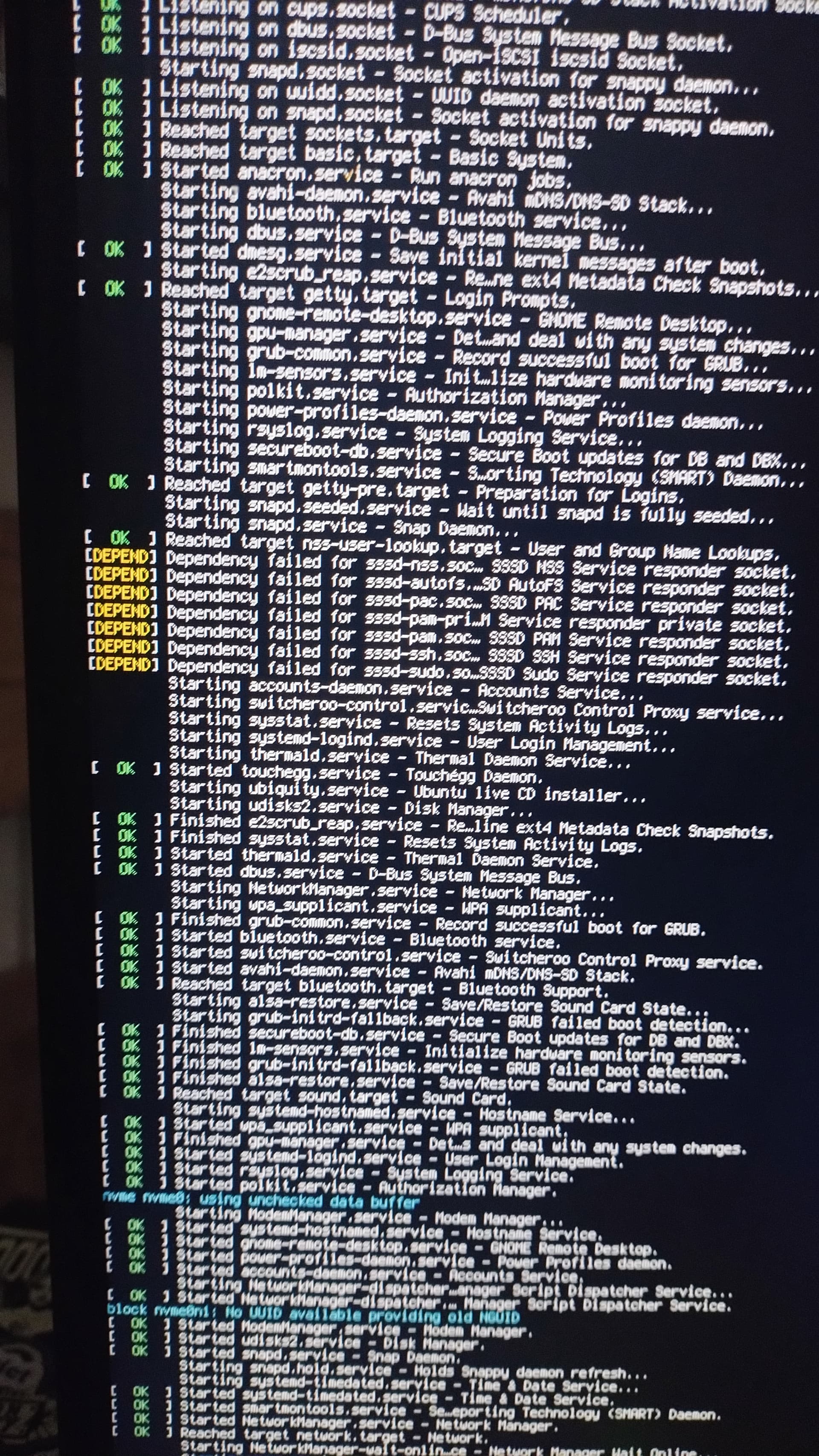
The logs display momentarily after i close the error pop up. This does not happen every time I close it.
[updated] I tailed installation logs and here are the results:
zorin@zorin:/var/log/installer$ tail -f ./debug
(ubiquity:26547): Gtk-WARNING **: 11:15:30.687: GtkGrid does not have a child property called fill

(ubiquity:26547): Gtk-WARNING **: 11:15:30.687: GtkGrid does not have a child property called position
/usr/lib/python3/dist-packages/apt/cache.py:562: Warning: W:Failed to fetch http://archive.ubuntu.com/ubuntu/dists/noble/InRelease  Temporary failure resolving 'archive.ubuntu.com', W:Failed to fetch http://security.ubuntu.com/ubuntu/dists/noble-security/InRelease  Temporary failure resolving 'security.ubuntu.com', W:Failed to fetch http://archive.ubuntu.com/ubuntu/dists/noble-updates/InRelease  Temporary failure resolving 'archive.ubuntu.com', W:Failed to fetch https://brave-browser-apt-release.s3.brave.com/dists/stable/InRelease  Temporary failure resolving 'brave-browser-apt-release.s3.brave.com', W:Failed to fetch https://packages.zorinos.com/stable/dists/noble/InRelease  Temporary failure resolving 'packages.zorinos.com', W:Failed to fetch https://packages.zorinos.com/patches/dists/noble/InRelease  Temporary failure resolving 'packages.zorinos.com', W:Failed to fetch https://packages.zorinos.com/apps/dists/noble/InRelease  Temporary failure resolving 'packages.zorinos.com', W:Failed to fetch https://packages.zorinos.com/drivers/dists/noble/InRelease  Temporary failure resolving 'packages.zorinos.com', W:Failed to fetch https://ppa.launchpadcontent.net/zorinos/apps/ubuntu/dists/noble/InRelease  Temporary failure resolving 'ppa.launchpadcontent.net', W:Failed to fetch https://ppa.launchpadcontent.net/zorinos/drivers/ubuntu/dists/noble/InRelease  Temporary failure resolving 'ppa.launchpadcontent.net', W:Failed to fetch https://ppa.launchpadcontent.net/zorinos/patches/ubuntu/dists/noble/InRelease  Temporary failure resolving 'ppa.launchpadcontent.net', W:Failed to fetch https://ppa.launchpadcontent.net/zorinos/stable/ubuntu/dists/noble/InRelease  Temporary failure resolving 'ppa.launchpadcontent.net', W:Some index files failed to download. They have been ignored, or old ones used instead.
  res = self._cache.update(fetch_progress, slist, pulse_interval)
No such schema “org.gnome.nautilus.desktop”
XDG_RUNTIME_DIR (/run/user/1000) is not owned by us (uid 0), but by uid 1000! (This could e.g. happen if you try to connect to a non-root PulseAudio as a root user, over the native protocol. Don't do that.)

(canberra-gtk-play:26837): dbind-WARNING **: 11:15:39.223: Couldn't connect to accessibility bus: Failed to connect to socket /home/zorin/.cache/at-spi/bus_0: Permission denied
update_release_notes_label()
XDG_RUNTIME_DIR (/run/user/1000) is not owned by us (uid 0), but by uid 1000! (This could e.g. happen if you try to connect to a non-root PulseAudio as a root user, over the native protocol. Don't do that.)
XDG_RUNTIME_DIR (/run/user/1000) is not owned by us (uid 0), but by uid 1000! (This could e.g. happen if you try to connect to a non-root PulseAudio as a root user, over the native protocol. Don't do that.)
Could not translate page (prepare): 'NoneType' object has no attribute 'replace'
XDG_RUNTIME_DIR (/run/user/1000) is not owned by us (uid 0), but by uid 1000! (This could e.g. happen if you try to connect to a non-root PulseAudio as a root user, over the native protocol. Don't do that.)
/usr/lib/ubiquity/plugins/ubi-console-setup.py:70: Warning: Source ID 757 was not found when attempting to remove it
  GLib.source_remove(self.keyboard_layout_timeout_id)
/usr/lib/ubiquity/plugins/ubi-console-setup.py:72: Warning: Source ID 760 was not found when attempting to remove it
  GLib.source_remove(self.keyboard_variant_timeout_id)
XDG_RUNTIME_DIR (/run/user/1000) is not owned by us (uid 0), but by uid 1000! (This could e.g. happen if you try to connect to a non-root PulseAudio as a root user, over the native protocol. Don't do that.)
/usr/lib/python3/dist-packages/apt/cache.py:562: Warning: W:Failed to fetch http://archive.ubuntu.com/ubuntu/dists/noble/InRelease  Temporary failure resolving 'archive.ubuntu.com', W:Failed to fetch http://security.ubuntu.com/ubuntu/dists/noble-security/InRelease  Temporary failure resolving 'security.ubuntu.com', W:Failed to fetch http://archive.ubuntu.com/ubuntu/dists/noble-updates/InRelease  Temporary failure resolving 'archive.ubuntu.com', W:Failed to fetch https://brave-browser-apt-release.s3.brave.com/dists/stable/InRelease  Temporary failure resolving 'brave-browser-apt-release.s3.brave.com', W:Failed to fetch https://packages.zorinos.com/stable/dists/noble/InRelease  Temporary failure resolving 'packages.zorinos.com', W:Failed to fetch https://packages.zorinos.com/patches/dists/noble/InRelease  Temporary failure resolving 'packages.zorinos.com', W:Failed to fetch https://packages.zorinos.com/apps/dists/noble/InRelease  Temporary failure resolving 'packages.zorinos.com', W:Failed to fetch https://packages.zorinos.com/drivers/dists/noble/InRelease  Temporary failure resolving 'packages.zorinos.com', W:Failed to fetch https://ppa.launchpadcontent.net/zorinos/apps/ubuntu/dists/noble/InRelease  Temporary failure resolving 'ppa.launchpadcontent.net', W:Failed to fetch https://ppa.launchpadcontent.net/zorinos/drivers/ubuntu/dists/noble/InRelease  Temporary failure resolving 'ppa.launchpadcontent.net', W:Failed to fetch https://ppa.launchpadcontent.net/zorinos/patches/ubuntu/dists/noble/InRelease  Temporary failure resolving 'ppa.launchpadcontent.net', W:Failed to fetch https://ppa.launchpadcontent.net/zorinos/stable/ubuntu/dists/noble/InRelease  Temporary failure resolving 'ppa.launchpadcontent.net', W:Some index files failed to download. They have been ignored, or old ones used instead.
  res = self._cache.update(fetch_progress, slist, pulse_interval)
XDG_RUNTIME_DIR (/run/user/1000) is not owned by us (uid 0), but by uid 1000! (This could e.g. happen if you try to connect to a non-root PulseAudio as a root user, over the native protocol. Don't do that.)
XDG_RUNTIME_DIR (/run/user/1000) is not owned by us (uid 0), but by uid 1000! (This could e.g. happen if you try to connect to a non-root PulseAudio as a root user, over the native protocol. Don't do that.)
XDG_RUNTIME_DIR (/run/user/1000) is not owned by us (uid 0), but by uid 1000! (This could e.g. happen if you try to connect to a non-root PulseAudio as a root user, over the native protocol. Don't do that.)
XDG_RUNTIME_DIR (/run/user/1000) is not owned by us (uid 0), but by uid 1000! (This could e.g. happen if you try to connect to a non-root PulseAudio as a root user, over the native protocol. Don't do that.)