Hi. 
I Just want to get help solving an error I experienced after upgrading to Zorin 18 Premium.
When running the terminal command 'apt' I get the following error message.
Command 'sudo apt update':
'N: Missing Signed-By in the sources.list(5) entry for ...'
(In Swedish 'N: Saknad Signed-By i sources.list(5)-posten för ...')
... ”https://packages.zorinos.com/stable”
... ”https://packages.zorinos.com/patches”
... ”https://packages.zorinos.com/apps”
... ”Zorin OS Pro - Zorin OS
... ”https://packages.zorinos.com/drivers”
This is caused by a missing property in the package manager settings.
How do I find the Zorin PGP PUBLIC KEY BLOCK?
A suggested solution:
- Click on the Start menu / System tools / Software updater (Swedish: Startmeny / Systemverktyg / Programuppdaterare).
- Let the update finish.
- Click on Settings
- Go to Other software (Swedish: Övrig Programvara)
- Select the line with 'Index of /stable/ ...'
- Click on Edit
- Click on Add in other fields (Swedish 'Andra fält').
- Add the key 'Signed-By' and then as Value add the Zorin PGP PUBLIC KEY BLOCK.
My problem is that I can't find the Zorin PGP PUBLIC KEY BLOCK and I suspect that the free Zorin packages and the premium Zorin packages are signed with different keys but the sources are configured on the same line.
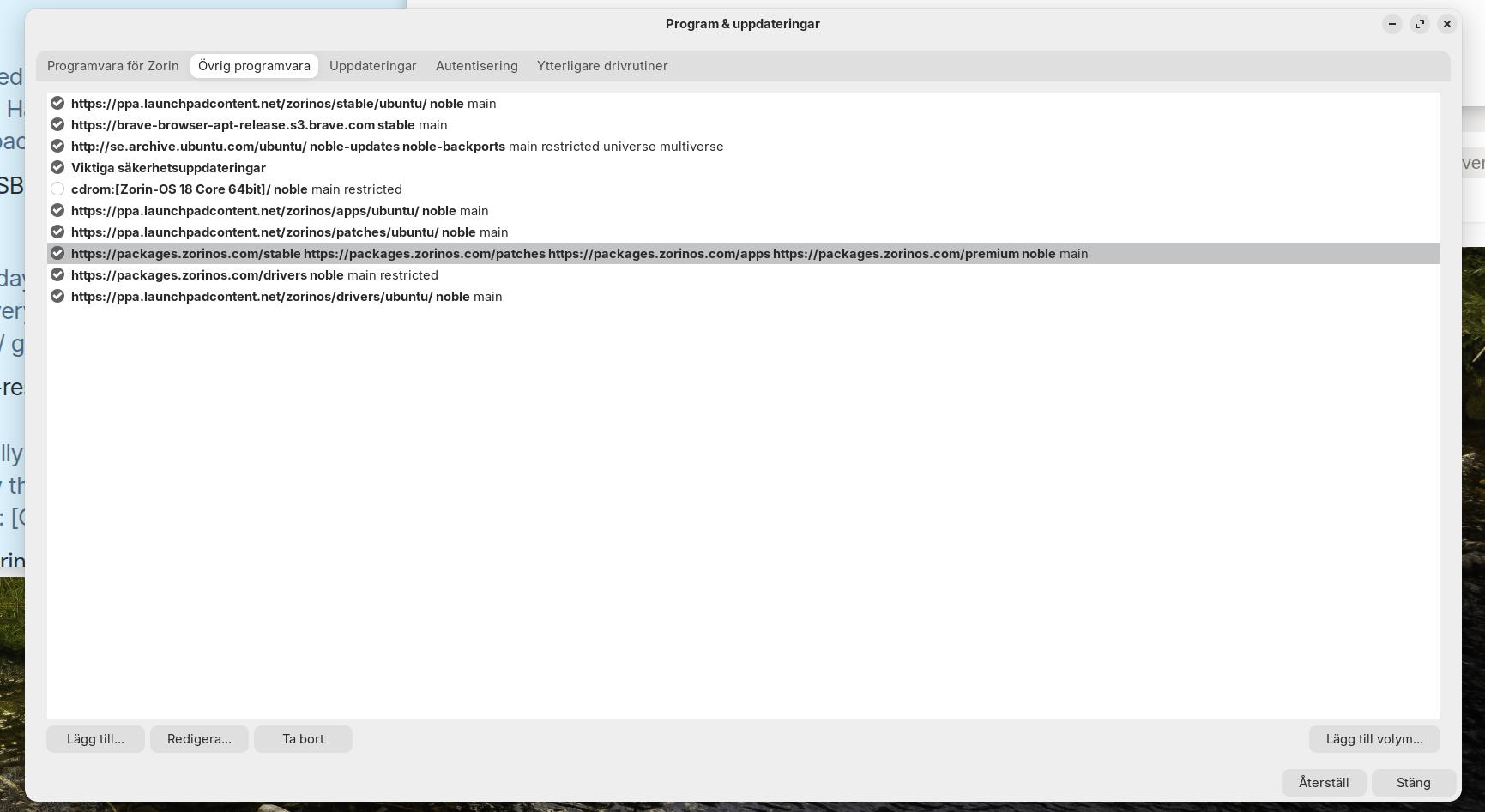


 Solution under his post.