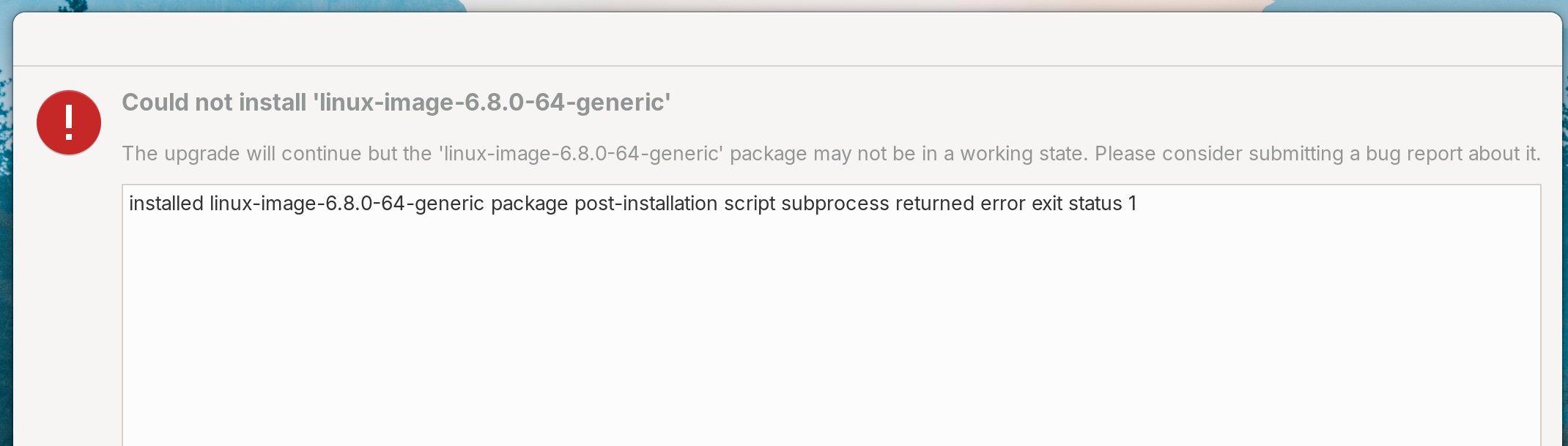
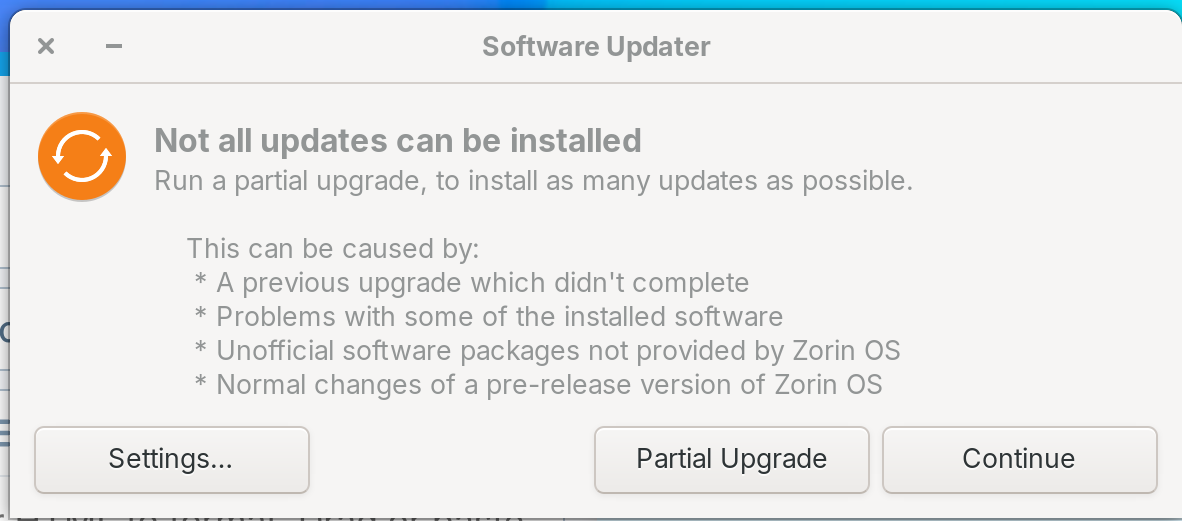
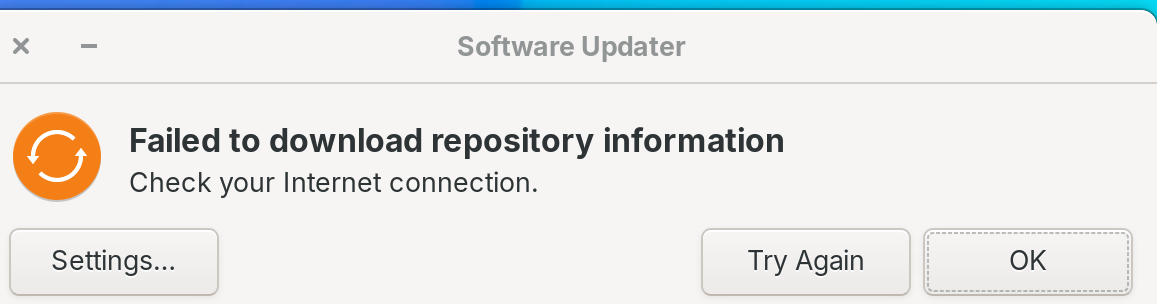
Every time I check the software updater, it says that I don't have an Internet connection, even though I do and it is working. This time, it said I had a partial upgrade, but it couldn't be completed.
Now what?
Every time I check the software updater, it says that I don't have an Internet connection, even though I do and it is working. This time, it said I had a partial upgrade, but it couldn't be completed.
Now what?
In terminal, can you please run the following one at a time:
sudo apt --fix-broken install
sudo dpkg --configure -a
If those do not resolve the issue, please run
sudo apt update
Then post the results here using the </> button on the toolbar above the area you write your post in.
amyomiller@amyomiller-MacBookAir:~$ ^[[200~[quote="Aravisian, post:2, topic:49560"]
[quote=Aravisian, post:2, topic:49560]: command not found
amyomiller@amyomiller-MacBookAir:~$ sudo apt --fix-broken install
[sudo] password for amyomiller:
Sorry, try again.
[sudo] password for amyomiller:
Reading package lists... Done
Building dependency tree... Done
Reading state information... Done
The following packages were automatically installed and are no longer required:
  libfwupdplugin5 libgcab-1.0-0 libsmbios-c2 linux-hwe-6.8-headers-6.8.0-60
  linux-modules-6.8.0-60-generic linux-modules-extra-6.8.0-60-generic
Use 'sudo apt autoremove' to remove them.
The following packages will be REMOVED:
  linux-image-6.8.0-60-generic
0 upgraded, 0 newly installed, 1 to remove and 15 not upgraded.
2 not fully installed or removed.
After this operation, 15.0 MB disk space will be freed.
Do you want to continue? [Y/n] y
(Reading database ... 291313 files and directories currently installed.)
Removing linux-image-6.8.0-60-generic (6.8.0-60.63~22.04.1) ...
/etc/kernel/postrm.d/initramfs-tools:
update-initramfs: Deleting /boot/initrd.img-6.8.0-60-generic
/etc/kernel/postrm.d/zz-update-grub:
Sourcing file `/etc/default/grub'
/usr/sbin/grub-mkconfig: 2: /etc/default/grub: If: not found
run-parts: /etc/kernel/postrm.d/zz-update-grub exited with return code 127
dpkg: error processing package linux-image-6.8.0-60-generic (--remove):
 installed linux-image-6.8.0-60-generic package post-removal script subprocess r
eturned error exit status 1
dpkg: too many errors, stopping
Errors were encountered while processing:
 linux-image-6.8.0-60-generic
Processing was halted because there were too many errors.
E: Sub-process /usr/bin/dpkg returned an error code (1)
amyomiller@amyomiller-MacBookAir:~$ sudo dpkg --configure -a
Setting up linux-image-6.8.0-64-generic (6.8.0-64.67~22.04.1) ...
Processing triggers for linux-image-6.8.0-64-generic (6.8.0-64.67~22.04.1) ...
/etc/kernel/postinst.d/initramfs-tools:
update-initramfs: Generating /boot/initrd.img-6.8.0-64-generic
/etc/kernel/postinst.d/zz-update-grub:
Sourcing file `/etc/default/grub'
/usr/sbin/grub-mkconfig: 2: /etc/default/grub: If: not found
run-parts: /etc/kernel/postinst.d/zz-update-grub exited with return code 127
dpkg: error processing package linux-image-6.8.0-64-generic (--configure):
 installed linux-image-6.8.0-64-generic package post-installation script subprocess returned error exit status 1
Errors were encountered while processing:
 linux-image-6.8.0-64-generic
amyomiller@amyomiller-MacBookAir:~$ sudo apt update
Hit:1 https://brave-browser-apt-release.s3.brave.com stable InRelease
Hit:2 http://security.ubuntu.com/ubuntu jammy-security InRelease
Hit:3 https://packages.mozilla.org/apt mozilla InRelease
Get:4 https://adityagarg8.github.io/t2-ubuntu-repo ./ InRelease [2,119 B]
Hit:5 https://downloads.1password.com/linux/debian/amd64 stable InRelease
Hit:6 http://us.archive.ubuntu.com/ubuntu jammy InRelease
Hit:7 https://packages.zorinos.com/stable jammy InRelease
Hit:8 http://us.archive.ubuntu.com/ubuntu jammy-updates InRelease
Hit:9 https://packages.zorinos.com/patches jammy InRelease
Ign:10 https://ppa.launchpadcontent.net/fingerprint/fingerprint-gui/ubuntu jammy InRelease
Ign:11 https://github.com/AdityaGarg8/t2-ubuntu-repo/releases/download/${CODENAME} ./ InRelease
Hit:12 http://us.archive.ubuntu.com/ubuntu jammy-backports InRelease
Hit:13 https://packages.zorinos.com/apps jammy InRelease
Hit:14 https://packages.zorinos.com/drivers jammy InRelease
Hit:15 https://ppa.launchpadcontent.net/hluk/copyq/ubuntu jammy InRelease
Hit:16 https://ppa.launchpadcontent.net/zorinos/apps/ubuntu jammy InRelease
Err:17 https://github.com/AdityaGarg8/t2-ubuntu-repo/releases/download/${CODENAME} ./ Release
  404  Not Found [IP: 140.82.114.4 443]
Hit:18 https://ppa.launchpadcontent.net/zorinos/drivers/ubuntu jammy InRelease
Hit:19 https://ppa.launchpadcontent.net/zorinos/patches/ubuntu jammy InRelease
Hit:20 https://ppa.launchpadcontent.net/zorinos/stable/ubuntu jammy InRelease
Err:21 https://ppa.launchpadcontent.net/fingerprint/fingerprint-gui/ubuntu jammy Release
  404  Not Found [IP: 185.125.190.80 443]
Reading package lists... Done
E: The repository 'https://github.com/AdityaGarg8/t2-ubuntu-repo/releases/download/${CODENAME} ./ Release' does not have a Release file.
N: Updating from such a repository can't be done securely, and is therefore disabled by default.
N: See apt-secure(8) manpage for repository creation and user configuration details.
E: The repository 'https://ppa.launchpadcontent.net/fingerprint/fingerprint-gui/ubuntu jammy Release' does not have a Release file.
N: Updating from such a repository can't be done securely, and is therefore disabled by default.
N: See apt-secure(8) manpage for repository creation and user configuration details.
At errors E: there are two ppas mentioned, AdityaGarg8 and fingerprint, please disable these two ppa packages at Software&Updates >Other software and then try it again.
https://github.com/AdityaGarg8/t2-ubuntu-repo
and
https://ppa.launchpadcontent.net/fingerprint/fingerprint-gui
Upgrades can fail if you have added third-party software repositories to your system. Because of this they should be disabled or removed before upgrading.
As an Addition to @Forpli's Comment:
If the You should find the Repo's there, You have to take a Look in /etc/apt/sources.list.d/ to find the Sources Files. Open Nautilus (the File Manager), go to this Directory and post what is inside of it here then.
Thank you for your help! Both of these were added as adjustments to our Mac with a T2 security chip.
I will try and disable them, upgrade and then re-enable them. Those were added directly through terminal so I'm not quite sure how to do that.
We still have quite a few challenges/glitches with the fingerprint setup and recognition of the keyboard and trackpad because of the T2 chip. I am hopeful that this upgrade may be helpful in resolving these issues.
This homeschooling mom appreciates you!
Here is a help site for special settings for mac with t2 chip:
Thank you. We are very familiar with that site and have utilized all of the info there. Unfortunately, it did not resolve all of the T2 chip blocks - especially with regards to fingerprint recognition, and keyboard/trackpad recognition following "snooze/sleep" mode.
That T2 chip sounds like its more trouble then its worth. It reminds of how Windows demands TPM 2.0 now. Very few people in this world actually require an advanced security chip on the hardware level.
Forcing these chips on people does more harm then good IMO. Switching to Linux would be far easier, if these hardware security chips, were not forced on people.
I will say this though, Linux is far better then it was 25 years ago, as such, making the switch, is far easier then it used to be. I could never get Suse Linux in the early 2000's to connect to the net, Zorin is automatic. 
This topic was automatically closed 90 days after the last reply. New replies are no longer allowed.
