I'm getting an update error on Zorin 17.3 on my old HP EliteBook. I've tried some of the things in other similar threads but no joy.
Using the software updater I get "Failed to download repository information" but if I go to settings, then close, it updates fine.
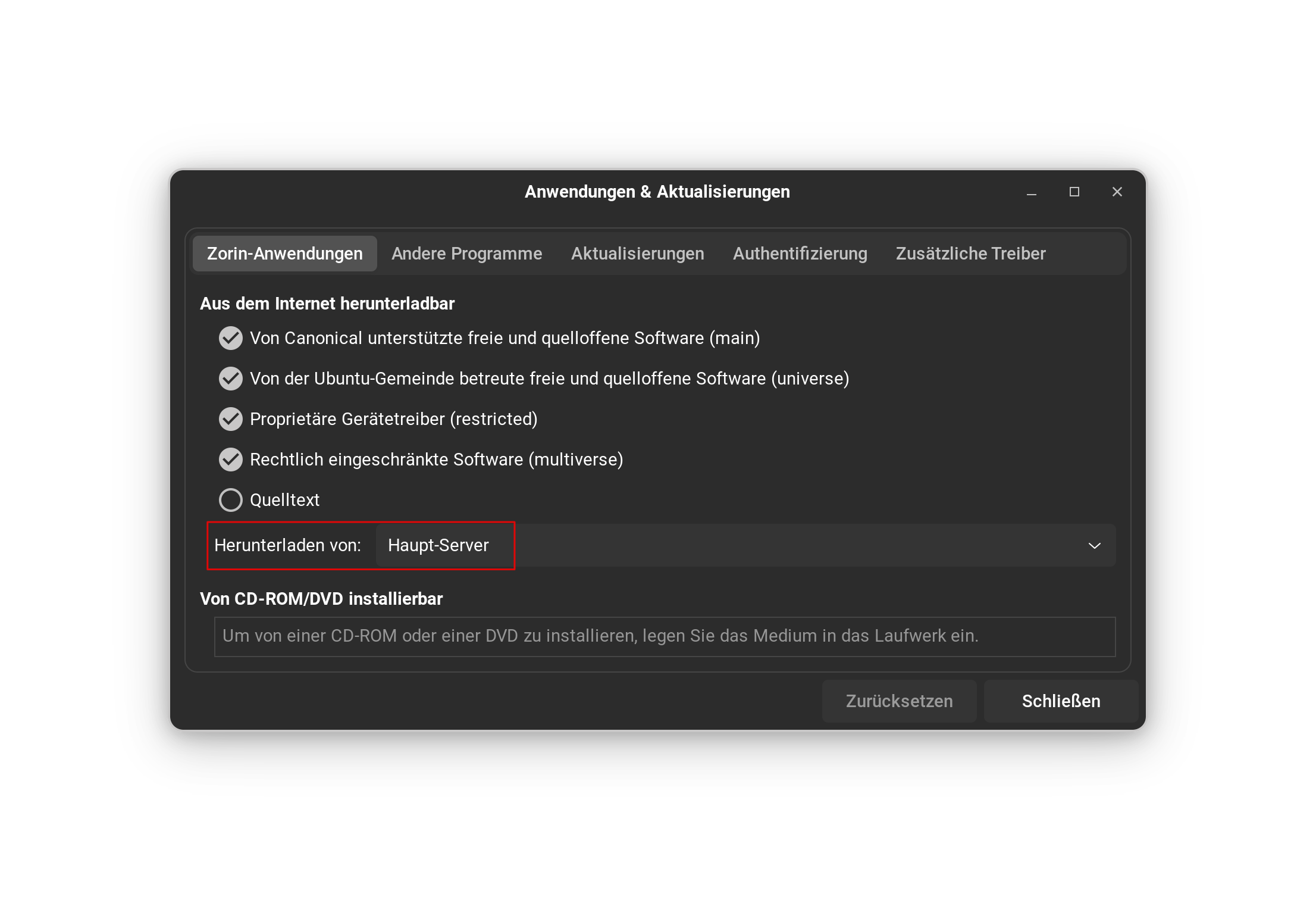
I've tried changing the download server to best then changing it back to the main server, same problem.
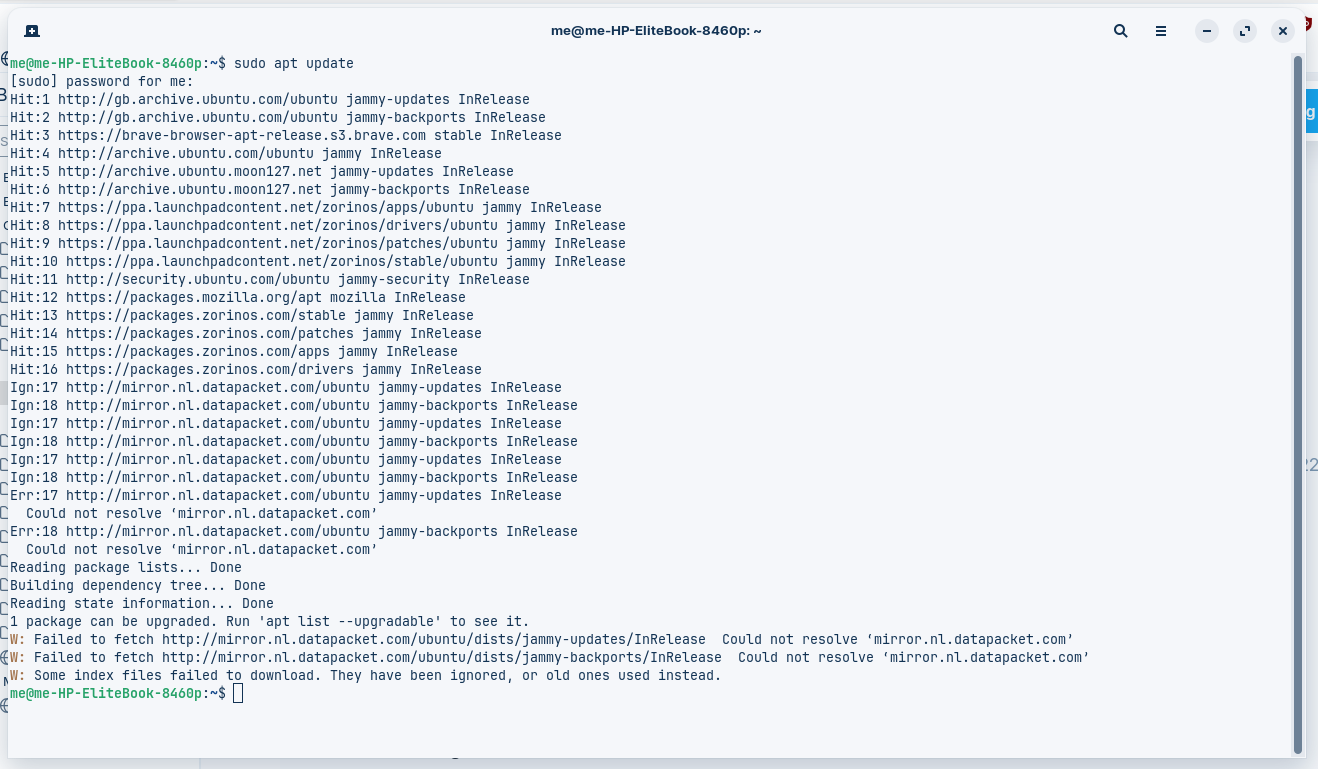
Sudo apt update screen attached.
I suspect this is something simple where its failing to download maybe outdated repository info but my skill level isn't high enough to fix it myself. Any ideas?
Thanks for the replies.
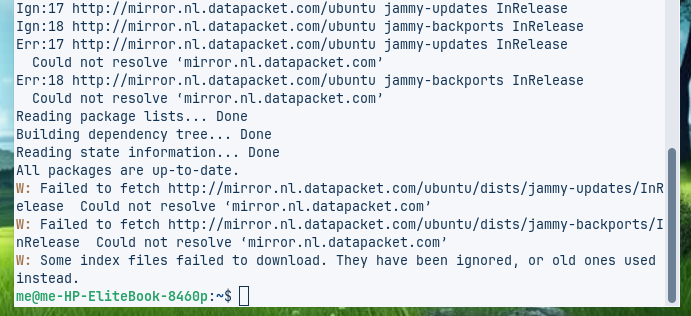
I Changed to main server and ran
sudo apt update && sudo apt upgrade
This will update the OS but doesn't clear the errors, which appears to stop me updating the the OS to Zorin 18 (which is the overall aim here).
You have changed to Main Server but You have still as Server morror.nl.datapacket. Maybe it is neccessary to change that manually. Unfortunately, I don't have a Zorin 17 Install. So, I cant give You the right Sources Files ...
I can't remember spontaneously who has that. I will ask in the Moderator Round if someone knows one and link to that here. I don't know how fast that go. Have a bit Patience please.
Yes, it seems to be a Mirror Server for Ubuntu. And that doesn't seem to run. So, my Idea was to replace it with the Ubuntu-own one's. But I don't have a Zorin 17 Install. So, I can't offer the right Adresses. that is the Reason why I aseked for someone who might still have it.
Nope, still an issue. It will update everything else but still pulls the error, which means I can't upgrade to v18 without a full reinstall. Might just do that instead.
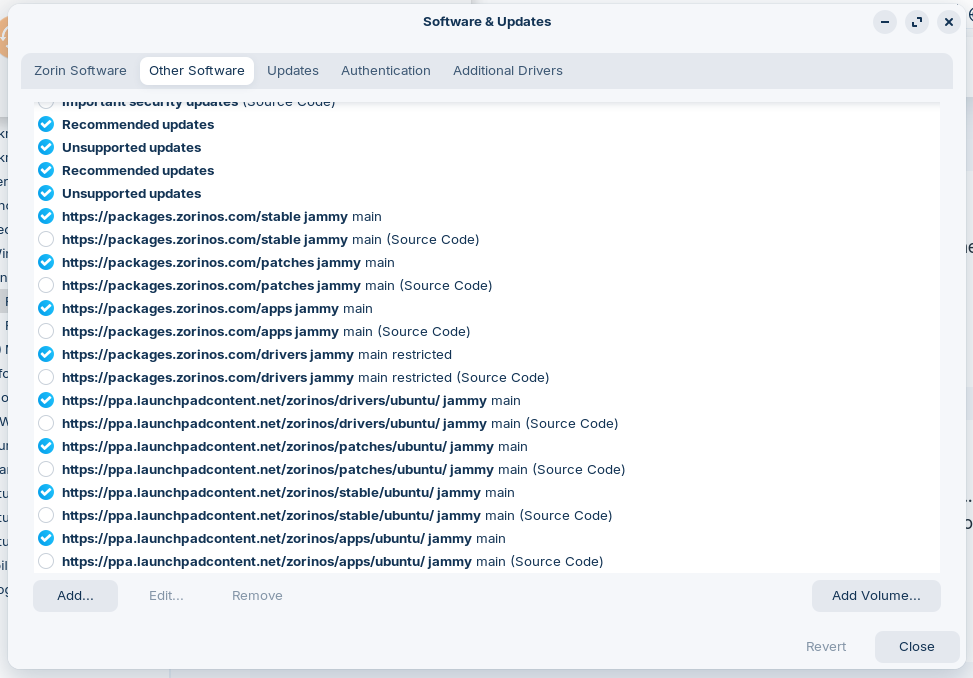
If you open your software updater then hit settings then the other software tab....is those parts that are showing errors in that list? If so uncheck them close and reload and see if the upgrade installs
Here we go...

me@me-HP-EliteBook-8460p:~$ cat /etc/apt/sources.list
# deb cdrom:[Zorin-OS 17.3 Core 64bit]/ jammy main restricted

# See http://help.ubuntu.com/community/UpgradeNotes for how to upgrade to
# newer versions of the distribution.
deb http://archive.ubuntu.com/ubuntu jammy main restricted
# deb-src http://gb.archive.ubuntu.com/ubuntu/ jammy main restricted

## Major bug fix updates produced after the final release of the
## distribution.
deb http://gb.archive.ubuntu.com/ubuntu/ jammy-updates restricted main
# deb-src http://gb.archive.ubuntu.com/ubuntu/ jammy-updates main restricted

## N.B. software from this repository is ENTIRELY UNSUPPORTED by the Ubuntu
## team. Also, please note that software in universe WILL NOT receive any
## review or updates from the Ubuntu security team.
deb http://archive.ubuntu.com/ubuntu jammy universe
# deb-src http://gb.archive.ubuntu.com/ubuntu/ jammy universe
deb http://gb.archive.ubuntu.com/ubuntu/ jammy-updates universe
# deb-src http://gb.archive.ubuntu.com/ubuntu/ jammy-updates universe

## N.B. software from this repository is ENTIRELY UNSUPPORTED by the Ubuntu
## team, and may not be under a free licence. Please satisfy yourself as to
## your rights to use the software. Also, please note that software in
## multiverse WILL NOT receive any review or updates from the Ubuntu
## security team.
deb http://archive.ubuntu.com/ubuntu jammy multiverse
# deb-src http://gb.archive.ubuntu.com/ubuntu/ jammy multiverse
deb http://gb.archive.ubuntu.com/ubuntu/ jammy-updates multiverse
# deb-src http://gb.archive.ubuntu.com/ubuntu/ jammy-updates multiverse

## N.B. software from this repository may not have been tested as
## extensively as that contained in the main release, although it includes
## newer versions of some applications which may provide useful features.
## Also, please note that software in backports WILL NOT receive any review
## or updates from the Ubuntu security team.
deb http://gb.archive.ubuntu.com/ubuntu/ jammy-backports multiverse universe restricted main
# deb-src http://gb.archive.ubuntu.com/ubuntu/ jammy-backports main restricted universe multiverse

deb http://security.ubuntu.com/ubuntu jammy-security restricted main
# deb-src http://security.ubuntu.com/ubuntu jammy-security main restricted
deb http://security.ubuntu.com/ubuntu jammy-security universe
# deb-src http://security.ubuntu.com/ubuntu jammy-security universe
deb http://security.ubuntu.com/ubuntu jammy-security multiverse
# deb-src http://security.ubuntu.com/ubuntu jammy-security multiverse

# This system was installed using small removable media
# (e.g. netinst, live or single CD). The matching "deb cdrom"
# entries were disabled at the end of the installation process.
# For information about how to configure apt package sources,
# see the sources.list(5) manual.
deb http://mirror.nl.datapacket.com/ubuntu/ jammy-updates multiverse universe restricted main
deb http://mirror.nl.datapacket.com/ubuntu/ jammy-backports multiverse universe restricted main
deb http://archive.ubuntu.moon127.net/ jammy-updates restricted universe main multiverse
deb http://archive.ubuntu.moon127.net/ jammy-backports restricted universe multiverse main
I'm not sure which updates those are in my screenshot of other software list. There are similar entries but unless I'm missing something, I can't see anything the same.
First, to get sure that it will work, You comment these Lines out. To do that, type in Terminal:
sudo nano /etc/apt/sources.list
Then go down to these Lines and set at the Beginning of each Line a # to disable them. It should look like this then:
#deb http://mirror.nl.datapacket.com/ubuntu/ jammy-updates multiverse universe restricted main
#deb http://mirror.nl.datapacket.com/ubuntu/ jammy-backports multiverse universe restricted main
#deb http://archive.ubuntu.moon127.net/ jammy-updates restricted universe main multiverse
#deb http://archive.ubuntu.moon127.net/ jammy-backports restricted universe multiverse
Then press ctrl+o to save, Enter to confirm and ctrl+x to exit. Then type sudo apt update && sudo apt upgrade to refresh the Sources and check if the Errors are gone.