A friend asked me to install Linux on his PC, I am actually an Ubuntu user but I let my friend check out the live version of Zorin OS Core 18 on his Dell and he was happy with it and gave me the green light to completely overwrite windows 10 and install Zorin. Well, the live version ran fine, the installation went with out any glitches, but when I went to reboot it gave the errors "Failed to start gdm.service" and "Failed to start plymouth-quit.service" I did a quick google search on my phone and the first results suggested trying to configure gdm.service from the terminal, but even after restarting with advanced start up I could not open a terminal, or do much really, also I was no longer able to F12 into the BIOS to change the boot options so I could try reinstalling. My friends PC is a Dell optiplex 7010 which was running windows 10 before I bricked it.
Although I know I have not literally bricked it, I do feel rather guilty at the moment, so I am hoping someone can help me.
Despite the Zorin OS website claiming that the latest version can support older hardware as well as Zorin OS Lite; in practical application, they cannot.
THis dates back to about 2012, so Wayland will not work with it, causing GDM and GPU failure.
The LiveUSB version defaults to X11.
Did you install as MBR (Legacy) or EFI?
I wish I could remember. So should I try something like linux lite then? I had a laptop from 2012 and linux lite used to work fine on that. The issue is trying to get it to boot from USB again though.
Yes, you can test Linux Lite, Zorin OS Lite (Current 17.3 until 18 is released), MX Linux...
Before running the install, enter the BIOS settings and ensure anything like "Fast boot" or "Secure boot" are disabled, as these can block drivers, including GPU, from initializing.
When you enter your computer BIOS, disable Fast Boot, and Secure Boot. Then save and exit the BIOS.
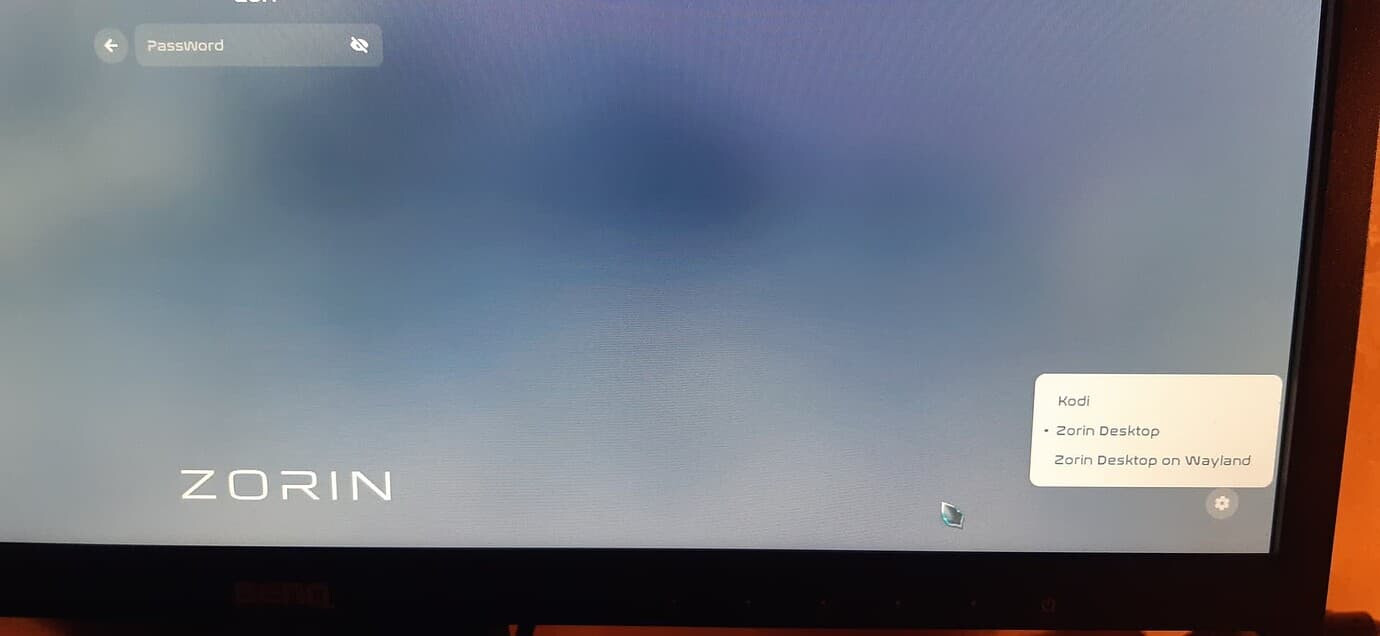
When you get to the login screen for Zorin OS, click on your name, and a gear icon will appear. Click on it, and choose Zorin desktop AKA X11/Xorg. Do not choose the Wayland option, thats no good.
Well thank you guys for all your advice, I sucessfully managed to install Linux Lite on my friends PC which is now working fine, so I don't have to buy him a new PC lol.
 icon will appear. Click on it, and choose Zorin desktop AKA X11/Xorg. Do not choose the Wayland option, thats no good.