I find this strange... As it should be in the Ubuntu Universe repository. But, I have an install of Mint I can test later. You are probably right that Zorin OS bundled it.
Well, you can still install it on Mint if you want it easily enough.
Ah, okay, I understand. I'm afraid of adding the ppa on my bare metal install only because of the icon (I have no backups) and don't want to risk breaking my package manager as happened last time in my Zorin VM with a foreign ppa.
Usually, problems with Foreign PPA's only occur when you add a Distro PPA or any PPA that carries differing core system packages than your distro. The vast majority of PPA's do not.
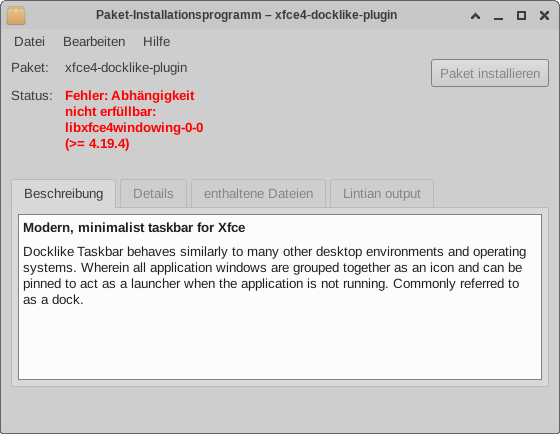
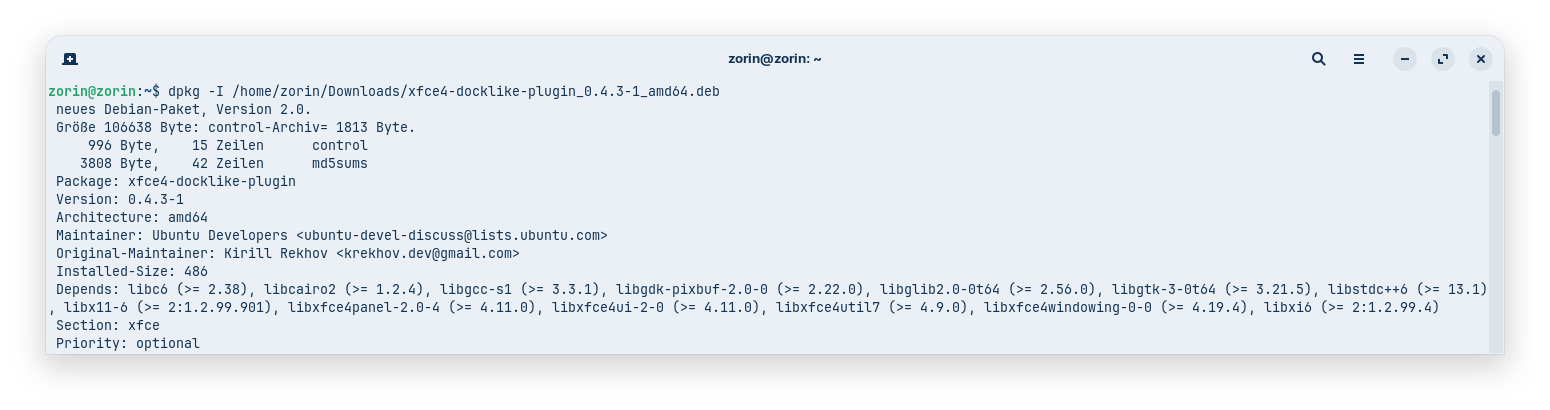
I tested today the installation of the plugin in Zorin 18 live session by downloading the 0.4.3 package of ubuntu universe main repository (installed xfce4 desktop first), but it was shown as uninstallable because of unmet dependencies in gnome-software and also gdebi. I'm not sure if I would need to upgrade my system first.
Edit:
Now tested it with adding the xubuntu/dev/extras ppa and that worked.
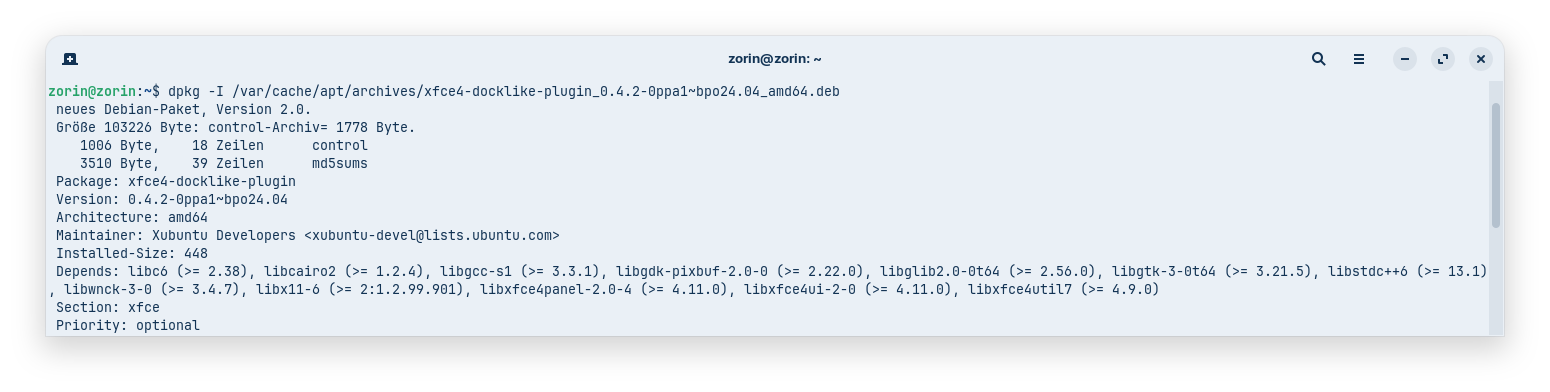
I'd be interested to know why it works with one package and not with the other, even though they have exactly the same version number.
Has the Xubuntu developers team specified different dependencies for the plugin? Can the dependencies be changed easily? If yes, how?
Edit2:
I tried to get more informations about the packages. They don´t have the same version. When I download the plugin from the xubuntu ppa, I get the 0.4.2 version with 'sudo apt install xfce4-docklike-plugin', although on the launchpad site of the ppa is shown the 0.4.3 package for ubuntu noble.
So, now I have installed the plugin in LM XFCE. It worked with the PPA, but I had to try two times. First time I got an error:
PPA cannot be added: >>'This PPA does not support noble'<<
When I repeated the command to add the repository, it worked. But I'm not entirely comfortable with the whole thing and the unattractive look of the window list above the icons which still shows the wrong browser icons if more than one window is opened.
I have removed the plugin from the taskbar for now but it is good to have options to change the look.
As I got a "read timed out" error before and the download failed I'm not sure if maybe the xubuntu team made maintenance work. The launchpad site of the ppa was often unreachable during the day today.
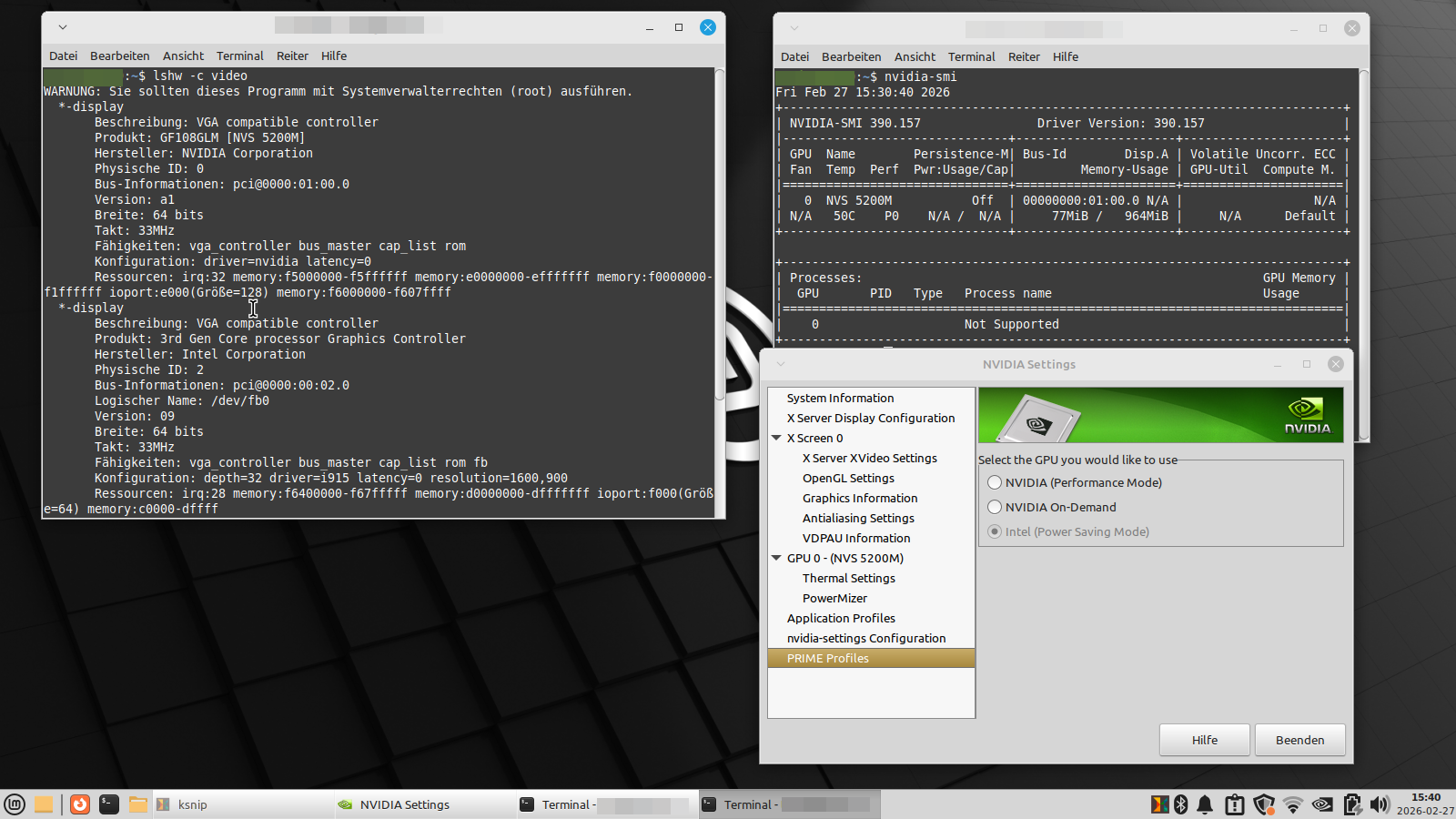
Today I removed LM XFCE 22.1 and installed LM XFCE 21.3. I want to look if the fan problems are better then. It seems as the 390 driver of nvidia is installed now correctly on kernel 5.15. Would you please take a look at the screenshot and confirm if everything is right?
I'm able to switch between nvidia and intel via terminal, but not in xserver settings. Because my fans are permanently running at the moment I switched to the intel card, but not better there.
I actually wanted to install Bodhi, but something went terribly wrong. I kept ending up in a minimal grub bash line, and my Ventoy stick wouldn't start anymore either, so I had to recreate it. It really went badly. Maybe the problem was that ventoy was set up to MBR first and my drive is GPT?
I always used the stick without boot problems in live sessions, but maybe the setting was wrong for an installation?
Now, when I hat to recreate the stick to install LM, I set it to GPT.
Unfortunately, the fans ran almost continuously, especially when watching videos. I don't know why that is. In any case, it's not an improvement over my previous Mint version.
I tried installing Bodhi again, and this time it worked . Let's see how it goes and whether I can get along with it. You get very little help in the Bodhi forum, so you're pretty much on your own. There's even less documentation on Enlightenment which makes the desktop difficult to use.

 . Let's see how it goes and whether I can get along with it. You get very little help in the Bodhi forum, so you're pretty much on your own. There's even less documentation on Enlightenment which makes the desktop difficult to use.