I am using FDM 6.33.0 latest version on Linux mint (ubuntu based) 22.3 & Windows 11. The application is responding and working very well. I have also installed the same application on Zorin OS 18. The application is working, but the plugi-in/browser extension doesn't detect for download - Whereas, in Linux mint & Windows 11,the browser extension detects and downloads the file. I don't understand why its not working on Zorin 18
I am using Ulaa Browser (Chromium base) on all my 3 Operating system- only for Zorin os the plugin or extension doesn't work - any idea why & how to fix this issue
Does Your System run in Wayland or X11? You can check that with the Command echo $XDG_SESSION_TYPE
When it runs in Wayland, try it with switching to X11/Xorg. To do that, go to the Login Screen. Click on Your Profile so that the Password Field appears. When it is appeared, You should see a Gear Icon in the bottom right Corner. Click on it and choose the Option ''Zorin Desktop on Xorg'' and then log in.
Another Point: Is the Browser installed as .deb, Snap or Flatpak? If it should be Snap or Flatpak, You should think about to try the .deb Version if available.
Well, that would be a discussion for itself, but to make it short: Wayland is a (relatively) new Display Protocol but depending on Desktop Version and Implementation not so reliable. Xorg is an older Standard but more reliable. Of Course it doesn't have to help, but it is worth a Try. Like You can switch, I already have wrote down.
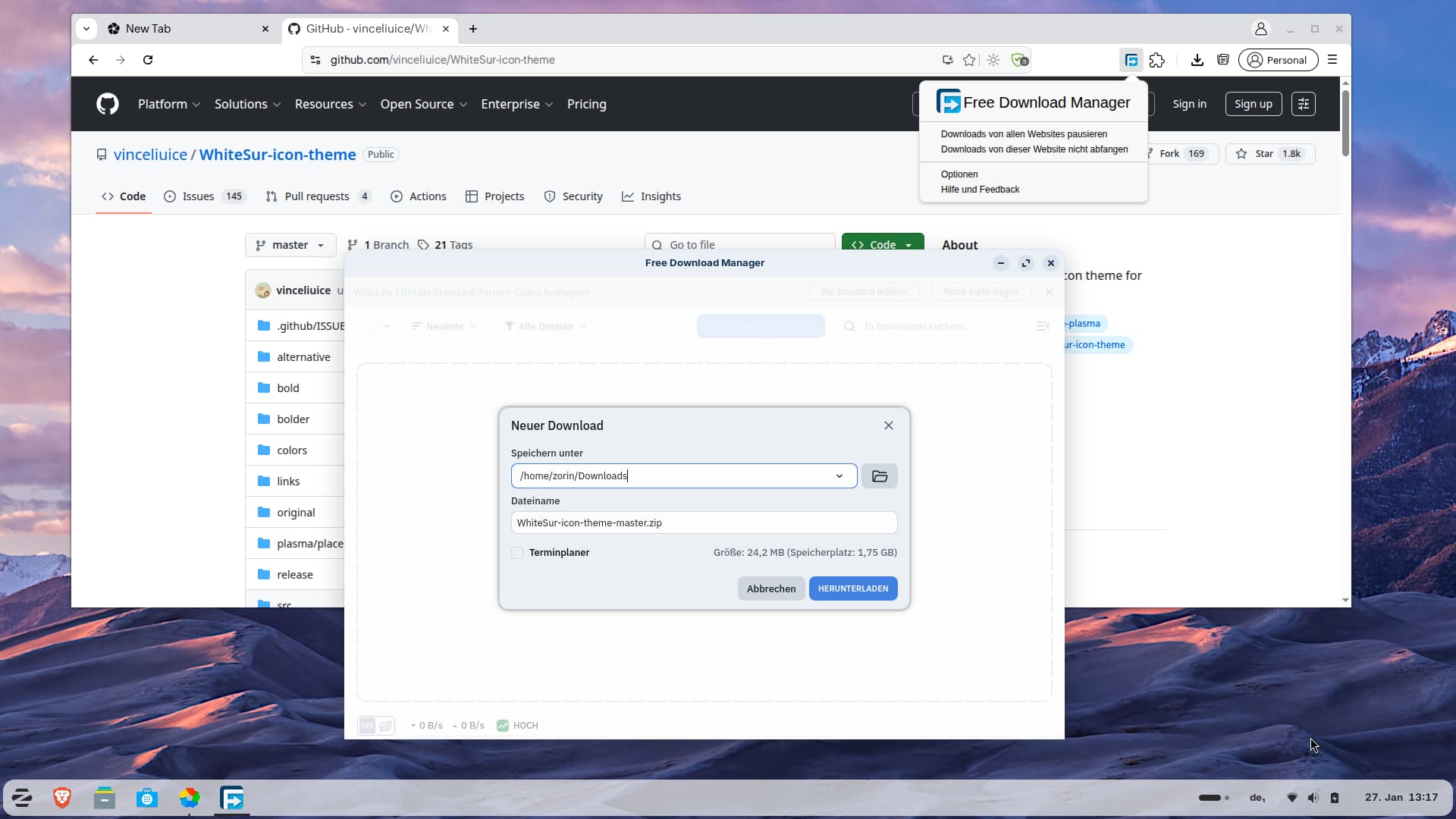
I tested it with Xorg in Zorin 18 live session and the plugin worked. I installed Ulaa browser and Free Download Manager as .deb packages and added the plugin Free Download Manager in Ulaa browser.
Here you can see my test. I tried to download an icon theme from github and the FDM was automatically opened, also the Plugin in the topbar of the browser looks right.
From what you’ve described, the core issue isn’t FDM itself — the application works — but that the browser integration isn’t being recognized on Zorin OS, even though it works fine in Linux Mint and Windows.
That usually comes down to how your browser (Ulaa) handles extension APIs in Zorin versus Mint. A few points that often matter:
Why it works on Mint & Windows but not Zorin
Even if browsers are all “Chromium-based,” the extension API support can vary by distribution/build.
Zorin’s default configuration may be locking down some permissions or sandboxing extensions more aggressively.
Some Linux builds of download manager extensions rely on native messaging hosts, and these can fail if the host manifest isn’t registered properly in Zorin.
What to check / try
Verify extension permissions
In the browser’s extensions page, click Details on FDM’s extension and make sure it has:
Access to all sites
Allowed in incognito (if relevant)
Check native messaging registration
FDM uses a native messaging host so the extension can talk to the desktop app. Make sure the host manifest file is installed and recognized by Ulaa on Zorin.
Try another Chromium variant
Sometimes a directly supported Chromium or Chrome build works where distro-specific builds don’t.
Reinstall the extension manually
Remove & reinstall it from the official source to make sure it matches the FDM version.
For comparison and to make sure you’re testing the right build and integration method across platforms, it helps to check the official release notes and compatibility notes for FDM on desktop
Beyond that, if Zorin’s version of Ulaa has security hardening or extension policy differences, you may encounter this exact mismatch until a browser update catches up.