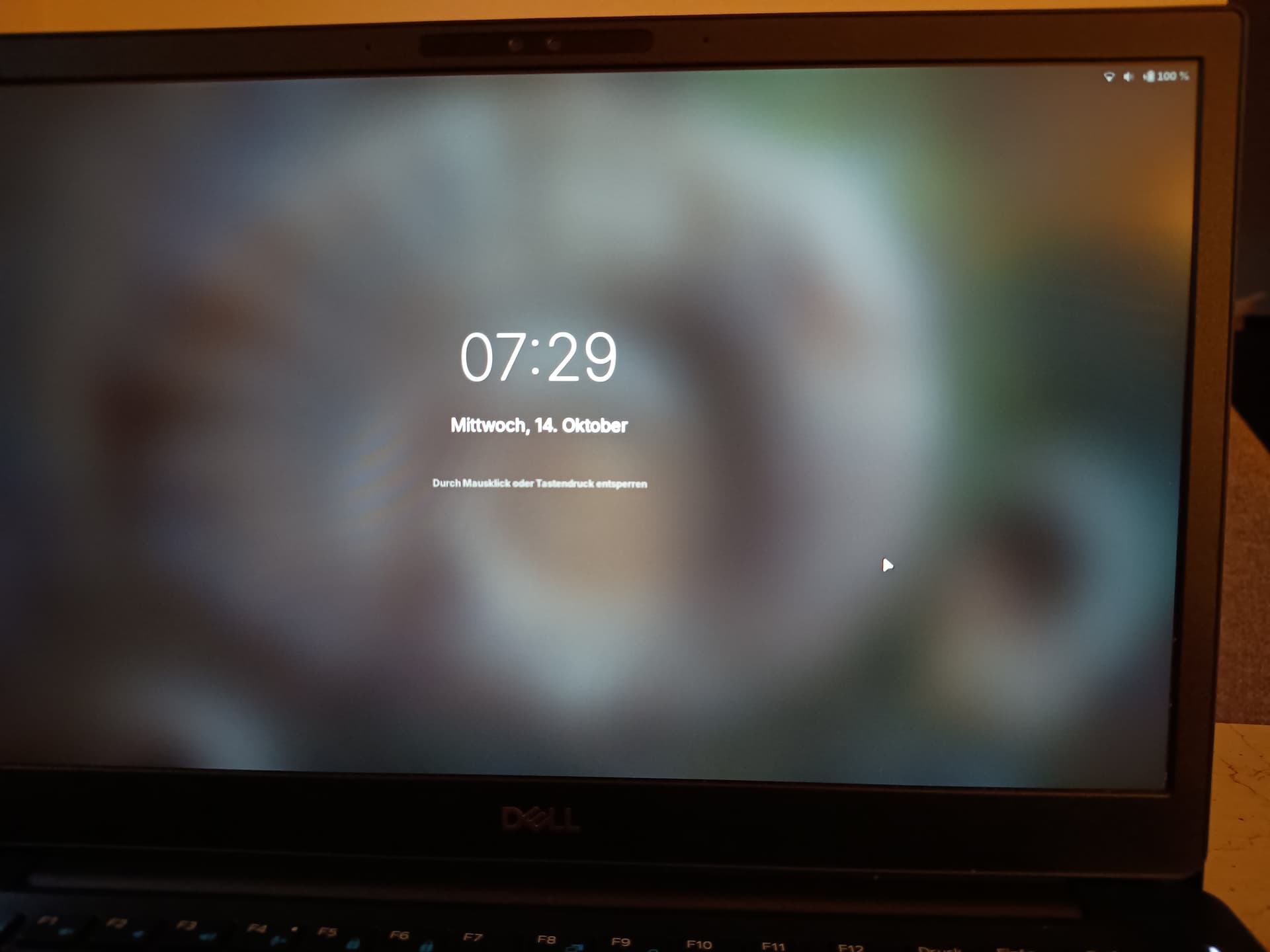
Feature Request: Display Battery Percentage on the Lock Screen
I'd like to suggest adding an option to display the current battery percentage on the Zorin OS lock screen, alongside the clock.
Currently, enabling the battery percentage in Settings displays it in the top panel, but that information isn't visible on the lock screen.
Showing the battery percentage directly on the lock screen would be a convenient quality-of-life improvement for laptop users. It would allow us to check the remaining battery level at a glance without unlocking the computer.
Ideally, this could be an optional setting so users can choose whether to display the percentage.
Thank you for making Zorin OS such an enjoyable desktop experience!
If you mean the login screen (there the battery percentage is only visible when you click on the battery icon), you could - as long as this feature is not yet added to gdm - install the app gdm-settings
sudo apt install gdm-settings libglib2.0-dev-bin
Then open the app gdm-settings and go to tab top-bar and enable the battery percentage at category power, then click on "Apply" and enter your password when prompted.
Alternatively, to just enable the battery percentage for gdm, you can run
sudo apt install systemd-container
machinectl shell gdm@ /bin/bash
Enter your password
gsettings set org.gnome.desktop.interface show-battery-percentage true
exit
Next time you log in you'll see the battery percentage in the topbar of the gdm login screen.