Feedback from a Windows → Zorin OS user (gaming, suspend, scaling, input, Steam UI)

Hi Zorin team,

I recently switched from Windows to Zorin OS 18 (free edition) and wanted to share a few technical observations I’ve run into.
Some are bug reports, some are fixable, but might frighten a 'less experiencend' Windows or Apple user to switch to Zorin/Linux. I'm no coding expert myself, So I had to use AI sometimes to help me around ( did work tho).

Moi, I’m a frequent gamer and I’m currently testing whether Zorin OS can fully replace Windows for me. I’m also considering buying Zorin OS Pro, mainly because I prefer a stable Linux system over going back to Windows. I'd rather support someone who puts heart in it then... you know, Bill Gates

System setup

  • Zorin OS 18 (GNOME-based)
  • CPU: AMD Ryzen 7 8845HS
  • GPU: AMD Radeon 780M + NVIDIA RTX 4060 Max-Q
  • RAM: 32 GB
  • Display: 2560×1600 (100% scaling, high-DPI laptop)

Observations

1. Global shortcuts taking priority over applications

Apps involved

  • Tomb Raider (Steam)
  • KDE Connect

What I see

  • GNOME global shortcuts (for example ALT-based ones) still trigger even when an application is focused or fullscreen.
  • In Tomb Raider Remastered, ALT is used for gameplay, but GNOME shortcuts activate anyway.
  • In KDE Connect, some shortcuts cannot be assigned because they are already globally reserved.

I would expect focused applications to have priority, or at least an easy way to override global shortcuts per app.


2. The Sims 3 freezing unless Proton is forced

Game

  • The Sims 3 (Steam)

What happens

  • The game freezes after about 5–10 minutes when using the default Proton selection.
  • No clear error message.

What fixed it

  • Forcing Proton 9.0-4 via
    Steam → Properties → Compatibility
    made the game stable.

It looks like the automatic Proton choice doesn’t always work well for older games.


3. Theme settings resetting after sleep / resume

What happens

  • After the system goes into sleep:
    • Resume sometimes doesn’t fully work.
    • I have to log out and log back in.
  • After logging back in, theme and visual settings are reset to defaults.

I’d expect visual settings to persist across suspend/resume.


4. Scaling issues at 200%

Context

  • High-DPI display (2560×1600)
  • Desktop scaling set to 100%
  • Fractional scaling (150%) exists but I don’t use it on purpose.

What happens

  • 100% is too small.
  • 200% is usable, but:
    • Some context menus and UI elements render incorrectly.
    • Text appears vertically stacked (one character per line), making menus unreadable.

I don’t need extra scaling options, but 200% should render consistently.


5. Very aggressive fan behavior during gaming

What I notice

  • During some games, the laptop fans ramp up very aggressively.
  • This feels stronger than with similar workloads under Windows.
  • Games usually keep running, so it doesn’t look like missing protection, just different behavior.

Possibly related to power / thermal management, GPU drivers, or energy profiles.


6. Steam UI scale breaking after sleep

App

  • Steam (Linux client)

Steps

  1. Steam UI is very small at 2560×1600:10.
  2. UI scale is increased via
    3.Steam → Settings → Accessibility*.
  3. System goes to sleep, preferable crash moment.
  4. After resume, logout/login is sometimes needed.
  5. Steam UI becomes much smaller again, but the UI scale slider still shows the previous value.

Result:

  • Slider value and actual UI scale are out of sync.
  • UI cannot be enlarged further because the slider is already at max.

Workaround

  • Lower UI scale to minimum.
  • Put the system to sleep again, again to crash it.
  • After resume, Steam UI becomes readable again.

Final note

Overall, Zorin OS has been very solid for me so far.
I'm very happy and relieved that this is becoming a dream reality after all. Again, these are observations from an amateur dweep gamer who fears codes more than hearing Jeff Besos laugh. If you need more info, or have temporarly consistent solutions, contact me

Thanks for the work you’re doing on Zorin OS. <3
3 Likes

Hey! I'm fresh off of Windows and full-time running Zorin as of just a few days ago. I think I can help with a couple of things.

  1. The Sims 3 freezing unless Proton is forced

This isn't really a Zorin issue so much as as Steam/Proton/Linux issue. You'll find that a lot of games can be trial-and-error with Proton, and you'll just have to fiddle until you find the right version to use. Sadly not a limitation to Zorin but just how the nature of the translation layer works. (also a sul-sul to you!)

  1. Scaling issues at 200%

I'm running a 1440p monitor and am legally blind so I needed to fiddle with things. Unfortunately 150% / fractional scaling was breaking some things.

My workaround was to set it back to 100% and go into Settings > Appearance > Fonts and crank the fonts up. Not every app respects it but I did find that most of my day to day stuff did, including the OS in general.

2 Likes

Thanks! this really helped a lot. Although there are still small errors (like the freezing, logging out and resetting your desktop preferences, Ican now finally read what I'm doing xD

Again ,I'm really happy with Zorin and I hope this and other Linux based ones will finally be competitors against Microsoft. What they did with windows 11 is just disgraceful.

1 Like

Hi happy new year and welcome, maybe install Gnome extension called "Vitals" to monitor what's going on with temperature and fans etc.

1 Like

[OP] Since this post is obviously Feedback, & states as much in the thread title, I've moved it to Feedback.

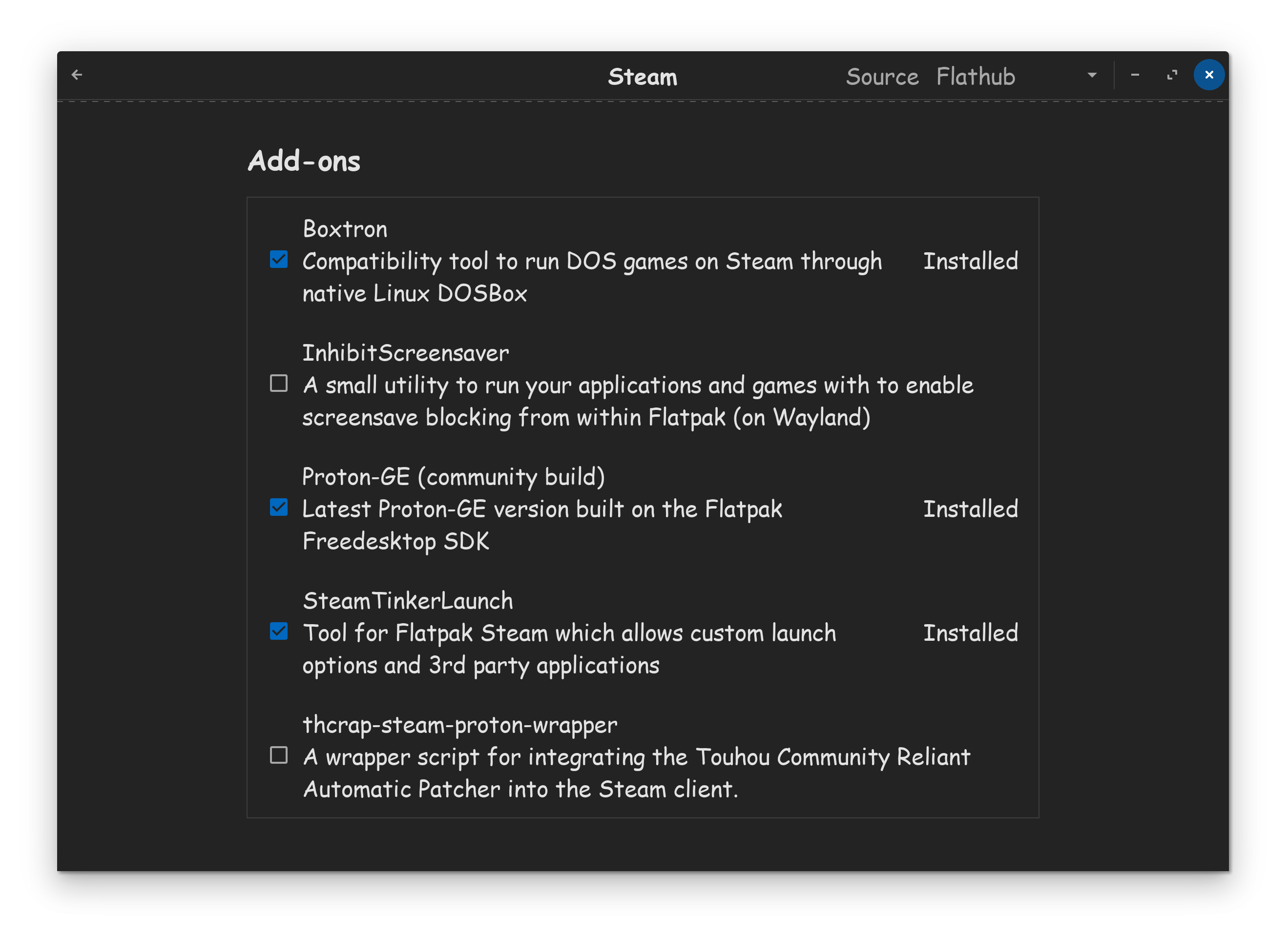
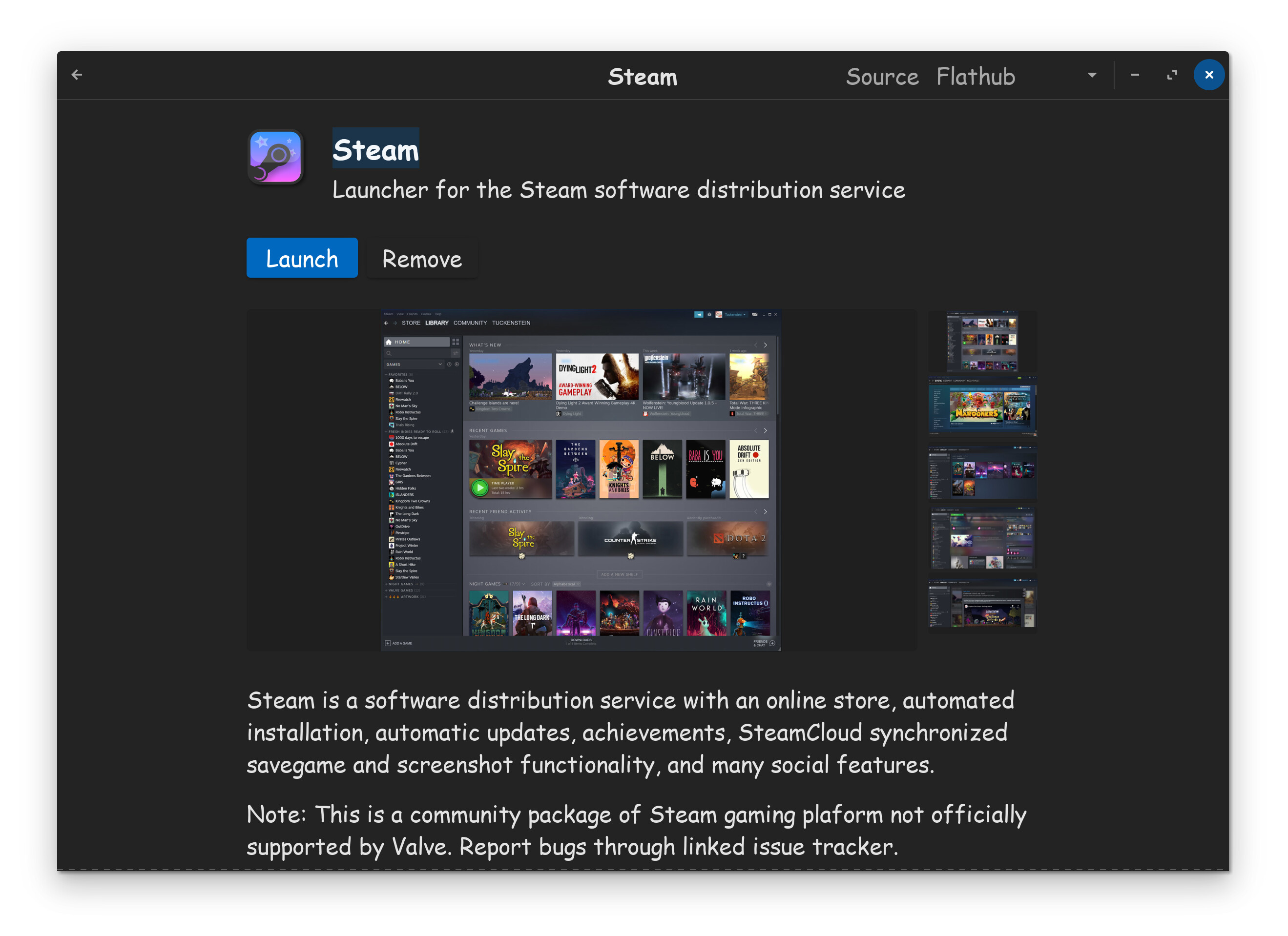
[Regarding Proton] Sometimes the standard array of Proton version, do not work properly, or at all. In cases such as this, be sure to try the community Proton-Ge build. You can do this, by going to the Steam install page in the Software Store.

Then simply scroll down to Addons, and put a checkmark in the Proton-GE box, to install the Glorious Eggroll community build, into the Steam app.

After that has been completed, then startup Steam, right click the game, go to properties, compatibility, put a check in force, the select Proton-GE from the bottom of the list.

I find this to work better for most games.

NOTE: Any online multiplayer games that use Anti-Cheat, will not work on Linux no matter what you do. Anti-Cheat is not compatible on Linux, due to lack of support from Anti-Cheat. If you try to play a multiplayer game using Anti-Cheat on Linux, they will ban your account. So, just stick with single player games, your life will be easier.


2 Likes

I had the same problem, as suspend wasn't needed I've disabled it.

1 Like

Thread update – additional findings after daily use (Jan 2026)

Hi all,

"Small" update since my original feedback post.

I’ve been daily-driving Zorin OS for a while now, and in the meantime I also decided to buy Zorin OS Pro.
Not because I expected radically different features — it’s Linux, most of the value is already there — but mainly as a way to support the project. I prefer backing people who clearly care about stability and polish rather than going back to Windows.

Overall, the system feels solid and absolutely usable as a main OS for me.


Sleep / resume instability (new issue)

Since a Zorin update around early January, I’m still experiencing issues related to sleep/resume:

  • Closing the laptop lid puts the system to sleep
  • On resume:
    • I can log in
    • A small black window with code flashes briefly
    • I’m immediately logged out again
  • After logging back in, desktop and visual settings are reset to defaults

To avoid this, I tried fully shutting down instead of sleeping. However:

  • The first boot still behaves as if it’s recovering from sleep
  • Occasionally the screen freezes entirely, requiring another forced shutdown
  • Only after that does the system return to a stable state

In practice, the time spent force-powering on/off is roughly the same as reconfiguring the desktop, but obviously neither should be necessary.


Games: the good, the bad, and the ugly

:white_check_mark: The Good — Heroic Games (GOG bridge that genuinely works)

Honestly, discovering Heroic Games Launcher has been a big positive surprise.

For GOG titles in particular, Heroic feels like an ideal bridge:

  • Clean, flexible, and easy to use
  • Plenty of options without being overwhelming
  • Makes non-Steam libraries feel first-class on Linux

Most games I’ve tested via Heroic just work, and in a few cases they even run better than they ever did on Windows.

One example would be Indiana Jones and the Infernal Machine (yes, I’m that old) — smooth, stable, no weird hacks needed.

Some classic issues still exist, like:

  • Rayman 3 running too fast because of modern CPUs

…but those problems already existed on Windows, so that’s not something I’d attribute to Zorin or Linux.

Overall: Heroic has been rock-solid for me and makes GOG gaming on Linux feel natural rather than experimental.


:warning: The Bad — Steam & edge cases (manageable, but sometimes fiddly)

Steam is still the main reason I wanted Linux gaming to work, and to be fair:

  • The vast majority of games I’ve tried on Steam do work
  • Proton has come a long way
  • Gaming on Linux is finally realistic

That said, there are a few recurring friction points:

  • Sometimes it’s a matter of finding the right Proton version
  • Automatic Proton selection isn’t always optimal
  • On hybrid GPU systems, some games strongly prefer the AMD iGPU even when the NVIDIA dGPU is clearly needed

A good example here is The Witcher 3 (GOG version):

  • Installed via Heroic, it would default to the AMD iGPU
  • Performance was technically playable, but stuttery
  • Forcing NVIDIA via terminal helped partially, but wasn’t ideal

What did work:

  • Installing via Heroic
  • Adding the game’s .exe to Steam as a non-Steam game
  • Letting Steam handle Proton and launch options

After that, the game used the NVIDIA GPU correctly and ran buttery smooth on max settings (ray tracing disabled).
A bit of an outlier setup-wise, but once configured, it works beautifully.

So: not broken, but sometimes requires experimentation.


:cross_mark: The Ugly — regressions after updates (currently unresolved)

This is the only part that genuinely worries me.

After a recent update (Steam or system — hard to say exactly which), a small subset of games that previously worked now fail to start at all.

Examples:

  • Star Wars: Bounty Hunter
  • WALL·E
  • The Backrooms: Lost Tape (2022)

Common behavior:

  • Game window is created
  • Black screen appears (sometimes part of the window frame is visible)
  • Game exits or hangs before rendering starts

What I’ve tried (briefly):

  • Multiple Proton versions
  • Proton-GE
  • Launch options
  • Windowed vs fullscreen
  • Reinstalls

One launch option does make them start:

PROTON_USE_WINED3D=1 %command%

…but performance is very poor, even in menus, so it’s not a real solution.

I did try contacting Steam support, but the response assumed the games never worked on Linux — which isn’t correct. They did work before.

This makes it feel less like a configuration issue and more like a regression, possibly related to DXVK/Vulkan initialization after updates.

Overall, I’m still very happy with Zorin OS and relieved that Linux is genuinely becoming a viable daily driver for gaming and general use.

If logs or additional testing would help, I’m happy to provide them.

Thanks again for the work you’re doing.

at this point i'm just thinking tactically on closing my laptop or not. when to close, how to close, risk the freezing log out status or not. xD

Quick update (Feb 2026)

Small update after the last post.

A number of games on Steam are now working again by simply forcing Proton 9:

  • Star Wars: Bounty Hunter
  • Lego Indiana Jones (tested so far)

No Proton Hotfix, no Proton 8 — just plain Proton 9.

I haven’t tested my full library yet, but early signs suggest that Proton 9 is currently more stable on my system than previous versions. Last time Proton 8 was the “safe” choice, now Proton 9 seems to have taken that spot.

Just sharing this in case it helps others running into similar issues.