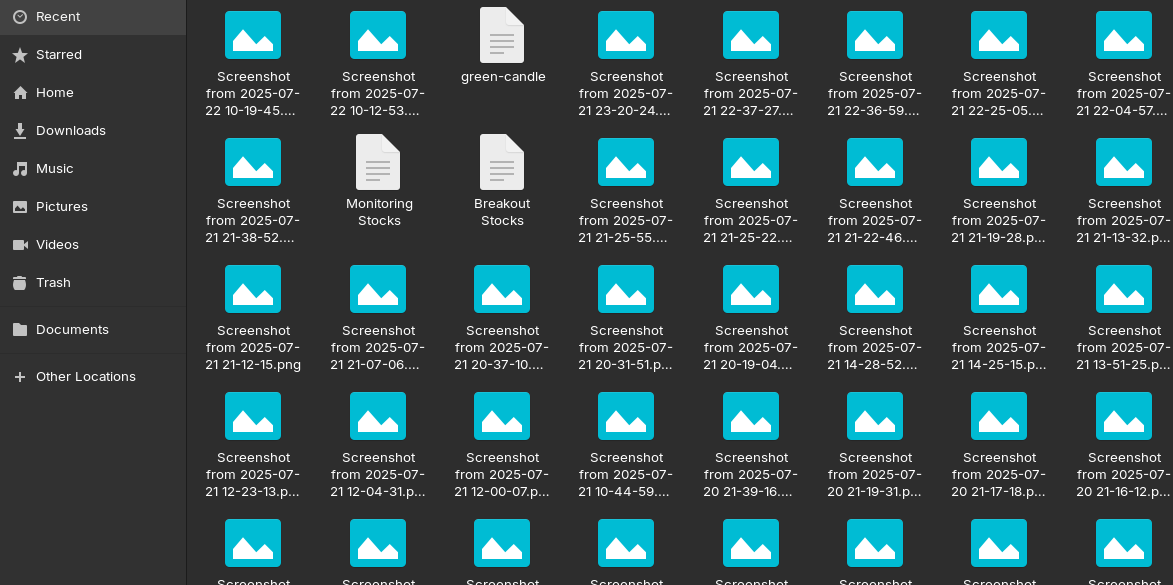
How to show thumbnail preview images.?
From the hamburger menu > Preferences > Performance - have you set "Show Thumbnails" to All Files?
2 Likes
Are the files of which no thumbnailes are displayed on an external hard drive? Then you could include "other locations" in the preferences search.
If the above does not help, it can sometimes also be due to the thumbnail cache and clearing the cache will solve the problem.
You can also take a look at this thread if it is only a problem of filepicker (it is often used by programs or browser when you somewhere want to upload files):
1 Like
Is that the file manager that you've got opened, or is it a file picker that prompts when you are asked to upload a file for example? They look very similar but they are different components of the desktop environment, and there's a known issue where the thumbnails are only generated once you've navigated to the directory containing the images.
For reference, here I've generated a few images with random noise and then I clicked on a site to pretend to upload them. The thumbnails don't show. I then opened the file manager on the left, showing that the thumbnails are apparently working. Closing the file picker and launching it again now shows the thumbnails properly:


5 Likes
I noticed only "Recent Files" are not showing images, else the main folder like "Pictures" are showing the images.
I'm not sure how the recent files work  but hopefully this will be address in newer versions of Zorin OS, as the whole desktop environment is seeing a lot updates in newer versions.
Trash doesn't show them, too.
I have the exact same problem using Zorin 17. Is there a way to change file managers? I show both Nemo and Dolphin. Not a real computer nerd ( I'm a Senior ), so am somewhat confused. I used Linux Mint for years, and never had this problem. Since I use my PC mainly for Photo Files, this poses a big problem. I have hundreds of files and it is a royal pain to have to click on each just to see what they are. I like Zorin in every other way, but if I cannot resolve the issue, will no doubt go back to Mint!
Mint provides Nemo - which you said you have.
In Nemo > Edit > Preferences, then the Preview tab, set the previewable files to be larger than 50 MB
You can also set if all files or only local ones get a preview.
This topic was automatically closed 90 days after the last reply. New replies are no longer allowed.