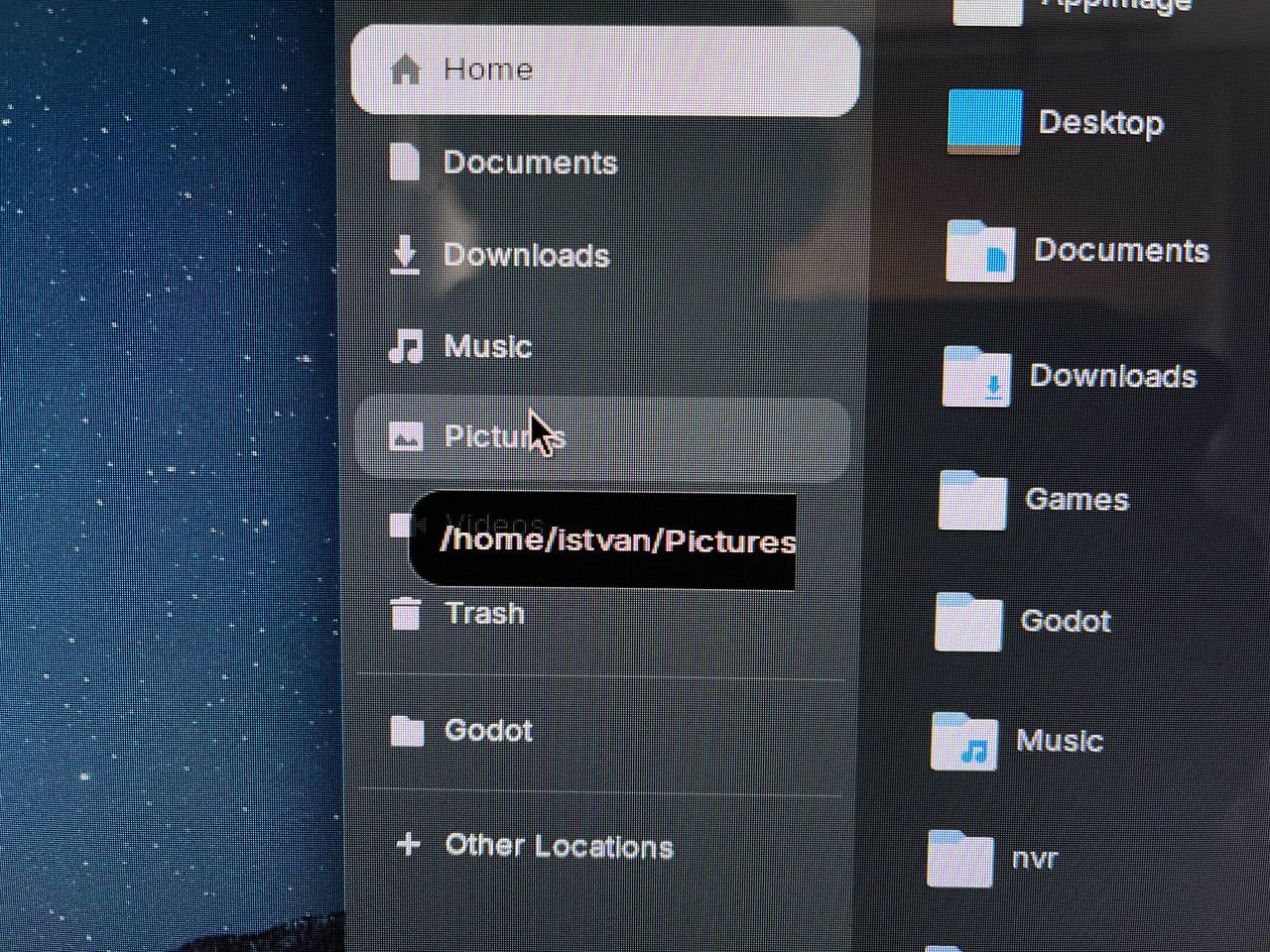
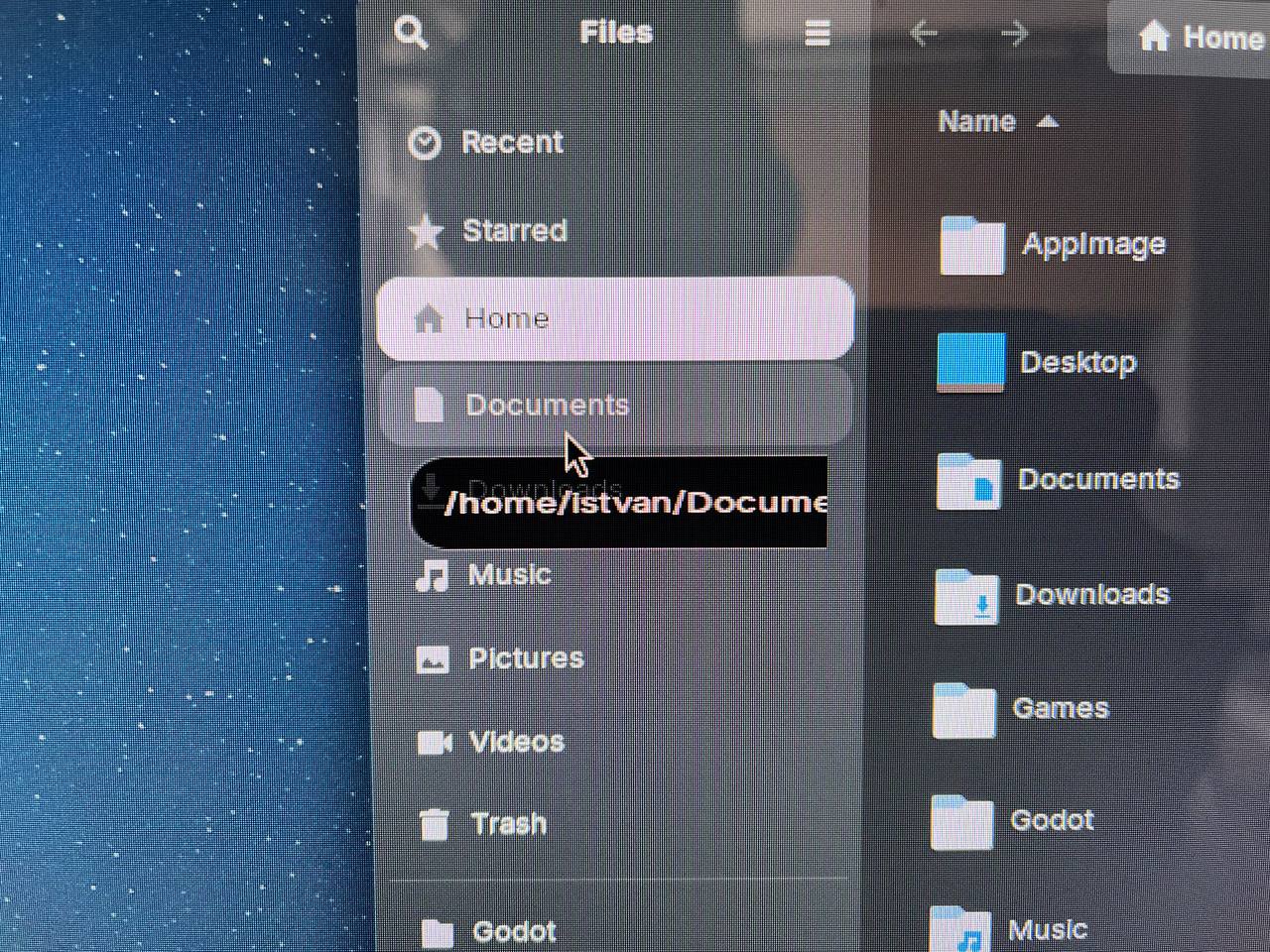
Hello. I have some interesting issue in the Files application in the Wayland session, the labels are not displayed correctly. The text is either elongated, cut off or squashed, and the rectangle is missing its right side as well in some cases.

Which video card do you have?
inxi -Ga
Sorry for not posting this useful info, I am using a NVIDIA GeForce RTX 3060. The drivers are the latest, 580.173.02
Did you try it with Xorg? Many nvidia cards work better with Xorg.
Is it the default purple Zorin theme?
1 Like
And you don't want to use Xorg?
I was about to update the description to say the X11 session does not have this issue. The theme is the default one, black with blue accent colors.
I don't mind if I have to use Xorg. Was thinking it would be nice to have this issue fixed for Wayland.
Welcome to the Forum!
Do You have Fractional Scaling active?
no, fractional scaling is not active, everything is set to 100%
And a Reboot doesn't help?
no, it does not. I have also tried resetting the gnome shell settings.
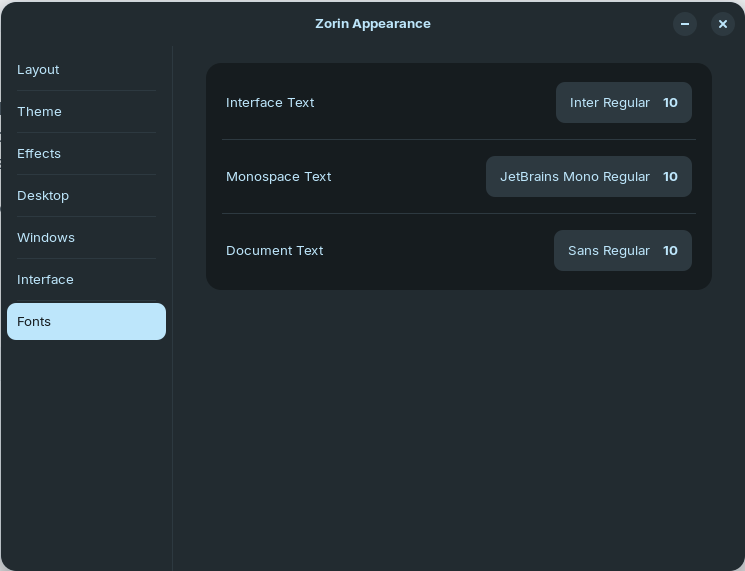
How are Your Fonts Sizes are set up? You can check that in Zorin Appearance on the Fonts Tab or in Gnome Tweaks on the Fonts Tab. In Gnome Tweaks, You can also check if maybe the Scaling Factor for the Fonts is not 1.
If You shouldn't have Gnome Tweaks installed, You can install it with
sudo apt install gnome-tweaks
You can check font sizes in Zorin Appeaeance | Fonts.
Just installed gnome tweaks, the scaling factor is set to 1.
my font size is 10, if I understand it correctly.
1 Like
Change the Size, look how it looks then and then change back and compare.