HI, how do i get my fingerprint sensor to work? i tried checking out settings and nothing is there, i am using Zorin 17.3 Core and the Laptop is Lenovo ideaPad-3-15ITL05
Did you take a look at Software&Updates > Additional drivers if there is offered a driver for fingerprint?
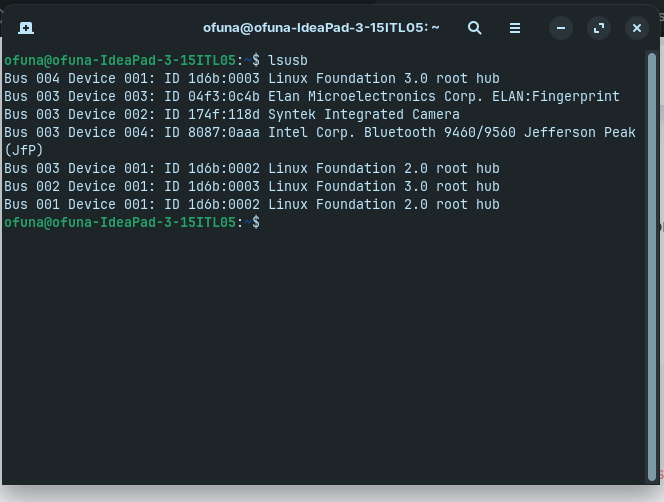
What is the terminal output of
lsusb
?
2 Likes
Welcome to the Forum!
- Did You checked if it works in a Live Session before You have Zorin installed? If yes: Did it worked?
- Did You tried Zorin 18.1, too?
- Are Secure Boot and Fast Boot in BIOS disabled?
- If Windows is still installed: Is Fast Start-Up in Windows disabled?
- Does Zorin run in Wayland or X11? You can check that with the Terminal Command
echo $XDG_SESSION_TYPE
1 Like
- I did not try testing it with the Live Session
*I will upgrade to 18.1 soon
*Secure boot is disabled and unable to re-enable - I am no longer able to use or install Windows operating system
*Zorin runs on Wayland
Then let us try it with switching to X11/Xorg to see if it maybe change. To do that, go to the Login Screen. Click there on Your Profile so that the Password Field appears. When it is appeared, You should see a Gear Icon in the bottom right Corner. Click on it and choose the Option ''Zorin Desktop on Xorg'' and then log in and check if it works.