Hi guys, I don't expect an answer to this..
I wrote a thread asking about some thing different, lets say 9am.
X'ed off firefox, about 11 -11:30am came back to house / computer and clicked or restarted firefox.
It started as if it was a brand new install, with all the news feed cr=p on the page, I like to see a blank page, no news is GOOD news, unless the world is about to end ?
Aravisian, Community Leader on here asked, "did it launch as a new profile? Try switching profiles..."
Now, I never knew about the profiles "some thing else I do not care for nor want" but I did check.. NO, no new profiles..
I found it strange why it did that, firefox X'ed off, but the computer left on.
If this happen to any-one else, post it up and let the leaders know..
I'm wondering if perhaps the snap package of firefox got installed and replaced the .deb package.
Maybe your profile still exists but the snap version searches at another place for the profile?
When you enter
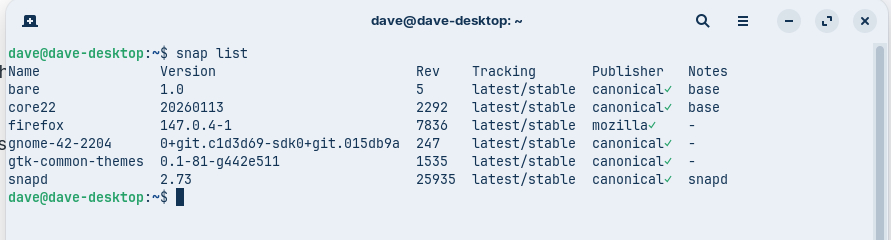
snap list
is firefox shown there?
Which package format of firefox do you have used before (flatpak, snap, .deb)
Similar to this thread with thunderbird:
You could search for a firefox profile. Press ctrl+h to show the hidden files in your filemanager, then look is there is a ~/.firefox folder in your home directory. I'm not sure what the path is where the profile is saved.
Don't know guys, sglbi, don't understand any of that command code stuff, so I will not be trying, thanks, but no thanks.
Ponce-De-Leon, err, I don't know, I clicked on black box "terminal?" and typed in sudo apt install firefox, have that wrote down on a bit of paper, after that it just installed.
Okay, you have a firefox snap package.
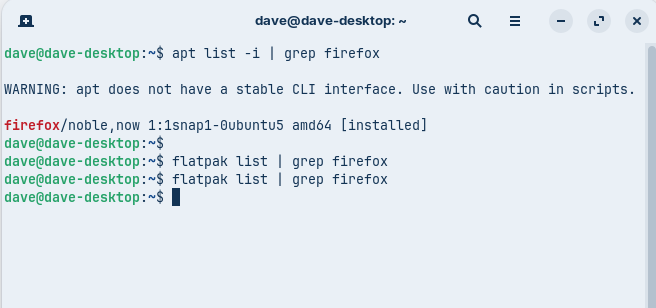
Let's check if you have other versions of firefox on your system:
apt list -i | grep firefox
flatpak list | grep firefox
Please enter these commands in terminal (you can click on one to copy, then paste it into the terminal by rightclicking > paste) and press enter.
Then the next one. Please make a screenshot of the terminal output when you are ready and post it here.
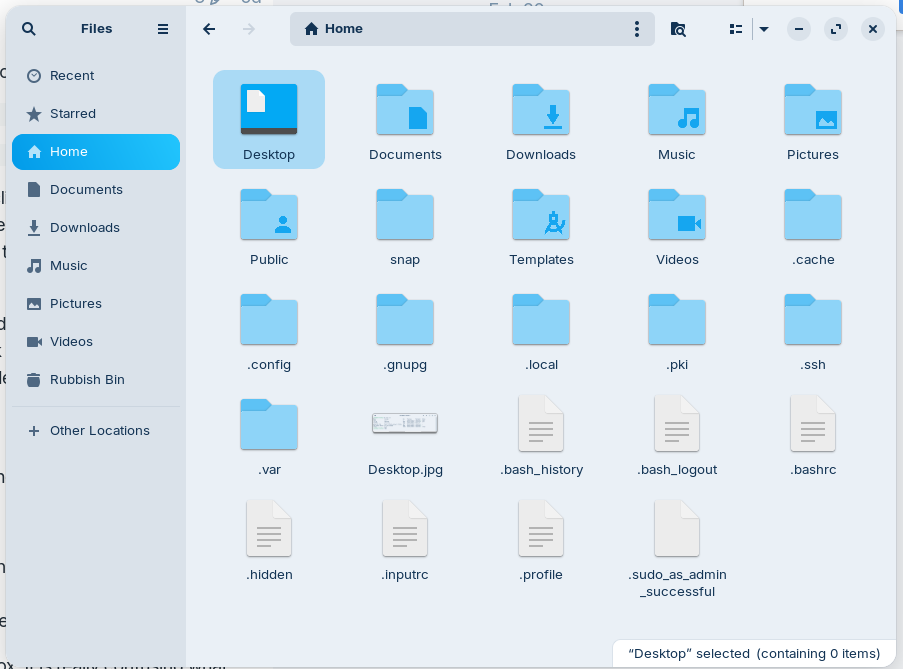
Go to your filemanager, press ctrl+h to show the hidden files and click on your home folder. Look if you have a '.mozilla' folder, if yes, click on it and search for firefox. This would be the folder which contains your firefox profiles from the .deb vetsion of firefox.
Just look if there is such a firefox folder.
If you have one there, you could copy all folders of the firefox folder to
~/snap/firefox/common/.mozilla/firefox/
and then open firefox (first close it if it is already running), go to the profile settings and choose another profile.
This could help if you want to keep the snap package of firefox.
You could also try to install the .deb package of firefox. It is really confusing what happens with the firefox package and I'm not sure if the installation will be permanently or again the .deb package will be replaced by the snap package as long as snapd servive is installed on your system (that's a bad ubuntu thing).
Forpli, thanks for your reply, NOTE, I do not turn this computer on every day, hence the gap in my reply, done as best I could for you. Sceen shot 1 is the terminal thing, the second line I pasted in did nothing.
OK, got the correct 2 screen shots in, I must add in, I don't care about this install of Zorin as I have it on a test drive, and in 4 weeks from now, end of March 2026 I will be putting it on to a new drive along with ALL my files which are backed up onto a different drive.. It is good to find these wee bugs.
On a foot note, every time I had to go onto ebay via firefox, I had to get a txt or email to verify it is me. (here in the UK) BUT ! using Brave web browser, it log's me in every time without needing that stupid txt or email from ebay [evil-bay]
Dave
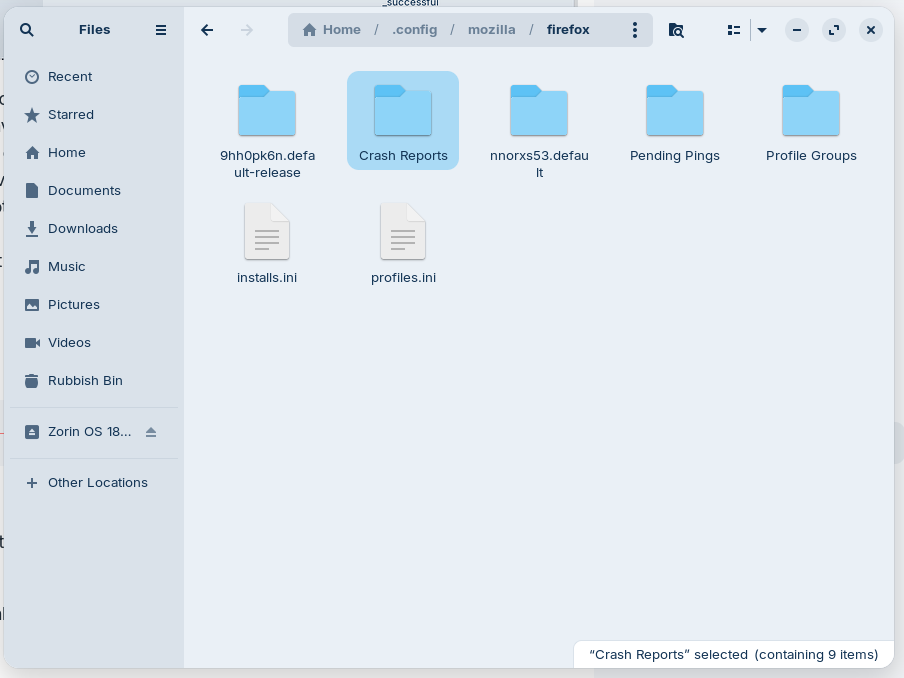
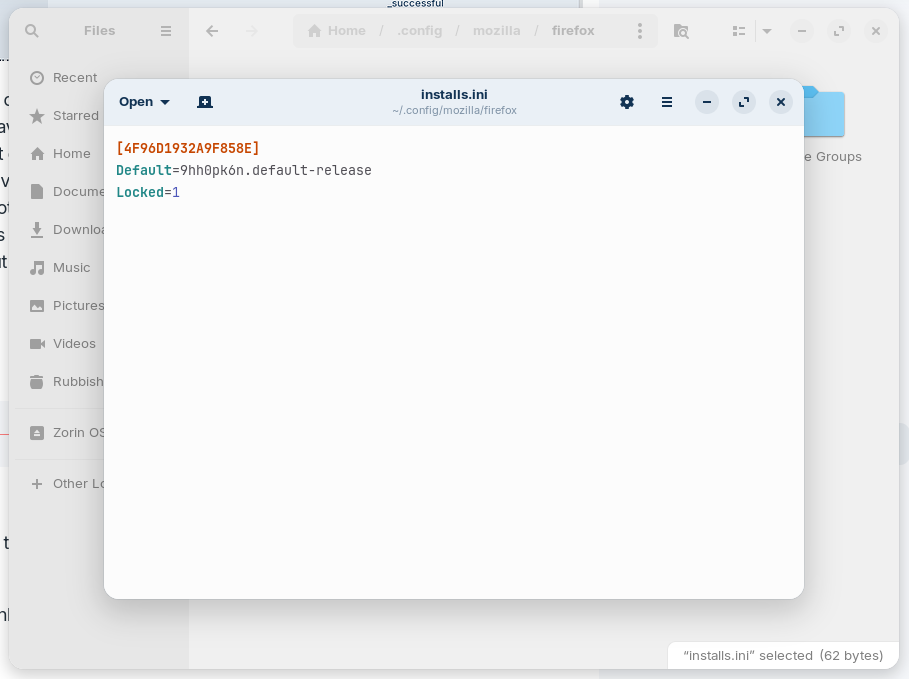
Forpli, have done that, yes there is a mozilla folder and then I opened installs, see sheen shots below, we are getting to the bottom of this and I would like to think it is helping others as well.
If you want to use the snap version of firefox, copy the first and third folder (I'm not sure, you can also copy all folders from your first screenshot if it doesn't work) into
~/snap/firefox/common/.mozilla/firefox/
And then open firefox (close it first if it is running) and go to the profiles and try if you can find your old profile now.
If you don't like the snap version you can also install the .deb package as shown above.