Yesterday Firefox destroyed all my bookmarks and extensions for no reason at all.
Today when I look in software centre it looks like the installed Firefox is a snap. I don't remember installing a snap of FireFox I'm pretty sure it was zorin repo version.
Anyone else having a similar problem.
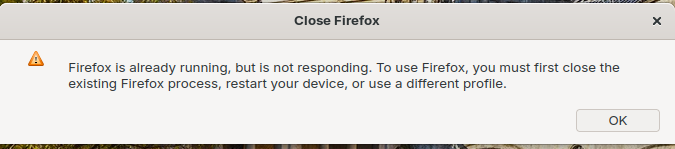
Also can't get web app to work with this version keeps telling me the following.
Could You check in /etc/apt/preferences.d if there is a File called ''mozilla'' and if it's there, open it with Text Editor and copy the Content here please.
Got it sorted thanks.Just UN-installed the Snap and the ZorinOS package then re-installed the ZorinOS Firefox Everything back to normal Passwords, extensions and bookmarks all restored back to normal.
Maybe Canonical has changed something for the Firefox Snap Package. I have added to the Mozilla Perferences File for prioritizing the Mozilla Source a negative Priority for the Ubuntu Package so that the File looks loke that:
Because I don't use Snap, I uninstalled it and added a nosnap File, too to downgrade it with the Content:
# To prevent repository packages from triggering the installation of snap,
# this file forbids snapd from being installed by APT.

Package: snapd
Pin: release a=*
Pin-Priority: -10