Hello,
I installed Zorin Core 18 yesterday. This is a quite cool distro, thanks for it.
My question is in the title. I activate the 3D desktop but I need more than 2 faces, how can have more ?
Hello,
I installed Zorin Core 18 yesterday. This is a quite cool distro, thanks for it.
My question is in the title. I activate the 3D desktop but I need more than 2 faces, how can have more ?
Hi and welcome.
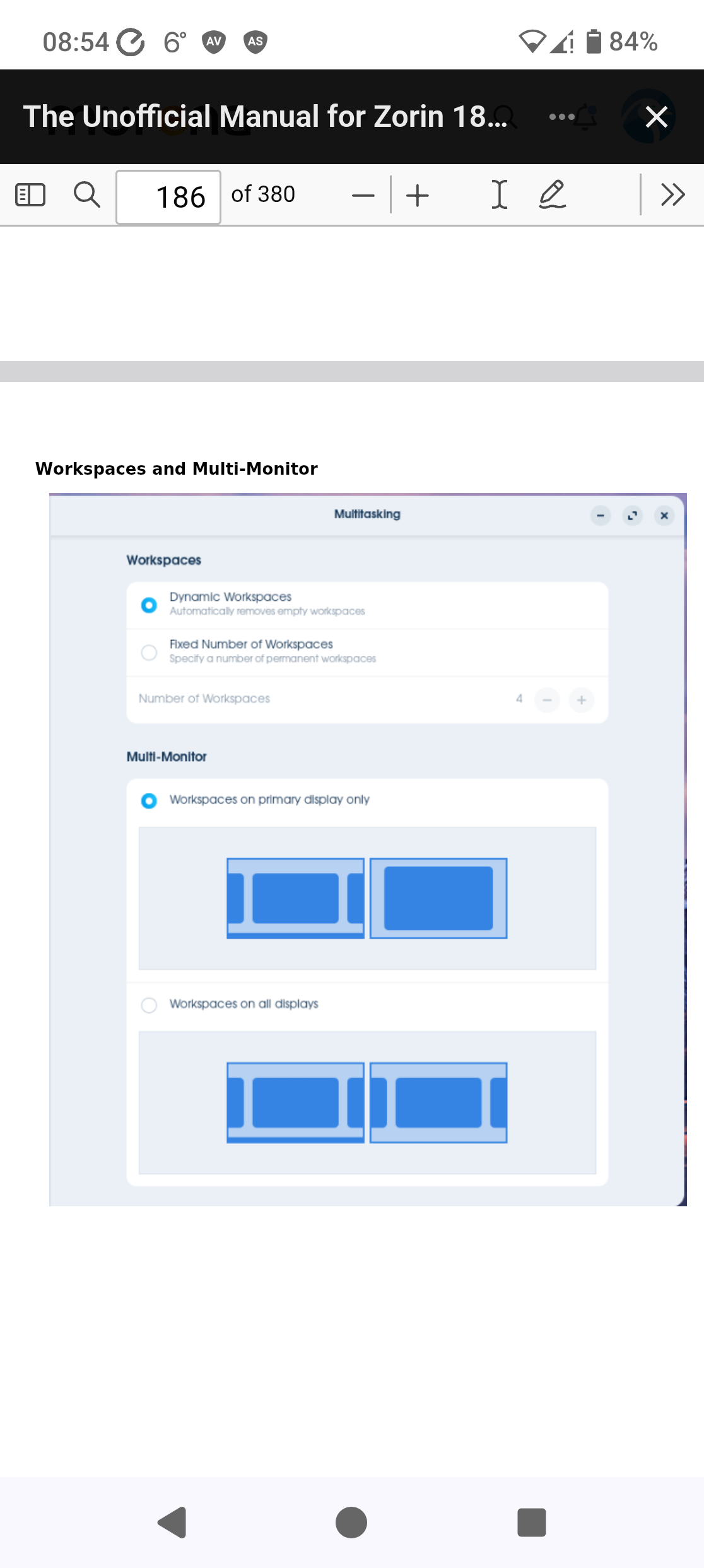
You just need to add additional workspaces in Settings. When you select 'fixed number of workspaces, it sets it to 4. You can add more by clicking on the plus symbol.
Thank you, I finally found the menu 
This topic was automatically closed 90 days after the last reply. New replies are no longer allowed.