I've recently installed Zorin OS 18, and everything seems well-designed and very easy to use. However, I'm experiencing some issues with Flatpak apps from the store, particularly regarding file access permissions.
For example, when I try to load a database from Remote Desktop Manager that's stored in my OneDrive folder, the file browser from the app doesn't display the OneDrive directory. Additionally, with the Rclone Manager app, I'm unable to mount a folder due to FUSE restrictions within the Flatpak sandbox, and so on.
Is there any way to use non fuse apps on the Zorin OS store, to avoid using apt from CLI?
Do you have installed flatseal to manage the permissions for flatpaks and to allow access to your users/system files (you can find this at tab filesystem in flatseal)?
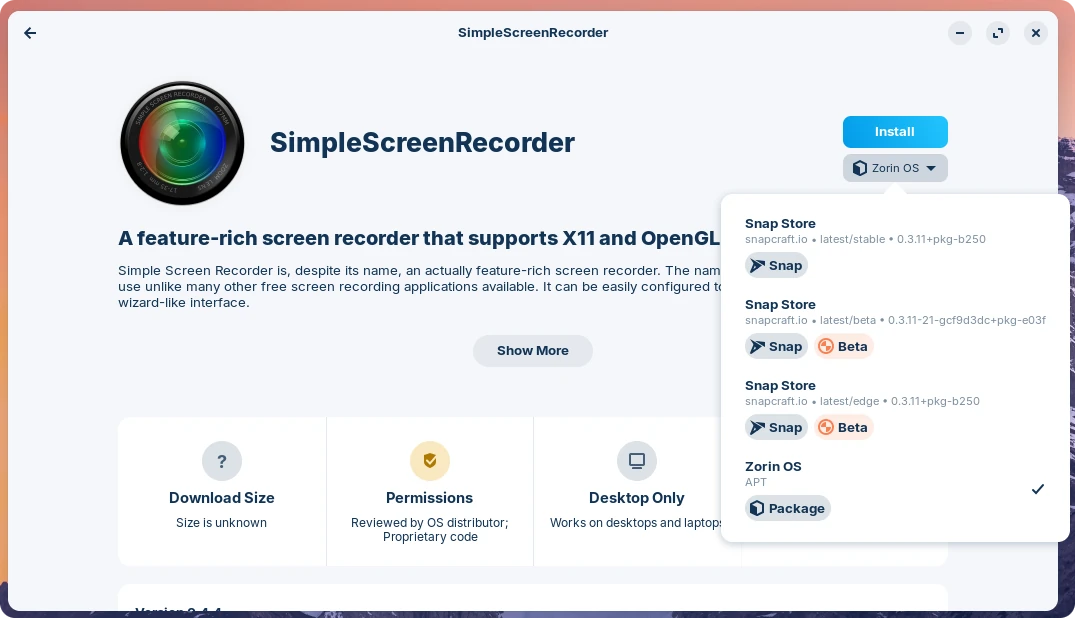
In the software store, under the Install button, there's a dropdown menu to choose the source of the package. By default, it will point to Flathub, but you might find other options there like APT.
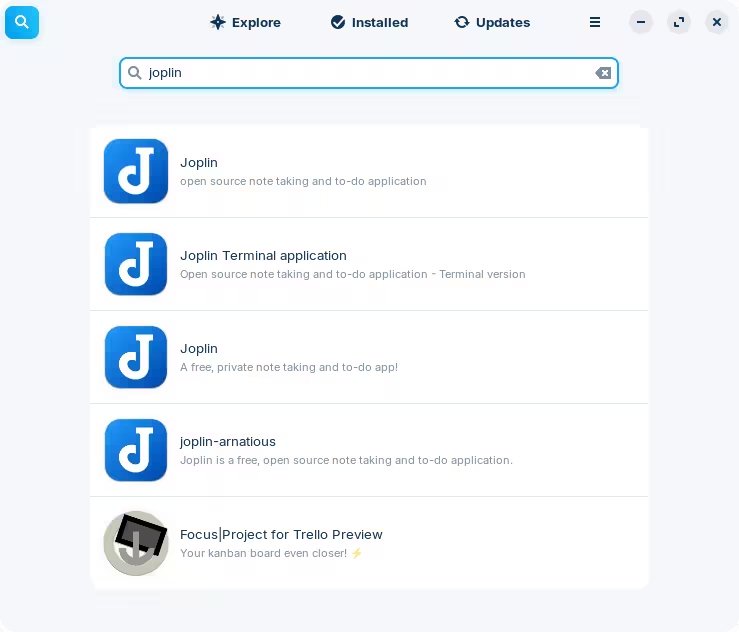
The reason I saw "might" here is because some packages are not available in all sources. Additionally, some packages will appear in the software store results as duplicates, which can be quite confusing:
When Flatpak is the only choice available, or if you simply prefer to use it for whatever reason, you can install Flatseal to grant additional permissions to each individual package.
Here's an example from another thread, but you can see that there are settings to enable access to certain directories, etc.