I hope to clarify the situation:
- About 2-3 days ago, a new version (1.86.146) of the Brave flatpak packaging was published.
- This will install successfully, but no application icon will be created (neither in the menu nor in the taskbar).
You can still run Brave.
- either via the button from within the "software" store application (where it correctly shows the flatpak version of Brave to be installed and offers to open it from there as well).
- or alternatively, from the terminal, type
flatpak run com.brave.Browser
- However, when launched, Brave will not have the Brave icon in the taskbar, but a generic cogwheel icon linking to the "software" store; right mouse clicking on that symbol will not provide the functionality of a normal program.
- This happens on both X11 and Wayland.
- This occurs consistently on all of my Zorin OS 18 Pro computers.
What I've attempted thus far:
- Uninstalling and reinstalling the flatpak does NOT resolve the issue:
   flatpak uninstall com.brave.browser
   flatpak install com.brave.browser
- Repairing flatpak
flatpak repair does NOT solve the problem either.
- The new flatpak packaging version still includes a ".desktop" file, icon, everything - but somehow they are not used or parsed successfully.
I haven't found any similar or matching reports in the issue tracker for Brave on Github regarding flatpak-related concerns. Which leads me to suspect that this problem may be confined to Zorin OS 18 (Pro) - I'll install an Ubuntu 24.04 LTS VM and see if the flatpak works properly there.
Quick feedback:
- freshly installed, latest Ubuntu 24.04 LTS VM, with all updates
- flatpak freshly installed as recommend
- installed Brave (again, the flatpak version ^^): works flawlessly, means with icon, etc.
As
- the snap package is usually updated later, means the flatpak is published quicker
- and I'd have to transfer all settings/plugins/etc. from the flatpak version to the snap version (which is possible but may cause issues)
I'd like to stay with the flatpak version.
I have no expertise debugging flatpaks, and my time is currently limited, so I would appreciate any serious suggestions on how to diagnose and possibly repair this. Thank you!
Did You checked in ''Main Menu'' if there are Entries of Brave?
And by the Way: I'm curious. Is there a Reason why You insist on the Flatpak Version? Zorin offers by default Brave as .deb File and has added the Brave Repo. So, You would get Updates from the Source directly without Delay. Don't understand me wrong. When You want the Flatpak Version, that is fine. It is Your Choice. I'm only interested in the Info.
Blockquote
Did You checked in ''Main Menu'' if there are Entries of Brave?
As I wrote above, albeit in brackets:
Blockquote
And by the Way: I'm curious. Is there a Reason why You insist on the Flatpak Version? Zorin offers by default Brave as .deb File and has added the Brave Repo. So, You would get Updates from the Source directly without Delay. Don't understand me wrong. When You want the Flatpak Version, that is fine. It is Your Choice. I'm only interested in the Info.
Well, like I explained above for snap package:
- Ubuntu and other distros are retiring DEBs/RPMs/classic packages for quickly updated applications such as browsers, as usually they (distro maintainers) have to package them afterwards - not directly the browser developers. This distro packaging naturally also comes with delays.
- Flatpak became the defacto standard for pushing applications to various distros. Flatpaks are often provided directly by the developers. Adding custom plugins and automated config changes to a flatpak is (almost always) identical on all distros - while for packaging it is different (paths, distro specific packages and changes, etc.)
Overall: I am not changing from flatpak just because it's currently broken for Brave only under the otherwise absolutely fantastic Zorin OS 18 Pro. Intentionally I didn't cry into this forum because of this tiny issue. Just as I saw that somebody else was affected too, I thought to add as much info as I currently can.
When I have a bit of time next week I look into debugging flatpak installations. From looking into other issues yesterday (over at Github) I could see Brave caused double entries for Fedora. So they steal "our holy app entry", right? I am kidding!! Occasionally such issues happen, I guess. Let's fix them.
The O.P. in the thread you posted in described a situation of Brave Browser as "not installed" despite it being the default browser.
You describe a situation of your choice to prefer Flatpak version and troubleshoot it - with a separate issue of icon display of your own.
So in this regard, I have split your thread to its own thread.
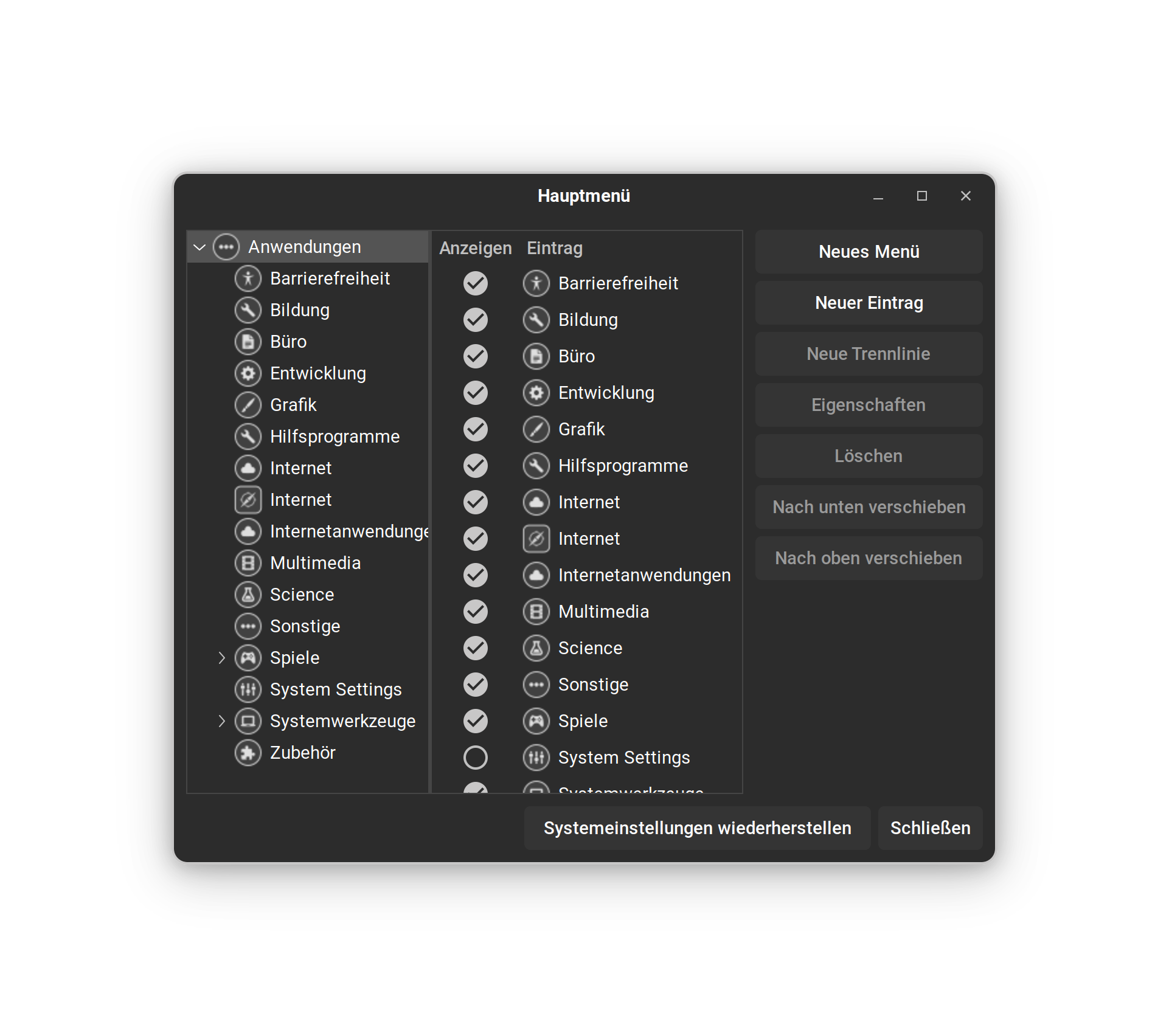
I meant the Program ''Main Menu''. It is for set up Startmenu Entries. It looks like this (don't Care about the Theming):
But for Brave this isn't the Case on Zorin. Zorin have added the Brave-own Repository. This is from the Brave Developers. So, You get the Updates directly from Brave. There is no Third-Party Maintainer in between and no Delay. When Brave deliver the Update, you get it.
1 Like
My humble assumption is that the OP is describing the same situation:
- Brave looks not to be installed, as icons and entries are missing in menu & taskbar
- But Brave is in fact installed (as a flatpak) and launchable via "Software" store or via terminal
As the the OP did not clarify the situation (what exactly is visible, what exactily is installed & launchable via "Software": snap, flatpak, etc.), I understand the decision to split into 2 topics.
Did anybody else try to install Brave flatpak? What is your current experience with it? 
Ahh, that's nice, didn't know that - thank you!
@Ponce-De-Leon
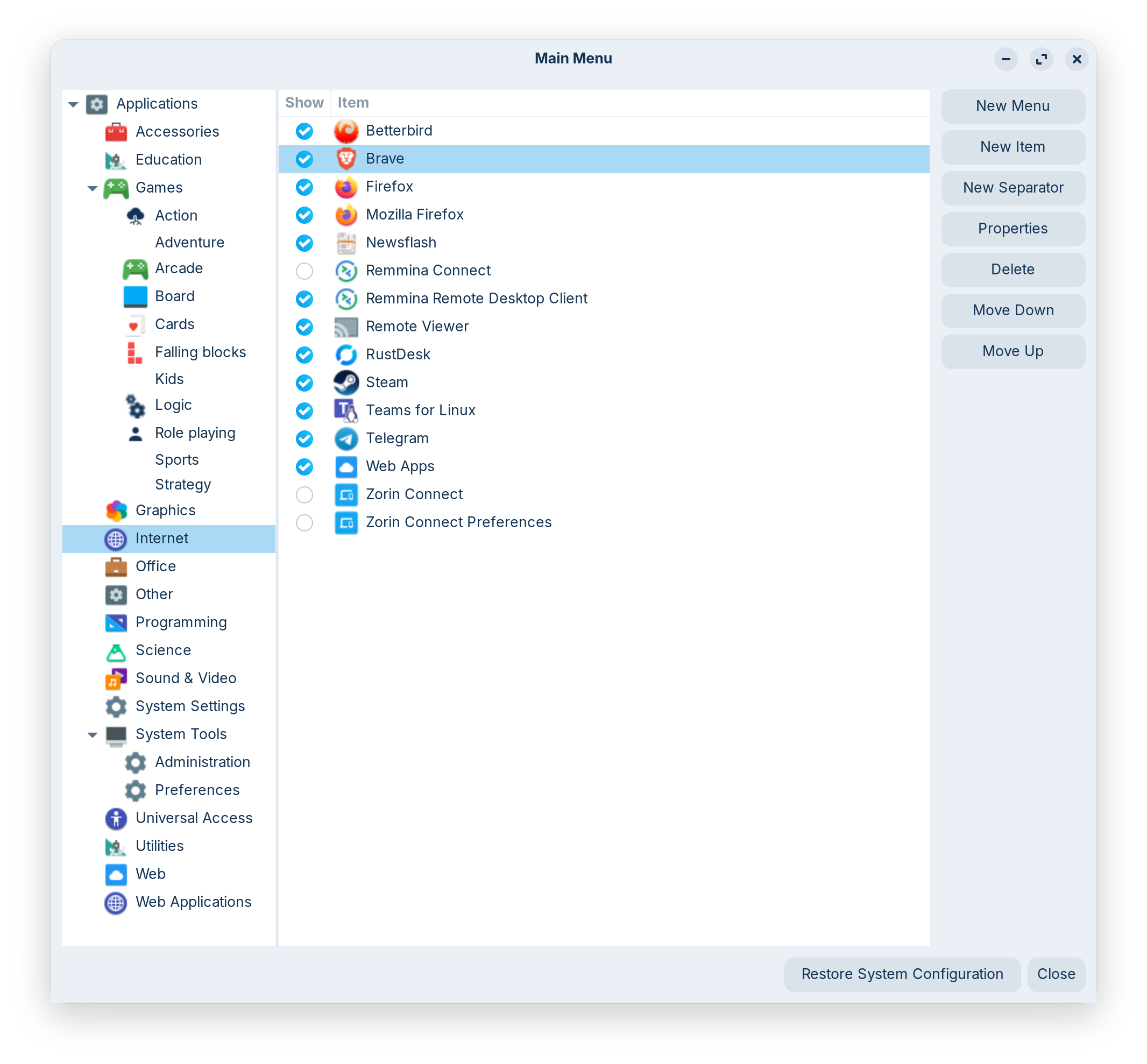
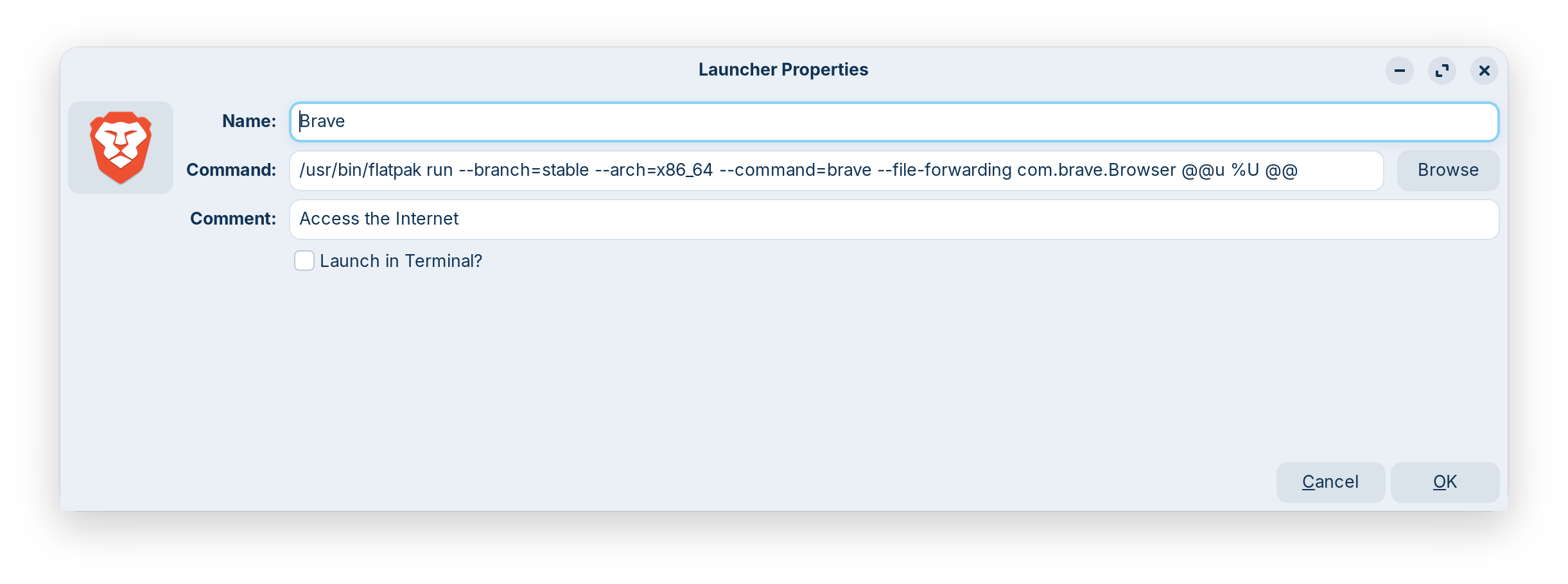
Regarding "menu / Hauptmenü", now I understand, thank you! It IS in there:
But the icon is NOT available in the normal application list, normal menu, or taskbar.
@Ponce-De-Leon & @Aravisian
I stand corrected:
- while the pinned tasbar icon of Brave suddenly was gone since the update (maybe the link was not to "active" but the path of that version directly..hmm)
- the icon is now (again) WITHIN the "Internet" sub-menu part (like seen in the screenshot above)
- running it from there & pinning it from to the taskbar AGAIN works
So: In modern IT-German this is a good definition of a "layer 8" problem  - stupid me was so upset from the suddenly missing taskbar icon, search didn't show it - and thus I did NOT even bother to look deeper into that "Internet" sub-menu part...
Well, ladies & gentlemen, I hope I had you at least entertained a bit tonight..^^
Thank you all once again - and maybe this also helps the OP in the (now) other topic.
1 Like
In general, distros are not retiring .deb and .rpm packages, wholesale or for specific apps.
More accurately, supporters of Flatpak or Snap are pushing for them to be retired. They are not being retired.
Politics? In megacorp-backed FOSS? Never heard of that before.. 
2 Likes