Given a direct upgrade was performed, it is reasonable that some packages may miss the install candidate mark.
I would open a terminal and run:
Reinstall the software to make sure all is well:
If i run in terminal, looks like it works, but i don't know actually:
 flatpak run --command="sh" org.kde.dolphin
[📦 org.kde.dolphin ~]$ flatpak-spawn --version
flatpak-spawn: Opção --version desconhecida
Try "flatpak-spawn --help" for more information.
[📦 org.kde.dolphin ~]$ flatpak-spawn --help
Uso:
  flatpak-spawn [OPÇÃO…] COMMAND [ARGUMENT…]

Run a command in a sandbox

Opções de ajuda:
  -h, --help                            Mostra opções de ajuda

Opções de aplicativo:
  -v, --verbose                         Enable debug output
  --forward-fd=FD                       Forward file descriptor
  --clear-env                           Run with clean environment
  --watch-bus                           Make the spawned command exit if we do
  --expose-pids                         Expose sandbox pid in calling sandbox
  --share-pids                          Use same pid namespace as calling sandbox
  --env=VAR=VALUE                       Set environment variable
  --unset-env=VAR=VALUE                 Unset environment variable
  --env-fd=FD                           Read environment variables in env -0 format from FD
  --latest-version                      Run latest version
  --sandbox                             Run sandboxed
  --no-network                          Run without network access
  --sandbox-expose=NAME                 Expose access to named file
  --sandbox-expose-ro=NAME              Expose readonly access to named file
  --sandbox-expose-path=PATH            Expose access to path
  --sandbox-expose-path-ro=PATH         Expose readonly access to path
  --sandbox-expose-path-try=PATH        Expose access to path if it exists
  --sandbox-expose-path-ro-try=PATH     Expose readonly access to path if it exists
  --sandbox-flag=FLAG                   Enable sandbox flag
  --sandbox-a11y-own-name=DBUS_NAME     Allow owning the name on the a11y bus
  --host                                Start the command on the host
  --directory=DIR                       Working directory in which to run the command
  --app-path=DIR|""                     Replace runtime's /app with DIR or empty
  --usr-path=DIR                        Replace runtime's /usr with DIR
[📦 org.kde.dolphin ~]$ which flatpak-spawn
/usr/bin/flatpak-spawn
The main issue is that the apt version in Zorin OS is pretty outdated. I actually tried switching to the native APT package before, but I had to go back to the Flatpak because it's the only way to get the latest features.
We see that flatpak-spawn is installed and present.
It is working when you are launching it in a shell: flatpak run --command=sh org.kde.dolphin
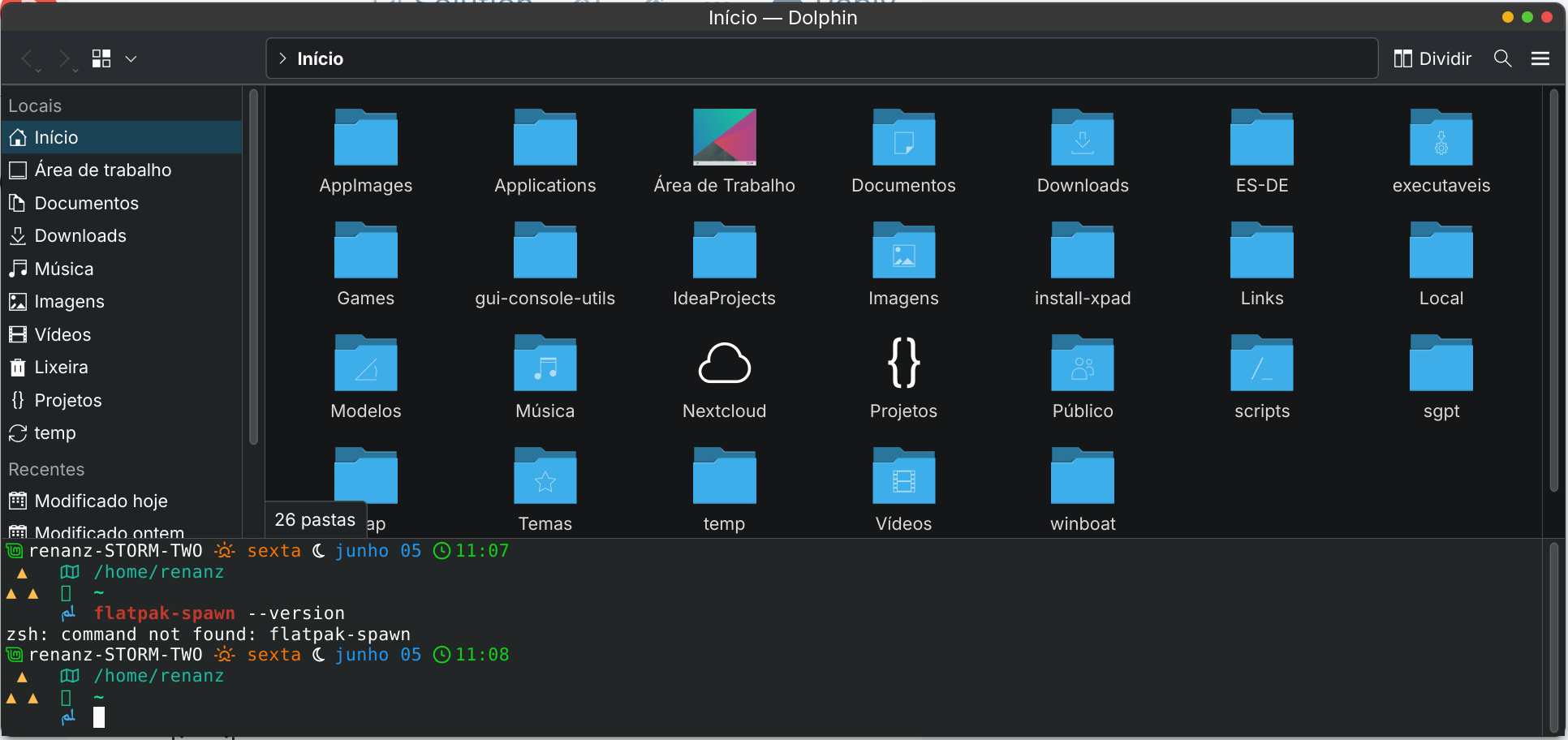
You are getting a "command not found" when run from the Konsole within Dolphin - this makes me suspect the path in the scripting you are using.
Not Dolphin and not Flatpak, but instead, the embedded konsole terminal environment.
Have there been any changes to this or custom scripts?
I think you need to switch your Konsole font, to... perhaps to MesloGS? It is currently showing a lot of missing characters.
What we see here is that the Konsole in Dolphin and your system are not both running in the same environment.
It looks like Dolphin (whith Konsole) are further isolated as Flatpaks, running in their own sandbox.
It is calling on the system: /usr/bin/flatpak-spawn which it is isolated from.
Honestly: The best and most practical fix is to remove the flatpak package of Dolphin (With Konsole) and install them from the terminal as .deb packages.
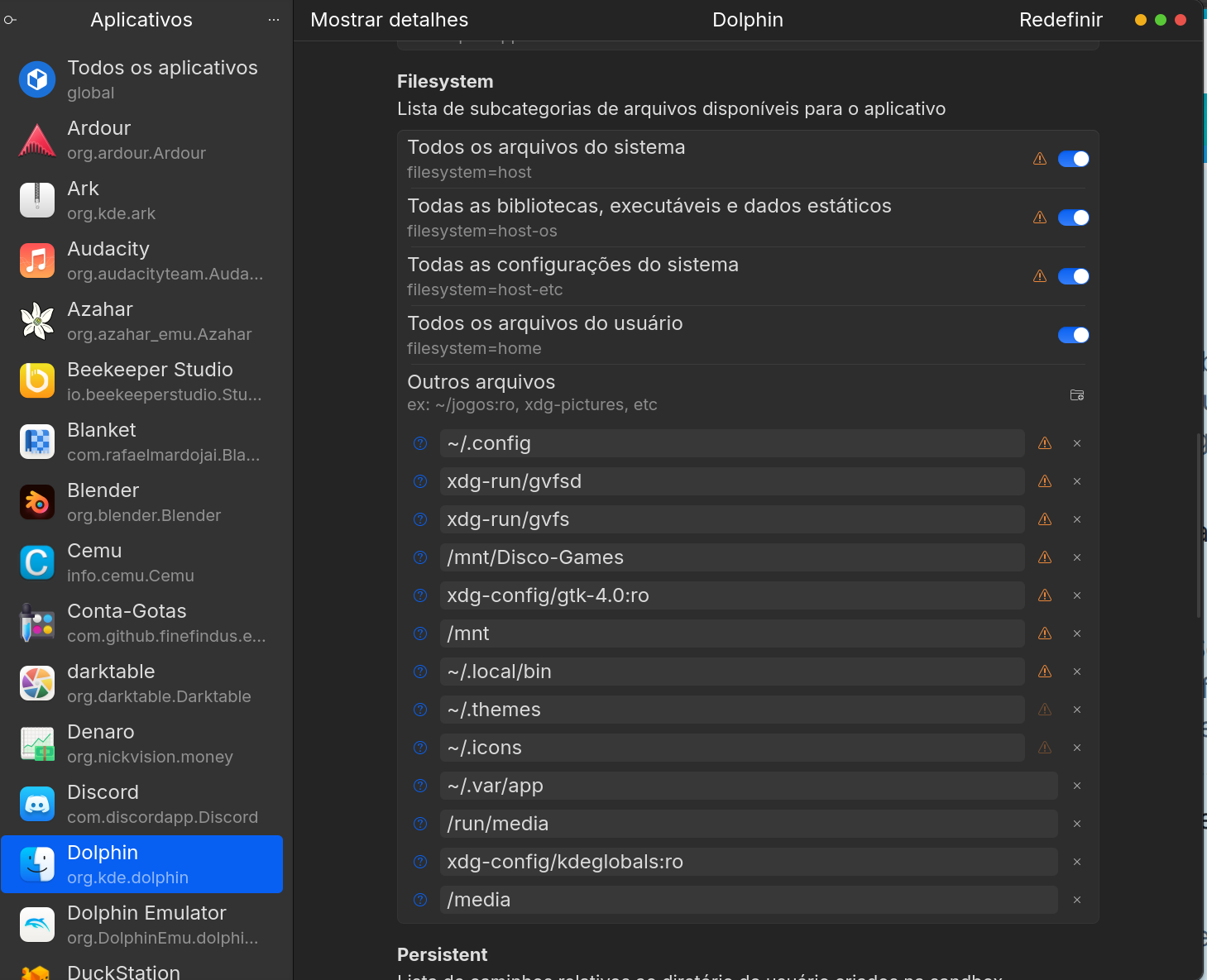
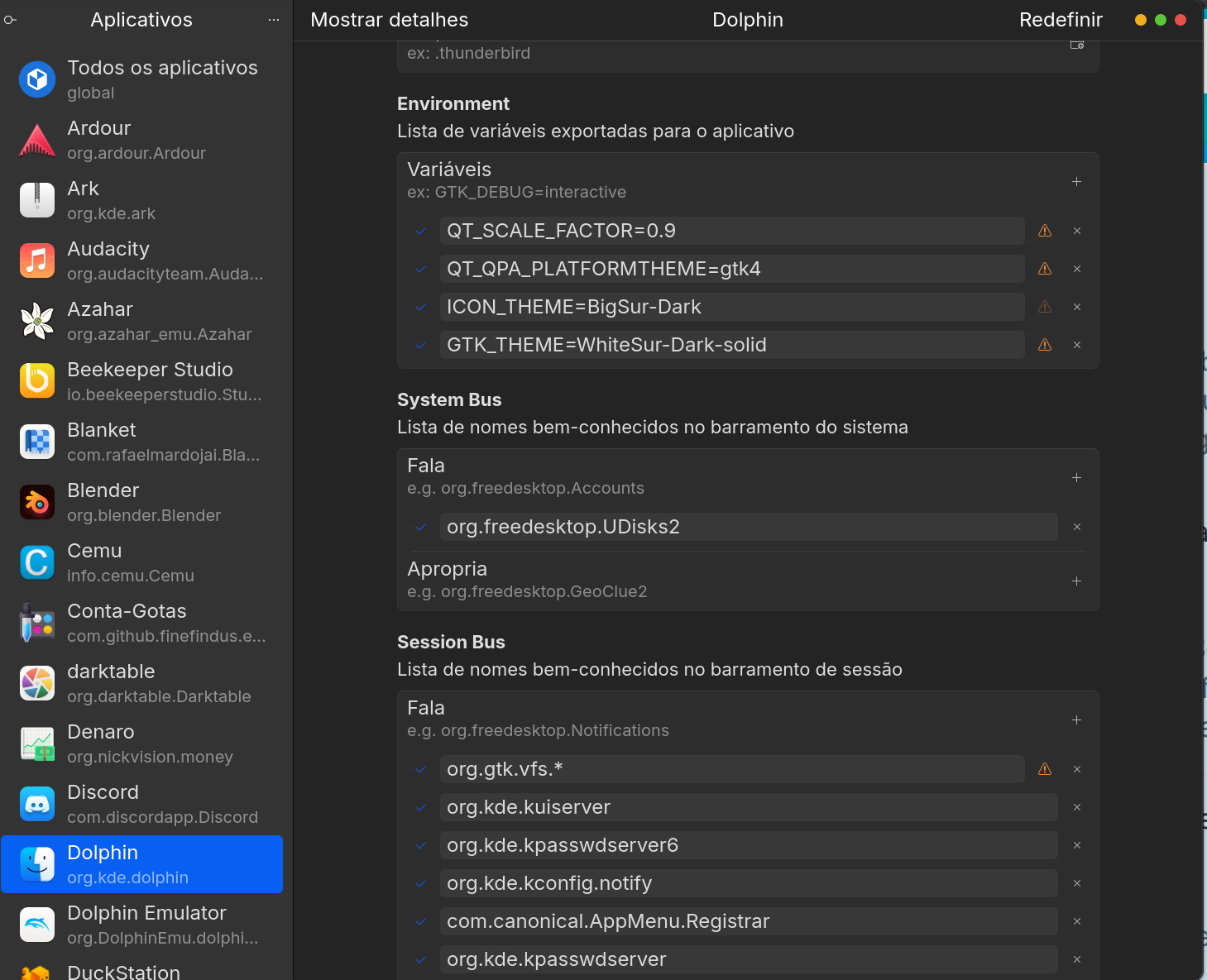
The other option, if you are keen on keeping them as Flatpak - is to use Flatseal to broaden Dolphin's permissions.
As to why this changed on the upgrade to 18 - most likely due to tighter restrictions between versions.