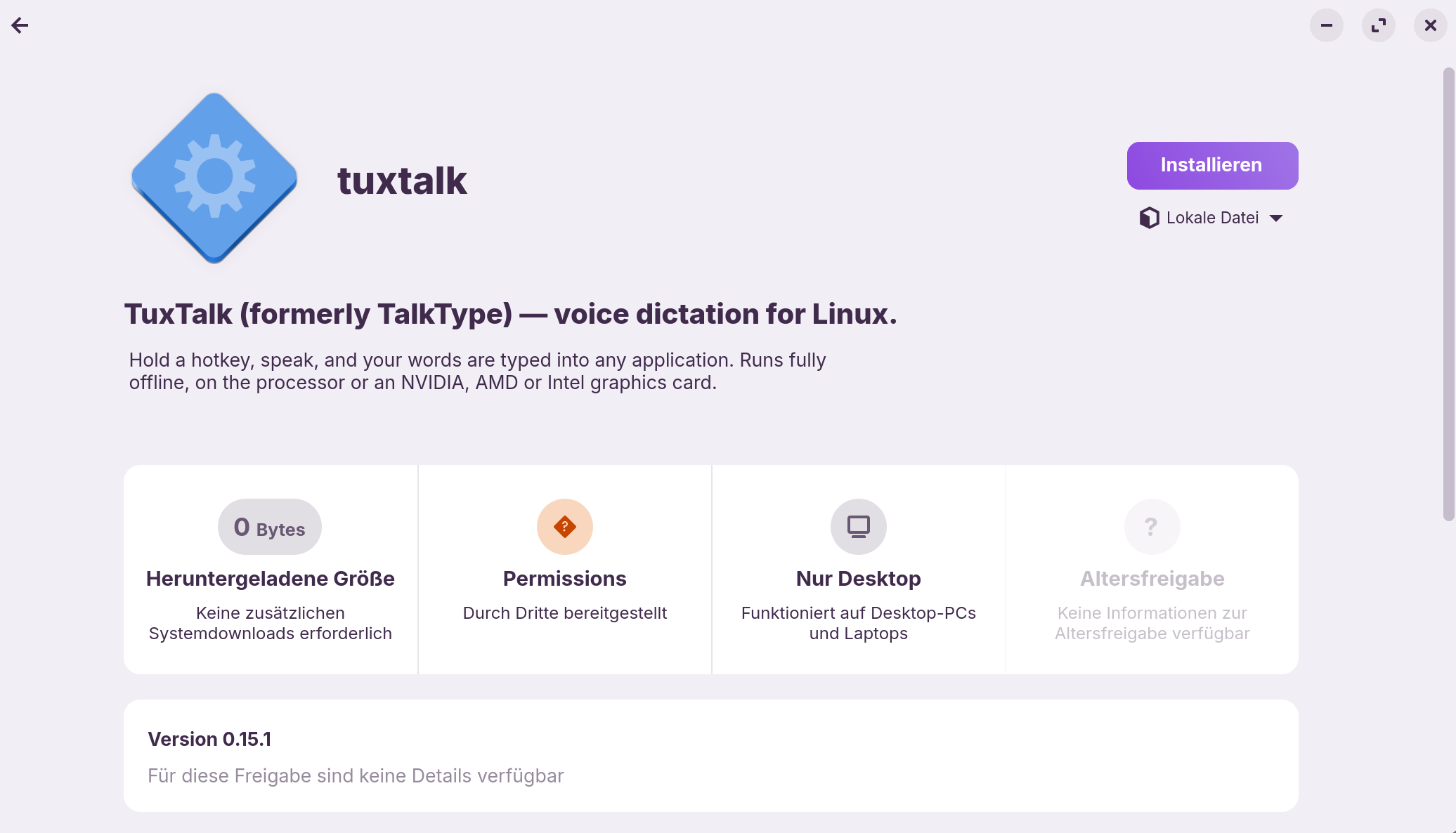
Free offline dictation on Zorin OS: hold a key, talk, and it types

I make with Claude AI (see further Explanation in the Comment below) a free dictation app for Linux called TuxTalk, and I figured a quick how-to might help anyone here who's looked for voice typing on Zorin. There was a thread a while back comparing a few of them and it got a lot of views, so I know I'm not the only one who wanted this.

The way it works is simple. You hold F8, talk, and when you let go the words get typed into whatever you're in, Writer, Firefox, an email, a terminal, anything. It all runs on your own computer, so nothing you say goes anywhere and it works with the internet unplugged.

Installing it on Zorin

Grab the .deb from the releases page: Release TuxTalk 0.16.0: hotkeys without the input group, and dictation you can send by voice · ronb1964/TuxTalk · GitHub

Double-click it to install, or from a terminal in your Downloads folder:

sudo apt install ./tuxtalk_0.15.1_amd64.deb

Then start TuxTalk from the app menu. The first time, it looks at your computer and picks a speech model that suits it. If you've got a graphics card it'll use it, and it works fine on just the processor too. It downloads the model once, has you test the hotkey, and sets up the permission it needs to type into other apps. That part asks for your password and a restart, and after that it just works.

Using it

Hold F8 and talk, let go and it types. If you'd rather not hold a key, tap F9 to start and tap it again to stop, or double-tap F9 and it stops by itself when you stop talking. You can say "comma", "period", "question mark" or "new paragraph" and it puts them in. There's also a Transcribe a File option in the menu that turns a recording or a video into text.

There's an optional AI cleanup that fixes it when you change your mind mid-sentence, like "meet at three, no wait, four". It's off unless you turn it on, and it runs locally like everything else.

There's a short video and more on the website: TuxTalk: free offline voice dictation for Linux

If you try it on Zorin and something doesn't work right, post here and I'll take a look. I haven't had it on a Zorin machine myself yet, so I'd honestly like to hear how it goes.

[Moderator Note: I adjusted the first Sentence of the Comment to make clear the Usage of AI. For further Details look at the linked Comment there. @Ponce-De-Leon]

1 Like

Thanks for your effort with developing the app TuxTalk!

Tried to install TuxTalk on Zorin OS 18.1 Pro:
OS: Zorin OS 18.1 x86_64
Host: A9 Max
Kernel: 7.0.0-38-generic
Shell: bash 5.2.21
DE: GNOME 46.0
WM: Mutter
Terminal: gnome-terminal
CPU: AMD Ryzen AI 9 HX 370 w/ Radeon
GPU: AMD ATI c7:00.0 Device 150e

During Installation I got a mismatch, unfortunaly can't reproduce it.

Tried to uninstall TuxTalk to install it again from the very beginning. Missing the uninstall commands in the description on GitHub and on the TuxTalk URL TuxTalk

Removed it like this:

sudo apt remove --purge tuxtalk 

and I did a Reboot Zorin OS.

Nonetheless I was not able to reinstall it,
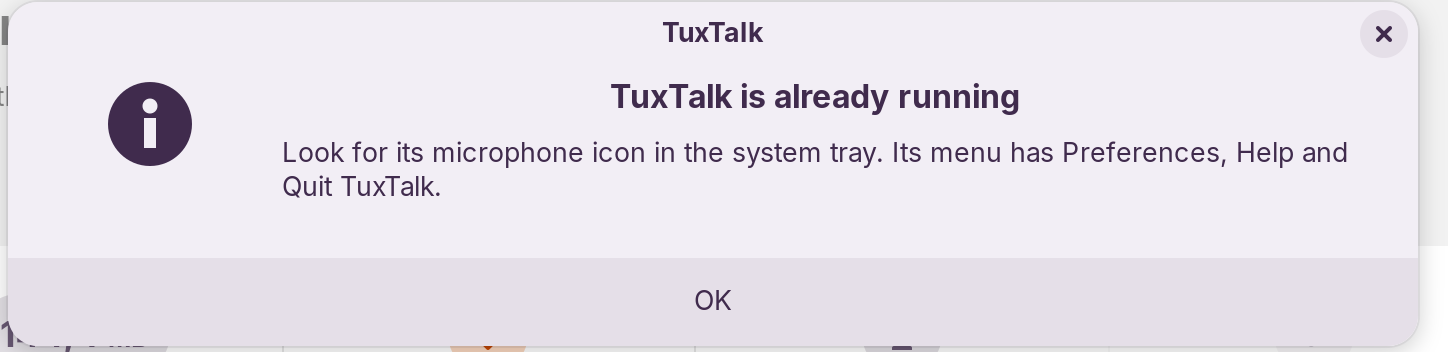
at the end it said that it is already running:

image

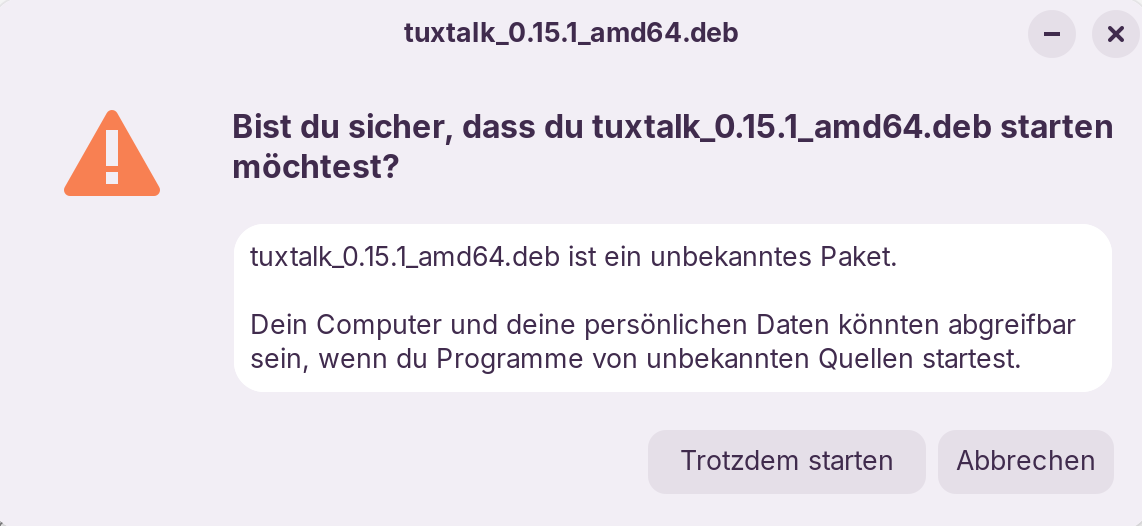
After doubleclick on tuxtalk_0.15.1_amd64.deb:


-> Start anyhow (Trotzdem starten)


-> Install


-> This message also appears when I try to start the app over its icon in the taskbar.

-> Was not able to start TuxTalk and not to stop and/or restart it.
So, I never reached a functional level of the app.

By the way, I think the name TuxTalk for the app is really good and fitting!

1 Like

TuxTalk (=TalkType) did not get removed clean.

You said you recently renamed the app from TalkType to TuxTalk. Very many of the TuxTalk and TalkType config files and libraries are still there even had removed app TuxTalk with

sudo apt remove --purge tuxtalk

Afterwards there are still a lot of config files and libraries as TuxTalk files and as TypeTalk files:

dpkg -L tuxtalk 
Summary

/.

/usr

/usr/share

/usr/share/pixmaps

/usr/share/pixmaps/io.github.ronb1964.TuxTalk.png

/usr/share/icons

/usr/share/icons/hicolor

/usr/share/icons/hicolor/scalable

/usr/share/icons/hicolor/scalable/apps

/usr/share/icons/hicolor/scalable/apps/io.github.ronb1964.TuxTalk.svg

/usr/share/doc

/usr/share/doc/tuxtalk

/usr/share/doc/tuxtalk/changelog.gz

/usr/share/doc/tuxtalk/copyright

/usr/share/doc/tuxtalk/THIRD_PARTY_LICENSES.md

/usr/share/applications

/usr/share/applications/io.github.ronb1964.TuxTalk.desktop

/usr/bin

/usr/bin/tuxtalk

Summary

/opt

/opt/talktype

/opt/talktype/usr

/opt/talktype/usr/src

/opt/talktype/usr/src/tuxtalk

/opt/talktype/usr/src/tuxtalk/window_geometry.py

/opt/talktype/usr/src/tuxtalk/whisper_vulkan.py

/opt/talktype/usr/src/tuxtalk/welcome_dialog.py
:

Summary

/opt/talktype/usr/share

/opt/talktype/usr/share/metainfo

/opt/talktype/usr/share/metainfo/io.github.ronb1964.TuxTalk.appdata.xml

/opt/talktype/usr/share/licenses

/opt/talktype/usr/share/licenses/ydotool
:

Summary

/opt/talktype/usr/share/icons

/opt/talktype/usr/share/icons/hicolor

/opt/talktype/usr/share/icons/hicolor/scalable

/opt/talktype/usr/share/applications

/opt/talktype/usr/lib

/opt/talktype/usr/lib/python3.10

/opt/talktype/usr/lib/python3.10/zoneinfo
:

Summary

:
/opt/talktype/usr/lib/python3.10/future.py

/opt/talktype/usr/lib/python3.10/LICENSE.txt

/opt/talktype/usr/lib/portaudio

/opt/talktype/usr/lib/portaudio/libportaudio.so.2

/opt/talktype/usr/lib/portaudio/libjack.so.0

/opt/talktype/usr/lib/portaudio/libdb-5.3.so

/opt/talktype/usr/lib/libpython3.10.so.1.0

/opt/talktype/usr/lib/libgirepository-1.0.so.1

/opt/talktype/usr/lib/libffi.so.8.1.0

/opt/talktype/usr/lib/libffi.so.8

/opt/talktype/usr/lib/libdbusmenu-gtk3.so.4

/opt/talktype/usr/lib/libdbusmenu-glib.so.4

/opt/talktype/usr/lib/libayatana-indicator3.so.7

/opt/talktype/usr/lib/libayatana-ido3-0.4.so.0

/opt/talktype/usr/lib/libayatana-appindicator3.so.1

/opt/talktype/usr/lib/girepository-1.0

/opt/talktype/usr/lib/girepository-1.0/xrandr-1.3.typelib

/opt/talktype/usr/lib/girepository-1.0/xlib-2.0.typelib

/opt/talktype/usr/lib/girepository-1.0/xft-2.0.typelib

/opt/talktype/usr/lib/girepository-1.0/xfixes-4.0.typelib

/opt/talktype/usr/lib/girepository-1.0/libxml2-2.0.typelib

/opt/talktype/usr/lib/girepository-1.0/freetype2-2.0.typelib

/opt/talktype/usr/lib/girepository-1.0/fontconfig-2.0.typelib

/opt/talktype/usr/lib/girepository-1.0/cairo-1.0.typelib

/opt/talktype/usr/lib/girepository-1.0/Vulkan-1.0.typelib

/opt/talktype/usr/lib/girepository-1.0/PangoXft-1.0.typelib

/opt/talktype/usr/lib/girepository-1.0/PangoOT-1.0.typelib

/opt/talktype/usr/lib/girepository-1.0/PangoFc-1.0.typelib

/opt/talktype/usr/lib/girepository-1.0/PangoFT2-1.0.typelib

/opt/talktype/usr/lib/girepository-1.0/PangoCairo-1.0.typelib

/opt/talktype/usr/lib/girepository-1.0/Pango-1.0.typelib

/opt/talktype/usr/lib/girepository-1.0/HarfBuzz-0.0.typelib

/opt/talktype/usr/lib/girepository-1.0/Gtk-3.0.typelib

/opt/talktype/usr/lib/girepository-1.0/Gio-2.0.typelib

/opt/talktype/usr/lib/girepository-1.0/GdkX11-3.0.typelib

/opt/talktype/usr/lib/girepository-1.0/GdkPixdata-2.0.typelib

/opt/talktype/usr/lib/girepository-1.0/GdkPixbuf-2.0.typelib

/opt/talktype/usr/lib/girepository-1.0/Gdk-3.0.typelib

/opt/talktype/usr/lib/girepository-1.0/GObject-2.0.typelib

/opt/talktype/usr/lib/girepository-1.0/GModule-2.0.typelib

/opt/talktype/usr/lib/girepository-1.0/GLib-2.0.typelib

/opt/talktype/usr/lib/girepository-1.0/GL-1.0.typelib

/opt/talktype/usr/lib/girepository-1.0/GIRepository-2.0.typelib

/opt/talktype/usr/lib/girepository-1.0/DBusGLib-1.0.typelib

/opt/talktype/usr/lib/girepository-1.0/DBus-1.0.typelib

/opt/talktype/usr/lib/girepository-1.0/AyatanaAppIndicator3-0.1.typelib

/opt/talktype/usr/lib/girepository-1.0/Atk-1.0.typelib

/opt/talktype/usr/bin

/opt/talktype/usr/bin/ydotoold

/opt/talktype/usr/bin/ydotool

/opt/talktype/usr/bin/wl-paste

/opt/talktype/usr/bin/wl-copy

/opt/talktype/usr/bin/python3

/opt/talktype/usr/bin/dictate-tray

/opt/talktype/io.github.ronb1964.TuxTalk.png

/opt/talktype/io.github.ronb1964.TuxTalk.desktop

/opt/talktype/AppRun

/usr/bin/talktype

/opt/talktype/usr/lib/python3.10/sitecustomize.py

/opt/talktype/usr/lib/python3.10/config-3.10-x86_64-linux-gnu/libpython3.10.so

/opt/talktype/usr/lib/python3.10/_sysconfigdata__linux_x86_64-linux-gnu.py

/opt/talktype/.DirIcon

I'm skeptical about whether this app is safe to use. The AppImage requires that you add your user to the input group. Otherwise - this is shown as message during setup of the app - it wouldn't work.

Note:
After removing the AppImage, the user still belongs to the input group, and the ydotool daemon is still running in the background. These must then be removed manually. Unfortunately, the README does not provide any instructions on how to stop and disable the ydotool daemon nor how to remove the user from the input group.

I tested the installation of the AppImage and .deb package in a Zorin 18 live session. The installation worked and showed no errors and I could launch the app and make settings, but the F8 and F9 key seemed not to work and nothing was recorded. Probably a reboot is neccessary as recommended in the app to activate the keys (in my live session I couldn't do that).

1 Like

Yes @Forpli, you are right! Thanks for the info!

Better not to install software without explicit option to remove it completly. But also better to offer an app for testing with option for a complete and clear remove.

I used .deb package, but I have all eliminated the app from my system via Timeshift also all ambient and definitions.

But I would not recommend to install (or to try to do so) the app at the moment. There is an urgent need for basic prerequisites.

But this can be done with a lot of work! Wish the best for this project! :slightly_smiling_face:

3 Likes

A few Notes to Your Presentation:

I took a quick Look and You seem to have used Claude AI to make this. Because of Transparency Reasons and in Relation of the Forum Guidelines it would be good when You mention that. An intial Sentence would be enough. You could use Your current Sentence and add it:

I make with the Help of Claude AI a free dictation app for Linux called TuxTalk ...

Something like this would be enough.

Also, it would be good if You would link to the Project Side so People can have directly further Informations and not only to the Download Site.

And maybe make clear that the Speech Models are AI Speech Models. The Models are listed and mentioned on Your Github Page but not here. It would offer an additional Overview.

5 Likes

Ubuntu has a new project in development: Myna

https://ubuntu.com/blog/myna-speech-to-text-technology-preview-available

It is available for ubuntu 24.04 and you can install it via a ppa. In the blog is mentioned, X11 is not supported but Wayland. I haven't tested it yet.

1 Like

Only to add that: Snap is needed to have that. The UI is a .deb Package but the Rest is Snap. So, when You don't have Snap, You can't use it.

3 Likes

Sorry everyone for the slow reply. The forum was set to never email me and I didn't see any of this until today. That's fixed now.

And I owe you an apology for something else. Ponce-De-Leon is right, I should have said up front that I don't write the code. I'm not a programmer. TuxTalk is written by Claude. I design it, test it on a bunch of distros in VMs and use it for nearly everything I type, but the code is Claude's. Being a beginner doesn't mean I'm sloppy about it, though. I hold it to the standard an experienced developer would expect when they open the code: no leftover dead code, comments that explain why, no copy-pasted duplicates, and every change has to pass over 3,500 automated tests before it goes in. An outside developer reviewed the part that reads the keyboard. I'm still pretty new at putting something out in public and I got the disclosure wrong. The forum won't let me edit my first post anymore, so this reply will have to do, and I'll make sure I say it up front everywhere from now on. The project site is https://tuxtalk.app The speech models (Parakeet and Whisper) are AI speech models too, and they run entirely on your computer.

Forpli, you're right to be careful about the input group. Being in that group lets any program you run read the keyboard, not just TuxTalk. That's how 0.15.1 worked and it's why I changed it. 0.16 came out on the 18th and it doesn't need the group anymore. A small helper service reads the keyboard and only tells TuxTalk about its own hotkeys, and an outside developer reviewed it. It also works without the reboot, which is probably why F8 did nothing in your live session. If 0.15 already put you in the group, 0.16's Preferences offers to take you back out.

JustZorin, you're right that removing it left things behind. apt only takes out the program itself, not what TuxTalk set up when it ran. I'm sorry about that. Here's how to clean up everything 0.15.1 added. Quit TuxTalk from its menu first, then:

sudo apt remove tuxtalk
systemctl --user disable --now ydotoold.service
rm -f ~/.config/systemd/user/ydotoold.service
sudo rm -f /etc/udev/rules.d/99-talktype-uinput.rules
sudo gpasswd -d $USER input
rm -f ~/.config/autostart/tuxtalk.desktop
rm -rf ~/.config/tuxtalk ~/.local/share/TuxTalk
rm -rf ~/.cache/huggingface/hub/models--istupakov--parakeet-tdt-0.6b-v3-onnx ~/.cache/huggingface/hub/models--ggml-org--parakeet-GGUF
gnome-extensions uninstall talktype@ronb1964.github.io

The last line only matters if you installed the GNOME extension. Log out and back in after, so the group change takes. The "already running" message after your reboot was most likely TuxTalk starting itself at login from that autostart file, and the steps above take care of it.

I'm adding a proper uninstall to the next version so it cleans up after itself, and putting these steps on the website.

Thanks for actually trying it and telling me what was wrong. That's worth more to me than anything.

3 Likes

I have changed the first Sentence in Your initial Comment a bit with the AI Addition and have linked to Your Explanation Comment. That should be enough that Way. I also wrote at the End that I have changed that.

1 Like

@Ponce-De-Leon thanks for fixing my first post, that's what it needed.

@JustZorin I went back through what happened to you, since you never got it working and I wanted to know why.

That "TuxTalk is already running" box only comes up when a copy of TuxTalk really is running. So after you reinstalled, TuxTalk was going the whole time in the background. You just never got its icon, and 0.15.1 had no other way to get to it. No icon means no menu, so no Preferences and no Quit, and every time you clicked it in the app list it told you it was already running. That's a dead end and I'm sorry you got stuck in it. Why the icon didn't show up on Zorin I can't tell for sure from here. Zorin isn't one of the systems I test on yet, so I'm going to set it up in a VM and look.

The "mismatch" during install didn't come from TuxTalk. There's no message like that anywhere in it, so it was most likely the software installer.

Since 0.16, if TuxTalk is already running and you open it again, you get its menu as a small window, Quit included, instead of that box. And 0.17, which is next, has a proper uninstall. It's at the bottom of Preferences under Updates & Backup, or you can type tuxtalk --uninstall in a terminal if it won't open at all. It asks for your password once, shows you what it found, and then takes out:

  • the program itself (it removes the .deb for you)
  • the hotkey helper and the permission it set up so TuxTalk can type
  • every model and engine it downloaded, the NVIDIA graphics card libraries too, which can run to a few GB
  • starting at login, the menu entry and the GNOME extension
  • your membership in the input group, if an older version put you there (it asks first, since other programs can need it)

Your settings and word list stay unless you tick the box to delete them as well. And just removing the .deb with apt now takes the hotkey helper with it, which 0.15.1 didn't do. The steps for doing it all by hand are going on the website and in the README with 0.17.

If you ever feel like giving it another go once 0.17 is out I'd like to hear how it does on Zorin, but after the runaround you got I'd understand if not.

1 Like

Like I said I would, I put Zorin 18.1 in a VM, and it's now one of the systems every TuxTalk version gets tested on before it goes out. Each run installs it fresh, goes through first setup, dictates with F8, installs the GNOME extension, reboots and uninstalls it again, around 60 checks in all.

@JustZorin on a fresh Zorin the icon shows up in the tray at the bottom right, so I still can't say for sure what happened on yours. But Zorin did turn up two real bugs. The worst one was in GNOME Terminal: with the GNOME extension on, dictating into it pasted a stray ^V instead of your words. That's fixed in 0.17.

0.17 came out yesterday with the uninstall I described. It's at the bottom of Preferences under Updates & Backup, or you can type tuxtalk --uninstall in a terminal. So if you ever want to give it another try, you can get rid of it cleanly afterwards.

@Forpli you mentioned the ydotool daemon still running after you removed it. In 0.18, which I'm testing now, ydotool is gone completely. TuxTalk has its own virtual keyboard built in, so there's no extra program running in the background, and updating takes out the old ydotool service.

And since Myna came up here, TuxTalk doesn't need Snap. I wrote up how the two compare, as fairly as I could: TuxTalk or Myna? Ubuntu's dictation app compared | TuxTalk

Same as before, Claude writes the code and I test it.

1 Like

@Forpli 0.18 is out, and like I said, ydotool is gone. TuxTalk has its own virtual keyboard built in now, so there's no daemon running in the background, and updating from an older version takes the old ydotool service out by itself. It doesn't put you in the input group anymore either, a small helper handles the keys, and if you ever remove it, the uninstall in Preferences takes all of it out.

0.19 came out today too. If your F keys need Fn, you can dictate with Right Ctrl, Right Alt or Scroll Lock now.

Same as before, Claude writes the code and I test it.