Hi, I’ve been using Zorin for a long time, but after updating to Zorin 18, I had to switch back to PulseAudio because I couldn’t find a solution to make my front audio panel work. When I use alsamixer, it works, but the sound comes out through both the headphones and the speakers. When I try to change the output port using pavucontrol, the sound stops working, and any video or music I play pauses automatically.
I’m interested in using PipeWire because I want to equalize the sound, but this problem doesn’t let me do it.
By that I assume you have a desktop, with outputs at the front and others at the rear, not a laptop.
Can you tell us a bit more about your hardware spec, particularly sound and graphics.
I see you have played with alsamixer , have you looked at [loopback mode] channel settings there?
Hi, sorry for the late reply — I thought it would take longer to get a response, so I only checked the forum again today.
Yes, I have a desktop PC with both front and rear audio panels.
My hardware specs are:
- NVIDIA GT 710
- Intel Corporation 200 Series PCH HD Audio
- Asus Prime B365M-A motherboard
And yes, I’ve seen the [loopback] option when running alsamixer.
I’ve been looking for possible solutions because I realized that the PipeWire service is necessary for screen sharing.
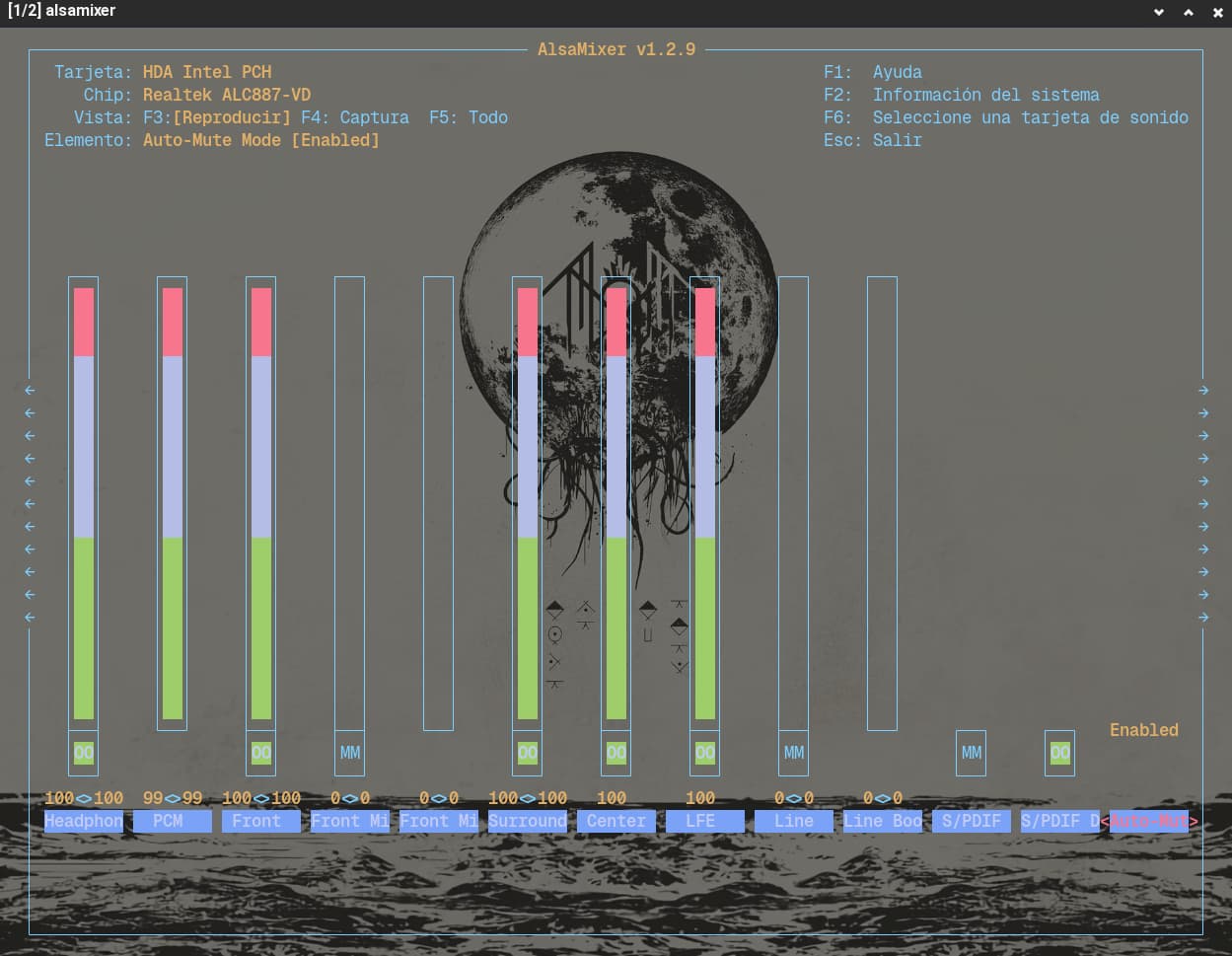
It is very difficult to read your semi-transparent alsamixer screenshot.
But I see Line-out and some other channels are set MM i.e. muted. Have you tried unmuting all those channels and increase volume to test effect?
Also try Disable [Auto-Mute] channel, and experiment with [Loopback-Mode] channel settings and test.
Hi, I found a solution. I’m not sure if it’s the cleanest approach, but it works.
The problem is basically that PipeWire only maps a single general sink. By default, this redirects audio to the “line-out” channel. However, when I switch to “headphones,” PipeWire doesn’t handle the port change automatically. ChatGPT suggested using this command to remap the sink to my headphone ports:
  pactl load-module module-remap-sink \
  sink_name=hdph \
  master=alsa_output.pci-0000_00_1f.3.analog-stereo \
  channels=2 \
  master_channel_map=front-left,front-right \
  channel_map=front-left,front-right
After running this, I only need to change the port in pavucontrol to “headphones,” and it works.
To make this configuration persistent, I copied the file
/usr/share/pipewire/pipewire-pulse.conf
into a new folder
~/.config/pipewire/
and added the following line inside the pulse.cmd section:
pulse.cmd = [
{ cmd = "load-module" args = "module-remap-sink sink_name=hdph master=alsa_output.pci-0000_00_1f.3.analog-stereo channels=2 master_channel_map=front-left,front-right channel_map=front-left,front-right" }
]
Finally, I restarted the PipeWire services with:
systemctl --user restart pipewire pipewire-pulse
Note: The only remaining issue is that system sounds do not play when listening through my headphones. I’m not sure if this is exactly the problem I described initially, but I found this solution after several hours and using ChatGPT and gemini constantly.
This topic was automatically closed 90 days after the last reply. New replies are no longer allowed.